Imagine a device that sits silently on your windshield, a vigilant witness ready to capture everything from breathtaking scenic drives to the sudden, chaotic moments of a collision. This is the modern dash cam, an essential piece of technology that has evolved far beyond simple loop recording. In an era where insurance disputes and hit-and-run incidents are regrettably common, a dash cam transforms from a gadget into a critical form of automotive insurance, providing irrefutable evidence and profound peace of mind.
Choosing the best dash cam is no longer a simple task of picking the cheapest option. The market in 2026 is flooded with models boasting 4K resolution, cloud connectivity, parking surveillance, and advanced driver-assistance features. This guide will demystify the process, breaking down the critical features, explaining the different types of dash cams, and aligning technology with your specific driving needs and budget. You will learn how to navigate the specifications, understand what truly matters for daily use, and ultimately select the perfect electronic co-pilot for your vehicle.
Understanding Dash Cam Types and Core Configurations
The first and most fundamental decision is choosing the physical configuration of your dash cam system. The classic single-lens dash cam is mounted on the front windshield and records the road ahead. It's the most common, affordable, and straightforward option, perfect for drivers primarily concerned with capturing forward-facing incidents. Installation is usually simple, involving a suction cup or adhesive mount and a power cable tucked into the headliner. For most people, a good quality front-facing camera provides the core evidence needed in the majority of collision scenarios.
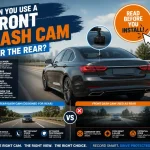
For comprehensive coverage, a dual-channel dash cam is the gold standard. This system includes a primary front-facing camera and a secondary interior/rear-facing camera. The second lens can be configured in two key ways. First, as an interior cabin camera, which is crucial for rideshare drivers, commercial fleets, or those wanting to record interactions during traffic stops. Second, it can be a rear window camera, providing vital footage of rear-end collisions, parking lot scrapes, or incidents that occur behind your vehicle. This dual-lens system records both feeds simultaneously, often onto a single memory card, creating a synchronized record of events from multiple angles.
A third, more involved configuration is the multi-camera system, which may include dedicated cameras for the rear window and the vehicle's sides. These are often used by commercial operators or enthusiasts seeking maximum coverage. In 2026, the trend is toward integrated systems where a single, discreet main unit houses multiple lenses or connects wirelessly to separate camera modules, reducing cable clutter. Your choice here should be driven by your risk profile: a daily commuter might opt for a front-only cam, while an urban dweller or rideshare driver will find immense value in a dual-channel setup for interior and rear coverage.
Decoding Key Features: Resolution, Field of View, and Night Vision
Once you've chosen a configuration, it's time to dive into the specifications that determine video quality. Resolution is the most advertised spec, measured in pixels. As of 2026, 2K (1440p) is considered the sweet spot for most users, offering excellent detail for license plate and street sign recognition without creating overwhelmingly large file sizes. 4K (2160p) models provide supreme clarity but demand more storage space and higher-quality, more expensive memory cards. Be wary of cameras that claim high resolution through software interpolation rather than true sensor capability; read reviews to see real-world footage.
Equally important is the lens's field of view (FOV). Measured in degrees, a wider FOV captures more of the scene to the left and right. A FOV between 140 and 160 degrees is ideal. Too narrow (below 120 degrees), and you might miss action at the peripheries. Too wide (over 180 degrees), and the image can suffer from a "fisheye" distortion, making details like license plates harder to read at the edges of the frame. The best cameras strike a balance, offering a wide, usable view with minimal distortion. Pair this with a high dynamic range (HDR) feature, which balances bright skies and dark shadows, and you have a recipe for clear video in high-contrast lighting.
Superior night vision is non-negotiable, as many incidents occur after dark. Don't just rely on marketing terms like "infrared" or "night vision." Look for cameras with a wide aperture (a lower f-stop number like f/1.6 or f/1.8), which allows more light to hit the sensor. Combined with a high-quality Sony STARVIS or similar image sensor, this ensures crisp, detailed footage in low-light conditions. A practical tip: review sample night footage from prospective models on video sharing platforms. Can you clearly read a license plate of a car parked under a streetlight? That's the real test of a dash cam's nocturnal capabilities.
Essential Advanced Functions: Parking Mode, GPS, and Connectivity
Modern dash cams are smart devices, and their advanced features significantly expand their protective role. Parking Mode is arguably the most valuable of these. When your car is off and parked, the dash cam monitors for impacts or motion. If an event is detected—a shopping cart ding, a sideswipe, or a break-in—it automatically saves a locked video file that won't be overwritten. For this to work reliably, the dash cam must be hardwired into your vehicle's fuse box using a kit that includes a low-voltage cutoff to prevent draining your car battery. This feature transforms your dash cam into a 24/7 sentry.
Built-in GPS is another critical function. It doesn't just track your route; it embeds your precise speed, location, and time stamp directly into the video file. This data is invaluable for proving you were at a complete stop, adhering to the speed limit, or were at a specific intersection at a precise time. Some insurance companies and legal professionals consider GPS-verified evidence more robust. Furthermore, cloud connectivity, available through a built-in SIM card or connection to your mobile hotspot, allows for live viewing, real-time alerts, and automatic backup of incident footage to the cloud, ensuring evidence is safe even if the camera is stolen or damaged.
Other smart features include Advanced Driver Assistance Systems (ADAS) like forward collision warnings, lane departure alerts, and fatigue reminders. While helpful, they are secondary to the primary evidence-gathering mission and should not be a primary buying decision. Driver-facing voice control for hands-free operation, seamless smartphone app integration for easy video review and settings adjustment, and reliable Wi-Fi for in-garage footage transfer are more practical connectivity perks. Prioritize a model with a robust, user-friendly app, as this is your main interface for managing your footage library.
Storage, Power, and Installation Considerations
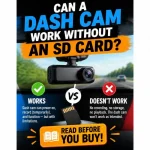
A dash cam is only as good as its ability to reliably save footage. This hinges on the memory card. Not all cards are created equal; you must use a high-endurance microSD card designed for the constant read/write cycles of continuous recording. Brands like Samsung PRO Endurance, SanDisk High Endurance, and Kingston Canvas Go! Plus are reliable choices. As of 2026, a minimum of 128GB is recommended, with 256GB being ideal for higher-resolution models and longer recording loops before overwriting. Format the card in the camera every month to maintain stability and prevent corruption.
Powering your dash cam correctly is crucial for its functionality. The simplest method is the 12V cigarette lighter socket, which provides power only when the ignition is on. For Parking Mode, you need a hardwiring kit. This involves routing cables to your vehicle's fuse box, connecting to a constant-power fuse (for parking surveillance) and a switched-power fuse (for normal operation). While this can be a DIY project for the handy, many opt for professional installation for a clean, hidden wire job. Some newer high-end models offer built-in batteries or supercapacitors; supercapacitors are generally preferred as they handle extreme vehicle temperatures better than lithium batteries.
Installation placement is both a legal and practical concern. The camera should be mounted centrally behind the rearview mirror, on the passenger side if possible, to minimize driver distraction and stay within the windshield's swept area. Ensure it does not obstruct your view. Tuck all cables neatly into the headliner, down the A-pillar (avoiding airbag deployment paths), and under the dashboard. Before finalizing the adhesive mount, test the camera's view to ensure the lens is aimed correctly—the horizon should be roughly in the center of the frame. A clean installation not only looks professional but also prevents the camera from becoming a projectile in a collision.
Matching a Dash Cam to Your Lifestyle and Budget
With the technical aspects understood, the final step is aligning a model with your specific driving patterns and financial plan. For the budget-conscious driver or someone with an older vehicle, a reliable 1080p or 2K single-channel camera from a reputable brand like Viofo, Garmin, or Nextbase offers excellent core protection for under $150. It will capture clear evidence of front-end collisions and unexpected events. Focus on models with good low-light performance and a reliable loop recording system. This is a no-frills, high-value entry point into dash cam ownership.
The urban commuter, rideshare driver, or owner of a new vehicle should strongly consider a mid-range ($150-$300) dual-channel system. This category in 2026 offers superb 2K+ resolution on both channels, reliable Parking Mode with buffered recording, built-in GPS, and strong app connectivity. Brands like Thinkware, BlackVue, and Vantrue excel here. For these users, the investment covers the complex risks of city driving, parking lot incidents, and passenger interactions, providing a 360-degree evidence shield that can save thousands in disputed insurance claims.
For the premium vehicle owner, tech enthusiast, or professional driver, the high-end segment ($300+) offers the pinnacle of dash cam technology. Expect 4K front recording, three-channel coverage (front, interior, rear), sophisticated cloud services with LTE built-in, radar-enhanced parking surveillance, and ultra-premium build quality. Brands like BlackVue's DR Series and Thinkware's Q Series are leaders. The investment here is for those who want the absolute best in video clarity, seamless connectivity, and advanced features, viewing the dash cam as an integral part of their vehicle's security and technology ecosystem.
Key Takeaways
- ✓ Your needed configuration (single, dual, or multi-channel) is the foundational choice, dictated by whether you need interior or rear-window coverage in addition to the forward view.
- ✓ True video quality is determined by the combination of sensor, lens aperture, and HDR, not just resolution; always seek out real-world sample footage, especially at night.
- ✓ Parking Mode, enabled by a hardwiring kit, is a transformative feature that provides 24/7 protection against hit-and-runs and vandalism.
- ✓ A high-endurance microSD card (128GB minimum) and a proper power setup are critical for reliable, continuous operation and evidence preservation.
- ✓ Align your purchase with your driving risks: a basic front-facing cam suits simple commutes, while urban drivers and professionals benefit immensely from dual-channel systems with cloud connectivity.
Frequently Asked Questions
Is a dash cam worth the investment?
Absolutely. While the upfront cost varies, a dash cam can save you thousands of dollars by providing indisputable evidence in an accident, potentially proving you were not at fault and preventing insurance premium increases. The peace of mind it offers, knowing you have a reliable witness, is invaluable and often justifies the investment many times over.
Can I use a regular microSD card in my dash cam?
It is strongly discouraged. Regular microSD cards are not designed for the constant writing and rewriting of data in a dash cam, which operates 24/7 in harsh temperature environments. They will fail prematurely, potentially at the worst moment. Always invest in a high-endurance card specifically rated for dash cam and surveillance use to ensure reliability and data integrity.
Will a dash cam drain my car battery?
Not if set up correctly. If plugged into the cigarette lighter, it only draws power when the car is on. For Parking Mode, a proper hardwiring kit is essential. These kits include a voltage monitor that cuts power to the dash cam if your car battery drops to a preset safe level (e.g., 12.4V), preventing a dead battery. With a healthy car battery, a hardwired dash cam can monitor for events for several days without issue.
Are dash cams legal? Can the footage be used against me?
Laws vary by region, but in most places in the U.S. and Europe, dash cams are legal for personal use. The primary legal consideration is privacy; in some areas, recording audio of passengers without consent may be restricted. Regarding evidence, yes, footage can be used by any party in an incident, including against you. This underscores the importance of driving responsibly, as your dash cam promotes accountability for all parties, including yourself.
How do I manage and save important footage from my dash cam?
Most dash cams automatically lock and protect footage when they detect a G-sensor impact (a collision) or manual button press. To permanently save it, you must transfer it off the memory card. The easiest method is via the dash cam's Wi-Fi connection to your smartphone app, where you can preview, download, and share clips. For longer-term storage or serious incidents, remove the memory card and copy the files to your computer or a cloud storage service.
Conclusion
Selecting the best dash cam in 2026 requires a thoughtful balance of configuration, video quality, smart features, and reliable hardware. By understanding the core types—from single-lens to dual-channel systems—and prioritizing features like true night vision, reliable Parking Mode, and robust storage, you can cut through the marketing noise. The goal is to find a "road guardian" that seamlessly integrates into your driving life, offering silent, vigilant protection whether you're navigating a daily commute or your car is parked unattended.
Take the next step by assessing your primary driving risks and setting a realistic budget. Read expert and user reviews focusing on real-world video samples, especially at night. Then, choose a reputable brand and model that fits your criteria. Consider the installation process, and don't hesitate to invest in professional hardwiring for full functionality. By making an informed choice, you're not just buying a gadget; you're investing in security, accountability, and profound peace of mind for every journey ahead.

Tony Kilmer is an auto mechanic and the author behind CarTruckAdvisor.com. He shares practical, no-nonsense guidance on car and truck maintenance, common problems, and repair decisions—helping drivers understand what’s going on and what to do next.