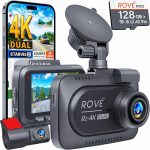
You have just purchased a new dash cam to protect yourself on the road, but the thought of hardwiring it into your vehicle’s fuse box feels intimidating. You are not alone. Millions of drivers prefer the simplicity of plugging their dash cam directly into the cigarette lighter, also known as the 12V auxiliary power outlet. This method is not only the fastest way to get your camera recording, but it also requires zero mechanical experience and no special tools beyond what you already own.
In 2026, dash cams have become more sophisticated, featuring 4K resolution, cloud connectivity, and parking mode sensors. However, the installation method using the cigarette lighter remains the most popular choice for renters, leaseholders, and anyone who wants a non-permanent setup. This guide will walk you through every step of the process, from selecting the right power cable to hiding the wires for a professional look. By the end, you will have a fully functional dash cam that powers on automatically with your car and records every mile with crystal clarity.
Understanding Your Dash Cam Power Kit and the Cigarette Lighter Adapter
Before you begin the physical installation, it is critical to understand the components that come with your dash cam. Most modern dash cams include a USB-to-12V adapter, which is a small black box that plugs into your cigarette lighter socket. This adapter converts the car’s 12-volt DC power down to 5 volts, which is what your dash cam requires to operate safely. In 2026, many premium dash cams now ship with a dual-port adapter, allowing you to charge a phone simultaneously while powering the camera.
The cable itself is typically 10 to 12 feet long. This length is intentional, as it allows you to route the wire along the headliner, down the A-pillar, and under the dashboard to reach the center console. If your dash cam came with a shorter cable, you can purchase a compatible extension cable or a right-angle USB adapter to make the routing easier. Always check the amperage rating of your adapter. Most dash cams draw between 1.5 and 2.5 amps, and using a cheap, low-quality adapter can cause overheating or intermittent power loss.
One common mistake is assuming that all cigarette lighter sockets are identical. Some modern vehicles, especially electric and hybrid models, have a delayed power-off feature that keeps the socket live for several minutes after the car is turned off. This can be beneficial if you want your dash cam to record for a short time after parking, but it can also drain your car battery if the camera does not have a low-voltage cutoff. Check your vehicle owner’s manual to understand the behavior of your specific 12V outlet before proceeding.
Step-by-Step Installation: From Unboxing to First Recording
Start by mounting the dash cam to your windshield. The ideal location is behind the rearview mirror, on the passenger side, so it does not obstruct your view of the road. Clean the glass area with an alcohol wipe to remove any oils or residue. Most dash cams use a static cling or adhesive mount. Press the mount firmly against the glass and hold it for 30 seconds to ensure a strong bond. If you are using a suction cup mount, wet the rubber surface slightly before pressing it to the glass for a better seal.
Next, plug the USB cable into the dash cam and route the excess cable upward into the headliner. The headliner is the fabric covering the roof of your car. You can tuck the wire into the gap between the headliner and the windshield using a plastic trim tool or even a credit card. Work your way along the top edge of the windshield toward the driver’s side or passenger side A-pillar. Be careful not to run the cable over the side curtain airbag deployment zone. Instead, route the wire behind the airbag or along the existing wiring harness.
Once you reach the A-pillar, continue tucking the wire down the rubber door seal. This seal is flexible and can be pulled away gently to hide the cable inside. Run the wire down to the dashboard level, then route it under the glove box or steering column toward the center console. Finally, plug the 12V adapter into the cigarette lighter socket. When you start your car, the dash cam should power on automatically. If it does not, check that the adapter is fully inserted and that the socket is clean of debris.
Hiding the Cable for a Factory-Installed Look
The biggest aesthetic challenge with a cigarette lighter installation is the visible power cable. However, with a few simple techniques, you can make the wire nearly invisible. The most important tool for this job is a plastic trim removal kit, which costs less than ten dollars online. These tools allow you to pry up trim panels without scratching the plastic. Start by identifying the path of least resistance from your dash cam to the cigarette lighter. In most vehicles, the cleanest route goes up into the headliner, down the A-pillar, and under the dashboard.
For the headliner section, you do not need any tools. Simply push the wire into the gap using your fingers. If the gap is tight, use the flat end of the trim tool to wedge the cable in. When you reach the A-pillar, you may need to remove the plastic trim cover. This usually pops off with a firm pull or by prying at the top edge. Behind the trim, you will find existing wiring. Use a zip tie or electrical tape to secure your dash cam cable to these wires, keeping it away from the airbag mechanism. Reinstall the trim piece by pressing it firmly until it clicks.
The final stretch under the dashboard can be tricky. Look for existing gaps or channels where the factory wiring runs. You can often tuck the cable behind the glove box or along the metal frame of the dashboard. If your cigarette lighter is in the center console, you may need to remove a side panel to access the back of the socket. Many vehicles have a small access hole or a removable panel near the shifter. Take your time with this step. A well-hidden cable not only looks professional but also prevents the wire from getting snagged on your feet or the pedals.
Troubleshooting Common Power and Connectivity Issues
Even with a straightforward installation, you may encounter issues. The most common problem is the dash cam turning off intermittently while driving. This is almost always caused by a loose connection in the cigarette lighter socket. Over time, the spring-loaded contact inside the socket can weaken, especially if you frequently plug and unplug devices. The solution is to use a right-angle adapter or a cigarette lighter extension cable with a tighter fit. Alternatively, you can clean the socket with a cotton swab and isopropyl alcohol to remove corrosion.
Another frequent issue is the dash cam not turning on at all. First, test the cigarette lighter socket with another device, such as a phone charger, to confirm the socket is working. If the socket works but the dash cam does not, the problem is likely the 12V adapter. Some adapters have a small LED light that indicates power. If the light is off, the adapter may be defective. In 2026, many dash cam manufacturers have switched to USB-C connectors, which are more reliable than older micro-USB ports. Ensure your cable is fully seated in both the adapter and the camera.
If your dash cam keeps restarting or showing a “low voltage” warning, your vehicle’s electrical system may be providing unstable power. This is common in older cars or vehicles with aftermarket audio systems. A simple fix is to use a “power stabilizer” or a dash cam-specific hardwire kit that includes a voltage regulator. However, if you want to stick with the cigarette lighter method, try plugging the adapter into a different socket if your car has multiple outlets. Some sockets are dedicated to higher-power devices and provide cleaner power.
Maximizing Your Dash Cam’s Features Without Hardwiring
Many drivers believe that parking mode is only available with a hardwired installation, but this is not entirely true in 2026. Several dash cam manufacturers now offer “parking mode” adapters that plug into the cigarette lighter and use a built-in battery or supercapacitor to keep the camera recording when the car is off. These adapters are designed to draw power from the socket only when the car is running, then switch to internal battery power when the engine stops. This gives you basic motion detection and impact recording without the complexity of hardwiring.
For those who want continuous parking recording, you can purchase a dedicated dash cam battery pack. These are small lithium-ion batteries that you charge while driving, and they power the camera for up to 24 hours when parked. Simply plug the battery pack into the cigarette lighter, and then plug your dash cam into the battery pack. This setup is completely portable and can be moved between vehicles. It also protects your car’s starter battery from being drained, which is a major concern with traditional hardwired parking mode.
Finally, do not forget about software features. In 2026, most dash cams have companion apps that you to adjust settings, view live footage, and download clips over Wi-Fi or Bluetooth. After your installation is complete, take five minutes to configure the camera. Set the video resolution to the highest available, enable loop recording, and adjust the G-sensor sensitivity to medium. If your camera supports GPS, enable it to log your speed and location. These settings ensure you capture the best possible evidence in the event of an incident.
Key Takeaways
- ✓ The cigarette lighter installation method is the fastest and most accessible way to install a dash cam, requiring no special tools or vehicle modification.
- ✓ Always route the power cable along the headliner and A-pillar to hide it from view and keep it away from side curtain airbags.
- ✓ Use a plastic trim removal tool to safely tuck the wire under dashboard panels and door seals for a professional finish.
- ✓ If your dash cam turns off intermittently, clean the cigarette lighter socket or use a right-angle adapter to ensure a secure connection.
- ✓ Parking mode is still achievable with the cigarette lighter method by using a dedicated battery pack or a dash cam with a built-in supercapacitor.
Frequently Asked Questions
Can I install a dash cam with a cigarette lighter if my car has a start-stop system?
Yes, but you may experience a brief power interruption when the engine restarts. To prevent this, choose a dash cam with a built-in supercapacitor or a power delay feature. Some modern adapters also include a time-delay circuit that keeps power stable during the restart cycle.
Will leaving the dash cam plugged into the cigarette lighter drain my car battery?
It depends on your vehicle. Many cars cut power to the cigarette lighter when the ignition is off. If your socket is always live, the dash cam will drain the battery over several days. Use a dash cam with a low-voltage cutoff or unplug the adapter when parking for extended periods.
How do I hide the wire if my cigarette lighter is in the center armrest?
Route the cable under the center console trim. Most vehicles have removable side panels near the shifter. You can fish the wire through these panels and out through a small gap near the armrest hinge. Use adhesive cable clips to secure the wire inside the armrest compartment.
What should I do if my dash cam cable is too short to reach the cigarette lighter?
Purchase a USB extension cable that matches your dash cam’s connector type. In 2026, most dash cams use USB-C or micro-USB. Ensure the extension cable is rated for data and power, and avoid using cables longer than 6 feet to prevent voltage drop.
Is it safe to use a third-party cigarette lighter adapter with my dash cam?
Yes, but only if the adapter matches the voltage and amperage requirements of your dash cam. Look for adapters with built-in surge protection and a brand name with good reviews. Avoid cheap adapters from unknown sellers, as they can overheat or provide unstable power.
Conclusion
Installing a dash cam with a cigarette lighter is the most straightforward and reversible method available in 2026. By following the steps outlined in this guide, you can have your camera mounted, powered, and recording in under thirty minutes. The key is to take your time with cable routing to achieve a clean look, and to test your setup thoroughly before hitting the road. Remember that a properly installed dash cam is your best defense against insurance fraud, hit-and-run accidents, and disputed traffic incidents.
Now that you have the knowledge, it is time to take action. Gather your tools, review your vehicle’s interior layout, and begin the installation. If you encounter any issues, refer back to the troubleshooting section or consult your dash cam’s manual. Once your camera is running, take a short test drive and review the footage to ensure the angle and focus are correct. You will gain peace of mind knowing that every journey is recorded, and you have taken a simple but powerful step toward protecting yourself on the road.

Tony Kilmer is an auto mechanic and the author behind CarTruckAdvisor.com. He shares practical, no-nonsense guidance on car and truck maintenance, common problems, and repair decisions—helping drivers understand what’s going on and what to do next.