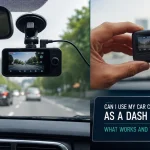
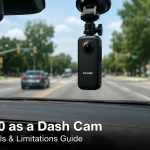
Imagine this: you are sitting at a red light, and suddenly, a car rear-ends you. The driver claims you stopped abruptly. Without video evidence, it is your word against theirs. This is the exact scenario that has driven millions of drivers to install dash cams, transforming them from a niche gadget into an essential piece of automotive safety equipment. In 2026, the market is flooded with options, from budget-friendly models to high-end 4K systems with artificial intelligence, making the choice more complex than ever.
Choosing the best dash cam for your vehicle is no longer just about recording a video. It is about ensuring clarity at night, capturing license plates in motion, and having a system that can withstand extreme temperatures. This guide will walk you through the most critical features to look for in 2026, review the top contenders across different price points, and provide actionable advice on installation and maintenance. By the end, you will have a clear understanding of which dash cam is the perfect fit for your driving needs.
Understanding Core Resolution and Lens Quality in 2026
The single most important factor in a dash cam is its ability to capture a clear image. In 2026, the baseline standard has moved firmly to 4K resolution (3840 x 2160). While 1080p models still exist for budget buyers, they often fail to capture crucial details like a license plate number from a car two lanes over. A true 4K sensor, such as the Sony STARVIS 2 or the newer Omnivision OS12D, provides the pixel density needed to read plates and identify faces, even in challenging lighting conditions.
However, resolution is only half the story. The lens aperture and field of view (FOV) are equally critical. A wider FOV, typically between 140 and 170 degrees, captures more of the road and side intersections, which is vital for documenting accidents that happen in your peripheral vision. The downside is that extremely wide lenses can create a fisheye effect, distorting the at the edges. The best dash cams in 2026 balance a wide FOV with a high-quality glass lens (often with an f/1.6 or f/1.8 aperture) to allow maximum light intake, ensuring clear footage during dawn, dusk, and nighttime driving.
Finally, do not overlook the importance of frame rate. While 30 frames per second (fps) is standard, many premium models now offer 60fps at 4K. This higher frame rate is a game-changer for capturing fast-moving objects, such as a car speeding through an intersection or a pedestrian darting into the road. A 60fps recording provides smoother motion and significantly increases the chance of getting a clear, non-blurry still frame of a license plate. When evaluating a dash cam, prioritize models that offer 4K at 60fps or at least a reliable 4K at 30fps with excellent low-light performance.
Critical Features: Parking Mode, GPS, and Cloud Connectivity
A dash cam that only records while you are driving is missing half its potential. Parking mode is arguably the most valuable feature for anyone who parks on the street or in a shared lot. In 2026, the best systems offer three types of parking mode: motion detection, impact detection, and time-lapse recording. Motion detection starts recording when it sees movement in front of the car, while impact detection triggers a locked file when a bump is detected. Time-lapse mode records continuously at a low frame rate, saving storage space while providing a constant surveillance feed. For parking mode to work, you will likely need a hardwire kit that connects the camera to your car’s fuse box, providing constant power without draining your battery to zero.
GPS is another feature that has moved from premium to standard in most mid-range and high-end dash cams. A built-in GPS module embeds your vehicle’s speed, location coordinates, and route into the video file. This data is invaluable when providing evidence to an insurance company or law enforcement. It can prove you were obeying the speed limit or that you were in the correct lane. Some advanced models in 2026 also include GPS-based speed camera alerts, warning you of red-light and speed cameras along your route.
The most significant trend in 2026 is cloud connectivity. Premium dash cams now offer built-in Wi-Fi, 4G LTE, or even 5G connectivity. This allows you to view a live feed of your camera from your smartphone, receive instant alerts when an impact is detected while parked, and automatically back up critical footage to a cloud server. This is a game-changer for security, as it prevents a thief from destroying the physical memory card to erase evidence. While cloud features often require a subscription, they provide a level of security and convenience that is unmatched by traditional, offline dash cams.
Top Dash Cam Recommendations for 2026
For the driver who wants the absolute best in video quality and features, the Viofo A229 Pro remains a top contender in 2026. This dual-channel system (front and rear) records in true 4K on the front camera and 2K on the rear. It uses the Sony STARVIS 2 sensor, which provides exceptional low-light performance. Its standout feature is the HDR (High Dynamic Range) processing, which balances bright skies and dark shadows to produce a clear image in all conditions. It is a wired system, which means a slightly more complex installation, but the video quality is unmatched for its price point.
If you prioritize a sleek, discreet design and cloud features, the Thinkware U1000 is a premium choice. This model is famous for its "Super Night Vision 2.0" and its comprehensive cloud platform. You can set geofencing alerts, receive real-time notifications, and view your camera remotely. The U1000 also offers an optional radar module that extends parking mode battery life by only activating the camera when it detects a moving object. It is more expensive than the Viofo, but the build quality and software ecosystem justify the cost for many users.
For budget-conscious buyers, the Garmin Dash Cam Mini 3 is a fantastic option. It is incredibly small, about the size of a key, and can be tucked behind the rearview mirror for a nearly invisible installation. While it only records in 1080p, its video quality is excellent for the resolution, and it features Garmin’s reliable parking guard and voice control. It lacks a rear camera option, but for a simple, reliable, and affordable front-facing camera, the Mini 3 is the best in its class. A final honorable mention goes to the Nextbase 622GW, which offers a unique "What3Words" integration for precise location reporting in an emergency.
Installation, Storage, and Maintenance Best Practices
Proper installation is key to getting the most out of your dash cam. The simplest method is to plug the camera into your 12V cigarette port and drape the cable across the dashboard. However, for a clean, professional look, you should hardwire the camera. This involves running the cable along the headliner, down the A-pillar, and connecting it to a fuse that turns on and off with the ignition. Most dash cam kits come with a fuse tap and a low-voltage cutoff to protect your car battery. If you are not comfortable with electrical work, many auto shops will install a hardwire kit for a reasonable fee.
Storage is another area where many users make mistakes. Dash cams write data constantly, so you need a high-endurance microSD card, not a standard one. Standard cards can fail within months due to the constant rewriting. Look for cards specifically labeled "High Endurance" or "Max Endurance" from brands like SanDisk or Samsung. A 128GB card is the sweet spot for 4K recording, offering several days of loop recording before overwriting. Always format the card inside the dash cam itself, not on your computer, to ensure the correct file system is used.
Maintenance is simple but often forgotten. You should format your memory card inside the dash cam every two to four weeks. This clears out fragmented files and prevents corruption. Additionally, clean the lens of your dash cam with a microfiber cloth every time you clean your windshield. A smudge or fingerprint on the lens can ruin an otherwise perfect recording. Finally, check your firmware updates every few months. Manufacturers like Viofo and Thinkware regularly release updates that improve video processing, fix bugs, and add new features. Keeping your firmware up to date ensures your dash cam is performing at its best.
Legal Considerations and Privacy in 2026
While dash cams are legal in most places, there are important legal nuances to understand. In the United States, laws vary by state. For example, in California, it is illegal to mount a dash cam on the windshield in a way that obstructs the driver's view. Most states require that the camera be mounted behind the rearview mirror or on the dashboard. In some countries, like Germany and Austria, dash cam footage is generally not admissible as primary evidence in court due to privacy laws, though it can be used in civil cases. Always check your local laws regarding windshield mounting and audio recording, as recording audio inside the cabin without consent is illegal in 12 U.S. states.
Privacy is a growing concern with cloud-connected dash cams. When you use a cloud service, your video footage is uploaded to a server owned by the manufacturer. It is crucial to read the privacy policy of your chosen brand. Look for companies that offer end-to-end encryption and do not share your footage with third parties without your explicit consent. Some models allow you to disable cloud uploads entirely and only use local storage if you are concerned about data security.
Finally, consider the privacy of others. While you are legally allowed to record public roads, you should be mindful of where you point your camera. Avoid aiming it directly into a neighbor’s home or a private business’s entrance. If you share dash cam footage online, especially of an accident, it is good practice to blur out license plates and faces of uninvolved parties. Being a responsible dash cam owner means using the technology to protect yourself without infringing on the reasonable privacy expectations of others.
Key Takeaways
- ✓ Prioritize 4K resolution with a Sony STARVIS 2 sensor for the best low-light performance and license plate capture.
- ✓ Parking mode with a hardwire kit is essential for 24/7 vehicle security; look for motion, impact, and time-lapse options.
- ✓ Cloud connectivity offers remote viewing and instant alerts, but requires a subscription and careful privacy consideration.
- ✓ Always use a high-endurance microSD card and format it inside the camera every few weeks to prevent data corruption.
- ✓ Check local laws regarding windshield mounting and audio recording before installing your dash cam.
Frequently Asked Questions
Is a 4K dash cam really necessary, or is 1080p good enough?
While 1080p can be sufficient for general driving, 4K is highly recommended for capturing license plates, especially at night or at highway speeds. The extra detail in 4K footage can be the difference between identifying a hit-and-run driver and having a blurry, useless video. If your budget allows, invest in 4K.
How do I prevent my dash cam from draining my car battery in parking mode?
Most hardwire kits include a low-voltage cutoff feature. This device monitors your car battery's voltage and automatically shuts off power to the dash cam the voltage drops to a preset level (usually 11.8V or 12.0V). This ensures you always have enough power to start your engine.
Can a dash cam record audio inside the car?
Yes, most dash cams have a built-in microphone that can record audio. However, recording audio without consent is illegal in many jurisdictions. Most cameras allow you to disable audio recording in the settings menu. It is best to turn audio off unless you have a specific need for it.
What is the difference between a capacitor and a battery dash cam?
Capacitor-based dash cams are superior for most users. They use a supercapacitor instead of a lithium-ion battery to power the camera during shutdown. Capacitors are far more resistant to extreme heat and cold, meaning they will not bulge, leak, or fail in a hot car. Battery-based cameras are cheaper but have a shorter lifespan in hot climates.
Do I need a rear camera, or is a front-facing camera enough?
A front-facing camera is the minimum requirement, but a dual-channel system (front and rear) is highly recommended. Many accidents, such as being rear-ended or side-swiped, are best documented from the rear. A rear camera also provides valuable evidence if someone hits your parked car from behind.
Conclusion
Choosing the best dash cam in 2026 comes down to balancing your budget with your need for clarity, security, and convenience. We have covered the critical importance of 4K resolution and high-quality sensors, the game-changing benefits of parking mode and cloud connectivity, and the top models from Viofo, Thinkware, andarmin. Remember that proper installation with a hardwire kit and regular maintenance of your memory card are just as important as the camera itself.
Your dash cam is an investment in your peace mind. It is a silent witness that protects you from false claims, insurance fraud, and the stress of disputed accidents. Do not wait for a crash to realize you need one. Review your driving habits, choose a model that fits your specific needs, and install it today. The few hours you spend setting it up could save you thousands of dollars and countless headaches in the future. Drive safe, and drive recorded.

Tony Kilmer is an auto mechanic and the author behind CarTruckAdvisor.com. He shares practical, no-nonsense guidance on car and truck maintenance, common problems, and repair decisions—helping drivers understand what’s going on and what to do next.