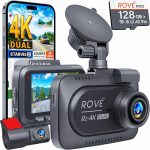
Picture this: you are driving down a busy highway when a car suddenly swerves into your lane, forcing you to brake hard. The driver behind you is not so lucky and rear-ends your vehicle. In the chaos that follows, the other driver claims you stopped suddenly for no reason. Without evidence, it becomes your word against theirs. This is exactly the scenario where a dash cam becomes your silent witness, capturing every detail of the event and providing irrefutable proof of what really happened.
Dash cams have evolved from niche gadgets into essential automotive accessories, with over 40% of new vehicles in 2026 coming equipped with some form of built-in recording capability. Understanding how these devices work is no longer just for tech enthusiasts; it is practical knowledge that can save you money on insurance, protect you from fraud, and provide peace of mind on every journey. In this comprehensive guide, you will learn the inner workings of dash cams, from basic recording mechanics to advanced features like GPS tracking and AI-powered driver assistance.
The Core Components: What Makes a Dash Cam Tick
At its heart, a dash cam is a specialized digital video recorder designed for the unique challenges of automotive use. The primary components include a high-resolution camera sensor, a lens assembly, a processor chip, storage media (usually a microSD card), and a power management system. The camera sensor captures light through the lens and converts it into electrical signals, which the processor then compresses into a video file format like H.265 or the newer AV1 codec. Modern dash cams in 2026 typically record at 4K resolution or higher, with some premium models offering 5K or even 8K capture for crystal-clear detail.
The lens is arguably the most critical component for image quality. Most dash cams use a wide-angle lens with a field of view between 120 and 180 degrees. A wider angle captures more of the road and surroundings but can introduce fisheye distortion at the edges. Manufacturers combat this with software correction algorithms that straighten the image while maintaining the wide perspective. The aperture, measured in f-stops, determines how much light reaches the sensor. A lower f-stop number, such as f/1.6, allows more light in, which is essential for clear nighttime recording.
Power management is another crucial element. Dash cams draw power from your vehicle's 12V accessory port (cigarette lighter) or can be hardwired into the car's electrical system. The device typically includes a supercapacitor rather than a traditional battery, as capacitors handle extreme temperatures better and last longer. When the car is turned off, many dash cams enter a parking mode that uses motion detection or impact sensors to record only when something happens, conserving the car battery. A voltage cutoff feature ensures the dash cam stops recording before it drains the battery below the level needed to start the engine.
Recording Mechanics: How Video is Captured and Stored
The recording process begins the moment you start your car, or in some cases, when the dash cam detects motion. The camera sensor continuously captures frames at a rate of 30 or 60 frames per (fps). Each frame is a still image, and when played back at this speed, they create smooth video. The processor takes these raw frames and applies various corrections, including white balance adjustment, exposure compensation, and noise reduction. For night recording, advanced models use wide dynamic range (WDR) technology, which balances bright headlights and dark shadows in the same frame to produce a clear image.
Storage is managed through a loop recording system. The dash cam divides the microSD card into segments, typically one to five minutes long. When the card becomes full, the device automatically overwrites the oldest files with new recordings. This ensures you never run out of space during a long drive. However, critical events like collisions or manual button presses trigger a "protected" or "event" file that is locked and cannot be overwritten. These files are stored in a separate folder and remain on the card until you manually delete them. In 2026, most dash cams support microSD cards up to 512GB or 1TB, providing days of continuous recording.
The video files are encoded using efficient compression algorithms to balance quality and file size. H.265 (HEVC) is the current standard, offering about 50% better compression than the older H.264 format without sacrificing quality. The newer AV1 codec is gaining traction, providing even better compression for 4K and higher resolutions. Most dash cams also embed metadata directly into the video file, including date, time, speed, GPS coordinates, and even G-force data from the built-in accelerometer. This metadata is crucial for insurance claims and legal proceedings, as it provides a complete record of the driving conditions at the time of an incident.
Advanced Features: GPS, G-Sensors, and Smart Connectivity
Modern dash cams are far more than simple recording devices. Built-in GPS receivers track your vehicle's location, speed, and route. This data is overlaid on the video playback, allowing you to see exactly where and how fast you were driving at any moment. Some models even display a map view alongside the video, showing your route on a satellite image. This feature is invaluable for proving your speed in accident disputes or for reviewing your driving habits. In 2026, many dash cams also support GLONASS and Galileo satellite systems for improved accuracy in urban canyons or remote areas.
The G-sensor, or accelerometer, is a three-axis sensor that detects sudden movements such as hard braking, sharp turns, or impacts. When the sensor exceeds a preset threshold, the dash cam automatically saves the current video segment as a protected event file. The sensitivity of the G-sensor is usually adjustable, allowing you to set it to trigger only on significant events rather than every pothole. Some advanced models use machine learning algorithms to distinguish between genuine collisions and false triggers like closing the car door too hard or driving over a speed bump.
Smart connectivity has transformed dash cams into Internet of Things (IoT) devices. Wi-Fi and Bluetooth allow you to connect your dash cam to a smartphone app for live viewing, file downloads, and settings adjustments without removing the memory card. Cellular connectivity (4G LTE or 5G) enables cloud storage, where video clips are automatically uploaded to a secure server. This is particularly useful for parking mode, as you can receive instant notifications on your phone if an impact is detected while your car is parked. Some premium models even offer two-way audio, allowing you to speak to someone near your vehicle through the dash cam's built-in speaker and microphone.
Installation and Setup: Getting the Most from Your Dash Cam
Proper installation is critical for optimal performance. The ideal mounting location is behind the rearview mirror, centered on the windshield, where it has a clear view of the road without obstructing the driver's vision. The camera should be positioned so that the horizon appears roughly one-third from the top of the frame, capturing both the road ahead and the sky. For dual-channel systems, the rear camera is typically mounted on the rear windshield or license plate area, with a cable running along the headliner and door seals to the front unit.
Power routing is the most challenging part of installation. For a simple setup, you can plug the dash cam into the 12V accessory port and route the cable along the windshield edge and down the A-pillar. For a cleaner look, hardwiring kits connect the dash cam directly to your vehicle's fuse box, using add-a-fuse adapters to tap into circuits that are only active when the car is on (for driving mode) or always active (for parking mode). Professional installation is recommended if you are uncomfortable working with automotive electrical systems, as improper wiring can damage your vehicle's electronics or drain the battery.
Once installed, configuration is straightforward but important. Set the date and time correctly, as this metadata is crucial for evidence. Adjust the video resolution to the highest setting your memory card can support, typically 4K at 30fps for most users. Enable loop recording and set the segment length to three minutes, which balances file size and ease of review. Configure the G-sensor sensitivity to medium, and enable parking mode with motion detection if your dash cam supports it. Finally, format the memory card inside the dash cam itself, as this ensures the file system is optimized for the device's recording patterns.
Legal Considerations and Privacy: What You Need to Know in 2026
Dash cam usage is legal in most countries, but there are important regulations to consider. In the United States, laws vary by state. Some states require consent from all parties being recorded, which can affect audio recording in the cabin. In Europe, GDPR regulations require that dash cams do not continuously record public spaces unless necessary for a specific purpose, and many countries mandate that recordings be deleted after a short period unless they capture an incident. In 2026, several jurisdictions have updated their laws to specifically address AI-powered features like facial recognition and automatic license plate reading.
Privacy is a growing concern with cloud-connected dash cams. When you upload video to the cloud, you are entrusting a third party with footage that may contain sensitive information, including your daily routines, the faces of your family, and the license plates of other vehicles. Always review the privacy policy of your dash cam manufacturer to understand how your data is stored, encrypted, and shared. Look for devices that offer end-to-end encryption and allow you to store footage locally rather than in the cloud. Some manufacturers now offer "privacy mode" that automatically blurs faces and license plates in recorded footage.
Using dash cam footage as evidence in court is generally accepted, but there are best practices to ensure admissibility. The footage must be authentic and unaltered, which is why most dash cams embed a digital watermark or hash in the video file. Do not edit the original footage; instead, provide the raw file to law enforcement or your insurance company. If you are involved in an accident, do not share the footage publicly until the legal process is complete, as it could be used against you. Finally, be aware that in some jurisdictions, you may be required to inform passengers that they are being recorded, especially if audio is enabled.
Key Takeaways
- ✓ Dash cams use a camera sensor, wide-angle lens, processor, and storage to continuously record video, with loop recording ensuring you never run out of space.
- ✓ Advanced features like GPS tracking, G-sensors, and AI-powered driver assistance provide valuable data for insurance claims and improving driving habits.
- ✓ Proper installation behind the rearview mirror with hardwired power ensures optimal performance and a clean look without dangling cables.
- ✓ Cloud connectivity and smartphone apps enable remote viewing, instant notifications, and secure backup of critical footage.
- ✓ Legal compliance requires understanding local recording laws, respecting privacy, and preserving unedited footage for evidentiary use.
Frequently Asked Questions
Do dash cams record when the car is turned off?
Yes, many dash cams have a parking mode that uses motion detection or impact sensors to record when the vehicle is parked. This mode draws power from the car battery, but most devices include a voltage cutoff feature that stops recording before the battery drops below the level needed to start the engine. Some models also offer low-power buffered recording, which captures a few seconds before and after an event is detected.
How long does a dash cam memory card last?
The lifespan of a microSD card in a dash cam depends on the recording quality and card quality. High-endurance cards rated for continuous recording typically last two to three years of daily use. Loop recording means the card is constantly being written to and overwritten, which wears out standard cards faster. It is recommended to use a high-endurance card from a reputable brand and replace it every 12 to 18 months for reliable performance.
Can a dash cam record audio inside the car?
Most dash cams have a built-in microphone that records audio along with video. This feature can usually be disabled in the settings menu if you prefer not to record conversations. Be aware that audio recording laws vary by location; some jurisdictions require consent from all parties being recorded, especially if the vehicle is used for commercial purposes like ride-sharing.
Will a dash cam drain my car battery?
When hardwired correctly with a voltage cutoff module, a dash cam will not drain your battery below the level needed to start the engine. In parking mode, the device draws very little power, typically 0.1 to 0.5 amps. However, if you use the 12V accessory port and leave the dash cam running for days without driving, it can drain the battery. Always use a hardwiring kit with a voltage cutoff set to 12.0V or 12.2V for reliable starting.
How do I retrieve footage from my dash cam?
There are three common methods. First, you can remove the microSD card and insert it into a computer or card reader. Second, many dash cams have built-in Wi-Fi that allows you to connect to a smartphone app and download files wirelessly. Third, cloud-connected models automatically upload footage to a secure server, which you can access from any device with an internet connection. For critical events, always save the footage to a separate location immediately.
Conclusion
Dash cams have become indispensable tools for modern drivers, offering protection against fraud, providing evidence in accidents, and even improving driving habits through feedback and analysis. Understanding how these devices work, from the basic recording mechanics to advanced features like GPS tracking and AI-powered alerts, empowers you to choose the right model and use it effectively. Whether you are a daily commuter, a road trip enthusiast, or a professional driver, a dash cam is a small investment that can save you thousands of dollars and countless headaches.
As technology continues to evolve, dash cams are becoming smarter and more integrated with our vehicles and smartphones. In 2026, features like real-time traffic alerts, automatic emergency response calling, and integration with smart home systems are becoming standard. Take the time to research your options, install your dash cam properly, and familiarize yourself with its features. Your future self will thank you when the unexpected happens and you have clear, irrefutable evidence of what really occurred on the road.

Tony Kilmer is an auto mechanic and the author behind CarTruckAdvisor.com. He shares practical, no-nonsense guidance on car and truck maintenance, common problems, and repair decisions—helping drivers understand what’s going on and what to do next.