You are driving down a busy highway when a car suddenly swerves into your lane, forcing you to slam on the brakes. In the split second that follows, you realize that without proof, it is your word against theirs. This is the exact scenario that has driven millions of drivers to install dash cams, transforming them from a niche gadget into an essential piece of automotive safety equipment. In 2026, with road incidents on the rise and insurance fraud becoming more sophisticated, a dash cam is no longer a luxury—it is a necessity for protecting yourself, your passengers, and your wallet.
This comprehensive guide will walk you through every step of installing a dash cam in your car, from choosing the right device to hiding the cables for a professional, factory-installed look. Whether you are a complete beginner who has never touched a car’s electrical system or a seasoned DIY enthusiast, you will learn the exact tools required, the best mounting locations, and how to hardwire your camera for 24/7 parking mode. By the end of this article, you will have the confidence to install your dash cam in under an hour, saving you the $100 to $200 installation fee charged by professional shops.
Choosing the Right Dash Cam and Gathering Your Tools
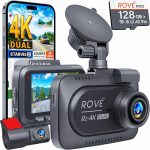
Before you even touch your car, you must select a dash cam that fits your specific needs. In 2026, the market is flooded with options ranging from $40 basic models to $500 4K units with cloud connectivity. For most drivers, a dual-channel system (front and rear cameras) with at least 1080p resolution, a wide 140-degree viewing angle, and a supercapacitor instead of a battery is the sweet spot. Supercapacitors handle extreme heat much better than lithium-ion batteries, which can swell or fail in a hot car. Look for features like GPS logging, Wi-Fi connectivity for easy file transfers, and a parking mode that activates when motion is detected while your car is off.
Once you have your dash cam, gather the necessary tools to ensure a smooth installation. You need a plastic trim removal tool set (available for under $10 online), a microfiber cloth to clean your windshield, a 12-volt power socket adapter or a hardwire kit (depending on your chosen installation method), and zip ties or adhesive clips for cable management. If you plan to hardwire the camera directly into your car’s fuse box, you will also need a fuse tap, a multimeter to test for constant and switched power, and a crimping tool. Do not forget to check your car’s owner manual to locate the fuse box and identify which fuses are for accessories (switched power) and which are for always-on circuits.
A critical but often overlooked step is testing your dash cam before you permanently mount it. Plug the camera into your car’s 12-volt outlet, insert a microSD card (Class 10 or U3, 64GB or larger is recommended for 2026), and ensure the device powers on, records, and the GPS locks onto satellites. This pre-installation test saves you from the frustration of mounting a faulty unit and having to remove it later. Also, format the memory card inside the camera itself, as this creates the necessary folder structure and reduces the risk of corruption.
Finding the Perfect Mounting Location
The location of your dash cam is the single most important factor affecting video quality and safety. The ideal spot is behind your rearview mirror, on the passenger side of the windshield. This position gives the camera a clear, unobstructed view of the road while keeping it out of your direct line of sight, minimizing distraction. In 2026, many newer cars have large sensor housings behind the mirror, so you may need to mount the camera slightly lower or to the side. A good rule of thumb is to ensure the camera’s lens is not blocked by any dashboard reflections or the black dotted frit pattern on the edge of the windshield, which can interfere with the adhesive mount.
For the rear camera, you have two main options: mounting it on the rear windshield or on the deck lid. If you have a sedan, the rear windshield is usually the best choice, as it provides a wide view of traffic behind you. For SUVs, hatchbacks, or vans, mounting the camera on the interior of the rear hatch glass is common, but be aware that the rear wiper may obstruct the view. A better option for these vehicles is to mount the camera on the rear deck lid, just below the glass, using a 3M adhesive pad. Before sticking anything permanently, use painter’s tape to temporarily hold the camera in place and check the angle from the driver’ seat.
Once you have chosen the location, clean the glass thoroughly with the microfiber cloth and isopropyl alcohol. Remove any wax, grease, or dirt, as these will prevent the adhesive from bonding properly. Press the mount firmly against the glass for 30 to 60 seconds, applying even pressure. Most dash cam mounts use a 3M VHB (Very High Bond) tape that requires 24 hours to fully cure, so avoid adjusting the camera for the first day. If you live in a hot climate, consider using a static cling film mount instead of adhesive, as it allows you to remove the camera easily without leaving residue.
Routing the Power Cable: The Clean and Professional Method
The biggest mistake beginners make is letting the power cable dangle from the dash cam to the 12-volt outlet. This looks messy, blocks your view, and can interfere with the gear shifter or other controls. The professional method involves tucking the cable into your car’s head, down the A-pillar, and under the dashboard. Start by gently pushing the cable into the gap between the windshield and the headliner using your trim removal tool. Most cars have a small gap here that easily hides the cable. Work your way from the camera toward the passenger side A-pillar, pushing the cable in as you go.
When you reach the A-pillar, you have a critical decision to make. The A-pillar often contains side curtain airbags that deploy with explosive force. Never run the cable in front of the airbag; instead, route it behind the airbag or along the weather stripping. To do this, carefully pry off the A-pillar trim panel using your trim tool, starting from the top. You will see the airbag folded inside. Route the cable behind the airbag, using zip ties to secure it to existing wire harnesses. This ensures the cable does not interfere with the airbag’s deployment. If you are uncomfortable touching the airbag system, you can run the cable along the edge of the weather stripping instead, though this is slightly less clean.
From the bottom of the A-pillar, continue tucking the cable under the dashboard’s edge. Most dashboards have a plastic trim piece that runs along the side of the glove box. Use your trim tool to lift this piece and push the cable underneath. Finally, route the cable to your 12-volt outlet or fuse box. If you using the 12-volt outlet, plug the adapter in and use a zip tie to secure any excess cable out of sight. For a truly professional finish, use adhesive cable clips to secure the cable along the bottom of the glove box. This entire process takes about 20 minutes and results in a setup where only one inch of cable is visible at the camera itself.
Hardwiring Your Dash Cam for Parking
If you want your dash cam to record while your car is parked, you must hardwire it to your car’s fuse box. This is the most advanced step but is well within the reach of a careful DIYer. Parking mode is a game-changer in 2026, as it captures hit-and-run incidents, vandalism, and theft while you are away. To begin, locate your car’s interior fuse box, which is usually under the dashboard on the driver’s side or behind a panel in the glove box. Use your multimeter to identify two types of fuses: a switched fuse that only has power when the ignition is on, and a constant fuse that always has power.
Your hardwire kit will typically have three wires: a red wire for constant power, a yellow wire for switched power, and a black wire ground. Connect the red wire to the constant fuse using a fuse tap, which allows you to piggyback on an existing circuit without cutting wires. Connect the yellow wire to the switched fuse. The black ground wire needs to be connected to a bare metal bolt on the car’s chassis. Look for a bolt near the fuse box that is directly into the metal frame. Loosen the bolt, wrap the wire around it, and tighten it securely. This provides the necessary ground for the circuit.
Once all connections are made, plug the hardwire kit’s power cable into your dash cam. Turn on the ignition to confirm the camera powers on, then turn it off to verify the camera enters parking mode. Most dash cams in 2026 have a voltage cutoff feature that automatically shuts off the camera if your car’s battery drops below a certain level (usually 11.8 volts). This prevents your dash cam from draining your battery and leaving you stranded. Set this cutoff to 12.0 volts for a good balance of recording time and battery protection. Tuck the hardwire kit’s box and any excess cable into the fuse box cavity using zip ties, then replace the fuse box cover.
Final Setup, Testing, and Maintenance Tips
After the physical installation is complete, the final step is configuring your dash cam’s settings for optimal performance. Start by adjusting the camera angle so that the horizon line is roughly one-third from the bottom of the frame. This ensures you capture both the road ahead and the sky, which is crucial for recording license plates and traffic lights. Enable the G-sensor and set it to medium sensitivity; this will automatically lock and protect video files when a collision is detected. In 2026, many dash cams also offer voice control, so enable this feature for hands-free commands like “lock video” or “take photo.”
Testing your setup is non-negotiable. Take a short drive and then review the footage on your phone via Wi-Fi or by removing the SD card. Check that the front and rear cameras are recording smoothly, that the GPS coordinates are accurate, and that the audio is clear. Pay special attention to night-time footage, as this is where many budget cameras fail. If the footage is too dark or grainy, adjust the exposure settings or consider upgrading to a camera with a larger aperture (f/1.6 or lower) and a Sony STARVIS sensor, which excels in low light.
Maintenance is simple but critical for long-term reliability. Format your SD card inside the camera every two to four weeks to prevent file corruption and ensure continuous recording. In 2026, high-endurance SD cards designed for dash cams are recommended, as they handle constant overwriting better than standard cards. Clean the camera lens with a lens cleaning pen every month, as dust and smudges can degrade video quality. Finally, check the adhesive mount every season, especially after extreme heat or cold, and replace the 3M tape if it shows signs of loosening. A well-maintained dash cam will last for years and could be the single most important piece of evidence you ever own.
Frequently Asked Questions
Is it legal to install a dash cam on my windshield in 2026?
Yes, dash cams are legal in most countries, but there are restrictions. In the United States, laws vary by state; for example, California prohibits mounting anything on the windshield that obstructs the driver’s view, so you must mount the camera behind the rearview mirror. In the UK and Australia, dash cams are fully legal as long as they do not block the driver’s view of the road. Always check your local traffic laws before installation.
Can I install a dash cam without using the 12-volt outlet?
A Absolutely. The most common alternative is hardwiring the camera to your fuse box, which provides a clean, permanent power source and enables parking mode. You can also use an OBD-II port adapter, which plugs into your car’s diagnostic port and provides constant power. However, OBD-II adapters can drain your battery faster than hardwiring, so use them with caution.
How do I hide the rear camera cable in a hatchback or SUV?
For hatchbacks and SUVs, route the cable along theliner to the rear of the vehicle, then down the rear pillar. You will need to feed the cable through the rubber grommet that connects the car body to the rear hatch. This is the trickiest part, as the grommet is. Use a lubricant like silicone spray or dish soap to slide the cable through. Once inside the hatch, tuck the cable under the interior trim panels to the camera location.
What size SD card do I need for a dash cam in 2026?
A 128GB or 256GB high-endurance microSD card is the sweet spot for 2026 dash cams. This size stores approximately 10 to 20 hours of 1080p footage before overwriting. Avoid using standard SD cards, as they are not designed for the constant read/write cycles of a dash cam. Look for cards rated U3 or V30 speed class to handle 4K recording if your camera supports it.
My dash cam keeps turning off in hot weather. What is wrong?
This is a classic sign of a dash cam with a lithium-ion battery, which degrades in high heat. The solution is to switch to a dash cam with a supercapacitor, which is far more heat-resistant. If your current camera has a battery, try parking in the shade or using a sunshade to reduce interior temperatures. If the problem persists, the battery may be failing and needs replacement or the entire unit should be upgraded.
Conclusion
Installing a dash cam in your car is one of the most practical and cost-effective upgrades you can make in 2026. From choosing the right camera and mounting it perfectly to hardwiring it for parking mode, each step is designed to give you peace of mind and undeniable evidence in the event of an accident By following this guide, you have learned how to achieve a professional-grade installation without paying a professional, saving you money while ensuring your camera operates reliably for years.
Now it is time to take action. Gather your tools, pick a weekend afternoon, and install your dash cam using the steps outlined above. Once it is in place, take a test drive and review the footage—you will be amazed at the clarity and coverage. Share this guide with a friend or family member who has been putting off their own installation. Remember, a dash cam is not just a gadget; it is your silent witness on the road, ready to protect you when you need it most.

Tony Kilmer is an auto mechanic and the author behind CarTruckAdvisor.com. He shares practical, no-nonsense guidance on car and truck maintenance, common problems, and repair decisions—helping drivers understand what’s going on and what to do next.