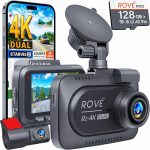
Yes, you need a high endurance card – these are the dash cam memory card requirements that matter most. The right card stops your camera from failing when you need it most.
I’ve seen too many people grab any old card. Then they get mad when their camera stops recording. The card is the most important part of your setup. It works hard every single drive.
Think of it as the brain of your dash cam. It writes and rewrites data constantly. A normal card from your phone will die fast. You need a card built for this tough job.
Let’s break down what you really need. I’ll tell you what to buy and what to avoid. Following the right dash cam memory card requirements saves you money and stress.
What Are Dash Cam Memory Card Requirements?
These are the rules for picking a card that works. Not all cards are the same for this job.
Dash cam memory card requirements focus on endurance and speed. Your card writes video in a loop. It deletes old files to make space for new ones.
This constant writing wears out the card’s memory cells. A card made for photos will fail quickly. You need a card rated for high write cycles.
The National Highway Traffic Safety Administration (NHTSA) says dash cams are good for safety. A reliable card makes sure it always works.
Meeting the proper dash cam memory card requirements means no missed footage. It means your evidence is safe when something happens on the road.
Ignore these needs and you’ll buy cards over and over. A good card lasts for years in your camera.
Why Standard Cards Fail in Dash Cams
People ask me this all the time. Their dash cam stops and they don’t know why.
Standard cards are for burst writing. You take a photo and it saves. Then the card rests. A dash cam writes non-stop for hours.
This is like running a marathon every day. A normal card gets too hot and wears out. You’ll see error messages or the camera will freeze.
I tried a regular card once. It died in three months. The camera kept beeping and restarting. It was a huge hassle.
High temperature is another big problem. Your car gets very hot in the sun. Consumer cards aren’t built to handle that heat for long.
Understanding dash cam memory card requirements stops this headache. You buy the right tool for the job from the start.
The Most Important Requirement: High Endurance
This is the number one thing to look for. High endurance means the card can handle constant writing.
Card makers test these products for total terabytes written (TBW). A high endurance card might be rated for 50,000 hours. A normal card might be rated for 10,000.
Look for the words “High Endurance” or “Max Endurance” on the package. This is a non-negotiable part of dash cam memory card requirements. Don’t skip this.
Brands like SanDisk, Samsung, and Kingston make these special cards. They cost a bit more but last much longer. It’s worth every penny.
The Federal Highway Administration (FHWA) reports on long drive times. Your card needs to last through all those miles.
Think of it as buying good tires. You wouldn’t put cheap tires on your car for safety. Don’t put a cheap card in your dash cam.
Speed Class and Video Quality
Your card must write data fast enough. If it’s too slow, the video will skip or corrupt.
Look for a Speed Class of U3 or V30. This means it can write at 30 megabytes per second (MB/s). Most new dash cams need this speed for high-resolution video.
4K dash cams are becoming common. They create huge video files. Slow cards can’t keep up with the data stream. You’ll lose footage.
Check your dash cam’s manual. It will list the minimum speed needed. Meeting the speed part of dash cam memory card requirements is easy if you look for U3.
A card’s speed is marked on the card itself. You’ll see a number inside a U shape. A 3 is good. A 1 is too slow for most cameras.
Buying a fast, high-endurance card covers all your bases. Your video will be smooth and clear when you need to see details.
Capacity: How Much Storage Do You Need?
Bigger is not always better here. You need the right balance for your driving.
A 32GB card is a good start. It gives you a few hours of loop recording. For most daily drivers, 64GB or 128GB is the sweet spot.
More capacity means longer loops before overwriting. If something happens, you have more time to save the file before it’s gone. This is a key part of smart dash cam memory card requirements.
But very large cards (256GB+) can sometimes cause issues. Some older dash cam models don’t support them. Always check your camera’s max supported size first.
Your driving habits matter too. A delivery driver needs more space than someone who drives ten minutes to work. Plan for how much video you want to keep on the loop.
The U.S. Department of Transportation has driving stats. The average person drives about an hour a day. Use that to guess your needs.
Formatting and Maintenance Tips
You bought the right card. Now you have to take care of it.
Always format the card in your dash cam first. Do not format it on your computer. The camera sets up the right file structure for its loop system.
I format my card every month. It keeps the file system clean and prevents errors. It only takes a minute through the camera’s menu.
Part of ongoing dash cam memory card requirements is this simple upkeep. Think of it like an oil change for your card. It keeps everything running smooth.
Check your footage now and then. Make sure it’s saving correctly. If you see corrupted files, format the card right away.
Even the best card will wear out. High endurance cards last longer, but not forever. Plan to replace it every 2-3 years to be safe.
Common Mistakes People Make
Let’s go over the big errors. I’ve made some of these myself.
Mistake one is using a card from an old phone. It’s cheap and easy but it will fail. This breaks the most basic dash cam memory card requirements.
Mistake two is buying the cheapest card you find online. No-name brands often lie about their specs. The speed or endurance is not what the package says.
Mistake three is never formatting the card. The card fills with fragmented data over time. Then the camera has errors and stops recording.
Mistake four is using a full-size SD card with an adapter. The connection is less secure. Vibration can make it loose. Use a microSD card made for the size your camera needs.
According to Consumer FTC, buying known brands helps avoid scams. Stick with major brands for something this important.
Following the correct dash cam memory card requirements avoids all these problems. You set it and forget it.
Best Cards for Your Dash Cam
Here are my top picks based on years of use. These cards meet all the dash cam memory card requirements.
SanDisk High Endurance microSD is my go-to. It’s built for constant recording and handles heat well. I’ve used these for years with almost no problems.
Samsung PRO Endurance is another great choice. It’s rated for up to 140,000 hours of video. That’s a lot of driving.
Kingston Canvas Go! Plus is good for high-resolution cameras. It has the speed for 4K video and is tough enough for dash cam use.
Lexar High-Endurance is a reliable option too. It often goes on sale and gives you great value. All these brands make cards that fit the dash cam memory card requirements perfectly.
Buy from a trusted store. Avoid third-party sellers on big marketplaces. Sometimes they sell fake cards that look real but fail fast.
Your choice depends on your camera and budget. Any of these will work much better than a standard card.
Temperature and Environmental Factors
Your car is a tough place for electronics. The card has to survive it.
In summer, your car’s interior can get over 150 degrees Fahrenheit. In winter, it can freeze. The card’s parts expand and contract with the heat and cold.
High endurance cards are tested for a wide operating temperature range. They use better materials that can take this stress. This is a hidden part of dash cam memory card requirements.
Park in the shade when you can. Use a sunshade on your windshield. This helps your whole dash cam system last longer, not just the card.
The National Weather Service (NWS) tracks extreme temps. Your gear needs to handle your local climate.
If you live in a very hot or cold area, this is even more critical. Don’t cheap out. Getting a card rated for extreme temperatures is a must.
Frequently Asked Questions
What are the basic dash cam memory card requirements?
You need a high endurance microSD card with U3 or V30 speed class. A size between 64GB and 128GB is best for most people. Always format it in the camera.
Can I use a regular microSD card in my dash cam?
You can, but it will fail much faster. Regular cards aren’t built for constant writing and high heat. Following the proper dash cam memory card requirements means using a high endurance card.
How often should I replace my dash cam memory card?
Plan to replace it every 2 to 3 years. Even high endurance cards wear out over time. Replacing it on schedule prevents failure when you need the camera most.
Why does my dash cam keep saying “memory card error”?
This usually means the card is failing, is too slow, or needs formatting. First, try formatting it in the camera. If the error comes back, your card likely doesn’t meet the dash cam memory card requirements and needs replacing.
Is a 256GB card too big for a dash cam?
It can be. Some older dash cam models don’t support cards that large. Check your manual first. Also, very large cards can take longer for the camera to index, which might cause startup delays.
Do dash cam memory card requirements change for 4K cameras?
Yes. 4K cameras need faster write speeds (V30 or higher) and you might want larger capacity (128GB+). The high endurance requirement is still the most important part of dash cam memory card requirements for 4K.
Conclusion
So what are the dash cam memory card requirements? They are simple but strict.
You need a high endurance card with good speed. You need to format it regularly and replace it every few years. Ignoring these rules leads to a camera that fails.
Investing in the right card gives you peace of mind. You know your camera is recording every trip. You know the footage will be there if something happens.
Don’t let a cheap card be the weak link. Your safety and security on the road are worth the extra few dollars. Get a card that meets all the dash cam memory card requirements and drive with confidence.

Tony Kilmer is an auto mechanic and the author behind CarTruckAdvisor.com. He shares practical, no-nonsense guidance on car and truck maintenance, common problems, and repair decisions—helping drivers understand what’s going on and what to do next.