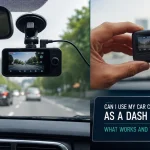
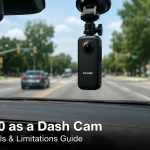
Imagine this: you are driving home from work, and a driver runs a red light, slamming into your passenger side. In the chaos that follows, the other driver claims you were speeding. Without evidence, it becomes your word against theirs. This is the exact scenario where a dash cam transforms from a gadget into a necessity. In 2026, dash cams are no longer just for professional drivers or tech enthusiasts; they are an essential tool for every vehicle owner, providing irrefutable evidence, lowering insurance premiums, and offering peace of mind on every journey.
Choosing the best dash cam, however, has become increasingly complex. The market is flooded with options ranging from budget-friendly 1080p models to sophisticated 4K units with cloud connectivity and artificial intelligence. This comprehensive guide will walk you through everything you need to know to make an informed purchase. We will cover the critical features to look for, the top contenders for 2026, installation tips, and common pitfalls to avoid. By the end of this article, you will have a clear understanding of which dash cam best suits your driving habits, budget, and vehicle.
Understanding the Core Features: What Makes a Dash Cam the Best in 2026?
The foundation of any great dash cam is its video quality. In 2026, the standard has shifted decisively toward 4K resolution (3840 x 2160). While 1080p models are still available and functional, a 4K sensor captures significantly more detail, allowing you to read license plates, road signs, and even facial features from a greater distance. However, resolution is not the only factor. Look for a camera with a wide dynamic range (WDR) and good low-light performance. WDR prevents overexposed skies or underexposed shadows, ensuring clear footage whether you are driving into the sun or through a dimly lit tunnel.
Beyond video quality, the field of view (FOV) is a crucial specification. A wide-angle lens, typically between 140 and 170 degrees, captures more of the road and your vehicle's surroundings. A 150-degree FOV is often considered the sweet spot, as it covers three lanes of traffic without introducing the extreme fisheye distortion that can make objects appear farther away than they are. Additionally, consider the frame rate. While 30 frames per second (fps) is standard, many high-end models now offer 60fps at 4K. This higher frame rate results in smoother video, which is particularly useful for capturing fast-moving objects or reading plates in stop-and-go traffic.
Finally, the best dash cams in 2026 are defined by their reliability and build quality. Look for a device that uses a supercapacitor instead of a traditional lithium-ion battery. Supercapacitors are far more resistant to extreme temperatures, which is critical for a device that sits on your windshield in direct sunlight. They also have a longer lifespan and are less likely to swell or fail. A reliable dash cam should also feature a robust mounting system, preferably with an adhesive mount rather than a suction cup, as adhesive mounts are less likely to detach during a collision or on a hot day.
Top Contenders: The Best Dash Cams of 2026 Reviewed
For the driver seeking the absolute best in video quality and features, the Viofo A229 Pro remains a top contender. This dual-channel system (front and rear) records in stunning 4K on the front camera and 2K on the rear. It excels in low-light conditions thanks to its Sony STARVIS 2 sensor, and its supercapacitor power supply ensures longevity. The A229 Pro also offers a parking mode that can be hardwired to your vehicle's fuse box, providing 24/7 surveillance. Its only downside is the price, which is on the higher end of the consumer market, but for uncompromising quality, it is a benchmark.
If you are looking for a more budget-friendly option without sacrificing essential features, the Garmin Dash Cam Mini 3 is an excellent choice. Despite its tiny, discreet size, it records in 1080p with excellent clarity and features Garmin's signature driver assistance alerts, such as forward collision warnings and lane departure warnings. It is incredibly easy to install and can be paired with a Garmin GPS module for speed and location data. While it lacks a rear camera option, its reliability and compact form factor make it perfect for city drivers who want a simple, effective solution.
For those who want the most advanced technology, the Nextbase iQ is a game-changer. This "smart" dash cam features built-in 4G LTE connectivity, allowing you to view live footage from your phone, receive alerts if your car is bumped while parked, and even speak to someone inside the vehicle through a two-way intercom. It also has an integrated Alexa voice assistant. The iQ is expensive and requires a subscription for its cellular features, but it offers a level of security and convenience that no other dash cam on the market can match. It is the best choice for owners of high-value vehicles or those who frequently park in unsecured areas.
Installation and Power Management: Hardwiring vs. Cigarette Lighter
The way you power your dash cam significantly impacts its functionality. The simplest method is plugging it into your vehicle's 12V cigarette lighter port. This is a plug-and-play solution that requires no tools or technical knowledge. However, it has two major drawbacks: the cable will be visible dangling across your dashboard, and the dash cam will only record when the car is running (unless your port is always on). For most users, this is an acceptable trade-off for ease of installation, but it limits the use of parking mode.
For a cleaner, more professional look and full access to parking mode, hardwiring is the superior choice. This involves connecting your dash cam to your vehicle's fuse box using a hardwire kit (sold separately or included with some models). A professional installer can do this in under an hour, or you can do it yourself with a fuse tap and a multimeter. Hardwiring allows you to select a fuse that is always on (for parking mode) or one that is only on when the ignition is on. It also hides all the cables behind the headliner and A-pillar trim, leaving your windshield completely clear.
Parking mode is a key feature that many buyers overlook. When hardwired, a dash cam can detect motion or impact while your car is parked and record a short clip. There are three main types: time-lapse (continuous recording at a low frame rate), motion detection (records only when movement is detected), and impact detection (records only when a bump is felt). The best approach is a combination of motion and impact detection, as this saves storage space and battery power. Be aware that parking mode will slowly drain your car's battery. Most hardwire kits include a voltage cutoff feature that automatically shuts off the dash cam to prevent your car from being unable to start.
Storage, Memory Cards, and Cloud Integration
Your dash cam is only as good as the memory card you put in it. It is critical to use a high-endurance microSD card, not a standard one. Standard cards are not designed for the constant read/write cycles of a dash cam and will fail quickly, often corrupting your footage in the process. Brands like SanDisk, Samsung, and Lexar offer specific "High Endurance" orMax Endurance" lines. For a 4K dash cam, a 128GB or 256GB card is recommended, as 4K footage consumes roughly 1GB of storage every 10-15 minutes.
The card's speed class is equally important. Look for a card with a U3 or V30 speed rating. This ensures the card can write data fast enough to keep up with the high bitrate of a 4K video stream. If the card is too slow, the dash cam may skip frames, produce stuttering video, or even stop recording altogether. It is also a good habit to format your memory card inside the dash cam itself every few weeks. This clears the file structure and helps prevent file corruption, ensuring your footage is always ready when you need it.
Cloud integration is the newest frontier in dash cam technology. Models like the Nextbase iQ and the BlackVue DR900X-2CH can automatically upload footage to a cloud server when they detect an impact. This is invaluable because even if your car is stolen or your dash cam is ripped from the windshield, the evidence is already safe online. Cloud features typically require a cellular data plan (via an eSIM or a separate hotspot) and a subscription fee. While not necessary for everyone, cloud backup is a powerful feature for those who want absolute security and ability to check on their vehicle remotely.
Legal Considerations and Privacy: What You Need to Know
In most countries and U.S. states, it is perfectly legal to use a dash cam in your personal vehicle. However, there are important restrictions to be aware of. The primary rule is that the camera must not obstruct the driver's view of the road. In many jurisdictions, it is illegal to mount anything on the windshield that is larger than a certain size or placed in a specific area (usually a 5-inch square in the lower corner). Always mount your dash cam behind the rearview mirror, where it is out of your line of sight.
Audio recording is a separate legal issue. Some states, like California and Florida, require "two-party consent" for audio recording. This means that if your dash cam records audio inside the car, you must inform any passengers that they are being recorded. To avoid legal complications, many dash cams allow you to disable the built-in microphone. If you frequently drive with passengers, it is wise to turn off audio recording or to place a visible sticker in your car stating that audio and video are being recorded.
Privacy also extends to sharing your footage. While dash cam footage is a powerful tool for insurance claims and police reports, you should be cautious about posting it publicly on social media. Many videos show identifiable faces, license plates, and locations. If you do share footage, consider blurring faces and plates to protect the privacy of innocent bystanders. Furthermore, be aware that in some countries, like Germany and Austria, dash cam footage is generally not admissible as evidence in court due to strict privacy laws. Always research the specific laws in your region before purchasing and using a dash cam.
Key Takeaways
- ✓ Prioritize 4K resolution with a Sony STARVIS sensor for the best low-light performance and license plate readability.
- ✓ Choose a dash cam with a supercapacitor instead of a battery for better heat resistance and longevity.
- ✓ Hardwire your dash cam to access parking mode and achieve a clean, cable-free installation.
- ✓ Always use a high-endurance microSD card (U3/V30 speed) and format it regularly to prevent data corruption.
- ✓ Be aware of your local laws regarding windshield placement and audio recording to avoid legal issues.
Frequently Asked Questions
Do I really need a 4K dash cam, or is 1080p good enough?
While 1080p is functional, 4K is strongly recommended for 2026. The extra resolution is critical for reading license plates, especially at night or at higher speeds. A 4K camera can capture a plate from two or three car lengths away, whereas a 1080p camera often produces a blurry image. If you can afford the slight price increase, 4K is a worthwhile investment for the best evidence quality.
How long does a dash cam memory card last?
The lifespan depends on the card's quality and the camera's bitrate. A high-endurance 128GB card recording in 4K will typically last 1-2 years before needing replacement. The card overwrites the oldest footage continuously, so it wears out over time. You will know it is failing if you see "Card Error" messages, corrupted files, or the camera stops recording. It is a good practice to replace your memory card annually as a preventative measure.
Can a dash cam drain my car battery?
Yes, if you use parking mode without a voltage cutoff. If you hardwire your dash cam to an always-on fuse, it will draw a small amount of power (usually 200-500mA). Over 24-48 hours, this can drain a standard car battery. Most hardwire kits include a voltage cutoff feature that automatically turns off the dash cam when the battery voltage drops to a safe level (e.g., 12.0V or 11.8V), ensuring you can still start your car.
Is it difficult to install a dash cam myself?
Installing a dash cam using the cigarette lighter is very easy and takes about 5 minutes. Hardwiring is more involved but is a manageable DIY project for someone comfortable with basic car electronics. You will need a fuse tap, a multimeter, and a trim removal tool to hide the wires. If you are not confident, most car audio shops or Best Buy will install a hardwire kit for a fee of around $50-$100.
What is the difference between a single-channel and a dual-channel dash cam?
A single-channel dash cam only records the view out the front windshield. A dual-channel system includes a second camera (usually for the rear window) that records simultaneously. A dual-channel setup is highly recommended because it captures evidence from both ends of your vehicle. This is crucial in rear-end collisions, hit-and-runs while parked, or incidents where someone hits you from behind and then claims you reversed into them.
Conclusion
Choosing the best dash cam in 2026 comes down to balancing your budget with the features that matter most to you. For the majority of drivers, a dual-channel 4K system like the Viofo A229 Pro offers the perfect blend of video quality, reliability, and value. If you prioritize a discreet design and ease of use, thearmin Mini 3 is an excellent choice. And if you want the absolute pinnacle of security with cloud connectivity, the Nextbase iQ is the future of vehicle surveillance. No matter which model you choose, the most important step is to install it correctly with a high-quality memory card.
Do not wait for an accident to happen to realize you need a dash cam. The cost of a good dash cam is a fraction of what you would pay for an insurance deductible or a legal battle. Take the time to research the specific laws in your area, choose a model that fits your needs, and install it today. The peace of mind you gain every time you get behind the wheel is invaluable. Drive safe, and let your dash cam be your silent witness.

Tony Kilmer is an auto mechanic and the author behind CarTruckAdvisor.com. He shares practical, no-nonsense guidance on car and truck maintenance, common problems, and repair decisions—helping drivers understand what’s going on and what to do next.