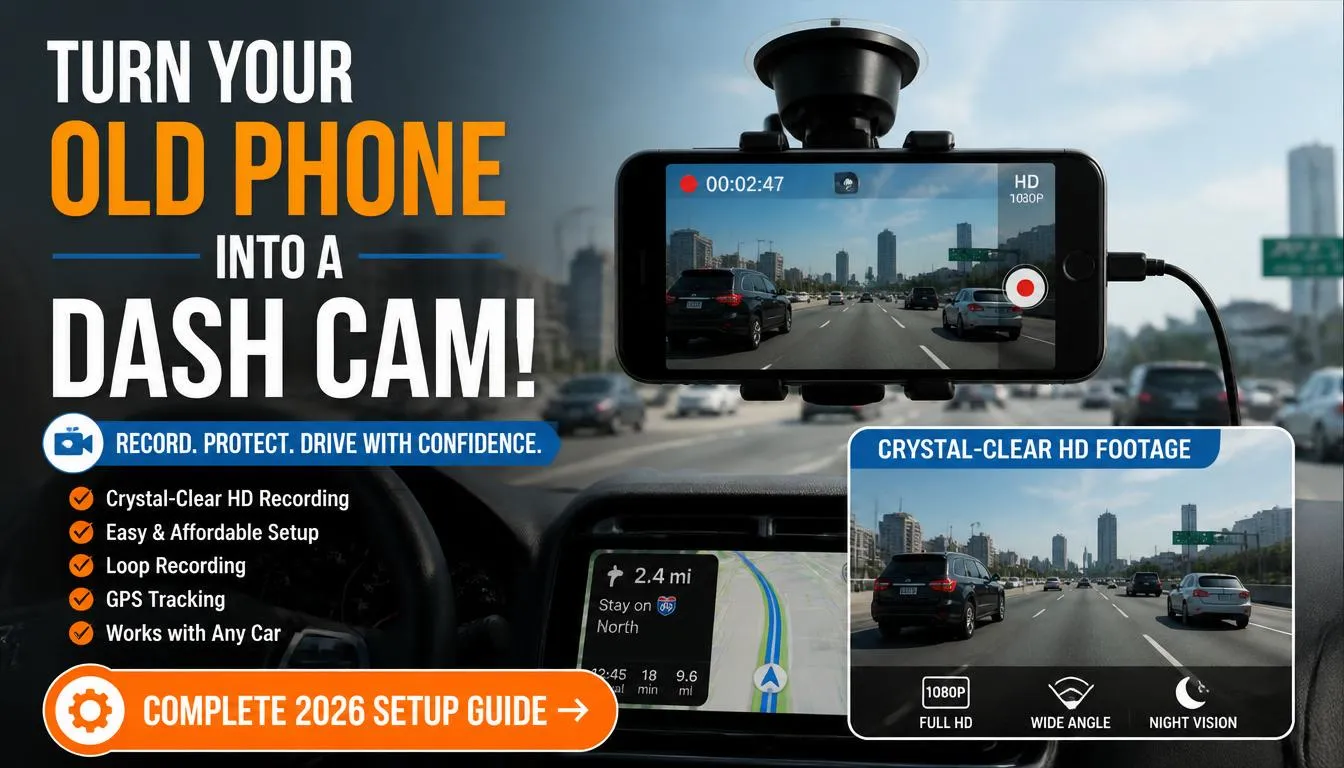
If you have an old smartphone sitting in a drawer, you can absolutely use it as a dash cam. With the right app, a secure mount, and a reliable power source, an old phone can record your drives, capture accidents, and provide valuable evidence without spending money on a dedicated dash camera.
However, while an old phone works well for occasional driving and budget-conscious users, it has limitations such as overheating, battery wear, and limited durability compared to a purpose-built dash cam. This guide explains everything you need to know before turning your old phone into a reliable in-car camera.
Why Trust This Guide?
I have researched the strengths and weaknesses of smartphone dash cam setups, compared popular dash cam apps, reviewed real-world user experiences, and evaluated the practical differences between old smartphones and dedicated dash cameras.
Instead of recommending expensive equipment immediately, my goal is to help you decide whether reusing an old phone is the right choice for your driving habits, budget, and safety needs.
Can I Use an Old Phone as a Dash Cam?
Yes, you can use an old phone as a dash cam as long as it has:
- A working rear camera
- Enough available storage
- A healthy battery or continuous power supply
- GPS (recommended)
- A compatible dash cam app
- A secure windshield or dashboard mount
Many drivers successfully use older Android phones and iPhones for recording road trips, commuting, rideshare driving, and accident evidence.
While a smartphone cannot replace every feature of a dedicated dash cam, it can produce surprisingly good video quality, especially if the phone records in Full HD or 4K.
Who Should Use an Old Phone as a Dash Cam?
Using an old smartphone makes sense if you:
- Want to save money
- Already own an unused phone
- Drive occasionally
- Need temporary protection while traveling
- Want to test whether a dash cam fits your needs before buying one
- Drive for food delivery occasionally
- Want a backup recording device
A dedicated dash cam is usually a better investment if you:
- Commute every day
- Drive long distances
- Work as an Uber or Lyft driver
- Operate commercial vehicles
- Need reliable parking surveillance
- Frequently drive in extremely hot or cold weather
Why Many Drivers Reuse an Old Smartphone
Millions of smartphones are replaced every year, yet many still have perfectly functional cameras.
Instead of letting an old device collect dust, turning it into a dash cam gives it a second life.
Some of the biggest advantages include:
- No additional camera purchase
- Excellent camera quality
- Built-in GPS
- Large display
- Easy app installation
- Voice control on many devices
- Wi-Fi support
- Cloud backup options
For many drivers, it is the cheapest way to gain basic driving protection.
What You Need Before Using an Old Phone as a Dash Cam
Before installing anything, gather the right accessories.
Essential Equipment
| Item | Why You Need It |
|---|---|
| Old smartphone | Main recording device |
| Phone mount | Holds the phone securely |
| Car charger | Keeps the battery charged |
| USB charging cable | Continuous power |
| Dash cam app | Handles recording |
| Large storage space | Saves videos |
| Screen cleaning cloth | Improves video clarity |
Nice-to-Have Accessories
These accessories improve reliability.
- Magnetic mount
- Heat-resistant mount
- Fast USB-C charger
- Right-angle charging cable
- Anti-glare screen protector
- Vent-mounted cooling fan
Can Any Old Phone Work?
Not every old smartphone is a good candidate.
Some older models simply lack the hardware needed for continuous recording.
Minimum Recommended Requirements
| Feature | Recommended |
|---|---|
| Camera | 1080p minimum |
| Storage | 32 GB or higher |
| Battery Health | 80% or better |
| GPS | Yes |
| Android | Android 10 or newer preferred |
| iPhone | iPhone 8 or newer preferred |
| Charging Port | Fully functional |
| Rear Camera | Working properly |
If your phone meets these basic requirements, it can usually function as a reliable dash cam.
Best Old Phones to Use as a Dash Cam
Many older flagship phones still outperform budget dash cameras.
Some excellent choices include:
Apple
- iPhone 8
- iPhone X
- iPhone XR
- iPhone 11
- iPhone SE (2nd Generation)
Samsung
- Galaxy S9
- Galaxy S10
- Galaxy Note 9
- Galaxy Note 10
- Pixel 4
- Pixel 5
- Pixel 6
Other Android Phones
- LG V60
- Motorola Edge
- OnePlus 8
- Nokia XR20
These phones typically offer good cameras, reliable GPS, and stable performance.
How to Turn an Old Phone into a Dash Cam
Setting up an old smartphone takes less than 30 minutes.
Follow these steps carefully.
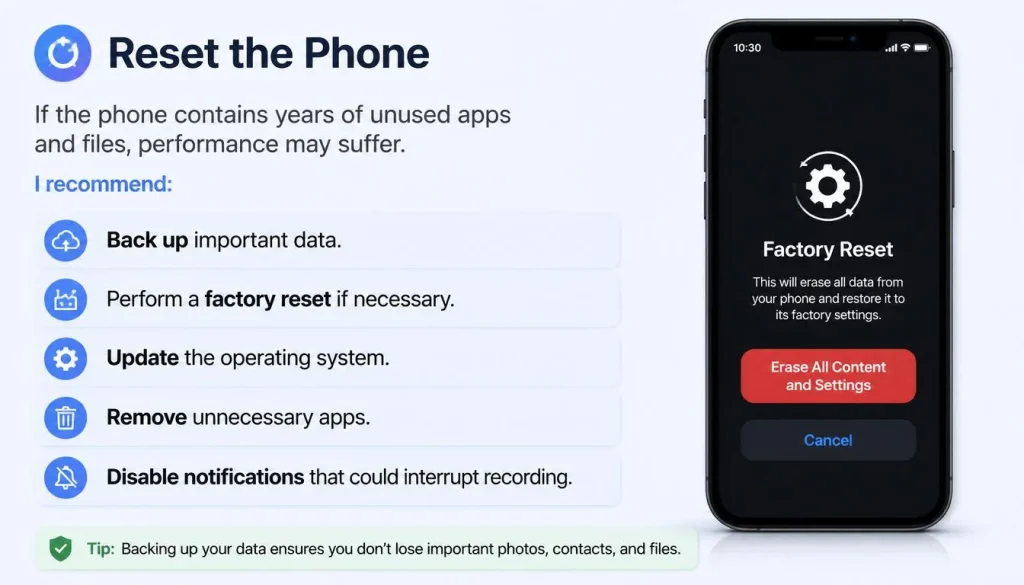
Step 1: Reset the Phone
If the phone contains years of unused apps and files, performance may suffer.
I recommend:
- Back up important data.
- Perform a factory reset if necessary.
- Update the operating system.
- Remove unnecessary apps.
- Disable notifications that could interrupt recording.
A clean phone runs cooler and records more reliably.
Step 2: Install a Dash Cam App
The app controls recording, loop recording, GPS logging, and automatic video saving.
Choose one that supports continuous recording.
Features to Look For
- Loop recording
- Auto-start recording
- Crash detection
- GPS tracking
- Background recording
- Adjustable resolution
- Emergency video lock
Best Dash Cam Apps for Old Phones
Below are some of the most popular choices.
| App | Android | iPhone | Loop Recording | GPS | Free Version |
|---|---|---|---|---|---|
| Droid Dashcam | Yes | No | Yes | Yes | Yes |
| AutoBoy Dash Cam | Yes | No | Yes | Yes | Yes |
| DailyRoads Voyager | Yes | No | Yes | Yes | Yes |
| Nexar | Yes | Yes | Yes | Yes | Limited |
| Driver | Yes | Yes | Yes | Yes | Yes |
Each app offers different features, so choose one that matches your needs.
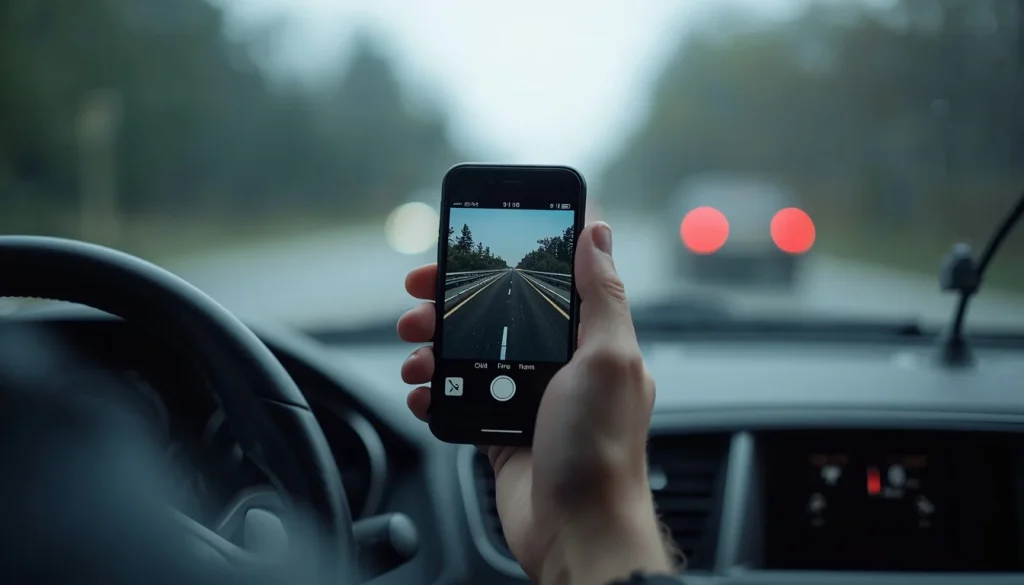
Step 3: Mount the Phone Correctly
Phone placement directly affects video quality.
Mount the phone:
- Near the center of the windshield
- Behind or slightly below the rearview mirror
- Without blocking your driving view
- On a stable surface
- Where windshield wipers clear rain
Avoid placing the phone:
- Too low
- On the dashboard where sunlight is intense
- Near airbags
- Where it obstructs traffic visibility
A stable mount significantly reduces shaky footage.
Step 4: Keep the Phone Powered
Dash cam recording quickly drains battery power.
Continuous charging is essential.
Use:
- A quality USB-C or Lightning cable
- A fast car charger
- A charger rated at least 20W
Avoid cheap chargers because unstable power may interrupt recording.
Step 5: Adjust Recording Settings
Proper settings improve both video quality and storage efficiency.
Recommended Settings
| Setting | Recommendation |
|---|---|
| Resolution | 1080p |
| Frame Rate | 30 FPS |
| Loop Recording | Enabled |
| Audio Recording | Optional |
| GPS | Enabled |
| Speed Stamp | Optional |
| Auto Start | Enabled |
| Screen Timeout | Short |
Most drivers do not need 4K recording unless they frequently drive on highways or want maximum detail.
Should You Record in 1080p or 4K?
Many people assume higher resolution is always better.
That isn’t necessarily true.
1080p
Best for:
- Daily driving
- Smaller file sizes
- Longer recording time
- Older phones
4K
Best for:
- Capturing license plates
- Road trips
- High-end smartphones
- Large storage capacity
If your phone becomes hot while recording in 4K, switching to 1080p usually provides a better balance between image quality and stability.
How Much Storage Do You Need?
Storage fills up faster than most people expect.
Approximate recording sizes:
| Resolution | Storage Per Hour |
|---|---|
| 720p | 1–2 GB |
| 1080p | 3–5 GB |
| 2K | 6–8 GB |
| 4K | 10–16 GB |
Loop recording automatically deletes the oldest unlocked videos when storage becomes full.
Because of this, a 64 GB or 128 GB phone is ideal for most drivers.
Can an Old Phone Record While Charging?
Yes.
Modern smartphones are designed to record video while charging.
However, using low-quality chargers may cause:
- Slow charging
- Excessive heat
- Random recording interruptions
- Battery wear over time
Using a certified charger with sufficient power output helps maintain stable recording sessions.
Can I Use an iPhone as a Dash Cam?
Absolutely.
Even older iPhones have excellent cameras that produce clear daytime footage.
Advantages include:
- Strong video stabilization
- Reliable GPS
- Excellent image processing
- Smooth app performance
- High-quality microphones
If you own an unused iPhone 8, XR, or newer model, it can serve as a capable dash cam for everyday driving.
Can I Use an Android Phone as a Dash Cam?
Yes.
Android devices offer greater flexibility because many dash cam apps include advanced customization.
Benefits include:
- More free dash cam apps
- Expandable storage on some models
- Easy background recording
- Custom recording settings
- Greater app variety
Flagship Android phones from Samsung, Google, Motorola, OnePlus, and LG often deliver video quality comparable to entry-level dedicated dash cameras.
Pros of Using an Old Phone as a Dash Cam
Reusing an old smartphone offers several advantages, especially if you only drive occasionally or want to avoid buying another device.
1. It Saves Money
The biggest advantage is cost savings.
If you already own an unused smartphone, your only expenses may be:
- A quality phone mount
- A reliable car charger
- A charging cable
This setup costs much less than purchasing a new dash cam.
2. Excellent Camera Quality
Many flagship smartphones released several years ago still record excellent video.
Features may include:
- Full HD (1080p)
- 2K recording
- 4K recording
- Optical image stabilization
- HDR video
In daylight, many older phones produce sharper footage than entry-level dash cameras.
3. Built-In GPS
Most smartphones already include GPS.
This allows compatible dash cam apps to record:
- Driving routes
- Vehicle speed
- Location history
- Time and date stamps
These details can be helpful if you ever need evidence after an accident.
4. Large Display
Unlike many dedicated dash cams, smartphones have large, bright screens.
This makes it easier to:
- Review recordings
- Adjust camera angles
- Change settings
- Play back important footage
5. Easy Software Updates
Dash cam apps receive regular updates with:
- Bug fixes
- New features
- Improved stability
- Better compatibility
Keeping your app updated helps maintain reliable performance.
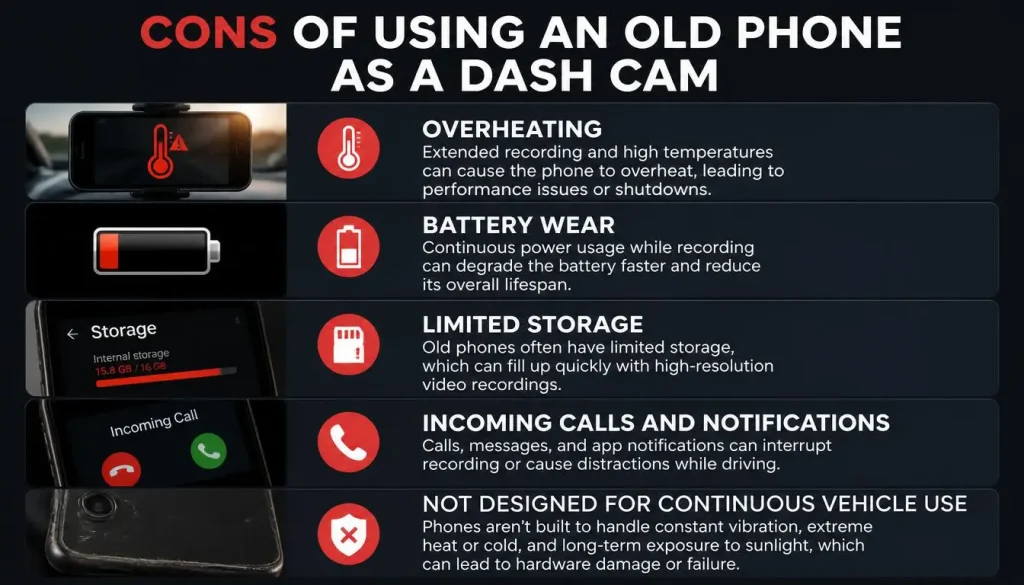
Cons of Using an Old Phone as a Dash Cam
Although an old smartphone can work well, it also has important limitations.
1. Overheating
Continuous recording while charging generates heat.
During summer, temperatures inside a parked vehicle can become extremely high.
This may cause:
- Recording interruptions
- Automatic shutdowns
- Camera lag
- Battery degradation
Heat is one of the biggest reasons people eventually switch to a dedicated dash cam.
2. Battery Wear
Constant charging while recording places additional stress on the battery.
Older batteries are especially vulnerable.
Signs of battery wear include:
- Rapid battery drain
- Swollen battery
- Unexpected shutdowns
- Reduced charging capacity
3. Limited Storage
Video files grow quickly.
Without loop recording enabled, storage may fill within hours.
Always check that your dash cam app automatically deletes the oldest unlocked recordings.
4. Incoming Calls and Notifications
If the phone is still connected to your personal account, calls or notifications can interrupt recording.
To avoid this:
- Enable Do Not Disturb mode.
- Remove unnecessary apps.
- Disable message previews.
- Turn off unnecessary notifications.
5. Not Designed for Continuous Vehicle Use
Dedicated dash cams are engineered for:
- Constant power
- Extreme temperatures
- Continuous recording
- Long-term reliability
Smartphones are not.
Old Phone vs Dedicated Dash Cam
Choosing between an old smartphone and a dedicated dash cam depends on how often you drive and what features you need.
| Feature | Old Phone | Dedicated Dash Cam |
|---|---|---|
| Initial Cost | Low if you already own one | Higher |
| Video Quality | Excellent on many phones | Excellent on quality models |
| Heat Resistance | Fair | Excellent |
| Continuous Recording | Good | Excellent |
| Parking Mode | Limited | Excellent |
| Battery Dependency | Yes | Usually No |
| GPS | Yes | Available on many models |
| Cloud Backup | App dependent | Available on premium models |
| Night Vision | Good | Usually Better |
| Reliability | Moderate | High |
| Maintenance | Higher | Lower |
My Recommendation
If you drive occasionally, an old smartphone is a practical solution.
If you drive every day, work as a rideshare driver, or rely on video evidence regularly, a dedicated dash cam is a better long-term investment.
Will Using an Old Phone as a Dash Cam Damage the Battery?
Using an old phone as a dash cam will not immediately damage the battery, but it can shorten battery lifespan over time.
The main reasons are:
- Continuous charging
- Constant video recording
- Heat buildup
- High processor usage
Older batteries are especially affected.
Tips to Protect Battery Health
- Use a high-quality charger.
- Avoid leaving the phone inside a parked car.
- Reduce screen brightness.
- Record in 1080p instead of 4K if overheating occurs.
- Remove thick protective cases during recording.
- Keep software updated.
These small changes can significantly reduce heat and battery stress.
Will an Old Phone Overheat in the Car?
Yes.
Almost every smartphone generates heat while recording video and charging at the same time.
Summer weather increases this problem dramatically.
Inside a parked vehicle, temperatures can exceed safe operating limits for most smartphones.
Common warning signs include:
- Screen dimming
- Slow performance
- Camera lag
- Recording stops unexpectedly
- Automatic shutdown
How to Prevent Overheating
Try these practical tips:
- Keep the phone out of direct sunlight.
- Use an air-conditioning vent mount if possible.
- Remove bulky phone cases.
- Lower recording resolution to 1080p.
- Reduce screen brightness.
- Close unused background apps.
- Avoid charging with extremely high-powered adapters unless recommended by the manufacturer.
Does Weather Affect Smartphone Dash Cam Performance?
Yes.
Extreme temperatures affect every smartphone.
Hot Weather
Possible issues include:
- Overheating
- Battery degradation
- Automatic shutdown
- Reduced charging speed
Cold Weather
Possible issues include:
- Faster battery drain
- Slower charging
- Temporary screen lag
- Reduced battery performance
If you live in areas with harsh winters or extremely hot summers, a dedicated dash cam is generally more dependable.
Can an Old Phone Record While Parked?
Yes, but there are limitations.
Unlike many dedicated dash cams, smartphones usually do not include built-in parking mode.
Parking recording depends on:
- Battery level
- External power source
- Dash cam app capabilities
Some apps support motion detection, but continuous parking surveillance may quickly drain the battery unless the phone receives constant power.
Can You Record at Night?
Yes.
However, nighttime recording quality depends largely on your phone’s camera.
Phones with larger camera sensors typically perform much better in low-light conditions.
For the best night footage:
- Clean the camera lens.
- Clean the windshield.
- Avoid dashboard reflections.
- Turn off unnecessary interior lights.
- Keep the camera aimed level with the road.
Even with these improvements, premium dash cams generally capture clearer license plates at night.
Best Mount Position for a Smartphone Dash Cam
Correct placement improves both safety and recording quality.
The ideal location is:
- Near the center of the windshield
- Behind the rearview mirror
- High enough for a wide road view
- Low enough to avoid blocking your vision
Avoid placing the phone:
- Directly in front of the driver
- Near airbag deployment areas
- On unstable dashboard surfaces
- Where charging cables interfere with driving
A secure mount reduces vibration and produces smoother footage.
Common Mistakes to Avoid
Many first-time users experience problems because of simple setup mistakes.
Avoid these common errors.
Using a Cheap Charger
Low-quality chargers may provide unstable power, causing the phone to stop recording unexpectedly.
Forgetting Loop Recording
Without loop recording enabled, storage eventually fills up and recording stops.
Always verify this setting before driving.
Ignoring Storage Space
Running out of storage is one of the most common reasons recordings disappear.
Check available storage regularly.
Recording in 4K on an Older Phone
Higher resolution increases:
- Heat
- Battery usage
- Storage consumption
For most drivers, 1080p is the better choice.
Mounting the Phone Incorrectly
A poorly positioned phone may:
- Block your view
- Produce shaky footage
- Miss important road details
Always test the camera angle before your trip.
Leaving the Phone in a Parked Car
High temperatures inside parked vehicles can permanently damage smartphones.
Whenever possible, remove the phone after parking for extended periods.
Troubleshooting Common Problems
Even with a good setup, occasional issues can occur.
Here are the most common problems and practical solutions.
Problem: Recording Stops Randomly
Possible causes:
- Full storage
- App crash
- Battery overheating
- Low-quality charger
Solution:
- Restart the phone.
- Update the app.
- Enable loop recording.
- Use a certified charger.
Problem: Videos Are Blurry
Possible causes:
- Dirty camera lens
- Dirty windshield
- Incorrect focus
- Camera shake
Solution:
- Clean both the lens and windshield.
- Secure the phone mount.
- Check camera focus before driving.
Problem: Battery Drains Too Quickly
Possible causes:
- High screen brightness
- 4K recording
- Old battery
- Background apps
Solution:
- Lower brightness.
- Record in 1080p.
- Close unused apps.
- Keep the phone plugged in while driving.
Problem: Phone Gets Too Hot
Possible causes:
- Direct sunlight
- Continuous charging
- High-resolution recording
- Poor ventilation
Solution:
- Move the phone away from direct sunlight.
- Reduce recording resolution.
- Improve airflow inside the vehicle.
- Remove thick protective cases.
Problem: Storage Fills Up Quickly
Possible causes:
- Loop recording disabled
- High recording resolution
- Too many locked videos
Solution:
- Enable loop recording.
- Delete unnecessary recordings.
- Reduce video resolution if needed.
When Should You Upgrade to a Dedicated Dash Cam?
An old phone is an excellent starting point, but there are situations where a dedicated dash cam becomes the smarter investment.
You should consider upgrading if you:
- Drive every day.
- Spend long hours on the road.
- Need reliable parking surveillance.
- Frequently drive at night.
- Live in areas with extreme temperatures.
- Want dual front-and-rear camera recording.
- Need higher reliability for work or business.
A dedicated dash cam is designed specifically for continuous in-car recording and generally requires less maintenance over time.
Is It Legal to Use an Old Phone as a Dash Cam?
In most cases, yes. Using an old phone as a dash cam is legal in many countries, provided it does not obstruct your view of the road or distract you while driving.
However, laws vary depending on where you live. Always check your local traffic regulations before mounting any device on your windshield or dashboard.
United States
Dash cams are legal throughout the United States, but windshield mounting rules vary by state.
Keep these best practices in mind:
- Mount the phone where it does not block your view.
- Follow your state’s windshield obstruction laws.
- Avoid interacting with the phone while driving.
- Respect state privacy and audio recording laws if recording conversations inside the vehicle.
If you’re unsure about local regulations, review your state’s Department of Motor Vehicles (DMV) guidance.
United Kingdom
Using a smartphone as a dash cam is generally legal in the UK.
To stay compliant:
- Do not block your view through the windscreen.
- Ensure the phone is securely mounted.
- Do not operate the phone while driving.
- Handle recorded footage responsibly to respect privacy laws.
A poorly placed phone could lead to penalties if it interferes with safe driving.
Canada
Dash cams are widely used across Canada, but regulations differ by province.
To remain on the safe side:
- Install the phone where it does not obstruct visibility.
- Avoid touching the phone while driving.
- Be aware of provincial privacy laws when sharing recorded footage.
Australia
Dash cams are commonly used throughout Australia.
For safe and legal use:
- Position the phone outside the driver’s primary field of vision.
- Secure the mount properly.
- Follow state-specific road safety regulations.
- Respect local privacy laws before publishing recordings online.
General Safety Tips
Regardless of your country:
- Install the phone before driving.
- Never adjust recording settings while the vehicle is moving.
- Check local windshield mounting regulations.
- Keep charging cables neatly organized to avoid distractions.
Following these simple precautions improves both safety and legal compliance.
Old Phone Dash Cam Setup Cost vs Dedicated Dash Cam
One of the biggest reasons drivers reuse an old smartphone is to save money.
Here’s a typical cost comparison.
| Item | Old Phone Setup | Dedicated Dash Cam |
|---|---|---|
| Camera | Already owned | $80–$300+ |
| Phone Mount | $15–$30 | Included or $10–$30 |
| Car Charger | $15–$25 | Usually Included |
| Charging Cable | $10–$20 | Usually Included |
| Dash Cam App | Free–$20 | Built-in |
| Total Estimated Cost | $40–$75 | $100–$350+ |
If you already have all the accessories, converting an old phone into a dash cam can cost almost nothing.
Should You Use an Old Phone or Buy a Dash Cam?
The right choice depends on your driving habits.
An Old Phone Is a Good Choice If You:
- Drive occasionally.
- Want to save money.
- Already own an unused smartphone.
- Need a temporary dash cam.
- Mostly drive during the day.
- Want a simple setup.
A Dedicated Dash Cam Is Better If You:
- Drive every day.
- Travel long distances.
- Drive professionally.
- Need reliable parking mode.
- Want better night vision.
- Need long-term durability.
- Live in areas with extreme weather.
There is no one-size-fits-all answer. Consider your budget, how often you drive, and the level of reliability you expect.
Frequently Asked Questions
Can I use an old iPhone as a dash cam?
Yes. Older iPhones with a working rear camera can serve as effective dash cams. Install a reliable dash cam app, mount the phone securely, and keep it connected to power while driving.
Can I use an old Android phone as a dash cam?
Yes. Many Android phones work very well as dash cams, especially models with Full HD or 4K cameras and built-in GPS.
What is the best free dash cam app?
Popular free options include Droid Dashcam, AutoBoy Dash Cam, DailyRoads Voyager, and Driver. The best app depends on your device and the features you need.
Can I use Google Maps while recording?
Some dash cam apps support background recording, allowing navigation apps such as Google Maps to run simultaneously. However, compatibility varies by app and device.
Can dash cam apps work without an internet connection?
Yes. Most dash cam apps record video locally and do not require an active internet connection during driving.
Does using a phone as a dash cam use mobile data?
No. Recording video itself does not consume mobile data. Data is only used if the app uploads footage to cloud storage or uses online features.
Can I record with the screen turned off?
Some Android apps allow background recording with the screen off or dimmed. On iPhones, this depends on the app and iOS restrictions.
Will using my phone as a dash cam shorten battery life?
Over time, continuous charging and recording can reduce battery lifespan. Keeping the phone cool and using a quality charger helps minimize wear.
Can I leave my old phone in the car overnight?
It is generally not recommended. High heat, freezing temperatures, humidity, and theft are all potential risks.
How much storage do I need?
A phone with at least 64 GB of available storage is recommended for most drivers. If you record in 4K, 128 GB or more is even better.
Can I use a phone with a cracked screen?
Yes, provided the rear camera, charging port, and internal hardware still work properly. A cracked display usually does not affect recording quality.
Is 1080p good enough for a dash cam?
Yes. For most drivers, 1080p provides an excellent balance between image quality, storage usage, and device temperature.
Can I use my old phone as a rear dash cam?
Yes. Many drivers use one phone facing forward and another facing the rear window. This can provide additional coverage without purchasing a dual-camera system.
Which is better: a phone or a dedicated dash cam?
A smartphone is ideal for occasional driving and budget-conscious users, while a dedicated dash cam offers greater reliability, better heat resistance, improved night vision, and advanced features for daily driving.
How long can an old phone record continuously?
The recording time depends on available storage, video resolution, and whether loop recording is enabled. With continuous power and sufficient storage, many phones can record for several hours without interruption.
Does a phone dash cam record audio?
Yes. Most dash cam apps can record audio, but you can usually disable this feature if you prefer not to capture conversations.
Can I use a wireless charger instead of a cable?
While wireless charging is possible on some phones, it often generates additional heat during long recording sessions. A wired charger is generally the better option for continuous use.
What should I do before my first drive?
Before heading out:
- Clean the camera lens.
- Clean the windshield.
- Confirm the mount is secure.
- Check the charging connection.
- Verify that the app is recording correctly.
- Test playback to ensure the footage is clear.
Spending a few minutes on this checklist can help you avoid discovering problems after an important trip.
Final Verdict
So, can you use an old phone as a dash cam? The answer is yes—and for many drivers, it’s a practical and affordable solution.
If you already own an unused smartphone with a reliable camera, enough storage, and a healthy battery, you can turn it into a functional dash cam using the right app, a secure mount, and a dependable charger. For occasional commuting, road trips, student drivers, or anyone on a tight budget, this setup offers an easy way to add an extra layer of protection without buying new equipment.
That said, it’s important to understand its limitations. Smartphones are not designed for continuous in-car recording, and issues such as overheating, battery wear, and limited parking surveillance can become noticeable over time. Drivers who spend hours on the road each day, rely on recorded footage for work, or frequently drive in harsh weather conditions will usually benefit from investing in a dedicated dash cam.
Ultimately, the best choice depends on how you drive. If your goal is to make good use of an old device and gain reliable recording for everyday trips, an old phone can perform surprisingly well. By setting it up correctly, keeping it powered safely, and using a trusted dash cam app, you can enjoy dependable video recording while extending the life of a device that might otherwise sit unused.

Tony Kilmer is an auto mechanic and the author behind CarTruckAdvisor.com. He shares practical, no-nonsense guidance on car and truck maintenance, common problems, and repair decisions—helping drivers understand what’s going on and what to do next.