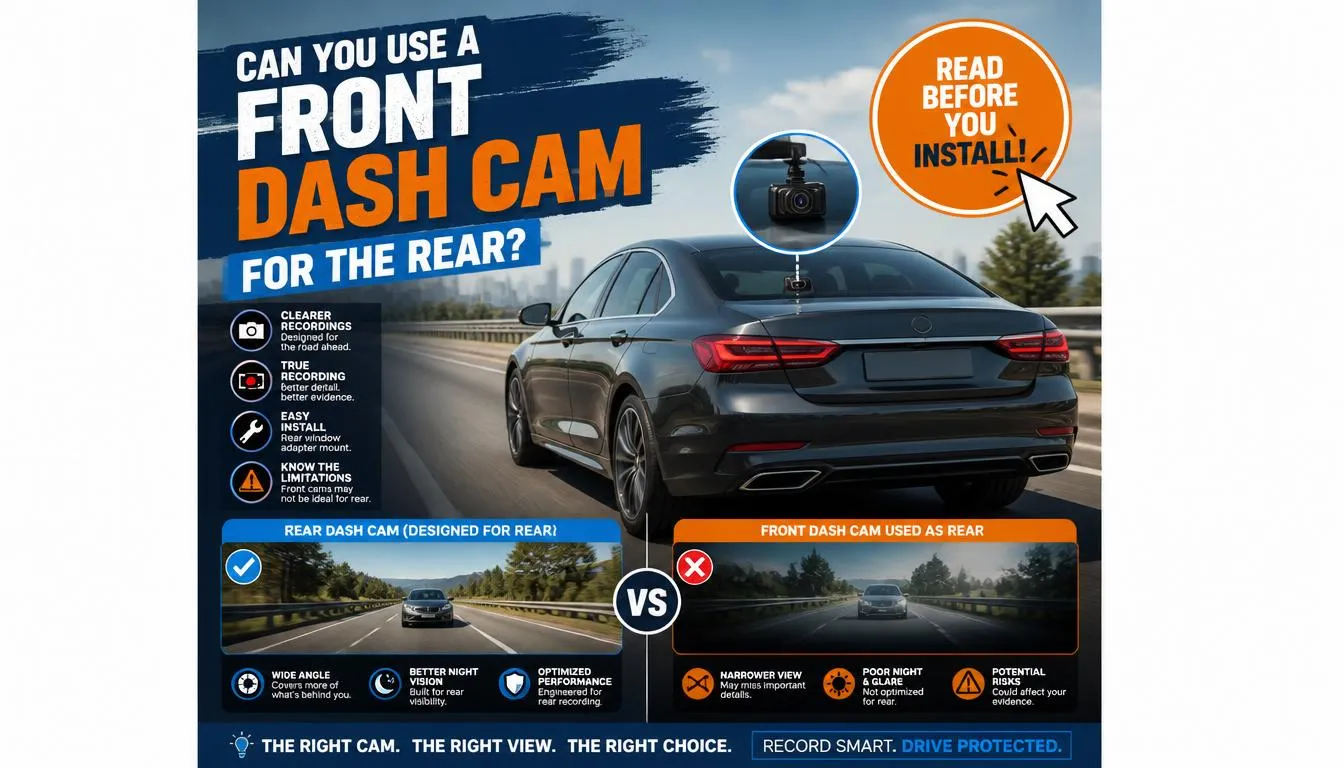
Yes, you can use a front dash cam as a rear camera in many situations, but it depends on the camera’s design, power source, mounting options, and viewing angle. While it can be a practical and budget-friendly solution, it doesn’t always provide the same performance as a dedicated rear dash cam.
Whether you’re trying to reuse an old dash cam, add rear coverage without buying a dual-channel system, or simply want extra protection while driving, this guide explains everything you need to know. I’ll walk you through when using a front dash cam in the rear works well, when it doesn’t, and how to avoid common mistakes.
Can You Use a Front Dash Cam as a Rear Camera?
The short answer is yes, but not every front dash cam is designed to work effectively as a rear-facing camera.
Many drivers assume that a front dash cam can simply be moved from the windshield to the rear window. In reality, the answer depends on several factors, including how the camera mounts, how it receives power, and whether it records correctly when facing backward.
If your dash cam records continuously, has a wide viewing angle, and can be securely mounted on the rear windshield, it can often provide useful rear footage. This setup is especially popular among drivers who already own an older dash cam and want to avoid purchasing a dedicated rear camera.
However, some front dash cams have limitations that make them less suitable for rear installation. For example:
- The power cable may not be long enough.
- The mount may only fit a front windshield.
- The camera may not support image rotation.
- Night recording performance may be weaker through tinted rear glass.
- Parking mode may not work without additional wiring.
Understanding these limitations before installation can save both time and money.
Why Do People Use a Front Dash Cam for the Rear?
There are several practical reasons why drivers choose this setup instead of buying a brand-new rear dash camera.
They Already Own an Extra Dash Cam
Many people upgrade to a newer dash cam and leave the old one unused. Instead of letting it collect dust, using it as a rear camera makes excellent financial sense.
They Want to Save Money
A quality rear dash camera or dual-channel system can cost significantly more than simply reusing equipment they already own.
If the existing camera still records clear video, using it in the rear can be a cost-effective solution.
They Need Temporary Rear Coverage
Perhaps you’re planning:
- A long road trip
- A cross-country drive
- Towing a trailer
- Driving through unfamiliar areas
Temporary rear recording may be all you need.
They Drive for Ride-Sharing Services
Drivers working for services such as Uber, Lyft, taxi companies, or food delivery platforms often want additional protection against rear-end collisions and disputed accidents.
Rear footage can provide valuable evidence if another vehicle strikes your car from behind.
They Want More Evidence in Case of an Accident
Rear-end collisions are among the most common traffic accidents.
Having video evidence may help demonstrate:
- Which driver was responsible
- Traffic conditions
- Speed of approaching vehicles
- Dangerous driving behavior
- Hit-and-run incidents
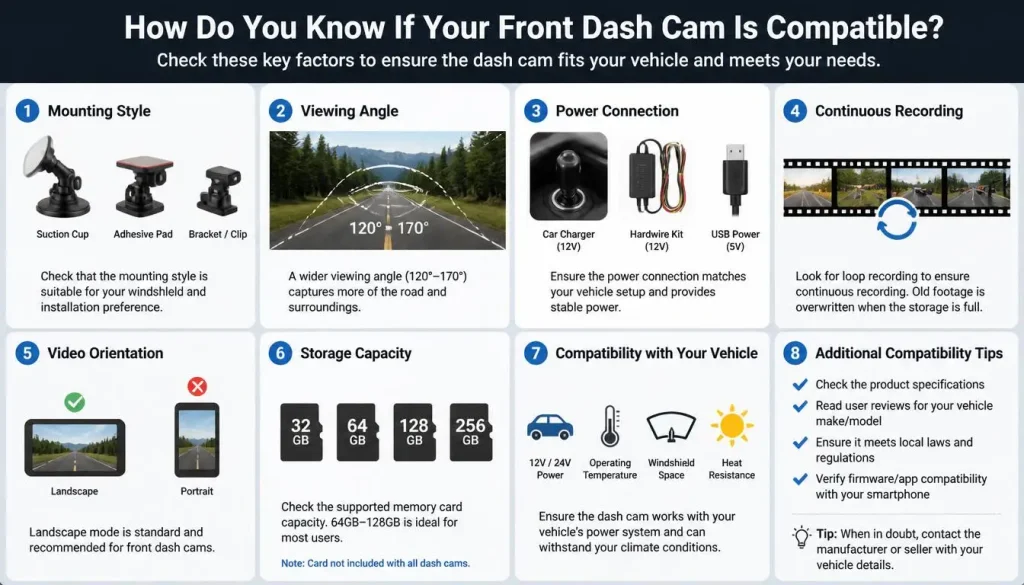
How Do You Know If Your Front Dash Cam Is Compatible?
Not every dash cam is suitable for rear installation.
Before moving your camera, check these important factors.
1. Mounting Style
A good rear installation requires a secure mount.
Common mounting options include:
- Adhesive mount
- Suction cup mount
- Magnetic mount
Adhesive mounts generally work better on rear glass because they remain stable during hot weather and rough roads.
2. Viewing Angle
Look for a camera offering at least:
- 140°
- 150°
- 170°
A wider viewing angle captures more traffic behind your vehicle.
3. Power Connection
Ask yourself:
- Can the power cable reach the rear window?
- Can it be hardwired?
- Does it use USB power?
- Does your vehicle have a rear USB outlet?
If not, you’ll likely need a longer cable.
4. Continuous Recording
Your camera should support loop recording.
Without continuous recording, it may stop capturing footage once the memory card becomes full.
5. Video Orientation
Some cameras allow:
- Image rotation
- Mirror mode
- Reverse mode
Others do not.
If the camera cannot adjust orientation, your recorded footage may appear upside down depending on how you mount it.
6. Storage Capacity
Rear recording generates just as much footage as front recording.
Using a high-endurance microSD card ensures reliable recording over long periods.
When Can You Use a Front Dash Cam in the Rear?
There are many situations where using a front dash cam as a rear camera works surprisingly well.
Using an Older Dash Cam
Instead of throwing away an older camera after upgrading, many drivers install it on the rear windshield.
If it still records clear video, it can continue providing useful protection.
Using a Spare Camera
Some households own multiple dash cams.
Installing the spare unit in another vehicle—or at the rear of the same vehicle—is an affordable solution.
During Road Trips
Long-distance travel increases the chance of:
- Highway collisions
- Tailgating
- Aggressive driving
- Rear-end accidents
Additional rear recording provides peace of mind.
For Fleet Vehicles
Businesses operating delivery vans or service vehicles often reuse older dash cams to monitor the rear of company vehicles.
As a Budget Upgrade
If purchasing a premium dual-channel dash cam isn’t currently within your budget, using an existing front camera can still improve your overall recording coverage.
When Should You NOT Use a Front Dash Cam in the Rear?
Although the idea sounds simple, there are situations where it simply isn’t the best option.
The Cable Cannot Reach
This is probably the biggest problem.
Many front dash cams include a power cable designed only for the distance between the dashboard and the windshield.
Running it safely to the rear window may require purchasing an extension cable or a hardwire kit.
Poor Viewing Angle
Some front cameras are optimized specifically for the road ahead.
Mounted in the rear, they may fail to capture nearby traffic or vehicles approaching from the sides.
Weak Night Vision
Rear windows often include:
- Factory tint
- Privacy glass
- Defroster lines
These can reduce image quality at night, making it harder to read license plates or identify vehicles.
Mounting Limitations
Certain dash cams can only be mounted vertically.
If the rear windshield has a steep angle, the camera may point too far upward or downward.
Heat Exposure
Rear windows often receive direct sunlight for extended periods.
Some older dash cams may overheat during summer, causing:
- Random shutdowns
- File corruption
- Reduced lifespan
No Parking Mode Support
If your goal is 24/7 surveillance, simply moving a front dash cam to the rear may not be enough.
Many parking modes require hardwiring and a dedicated voltage monitoring system.
Common Problems You May Face
Even if your installation is successful, a few issues are common.
Camera Keeps Falling
This usually happens because:
- The glass wasn’t cleaned properly.
- The adhesive is old.
- The suction cup has worn out.
- The rear windshield gets too hot.
Excessive Reflection
Bright sunlight can create reflections from:
- Rear seats
- Headrests
- Interior trim
These reflections reduce video clarity.
Defroster Lines
Rear defroster wires may slightly reduce image sharpness, particularly when trying to capture license plates from a distance.
Tinted Glass
Dark privacy glass blocks some light.
During daytime, the difference is usually small.
At night, however, darker tint can noticeably reduce recording quality.
Limited Cable Length
Loose or stretched cables not only look untidy but may also become a safety hazard if routed incorrectly.
Incorrect Camera Angle
If the lens points too high, you’ll mostly record the sky.
If it points too low, you’ll miss approaching vehicles.
Spending a few extra minutes adjusting the camera can make a significant difference in the quality of your footage.
How to Install a Front Dash Cam in the Rear Window
Installing a front dash cam in the rear window is usually straightforward, but taking your time will help you get better video quality and a cleaner-looking setup.
Step 1: Choose the Best Mounting Location
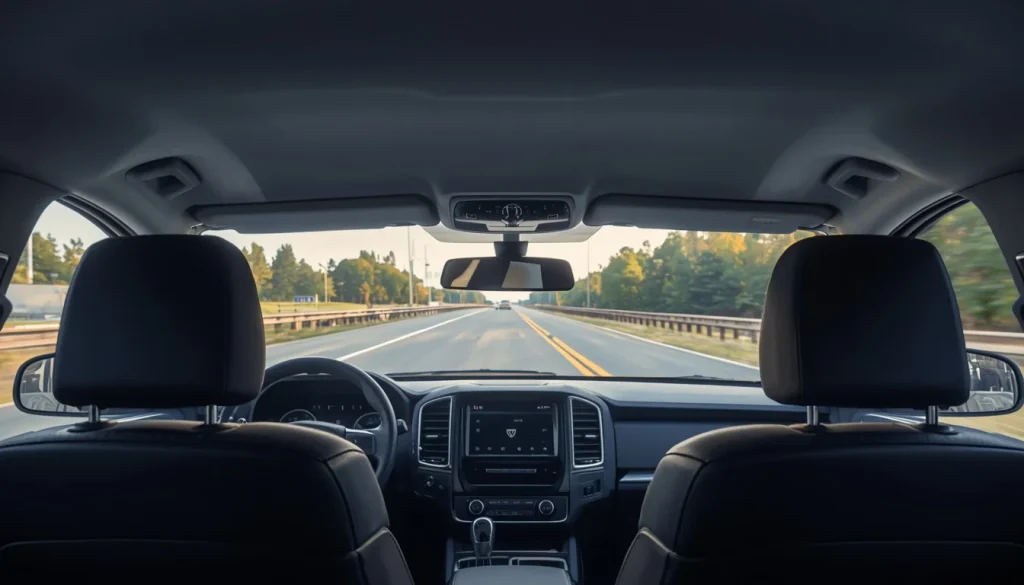
The ideal location is usually the top center of the rear windshield. This position offers the widest view of the road behind your vehicle while keeping the camera out of your line of sight.
Avoid placing the camera:
- Behind rear headrests
- Too close to the edge of the glass
- Directly over thick defroster connectors
- Where it blocks your rear-view mirror
Step 2: Clean the Glass Thoroughly
A dirty window can prevent adhesive mounts from sticking properly.
Before installing the camera:
- Wipe away dust.
- Remove grease and fingerprints.
- Let the glass dry completely.
- Use an alcohol wipe for the best adhesion.
A clean surface helps prevent the camera from falling off later.
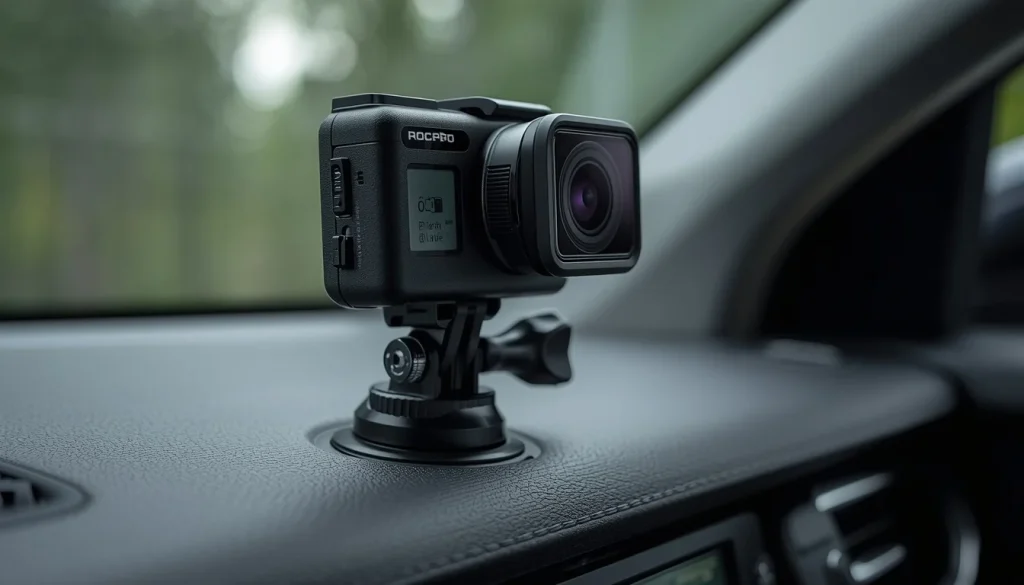
Step 3: Attach the Camera Securely
Install the mount according to the manufacturer’s instructions.
Whether you use an adhesive pad or suction cup:
- Press firmly.
- Hold it in place for several seconds.
- Make sure the camera sits level.
A secure mount reduces vibration and produces clearer video.
Step 4: Route the Power Cable Safely
A neat cable installation makes your vehicle look professional and prevents distractions.
Most drivers tuck the cable behind:
- The headliner
- Door weather stripping
- Interior trim panels
- Pillar covers
Avoid running cables where they could interfere with:
- Side curtain airbags
- Seat belts
- Door latches
- Moving parts
Step 5: Connect Power
Depending on your dash cam, you may power it using:
- A rear USB port
- A 12V power socket
- A USB-C outlet
- A hardwire kit
- An OBD-II power adapter
We’ll discuss these options in more detail shortly.
Step 6: Adjust the Viewing Angle
The camera should capture:
- The entire lane behind you
- Both adjacent lanes
- A small portion of the horizon
Avoid pointing the camera too high or too low.
A quick test recording helps verify the angle before finalizing the installation.
Step 7: Test During Day and Night
Before relying on the setup, record short clips:
- During daylight
- At night
- In rain if possible
Check:
- License plate readability
- Glare
- Reflection
- Stability
- Overall image quality
Small adjustments now can significantly improve future recordings.
How Do You Power a Front Dash Cam in the Rear?
Power is one of the biggest challenges when moving a front dash cam to the rear.
Fortunately, there are several reliable options.
Option 1: Rear USB Port
Many newer vehicles include USB ports for rear passengers.
This is often the easiest solution.
Advantages:
- Simple installation
- No hardwiring
- Minimal cable management
Possible downside:
Some USB ports only provide power when the ignition is on.
Option 2: Rear 12V Power Outlet
Many SUVs, crossovers, and larger vehicles have a rear accessory outlet.
This provides sufficient power for most dash cams.
Pros:
- Reliable power
- Easy installation
- No modifications required
Option 3: Hardwire Kit
If you want parking mode or a cleaner installation, a hardwire kit is an excellent option.
Benefits include:
- Hidden wiring
- Continuous power
- Automatic recording while parked
- Professional appearance
Installation is more complex, so some drivers prefer professional installation.
Option 4: OBD-II Adapter
Some manufacturers offer OBD power adapters.
Advantages:
- Plug-and-play
- No fuse tapping
- Supports parking mode on many models
Option 5: Power Bank
A portable battery pack can temporarily power the camera during road trips or special situations.
However, it isn’t ideal for permanent installations because it requires regular charging.
Option 6: Fuse Box Connection
Advanced users sometimes connect directly to the fuse box.
This provides:
- Reliable power
- Hidden wiring
- Better support for parking mode
If you’re unfamiliar with automotive wiring, professional installation is recommended.
Does the Video Need to Be Flipped?
This is one of the most common questions.
The answer depends entirely on your dash cam.
Some cameras automatically detect orientation.
Others include settings such as:
- Rotate image
- Flip image
- Mirror mode
- Reverse mode
If your camera lacks these features, you may need to mount it differently to ensure the recorded video appears correctly.
Always review a short recording after installation.
Is Video Quality Different When Using a Front Dash Cam as a Rear Camera?
The answer is often yes.
A front camera can still produce excellent rear footage, but several factors affect the final quality.
Rear Window Tint
Tinted glass reduces incoming light.
This becomes especially noticeable during nighttime recording.
Defroster Lines
Rear windshield heating elements may slightly soften image clarity, although modern dash cams generally handle this well.
Lighting Conditions
Unlike the windshield, the rear window often receives light from:
- Headlights
- Street lights
- Reflections
High Dynamic Range (HDR) or Wide Dynamic Range (WDR) helps improve image quality.
Camera Sensor
Higher-quality image sensors generally perform much better after dark.
A 4K front dash cam often records excellent rear footage, while an older 1080p model may struggle.
Front Dash Cam vs Dedicated Rear Camera (Video Quality)
| FeatureFront Dash Cam Used in RearDedicated Rear Dash Cam | ||
|---|---|---|
| Daytime Recording | Excellent | Excellent |
| Night Recording | Good to Very Good | Usually Better |
| Viewing Angle | Depends on model | Optimized for rear |
| HDR/WDR | Available on many models | Common |
| License Plate Capture | Good | Usually Better |
| Designed for Rear Window | No | Yes |
Does Rear Window Tint Affect Recording?
Yes.
Window tint is one of the biggest factors influencing rear recording quality.
Light Tint
Usually causes very little image degradation.
Most modern dash cams perform well.
Factory Privacy Glass
Common on:
- SUVs
- Minivans
- Crossovers
Footage remains usable, although nighttime brightness may decrease slightly.
Dark Aftermarket Tint
Very dark tint can reduce:
- Brightness
- Color accuracy
- License plate readability
- Night performance
Ceramic Tint
Ceramic tint generally performs better than metallic tint because it doesn’t interfere with wireless signals and usually maintains better image clarity.
Tips for Better Recording Through Tint
- Clean both sides of the glass.
- Increase exposure if your camera allows it.
- Enable HDR.
- Use a camera with a Sony STARVIS sensor if available.
- Test footage after installation.
Will Parking Mode Still Work?
Yes—but only if your dash cam supports it.
Simply moving a front dash cam to the rear doesn’t automatically enable parking surveillance.
Parking mode depends on the camera’s features and power source.
Motion Detection
Some dash cams wake up when motion is detected behind the vehicle.
This can help record suspicious activity in parking lots.
Impact Detection
Many cameras automatically save footage after detecting:
- A bump
- A collision
- Strong vibrations
This feature is particularly useful for documenting hit-and-run incidents.
Continuous Parking Recording
Premium dash cams may record continuously while parked.
However, this usually requires:
- Hardwire installation
- External battery pack
- Voltage protection module
Battery Drain
Without proper voltage protection, continuous recording may drain your vehicle’s battery.
Always use the manufacturer’s recommended hardwire kit when enabling parking mode.
Where Is the Best Place to Mount a Front Dash Cam in the Rear?
Mounting position affects both video quality and safety.
Best Position
The top center of the rear windshield is generally the best location because it provides:
- Maximum road coverage
- Balanced viewing angle
- Reduced interior reflections
Avoid Low Mounting
A camera mounted too low may be blocked by:
- Rear seats
- Cargo
- Passengers
- Headrests
Avoid Extreme Corners
Mounting near either side of the rear window can reduce your field of view and create blind spots.
Consider Your Vehicle Type
Different vehicles require slightly different placement.
Sedan
Top-center usually provides the best view.
SUV
Keep the camera above the rear wiper sweep if possible.
Hatchback
Avoid interference from the liftgate hinges and rear wiper.
Pickup Truck
A sliding rear window may limit mounting options.
Van
Install high enough to avoid cargo blocking the camera.
Can You Use a Front Dash Cam in Every Vehicle?
Generally, yes—but some vehicles are easier than others.
Sedan
Usually the simplest installation.
The rear windshield provides a wide, unobstructed view.
SUV
Rear privacy glass may slightly reduce nighttime performance, but installation is usually straightforward.
Hatchback
Rear wipers and steeper glass angles require more careful positioning.
Pickup Truck
The smaller rear window may limit viewing angles.
Extended power cables are often necessary.
Minivan
Large rear windows provide excellent visibility, making minivans well-suited for rear dash cam installations.
Common Problems and Simple Solutions
| Problem | Possible Cause | Solution |
|---|---|---|
| Camera falls off | Dirty glass | Clean and reinstall |
| Video too dark | Window tint | Enable HDR or increase exposure |
| Camera won’t power on | Short cable | Use a longer cable or hardwire kit |
| Excessive glare | Interior reflections | Adjust camera angle |
| Blurry recording | Dirty lens | Clean the lens regularly |
| Camera overheats | Direct sunlight | Improve ventilation or use a heat-resistant model |
| Vibration | Loose mount | Tighten or replace the mount |
| Limited recording time | Small memory card | Upgrade to a high-endurance microSD card |
Front Dash Cam vs Dedicated Rear Dash Cam
If you’re deciding whether to reuse an existing front dash cam or purchase a dedicated rear camera, the right choice depends on your budget, driving habits, and the level of protection you want.
While reusing a front dash cam can save money, a purpose-built rear camera usually offers a cleaner installation and better long-term reliability.
| FeatureFront Dash Cam Used as RearDedicated Rear Dash Cam | ||
|---|---|---|
| Initial Cost | Lower (if you already own one) | Higher |
| Installation | Moderate | Easy with compatible dual-channel systems |
| Cable Management | May require extension cables | Designed for rear installation |
| Rear Viewing Angle | Depends on the model | Optimized for rear coverage |
| Night Vision | Varies by camera | Usually optimized for rear conditions |
| Parking Mode | Depends on camera and wiring | Often fully supported |
| Long-Term Reliability | Good | Excellent |
| Best For | Budget-conscious drivers | Drivers wanting the best protection |
Which Option Offers Better Value?
If you already have a spare dash cam that records high-quality video, using it in the rear is an excellent way to improve your coverage without spending extra money.
However, if you’re buying a camera specifically for rear recording, a dedicated rear dash cam—or better yet, a dual-channel dash cam—is usually the smarter long-term investment.
Is It Legal to Mount a Front Dash Cam in the Rear Window?
In most cases, yes. Installing a dash cam on the rear windshield is legal as long as it doesn’t interfere with safe driving or violate local vehicle regulations.
That said, traffic laws vary between countries and, in some cases, states or provinces. Always check the regulations that apply where you drive.
United States
Most U.S. states allow rear-mounted dash cams because they generally don’t obstruct the driver’s forward view.
Still, you should:
- Keep the camera securely mounted.
- Avoid blocking your rear-view mirror.
- Ensure it doesn’t interfere with vehicle controls or safety equipment.
United Kingdom
Rear dash cams are generally legal.
Drivers should ensure the camera:
- Doesn’t block visibility.
- Is securely attached.
- Doesn’t distract the driver.
If the camera records audio or people outside the vehicle, privacy laws may also apply.
Canada
Most Canadian provinces permit dash cams.
However, you should:
- Mount the camera safely.
- Avoid obstructing your view.
- Follow local privacy regulations when sharing recordings.
Australia
Dash cams are widely accepted across Australia.
Drivers should still:
- Install cameras securely.
- Avoid obstructing visibility.
- Understand local surveillance and privacy laws before publicly sharing footage.
Will Insurance Accept Footage from a Rear-Mounted Front Dash Cam?
In many situations, yes.
Insurance companies are generally more interested in the quality and authenticity of the footage than whether the camera was originally marketed as a front or rear dash cam.
Rear footage may help document:
- Rear-end collisions
- Hit-and-run accidents
- Aggressive drivers
- Unsafe lane changes
- Tailgating
- Road rage incidents
Although dash cam footage can strengthen your claim, the insurance company will usually consider it alongside police reports, witness statements, photographs, and other available evidence.
Common Mistakes to Avoid
Many drivers experience poor results simply because of avoidable installation mistakes.
Here are the most common ones.
Mounting Too Low
A low-mounted camera may record mostly:
- Rear seats
- Passengers
- Cargo
Instead of the road behind your vehicle.
Ignoring the Camera Angle
Even a high-quality dash cam won’t help if it’s aimed incorrectly.
Always perform a test recording before finalizing the installation.
Leaving the Lens Dirty
Dust, fingerprints, and water spots reduce image quality more than many people realize.
Clean the lens regularly using a microfiber cloth.
Using a Cheap Memory Card
Dash cams write data continuously.
Low-quality memory cards often fail much sooner than high-endurance cards designed specifically for dash cameras.
Poor Cable Routing
Loose cables can:
- Look untidy
- Become damaged
- Distract the driver
- Interfere with airbags if installed incorrectly
Take time to hide cables behind trim panels whenever possible.
Forgetting to Test Night Recording
A setup that looks perfect during the day may perform very differently after sunset.
Always review footage recorded at night before relying on your new installation.
Rear Dash Cam Not Recording? Try These Fixes
If your rear-mounted front dash cam isn’t working properly, don’t panic. Most issues can be solved quickly.
| Problem | Possible Cause | Solution |
|---|---|---|
| Camera won’t turn on | No power | Check the power cable and outlet |
| Recording stops unexpectedly | Full or faulty memory card | Format or replace the microSD card |
| Footage is blurry | Dirty lens | Clean the camera lens |
| Camera keeps restarting | Unstable power supply | Inspect cables and power source |
| No parking recordings | Parking mode disabled | Enable the feature and use a hardwire kit if required |
| Video is upside down | Incorrect mounting or settings | Rotate the camera or enable image rotation |
| Files are missing | Loop recording overwrote old clips | Save important footage immediately after an incident |
Best Alternatives to Using a Front Dash Cam in the Rear
While reusing an old front dash cam works well for many drivers, it isn’t the only option.
Dual-Channel Dash Cam
This is the most popular solution.
A dual-channel system records both the front and rear simultaneously using one central unit.
Best for:
- Daily commuters
- Families
- Professional drivers
- Long-distance travel
Dedicated Rear Dash Camera
If rear recording is your priority, a dedicated rear camera is designed specifically for that purpose.
Benefits include:
- Compact size
- Easier installation
- Optimized viewing angle
- Better cable management
Wireless Rear Camera
Some modern cameras reduce cable clutter by using wireless communication for video transmission.
Keep in mind that most wireless models still require a power connection.
Mirror Dash Cam
Mirror dash cams replace or attach to your existing rear-view mirror and often include both front and rear cameras.
Many also offer:
- Touchscreen displays
- GPS
- Parking mode
- Voice control
Frequently Asked Questions About Can I Use Front Dash Cam for Rear
Can I mount a front dash cam on the rear windshield?
Yes. Many front dash cams can be mounted on the rear windshield if they have a suitable mounting system and a reliable power source.
Can I use an old dash cam as a rear camera?
Absolutely. If your older dash cam still records clear video and functions reliably, reusing it as a rear camera is an excellent way to increase your vehicle’s coverage without purchasing additional equipment.
Will the video record backward?
No. The camera records whatever it faces.
If mounted correctly, it records traffic behind your vehicle.
Will the video be upside down?
Usually not.
Many dash cams include image rotation or flip settings. If yours doesn’t, you may need to adjust how it’s mounted.
Do I need a longer power cable?
In many cases, yes.
Most front dash cams include cables intended for front windshield installation, so rear mounting often requires a longer cable or hardwire kit.
Does window tint reduce video quality?
Yes, especially at night.
Darker tint allows less light to reach the camera sensor, which can reduce brightness and make license plates harder to read.
Can I use two front dash cams instead of buying a dual dash cam?
Yes.
Many drivers successfully use one camera facing forward and another facing the rear.
Just remember that each camera will require its own power source and memory card.
Can I connect a front dash cam to the reverse gear?
Generally, no.
Unlike backup cameras, most dash cams record continuously and aren’t designed to activate only when reverse gear is selected.
Is a dedicated rear dash cam better?
For most drivers, yes.
Dedicated rear cameras are specifically engineered for rear installation, making them easier to install and often more reliable over the long term.
Is using a front dash cam in the rear worth it?
If you already own a quality dash cam, the answer is definitely yes.
It’s one of the most affordable ways to improve your vehicle’s overall video coverage and gain additional evidence in case of an accident.
Final Verdict
So, can you use a front dash cam for the rear? In many cases, yes. Reusing an existing front dash cam is a practical, budget-friendly way to add rear-facing video coverage, especially if the camera supports loop recording, has a wide viewing angle, and can be mounted securely on the rear windshield.
However, it’s important to understand the limitations. Power cable length, mounting options, nighttime performance, window tint, and parking mode can all affect how well the setup works. Taking the time to install the camera correctly and test the footage will help you get the best possible results.
If you already have a spare dash cam, there’s little reason not to put it to good use. But if you’re shopping for a new system and want the best long-term performance, a dedicated rear dash cam or a dual-channel dash cam is usually the better investment. It provides easier installation, cleaner cable management, and reliable front-and-rear recording every time you drive.
Whether you choose to reuse an old front dash cam or upgrade to a dedicated rear solution, the goal is the same: capturing clear, dependable footage that can protect you when it matters most.

Tony Kilmer is an auto mechanic and the author behind CarTruckAdvisor.com. He shares practical, no-nonsense guidance on car and truck maintenance, common problems, and repair decisions—helping drivers understand what’s going on and what to do next.