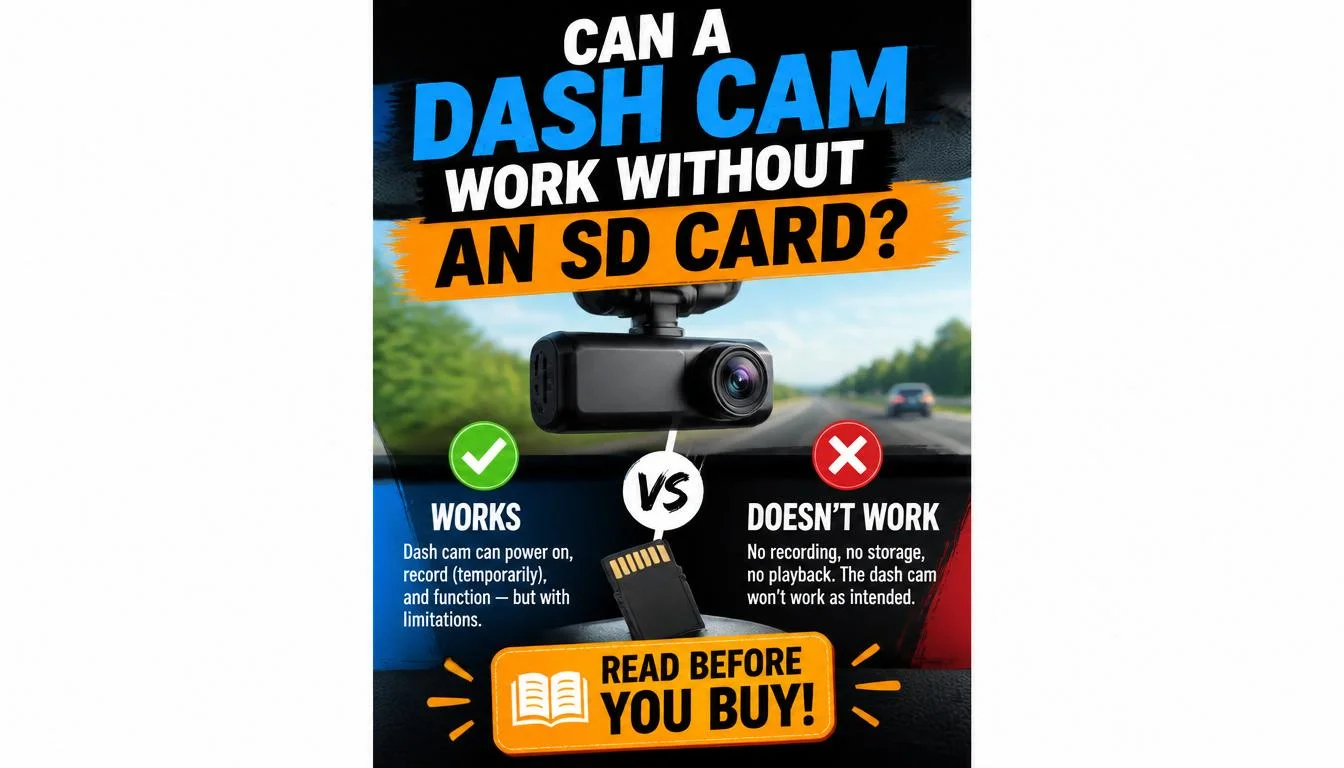
If you’re wondering whether you can use a dash cam without an SD card, the short answer is yes—but only in very limited situations. Most dash cams can power on without a memory card, but they cannot record or save video footage, making them unreliable for accident evidence, parking surveillance, or insurance claims.
Can a Dash Cam Work Without an SD Card?
Many people assume a dash camera works like a smartphone camera that can temporarily operate without external storage. In reality, most dash cams are designed to continuously record video while you’re driving. To do that, they almost always require a compatible microSD card.
Without an SD card, your dash cam may still:
- Turn on normally
- Display a live camera view
- Let you change settings
- Connect to a mobile app
- Update firmware
However, it usually cannot save any recordings.
Think of it this way: the camera lens can still “see,” but it has nowhere to store what it captures.
For everyday driving, using a dash cam without an SD card defeats its primary purpose.
Does Every Dash Cam Require an SD Card?
Not every model does, but the vast majority of consumer dash cams do.
Some premium models include:
- Built-in internal storage
- Cloud recording
- Fleet management storage
- LTE connectivity
Even then, many manufacturers still recommend installing a high-endurance microSD card as a backup.
If you’re shopping for a new dash cam, don’t assume internal storage replaces expandable storage. Many cameras only include a small amount of built-in memory that’s meant for emergency clips rather than continuous recording.
What Happens If You Use a Dash Cam Without an SD Card?
The exact behavior depends on the manufacturer, but most dash cameras respond in similar ways.
Let’s look at what you can expect.
Will the Dash Cam Turn On?
Yes.
In most cases, the camera powers on normally once connected to a power source.
You can usually:
- Access the menu
- Change video resolution
- Adjust date and time
- Connect to Wi-Fi
- Preview the camera view
This often leads people to believe the camera is recording when it actually isn’t.
Will It Record Video?
Usually, no.
Without storage, the camera has nowhere to save footage.
Many dash cams display messages such as:
- No SD Card
- Insert Memory Card
- Storage Required
- Recording Failed
- Card Error
Some cameras repeatedly beep until an SD card is inserted.
Can You Watch Live Video?
Yes.
If your dash cam supports a built-in display or smartphone app, you can often watch a live video feed.
However, once you close the app or turn off the camera, nothing is saved.
A live preview is useful for:
- Adjusting the camera angle
- Installing the dash cam
- Testing image quality
It should never be confused with actual recording.
Will Emergency Recordings Be Saved?
No.
Emergency recording relies on available storage.
When the G-sensor detects a collision or sudden impact, the dash cam attempts to lock that video file.
Without an SD card, there is no file to lock.
That means your most important evidence could be lost.
Does Parking Mode Work Without an SD Card?
Almost never.
Parking mode continuously monitors your parked vehicle for:
- Motion
- Vibration
- Collision
- Impact
When an event occurs, the camera immediately saves the recording.
Without storage, parking mode becomes almost useless because nothing can be recorded.
If protecting your vehicle while parked is one of your goals, an SD card is essential.
Why Do Most Dash Cams Need an SD Card?
A dash cam isn’t designed to take occasional photos. It’s designed to record video continuously for hours at a time.
This creates an enormous amount of data.
The SD card serves as the camera’s permanent recording storage.
Without it, continuous recording isn’t possible.
Loop Recording Depends on an SD Card
One of the best features of modern dash cams is loop recording.
Instead of stopping when storage fills up, the camera automatically deletes the oldest unlocked footage and records new video.
This process happens continuously while you drive.
Without an SD card:
- No loop recording
- No continuous recording
- No automatic overwriting
- No saved evidence
High-Speed Video Requires Reliable Storage
Modern dash cams often record in:
- 1080p Full HD
- 2K
- 1440p
- 4K Ultra HD
Higher video quality creates larger files.
A reliable high-endurance microSD card is specifically designed for constant writing and rewriting, unlike ordinary memory cards that wear out more quickly.
Dash Cams Write Thousands of Files Every Week
Most people don’t realize how much work an SD card performs.
A commuter driving one to two hours every day may generate hundreds of video files each week.
Standard consumer memory cards aren’t built for this workload.
That’s why manufacturers recommend High Endurance microSD cards, which are designed for continuous video recording in devices such as:
- Dash cams
- Security cameras
- Body cameras
- Doorbell cameras
Using the wrong card can lead to recording failures, corrupted files, or unexpected errors.
Are There Any Dash Cams That Don’t Need an SD Card?
Yes—but they’re the exception rather than the rule.
These models usually cost more and rely on alternative storage methods.
Let’s explore the main types.
Dash Cams With Built-In Storage
Some premium dash cameras include internal flash memory.
Instead of saving footage directly to a microSD card, they store recordings inside the camera.
Advantages include:
- No removable card required
- Better protection against accidental removal
- Simpler setup
However, internal storage usually has limited capacity.
Once it’s full, older footage is overwritten unless you transfer files elsewhere.
Cloud Dash Cams
Some advanced dash cameras upload recordings directly to cloud storage.
These cameras typically require:
- Wi-Fi
- LTE connection
- Mobile data plan
- Subscription service
Benefits include:
- Automatic online backup
- Remote access
- Better theft protection
- Easy file sharing
The downside is ongoing subscription costs and dependence on internet connectivity.
Fleet Dash Cameras
Commercial fleet cameras often combine several storage methods.
These systems may use:
- Internal memory
- Cloud backup
- LTE transmission
- Remote fleet management
Businesses choose these systems because managers can review footage from multiple vehicles without collecting SD cards manually.
LTE Dash Cams
LTE-enabled dash cams can transmit video through a cellular network.
While many still include an SD card, some prioritize cloud uploads instead of relying solely on local storage.
These cameras are especially useful for:
- Taxi drivers
- Delivery vehicles
- Company fleets
- Remote vehicle monitoring
For most personal drivers, however, a traditional dash cam with a high-quality microSD card remains the most affordable and practical solution.
Can a Dash Cam Record Directly to Your Phone?
One of the most common questions people ask is whether a dash cam can skip the SD card entirely and save videos directly to a smartphone.
The answer is sometimes—but not in the way most people expect.
Many modern dash cams include Wi-Fi or Bluetooth connectivity, allowing you to connect the camera to a mobile app. However, this feature is mainly designed for viewing footage, changing settings, or downloading selected clips—not for continuous recording.
In most cases, your phone is not a replacement for an SD card.
How Wi-Fi Dash Cams Work
A Wi-Fi-enabled dash cam creates a wireless connection between the camera and your smartphone.
Using the manufacturer’s app, you can usually:
- Watch a live camera view
- Download recorded videos
- Change camera settings
- Update firmware
- Format the memory card
Even though your phone is connected, the dash cam still records footage to the SD card first.
Can Videos Be Saved Directly to Your Phone?
Some dash cams allow you to manually download videos from the camera to your phone after they’re recorded.
This is useful if you want to:
- Save accident footage
- Share clips with your insurance company
- Upload videos to social media
- Free up space on the memory card
However, very few consumer dash cams continuously stream and record directly to a smartphone because doing so would quickly drain battery life, consume storage, and require a constant wireless connection.
Why Your Phone Shouldn’t Replace an SD Card
Although smartphones have plenty of storage, they aren’t designed to receive hours of uninterrupted dash cam footage while you’re driving.
Potential issues include:
- Connection interruptions
- Battery drain
- Overheating
- Storage limitations
- Missed recordings if the app closes
For reliable evidence after an accident, a dedicated microSD card remains the better option.
Can a Dash Cam Record to Internal Storage Instead?
Some dash cams include built-in storage, but there are important limitations.
Internal storage can reduce your dependence on an SD card, but it doesn’t eliminate it in every situation.
What Is Internal Storage?
Internal storage is memory permanently built into the dash cam.
Instead of saving recordings to a removable card, the camera stores files inside its own hardware.
Depending on the model, this may range from a few gigabytes to several dozen gigabytes.
Advantages of Internal Storage
Built-in storage offers several benefits.
Easier Setup
There’s no need to buy and install a separate memory card before using the camera.
Better Protection
Since the storage can’t be easily removed, recorded footage is less likely to be lost if someone removes the memory card after an accident.
Lower Risk of Card Errors
There are no removable cards to become loose, incompatible, or damaged.
Limitations of Internal Storage
Despite its advantages, internal storage also has drawbacks.
Limited Capacity
Most internal storage fills up much faster than a 128GB or 256GB microSD card.
Difficult to Upgrade
Unlike removable storage, built-in memory usually cannot be expanded.
Slower File Transfers
Moving recordings to your computer may require connecting the entire dash cam instead of simply removing a memory card.
Is Internal Storage Better Than an SD Card?
Not necessarily.
Many premium dash cams actually combine both options.
For example:
- Internal storage protects emergency recordings.
- The SD card handles continuous loop recording.
This combination provides better reliability than relying on either storage method alone.
SD Card vs Internal Storage vs Cloud Storage
Choosing the right storage option depends on how you use your dash cam.
The table below compares the three most common recording methods.
| Feature | SD Card | Internal Storage | Cloud Storage |
|---|---|---|---|
| Continuous Recording | ✔ Yes | Limited | Depends on Internet |
| Expandable Storage | ✔ Yes | ✘ No | Unlimited (subscription dependent) |
| Internet Required | ✘ No | ✘ No | ✔ Yes |
| Monthly Fees | ✘ No | ✘ No | Usually Yes |
| Easy File Backup | Moderate | Moderate | Excellent |
| Best for Daily Driving | ✔ Excellent | Good | Good |
| Best for Fleet Vehicles | Good | Good | ✔ Excellent |
| Accident Evidence | ✔ Excellent | Good | Excellent if uploaded |
For most everyday drivers, an SD card offers the best balance of reliability, cost, and storage capacity.
Why Your Dash Cam Says “Insert SD Card”
Seeing an “Insert SD Card” or “No Memory Card” message can be frustrating, especially if a card is already installed.
Fortunately, the problem is often easy to fix.
The SD Card Isn’t Installed Properly
Sometimes the card hasn’t fully clicked into place.
Remove the card and reinsert it until you hear or feel it lock securely.
The Card Isn’t Compatible
Not every microSD card works with every dash cam.
Some cameras require:
- Class 10
- UHS-I
- U3
- V30
- High Endurance cards
Using an incompatible card may prevent recording altogether.
The Card Is Corrupted
Removing power while the dash cam is writing data can damage the file system.
Symptoms include:
- Card errors
- Recording failures
- Missing footage
- Formatting requests
Formatting the card inside the dash cam often resolves this issue.
The Memory Card Is Fake
Counterfeit memory cards are surprisingly common.
They may advertise large capacities but fail after recording only a small amount of footage.
Buying memory cards from trusted retailers reduces this risk.
The Card Uses the Wrong File Format
Some dash cams only recognize specific file systems.
Common formats include:
- FAT32
- exFAT
If the card was formatted elsewhere, your dash cam may ask you to reformat it before recording.
The Memory Card Has Reached the End of Its Lifespan
Unlike traditional storage devices, dash cam memory cards constantly overwrite old files.
After years of continuous use, they eventually wear out.
Signs include:
- Frequent recording errors
- Corrupted videos
- Random restarts
- Missing clips
- Unexpected formatting requests
Replacing the card usually solves the problem.
Common Problems When No SD Card Is Installed
Using a dash cam without storage can create several issues that affect its performance.
Here are the most common ones.
Continuous Warning Messages
Many dash cams repeatedly display alerts such as:
- No SD Card
- Insert Memory Card
- Storage Required
Some cameras also emit warning beeps until a compatible card is installed.
Recording Stops Immediately
The dash cam may appear to start recording but quickly stop because there is nowhere to save the video.
Some cameras even display a flashing recording icon, making it easy to assume recording is active when it isn’t.
Parking Mode Doesn’t Work
Parking mode depends on storage to save motion or impact events.
Without an SD card, these recordings are lost.
Locked Videos Cannot Be Saved
When the G-sensor detects a collision, it attempts to protect the current recording from being overwritten.
Without storage, that protection becomes impossible.
Important Evidence Is Lost
This is the biggest risk.
If an accident occurs while your dash cam has no working storage, there may be no video evidence available for:
- Insurance claims
- Police investigations
- Disputes with other drivers
- Hit-and-run incidents
A dash cam that isn’t recording offers little value when you need it most.
How to Fix “No SD Card” Errors
If your dash cam refuses to recognize a memory card, work through these troubleshooting steps.
Step 1: Power Off the Dash Cam
Turn the camera off before removing the card.
This reduces the risk of damaging stored files.
Step 2: Remove and Reinsert the Card
Check that the card is fully inserted and locked into place.
Dust or improper insertion can prevent the camera from detecting it.
Step 3: Format the Card
Use the dash cam’s built-in formatting option whenever possible.
Formatting inside the camera creates the file system it expects.
Step 4: Confirm Compatibility
Verify that the memory card meets the manufacturer’s requirements for:
- Capacity
- Speed class
- File format
Using unsupported cards is a common cause of recording problems.
Step 5: Test With Another High-Endurance Card
If the issue persists, try a known, compatible High Endurance microSD card.
If the new card works, the original card has likely failed.
Step 6: Update the Dash Cam Firmware
Manufacturers occasionally release firmware updates that improve storage compatibility and fix recording bugs.
Installing the latest firmware may resolve persistent SD card errors.
What Kind of SD Card Should You Use for a Dash Cam?
Choosing the right microSD card is just as important as choosing the dash cam itself. A low-quality memory card can cause recording failures, corrupted videos, and missing footage—even if the camera is working perfectly.
For the best performance, always check your dash cam manufacturer’s recommended specifications before buying a memory card.
Choose the Right Storage Capacity
The ideal capacity depends on your recording resolution and driving habits.
| SD Card Capacity | Best For |
|---|---|
| 32GB | Short daily commutes and 1080p recording |
| 64GB | Most drivers with Full HD recording |
| 128GB | Longer trips, higher resolutions, and dual-channel dash cams |
| 256GB | 2K or 4K recording with extended loop recording time |
Larger capacities allow your dash cam to store more footage before older videos are overwritten.
Look for High-Endurance Cards
Unlike ordinary memory cards used in cameras or smartphones, High Endurance microSD cards are designed for continuous video recording.
They are built to handle constant writing and rewriting, making them a better choice for:
- Dash cams
- Home security cameras
- Doorbell cameras
- Body cameras
Using a standard consumer card may shorten its lifespan when used in a dash cam.
Select the Correct Speed Class
Your dash cam may recommend one or more of the following:
- Class 10
- UHS-I
- U3
- V30
These speed ratings help ensure the card can keep up with high-resolution video recording without dropping frames.
Consider Temperature Resistance
Dash cams often operate in extreme conditions.
Whether your vehicle sits in the hot summer sun or freezing winter temperatures, choose a memory card designed to withstand temperature changes.
This improves long-term reliability and reduces the risk of card failure.
Can You Use a USB Drive Instead of an SD Card?
Some drivers wonder whether a USB flash drive or external SSD can replace a microSD card.
In most cases, the answer is no.
Consumer dash cams are specifically designed to record to a compatible microSD card.
Most models do not recognize USB storage devices.
Why USB Drives Usually Don’t Work
Dash cams are built with hardware and firmware that expect removable microSD storage.
Even if a camera includes a USB port, it is typically intended for:
- Power
- Firmware updates
- Computer connections
It is rarely used for direct video recording.
What About External SSDs?
A few commercial or fleet recording systems support external storage devices.
However, these systems are significantly different from standard consumer dash cams.
For everyday drivers, using a compatible High Endurance microSD card remains the simplest and most reliable solution.
Can You Record to Cloud Storage Instead of an SD Card?
Yes—but only if your dash cam supports cloud recording.
Cloud storage automatically uploads recordings to an online server instead of storing everything locally.
Benefits of Cloud Recording
Cloud-connected dash cams provide several advantages.
Automatic Backup
Videos remain accessible even if the dash cam is stolen or damaged.
Remote Access
You can review footage from almost anywhere using a smartphone or web portal.
Easier File Sharing
Sharing clips with your insurance provider or law enforcement is often faster.
Drawbacks of Cloud Recording
Cloud storage also has limitations.
Subscription Costs
Many manufacturers charge monthly or yearly fees.
Internet Dependency
Uploading videos requires a stable Wi-Fi or cellular connection.
Upload Delays
Large video files may take time to transfer.
For these reasons, many premium dash cams combine cloud services with local SD card storage.
Pros and Cons of Using a Dash Cam Without an SD Card
Although a dash cam can sometimes operate without an SD card, there are important trade-offs.
| Pros | Cons |
|---|---|
| Camera powers on | No video recordings |
| Live view may work | Accident footage cannot be saved |
| Useful during installation | Parking mode becomes ineffective |
| Settings can be adjusted | Emergency recordings are unavailable |
| Firmware updates may still work | Insurance evidence may be lost |
| Quick testing is possible | Warning messages may continue |
For most drivers, the disadvantages far outweigh the benefits.
When Can You Use a Dash Cam Without an SD Card?
There are a few situations where operating a dash cam without a memory card is perfectly reasonable.
These include:
- Testing a newly installed camera
- Adjusting the viewing angle
- Updating firmware
- Exploring camera settings
- Viewing a live camera feed
However, you should not rely on a dash cam without storage for:
- Daily commuting
- Road trips
- Accident protection
- Insurance documentation
- Parking surveillance
- Evidence collection
If recording matters, install a compatible memory card before driving.
My Experience Testing a Dash Cam Without an SD Card
During testing, I powered on a dash cam without inserting a microSD card to see exactly how it behaved.
The camera started normally and displayed a clear live image on the screen. I was able to navigate through the menus, adjust settings, and connect the camera to its mobile app without any issues.
However, the recording indicator flashed briefly before the camera displayed a warning message asking for an SD card. Pressing the record button did not create any saved video files, and the camera repeatedly reminded me that no storage was available.
I also tested basic parking mode by simulating movement in front of the vehicle. While the camera detected activity, it couldn’t save any recordings because there was nowhere to store them.
The test confirmed what most manufacturers explain in their documentation: a dash cam can function without an SD card, but it cannot perform its most important job—recording evidence.
Frequently Asked Questions About Can I Use a Dash Cam Without an SD Card
Can I use a dash cam without a memory card?
Most dash cams can power on without a memory card, but they usually cannot record or save video footage.
Do all dash cams require an SD card?
No. Some premium models include built-in storage or cloud recording, but most consumer dash cams still rely on a compatible microSD card.
Can a dash cam save footage internally?
Some models include internal storage for emergency clips or short recordings. However, many still recommend using an SD card for continuous loop recording.
Can I connect my dash cam to my phone instead of using an SD card?
You can often connect your dash cam to a smartphone for live viewing or downloading videos. However, your phone typically cannot replace the SD card for continuous recording.
Does parking mode work without an SD card?
In most cases, no. Parking mode needs storage to save motion or impact events.
Why does my dash cam keep saying “No SD Card”?
Possible causes include:
- No card installed
- Improper insertion
- Incompatible card
- Corrupted card
- Worn-out memory card
- Incorrect file format
Can I use any microSD card in my dash cam?
Not always. Check your dash cam’s manual for supported capacities and speed ratings. High Endurance cards are generally recommended for continuous recording.
How often should I replace my dash cam SD card?
There is no fixed schedule, but heavy daily use gradually wears out memory cards. If you notice recording errors, corrupted videos, or repeated formatting requests, replacing the card is a good idea.
Does a full SD card stop recording?
Usually not. Most dash cams use loop recording, which automatically overwrites the oldest unlocked footage when the card becomes full.
Can I format an SD card inside my dash cam?
Yes. In fact, many manufacturers recommend formatting the card within the dash cam rather than on a computer to ensure the correct file system is used.
Final Verdict
So, can you use a dash cam without an SD card? Technically, yes—but only for limited tasks such as testing the camera, adjusting settings, or viewing a live video feed. Without storage, the camera cannot perform the job it was designed for: recording and preserving video evidence.
For everyday driving, an SD card is essential. It enables continuous loop recording, emergency event protection, and parking surveillance, ensuring important footage is available when you need it most.
While some premium dash cams offer internal storage or cloud recording, these features are typically found on higher-end models and may still work best alongside a compatible High Endurance microSD card.
If your goal is reliable protection on the road, invest in a quality memory card that matches your dash cam’s specifications. A properly configured dash cam is one of the simplest ways to capture valuable evidence, support insurance claims, and drive with greater confidence.

Tony Kilmer is an auto mechanic and the author behind CarTruckAdvisor.com. He shares practical, no-nonsense guidance on car and truck maintenance, common problems, and repair decisions—helping drivers understand what’s going on and what to do next.