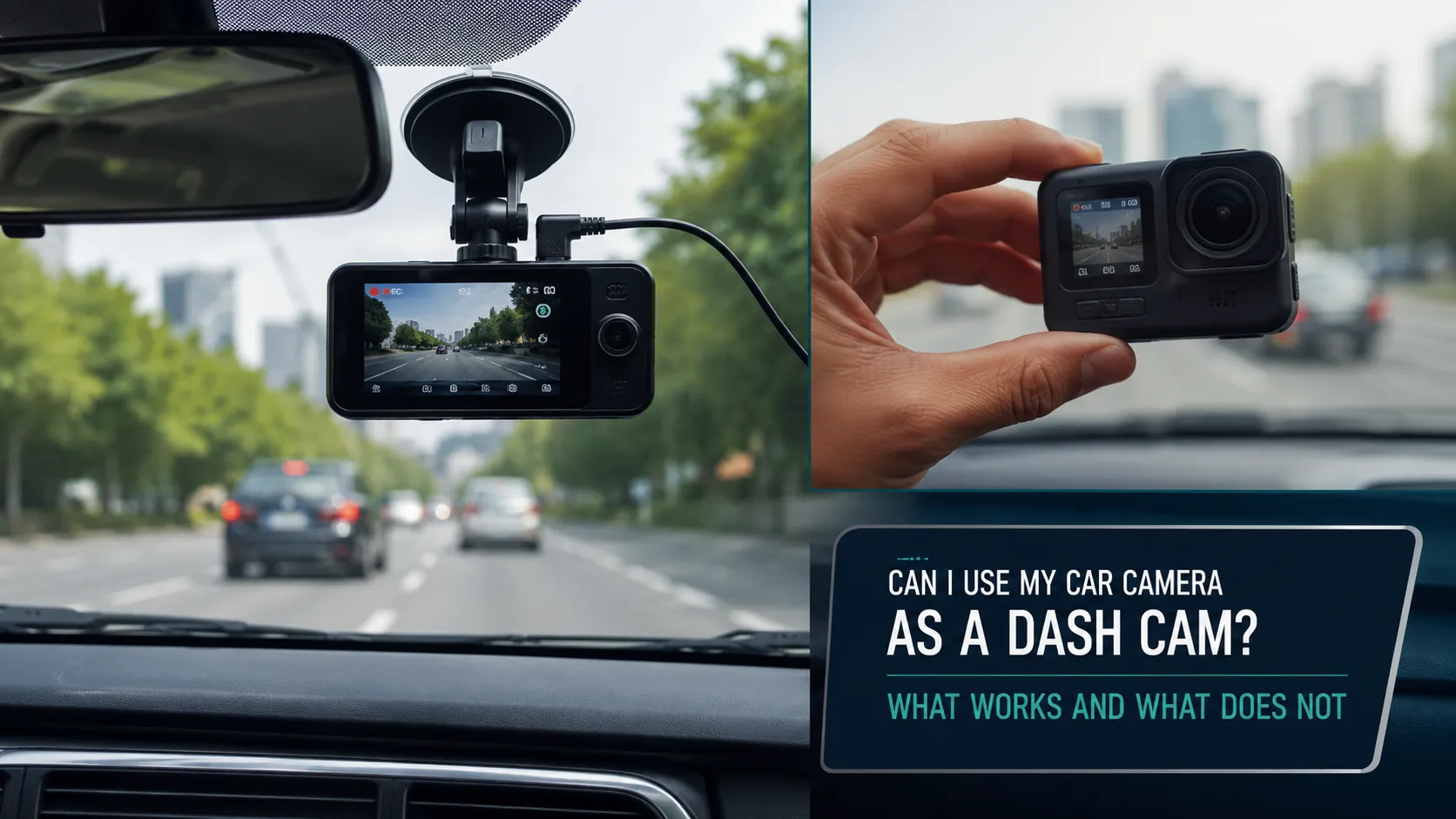
Yes, you may be able to use your car camera as a dash cam, but only if the camera system can record, store and export video footage. Simply having a front, rear or 360-degree camera does not mean your vehicle has dash cam functionality.
Many factory-installed cameras are designed for reversing, parking assistance, lane keeping or collision avoidance. They may show a live image on the infotainment screen without saving any footage. A camera can function as a true dash cam only when it supports features such as continuous recording, loop recording, accessible storage and protected incident clips.
This guide explains how to identify your camera, check whether it records, access saved footage and decide whether you need a dedicated dash cam.
Quick Answer: Can a Car Camera Work as a Dash Cam?
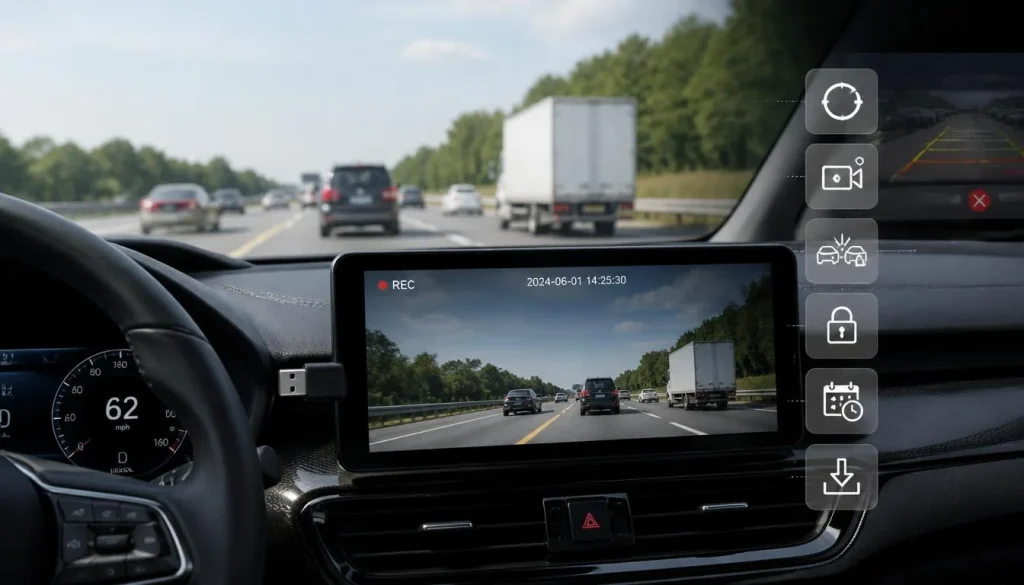
A built-in car camera can work as a dash cam when it provides:
- Automatic recording while driving
- Continuous or loop recording
- USB, SD card or internal video storage
- Accessible and downloadable footage
- Incident or impact-triggered recording
- Date and time information
- A way to protect important clips from being overwritten
If your camera only displays a live image while parking, reversing or using a driver-assistance feature, it is not functioning as a dash cam.
Some vehicles include genuine recording systems. For example, Tesla’s Dashcam can save driving footage to a properly prepared USB drive, while Toyota’s integrated dashcam offers continuous loop recording and incident recording. Hyundai also documents built-in systems that can record video from front and rear cameras on supported vehicles. Availability depends on the vehicle, trim level, model year and country.
Car Camera vs Dash Cam: What Is the Difference?
The term “car camera” can describe several different devices. A backup camera, lane-assist camera and dash cam may all use video technology, but they are designed for different purposes.
| Feature | Regular Car Camera | Dedicated Dash Cam |
|---|---|---|
| Main purpose | Parking or driver assistance | Recording the road and incidents |
| Continuous recording | Often unavailable | Usually standard |
| Loop recording | Not always supported | Commonly supported |
| User-accessible footage | May be unavailable | Usually accessible |
| Automatic incident protection | Model-dependent | Common on modern models |
| Parking recording | Model-dependent | Available on compatible models |
| Storage | May have no accessible storage | Usually microSD card or internal storage |
| Camera angle | Designed for assistance systems | Designed to capture road evidence |
A dash cam is a type of car camera, but not every car camera is a dash cam.
The most important difference is not image quality or camera position. It is whether the system creates a video file that the vehicle owner can access and preserve.
What Type of Camera Is Installed in Your Car?
Before trying to use your camera as a dash cam, identify what kind of camera your vehicle has.
Factory-Installed Dash Cam or Drive Recorder
This is the most suitable type. It may be described in the owner’s manual as:
- Dashcam
- Dash cam
- Drive recorder
- Driving video recorder
- Built-in camera recorder
- Event recorder
- Digital video recorder
- Built-in cam
A genuine factory recording system may start automatically when the ignition is turned on and store footage on a USB drive, SD card or internal storage.
Backup or Reversing Camera
A backup camera normally shows the area behind your vehicle when you select reverse gear. Its primary purpose is to assist with reversing and parking.
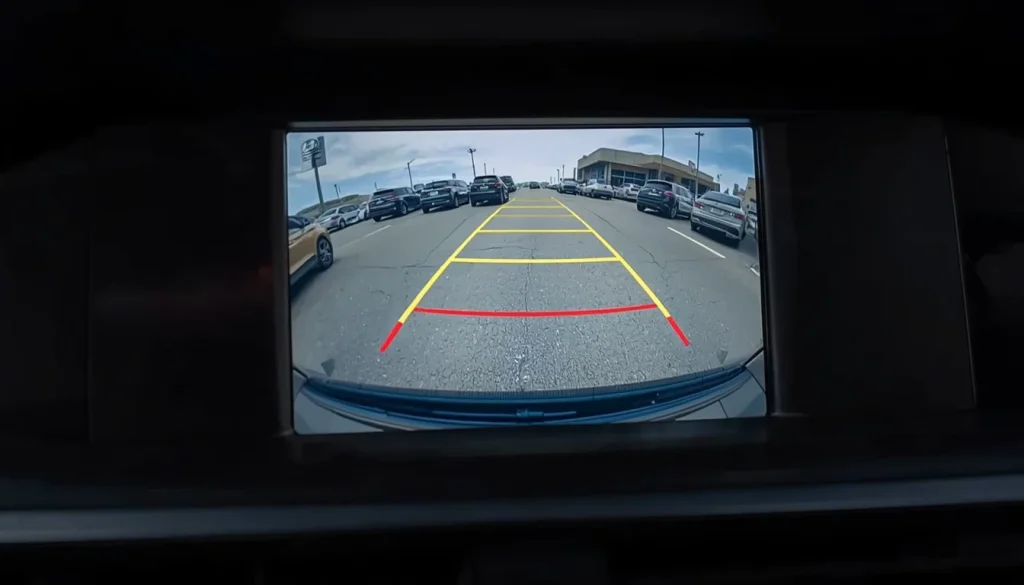
Some vehicles allow the rear-camera image to remain on the screen briefly after shifting out of reverse. However, keeping a camera image visible is not the same as recording and saving that image. Hyundai, for example, documents an “Extend Rear Camera Use” display option on certain systems, but the existence of a rear-view display does not by itself confirm dash cam recording.
360-Degree or Surround-View Camera
A 360-degree system combines images from cameras around the vehicle to create a bird’s-eye parking view.
These cameras may appear ideal for incident recording because they cover several angles. However, many surround-view systems only process live images for low-speed parking assistance. Unless your manual specifically mentions recording, storage or downloadable footage, do not assume the system saves video.
ADAS or Lane-Assist Camera
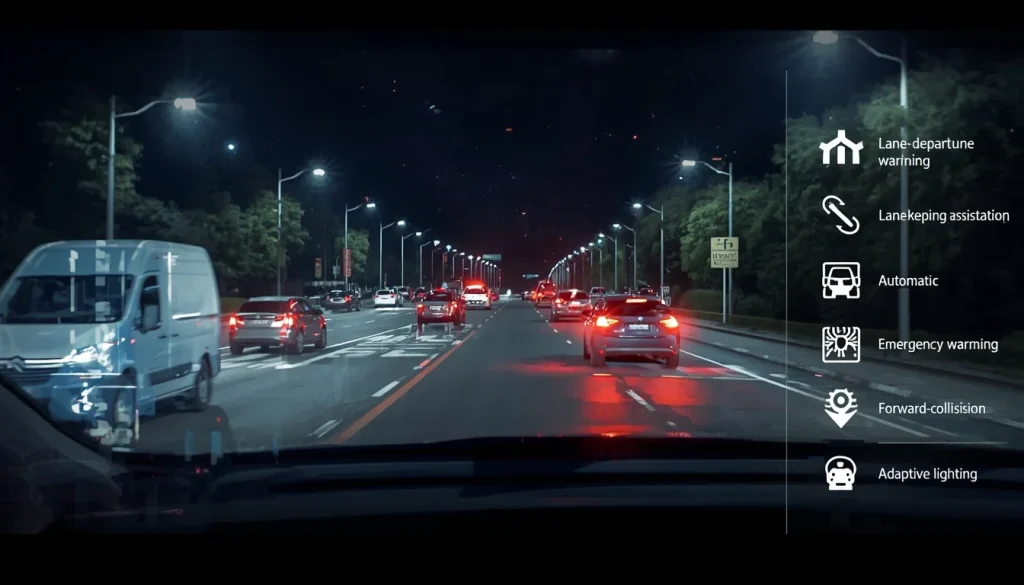
An Advanced Driver Assistance System camera may support:
- Lane-departure warning
- Lane-keeping assistance
- Traffic-sign recognition
- Automatic emergency braking
- Forward-collision warning
- Adaptive lighting
The camera may continuously analyse the road, but that does not mean its video feed is recorded or available to the driver.
Digital Rearview Mirror Camera
A digital rearview mirror uses a rear-mounted camera to display a wider view behind the vehicle. Some aftermarket mirror systems include front and rear recording, while factory digital mirrors may only provide a live image.
Check whether your system specifically offers video storage and playback.
Action Camera or Smartphone
A GoPro, other action camera or old smartphone can be used as a temporary dash cam. However, these devices may have limitations involving heat, power, storage, automatic startup and secure mounting.
Can a Built-In Car Camera Be Used as a Dash Cam?
It depends on how the system was designed.
You can normally use it as a dash cam when the manufacturer has enabled recording and provided a supported method for storing and retrieving footage.
Use the following checklist:
| Question | Required for Dash Cam Use? |
|---|---|
| Does it record while the vehicle is moving? | Yes |
| Does it save actual video files? | Yes |
| Can you access or download those files? | Yes |
| Does recording begin automatically? | Strongly recommended |
| Does it overwrite old footage automatically? | Strongly recommended |
| Can important clips be protected? | Strongly recommended |
| Does it record after an impact? | Helpful |
| Does it record while parked? | Optional |
If you answer “no” to the first three questions, the camera cannot reliably replace a dash cam.
Do Factory-Installed Car Cameras Record?
Some factory-installed cameras record, but many do not provide owner-accessible footage.
Factory cameras generally fall into four categories:
Live-View Cameras
These display an image for parking, reversing or checking blind spots. They may not create or save video files.
Driver-Assistance Cameras
These analyse road markings, vehicles, signs and hazards. They are part of the vehicle’s safety system and may not provide accessible recordings.
Event-Recording Cameras
These save footage only when the system detects an impact, unusual movement or manually triggered event.
Continuous-Recording Cameras
These record while driving and overwrite older, unprotected files when storage becomes full.
Toyota states that its genuine integrated dashcam records continuously in 1080p and automatically overwrites the oldest files when its memory card becomes full. It can also protect footage around a detected abnormal shock.
Therefore, the presence of a camera is not enough. You must confirm that your specific vehicle includes an enabled recording system.
How to Check Whether Your Car Camera Records
Use these steps before buying adapters, changing wiring or installing another camera.
1. Search the Owner’s Manual
Search the digital or printed manual for terms such as:
- Dashcam
- Recording
- Video recorder
- Drive recorder
- Event recording
- Camera storage
- USB recording
- SD card
- Saved clips
- Parking surveillance
Do not search only for “camera.” That term may lead to sections about reversing or driver-assistance systems rather than recording.
2. Check the Infotainment System
Look inside menus such as:
- Camera
- Safety
- Security
- Vehicle
- Recording
- Dash Cam
- Drive Recorder
- Parking Surveillance
A recording system may show status icons, storage capacity, saved events or playback controls.
Hyundai’s documentation for supported vehicles allows recorded dash cam footage to be viewed through the infotainment system’s Dash Cam menu.
3. Look for a Dedicated USB Port or SD Card Slot
Check the glovebox, centre console, dashboard and area surrounding the camera module.
A normal charging USB port does not necessarily support camera storage. Look for a camera symbol, SD card slot or instructions in the manual.
4. Check the Manufacturer’s App
Some integrated systems allow footage to be transferred to a smartphone.
Toyota states that supported integrated dashcam footage can be played back or downloaded using its smartphone app or PC tool.
5. Ask a Dealer Using Your VIN
Features can vary even between two vehicles with the same model name. The exact trim, production date, market and optional equipment package may determine whether recording is available.
Ask the dealer to check your Vehicle Identification Number rather than relying on a general model description.
6. Make a Test Recording
After enabling the feature, take a short drive and check:
- Whether recording started automatically
- Which cameras were captured
- Whether the date and time are correct
- Whether audio was recorded
- Whether number plates are readable
- Whether the file can be exported
- Whether the system overwrites old clips
- How an important clip is protected
Never wait until after an accident to learn how the system works.
Can a Backup Camera Record While You Are Driving?
A backup camera may technically produce a video signal, but that does not mean it can operate as a practical dash cam.
In many vehicles, the backup camera is activated by reverse gear or a reverse-trigger signal. It may stop displaying an image when the vehicle moves forward.
Even when a vehicle allows the rear view to remain visible, you still need answers to three separate questions:
- Does the camera remain powered?
- Does the system create a video file?
- Can the owner access that file?
A “yes” to the first question does not automatically mean “yes” to the other two.
Why Backup Cameras Are Usually Poor Dash Cam Replacements
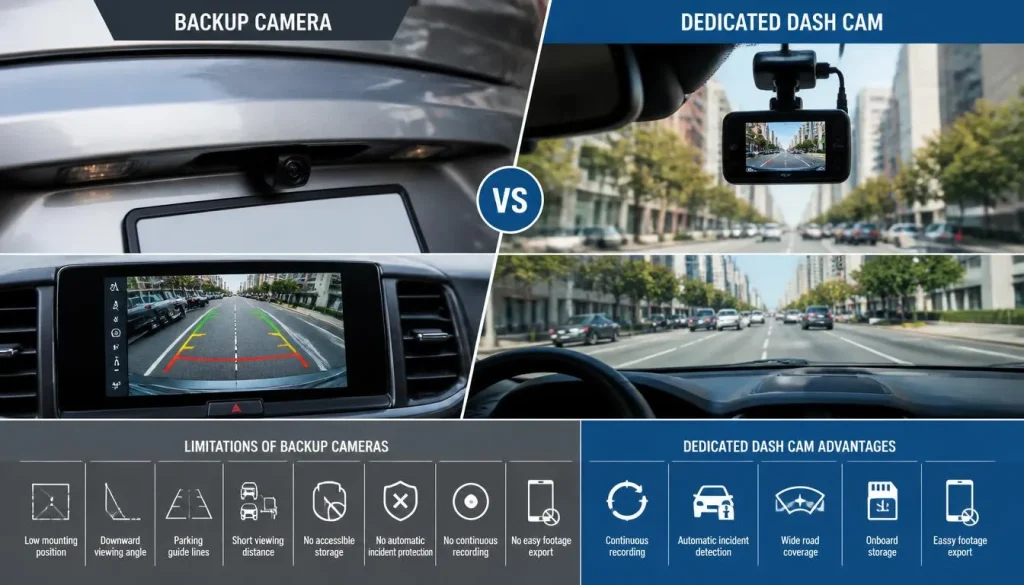
Backup cameras often have:
- A low mounting position
- A downward-facing viewing angle
- Parking guide lines
- Limited distance visibility
- No accessible storage
- No automatic incident protection
- No continuous recording
- No reliable method for exporting footage
They are designed to help you see nearby obstacles, not necessarily to capture road evidence.
Can a Backup Camera Record an Accident?
It can record an accident only if it is connected to a recording system that is active at the time of the event.
If the system provides only a live reversing image, there may be no footage to retrieve later.
Can a 360-Degree Camera Work as a Dash Cam?
A 360-degree camera system can work as a dash cam only when the manufacturer has enabled recording from those cameras.
The stitched bird’s-eye image displayed during parking may be created in real time without being stored. In other systems, only selected exterior cameras may be recorded.
Before relying on a 360-degree system, confirm:
- Which camera angles are saved
- Whether recording works at normal driving speeds
- Whether footage is stored continuously
- Whether parked recording is supported
- How long footage is retained
- Whether files can be exported
Do not assume that four visible cameras produce four saved video channels.
Can an ADAS Camera Be Used as a Dash Cam?
An ADAS camera should not be treated as a dash cam unless the vehicle manufacturer specifically provides an accessible recording feature.
Although an ADAS camera may face the road, it is primarily designed to provide information to safety systems. Its image processing, angle, frame rate and output may be optimised for vehicle control rather than video evidence.
Avoid attempting to modify the ADAS camera or tap into its wiring. Improper work around these systems may cause errors, interfere with safety features or create calibration problems.
ADAS cameras may require professional recalibration after certain windshield replacements, camera movement or related repairs. Any modification should therefore be discussed with the vehicle manufacturer, authorised dealer or qualified automotive electronics specialist.
Can You Connect a Factory Camera to a DVR?
It may be technically possible in some vehicles, but it is rarely a simple plug-and-play project.
An older analogue camera may use a conventional video signal that can sometimes be connected to a compatible recorder. Newer factory cameras may communicate through proprietary modules, digital interfaces or vehicle networks.
Potential compatibility issues include:
- Camera voltage
- Video-signal format
- Connector type
- Image resolution
- Reverse-trigger wiring
- Digital encryption or processing
- Infotainment integration
- Vehicle fault monitoring
- Parking guide-line processing
- ADAS calibration
A video splitter or physical adapter does not guarantee that a DVR can understand or record the signal.
Do not cut into factory wiring without an accurate wiring diagram and a clear understanding of the system. A dedicated rear dash cam is usually safer and easier to replace than modifying a factory safety or parking camera.
How to Access and Save Built-In Car Camera Footage
The process depends on the vehicle.
Through the Infotainment Screen
Some vehicles include a footage viewer in the infotainment system. Look for saved driving, parking, manual or event clips.
Be aware that opening the footage viewer may temporarily stop recording on certain systems. Hyundai’s documentation notes this behaviour for supported Dash Cam menus.
From a USB Drive
Remove the storage drive only after the vehicle has safely stopped recording. Sudden removal may damage or corrupt the current file.
Some Tesla systems use a properly formatted USB drive for storing and retrieving Dashcam footage. Unsaved footage is recorded in cycles and may be overwritten unless the desired clip is saved.
From an SD Card
Switch off the vehicle or follow the manufacturer’s removal procedure before taking out the card.
Use a card reader to copy the original files to a computer. Avoid editing, renaming or converting the only copy of an important incident file.
Through a Smartphone App
Connect using the manufacturer’s approved method. Depending on the system, this may involve Wi-Fi, Bluetooth or a direct connection.
Download the original clip as soon as possible after an incident.
Save Important Footage Immediately
Loop-recording systems overwrite older files to make space. After an accident or important event:
- Stop in a safe location.
- Use the event-save or manual-recording function.
- Copy the relevant clip to another device.
- Preserve the original file.
- Check whether separate front and rear files exist.
- Record the correct date, time and location.
- Avoid deleting files until the matter is resolved.
How to Use a Supported Built-In Camera as a Dash Cam
Follow the manufacturer’s instructions for your model. The general process is:
Step 1: Confirm Compatibility
Check that your system supports actual video recording rather than only a live camera display.
Step 2: Prepare the Correct Storage
Use the recommended USB drive or memory card. A standard low-quality card may fail under constant rewriting or high cabin temperatures.
Step 3: Format the Storage Correctly
Some systems can format storage through the infotainment screen. Others require a computer and a specific file system or folder structure.
Tesla, for example, provides specific preparation instructions for compatible USB recording storage.
Step 4: Enable Recording
Choose the available recording options, which may include:
- Continuous driving recording
- Manual recording
- Impact recording
- Parking recording
- Motion detection
- Audio recording
- Location or speed information
Hyundai documents settings on supported systems for selecting driving or parked recording and choosing whether sound is included.
Step 5: Test the System
Drive for several minutes, park safely and review the footage.
Step 6: Learn the Emergency Save Function
Depending on the vehicle, footage may be protected by:
- Pressing an on-screen button
- Pressing a physical camera button
- Using a voice command
- Sounding the horn
- Automatic impact detection
Tesla supports different saving options on eligible vehicles, including manual saving and configurable automatic actions.
Will the Camera Record When the Car Is Off?
Only if the vehicle has a supported parking-recording feature.
Parking recording may work through:
- Impact detection
- Motion detection
- Camera-based security monitoring
- Short event clips
- Timed recording
- Continuous low-power recording
Toyota states that its genuine integrated dashcam can save a short recording following an impact while the vehicle is parked. Tesla’s Sentry Mode can use external cameras to detect security events while parked on supported vehicles.
Will Parking Recording Drain the Battery?
Any camera that operates while the vehicle is off needs power.
A factory system may manage power automatically, while an aftermarket dash cam may require:
- A hardwire kit
- A low-voltage cut-off
- A dedicated battery pack
- A correctly configured parking mode
If the system does not include battery-discharge protection, continuous parking recording may reduce the available battery charge.
Could Modifying the Factory Camera Cause Problems?
Yes. Connecting an unsupported DVR, changing power wiring or interfering with a safety camera can create unnecessary risks.
Possible problems include:
- Camera failure
- Infotainment errors
- Blown fuses
- Battery drain
- Poor image quality
- Loss of parking guidelines
- Vehicle-network faults
- ADAS warning lights
- Calibration problems
- Warranty disputes
The safest options are to use the manufacturer’s existing recording function, install a manufacturer-approved accessory or add a separate dash cam without modifying the factory camera.
Can a Phone Be Used as a Dash Cam?
A smartphone can work as a temporary dash cam when it is securely mounted and uses a suitable recording app.
You will need:
- A stable phone mount
- Continuous charging
- Sufficient storage
- Loop-recording software
- An unobstructed camera view
- A way to prevent overheating
- Notifications and calls managed safely
Limitations of Using a Phone
A phone may:
- Overheat in direct sunlight
- Stop recording during calls
- suffer battery damage from heat and continuous charging
- Require manual setup before every drive
- Attract thieves when left in the vehicle
- Block part of the driver’s view
- Create a distraction
In the UK, it is illegal to hold and use a phone or another data-capable device while driving. A mounted device must not block the view of the road and traffic ahead.
Set up the phone before driving and do not touch it while the vehicle is moving unless local law clearly permits the specific action.
Can a GoPro or Action Camera Be Used as a Dash Cam?
An action camera can record high-quality footage, but it is normally better as a temporary solution than a permanent dash cam.
Check whether it supports:
- Loop recording
- Recording while connected to power
- Automatic startup
- Automatic shutdown
- Heat-resistant operation
- A secure windscreen mount
- Date and time information
- Protected incident clips
Action cameras may overheat, require manual operation or continue recording until storage is full. They may also contain a battery that is not designed to remain inside a hot parked vehicle.
Can a Digital Rearview Mirror Replace a Dash Cam?
Only when the mirror system includes recording features.
There are two common products:
- A factory digital rearview mirror that displays a live rear-camera image
- An aftermarket mirror dash cam that records front and rear footage
The second product may function as a full dash cam. The first may not store any video.
Check for loop recording, memory-card support, event protection and footage playback before relying on it.
Built-In Car Camera vs Dedicated Dash Cam
| Consideration | Built-In Recording System | Dedicated Dash Cam |
|---|---|---|
| Appearance | Usually clean and discreet | Device may be visible |
| Compatibility | Designed for the vehicle | Must be installed correctly |
| Recording availability | Depends on model and trim | Standard function |
| Video access | May be restricted | Usually straightforward |
| Upgrade options | Limited | Many models available |
| Front and rear coverage | Model-dependent | Available in multi-camera kits |
| Parking mode | Model-dependent | Widely available |
| Replacement | May involve dealer support | Usually easier |
| Cost | May already be included | Requires an additional purchase |
| Evidence reliability | Depends on implementation | Designed specifically for recording |
A supported factory recording system may be all you need. If the factory cameras do not save accessible footage, a dedicated dash cam is usually the more dependable option.
Can Car Camera Footage Be Used for an Insurance Claim?
Dash cam or built-in camera footage may help show:
- Vehicle positions
- Traffic-light conditions
- Lane movements
- Road conditions
- The sequence of an incident
- The behaviour of other road users
However, footage does not automatically prove every part of a claim. Image quality, camera angle, missing context, incorrect timestamps or incomplete clips can affect its usefulness.
Hyundai’s official manual notes that recorded footage is not guaranteed to be accepted as valid legal evidence.
After an accident:
- Preserve the original file.
- Save footage from before and after the event.
- Do not publish it immediately on social media.
- Keep an unedited copy.
- Inform your insurer that footage exists.
- Provide it to the police when requested or appropriate.
- Follow local privacy and evidence rules.
Dash Cam Laws in the USA, UK, Canada and Australia
Dash cam rules are not identical across countries or regions. Laws may govern placement, mobile-device use, audio recording, privacy and commercial surveillance.
United States
Rules can vary by state.
Check:
- Windshield-mounting restrictions
- Driver visibility requirements
- Audio-recording consent laws
- Rules for rideshare or commercial vehicles
- Restrictions on displaying video to the driver
Mount the camera where it does not obstruct your view. Consider disabling in-cabin audio if you are uncertain about local consent requirements.
United Kingdom
A camera or phone must not block the driver’s view of the road. Drivers must not hold and use a phone or similar device while driving.
Set up recording before beginning your journey. Take additional care when recording passengers, employees, driving lessons or audio inside the vehicle.
Canada
Road and device-placement rules can vary by province or territory. Privacy considerations become especially important when a camera records passengers, employees or conversations inside a commercial vehicle.
The Office of the Privacy Commissioner of Canada has examined cases involving continuous in-cabin audio and video recording of workers, highlighting the sensitivity of conversations and other personal information captured inside vehicles.
Australia
Road rules and device requirements can vary by state or territory.
For example, New South Wales regulates mobile-phone and digital-screen use while driving. Western Australian guidance also states that mounted devices should not obstruct the driver’s critical view of the road.
Always check the current rules applying to your licence type, vehicle use and location.
This information is general guidance and is not legal advice.
When Should You Buy a Dedicated Dash Cam?
Buy a dedicated dash cam when:
- Your factory camera only provides a live view
- No recording option appears in the manual
- Saved footage is not accessible
- The camera does not record while driving
- You need reliable front and rear coverage
- You need parking surveillance
- Night-time footage is important
- You want automatic loop recording
- You need a simple way to protect incident clips
- You do not want to modify factory wiring
- Your current camera angle does not capture useful road details
A separate dash cam is usually a better choice than trying to force a parking or ADAS camera to perform a job it was not designed to do.
Final Verdict
You can use your car camera as a dash cam only when the system can record, store and export driving footage.
A factory backup camera, 360-degree parking camera, digital mirror or ADAS camera is not automatically a dash cam. If it only provides a live display, there will be no video available after an accident.
Check your owner’s manual, infotainment settings, storage ports and manufacturer app. Confirm that the system supports continuous recording, loop recording and protected event clips. Then perform a test recording before relying on it.
When those functions are unavailable, installing a dedicated dash cam is generally safer, simpler and more reliable than modifying a factory camera system.
Frequently Asked Questions About Can I Use My Car Camera as a Dash Cam?
How Do I Know If My Car Has a Built-In Dash Cam?
Search the owner’s manual and infotainment system for “Dash Cam,” “Drive Recorder,” “Video Recorder,” “Event Recording” or “Built-In Cam.” Also check for a dedicated USB port, SD card slot, recording icon or manufacturer app.
Do Built-In Car Cameras Record All the Time?
Not always. Some systems record continuously while driving, some record only after an impact, and others do not save footage at all.
Does a Backup Camera Record Accidents?
Only when it is connected to an active recording system. A standard backup camera that only displays a live image normally will not provide saved footage.
Can I Use My Rear Camera as a Dash Cam?
You can use it when the rear camera records continuously and stores accessible video. A reverse-only camera without recording cannot function as a reliable rear dash cam.
Can a 360-Degree Car Camera Record?
Some systems can, but many only create a live parking view. Check the vehicle manual for driving recording, parking recording and video-export features.
Can I Access My Car’s Camera Footage After an Accident?
You can access it only if the vehicle saved the footage. Check the infotainment viewer, USB drive, SD card or manufacturer app as soon as possible before loop recording overwrites the clip.
Where Is Built-In Dash Cam Footage Stored?
It may be stored on a USB drive, microSD card, internal vehicle storage or a connected smartphone app. The exact location depends on the manufacturer and vehicle.
Can I Connect My Backup Camera to a Dash Cam Recorder?
It may be possible with certain compatible analogue systems, but modern factory cameras may use proprietary connections or digital processing. Professional assessment is recommended.
Can I Use an Old Phone as a Dash Cam?
Yes, as a temporary solution. Use a secure mount, continuous power and a loop-recording app. Watch for overheating, battery damage, distraction and local mobile-phone laws.
Can I Use a GoPro as a Dash Cam?
Yes, if it supports loop recording and recording while connected to power. However, heat, battery reliability and lack of automatic incident protection may make it unsuitable for permanent use.
Does a Car Camera Record When the Engine Is Off?
Only when it supports parking mode or event recording while parked. The system must also have a safe power source and battery-discharge protection.
Will a Dash Cam Drain My Car Battery?
It may drain the battery if it records while parked without a low-voltage cut-off, dedicated battery pack or properly configured factory power-management system.
Can Dash Cam Footage Be Used by Insurance Companies?
Footage may help an insurer understand an incident, but its usefulness depends on image quality, timing, context and local evidence requirements. Keep the original, unedited file.
Is It Legal to Record Audio Inside a Car?
Audio-recording laws vary by country, state, province and territory. Privacy requirements may also differ between personal, rideshare, workplace and commercial use. Check local rules or disable audio when uncertain.

Tony Kilmer is an auto mechanic and the author behind CarTruckAdvisor.com. He shares practical, no-nonsense guidance on car and truck maintenance, common problems, and repair decisions—helping drivers understand what’s going on and what to do next.