
Image source: Bing (Web (fair-use with source credit))
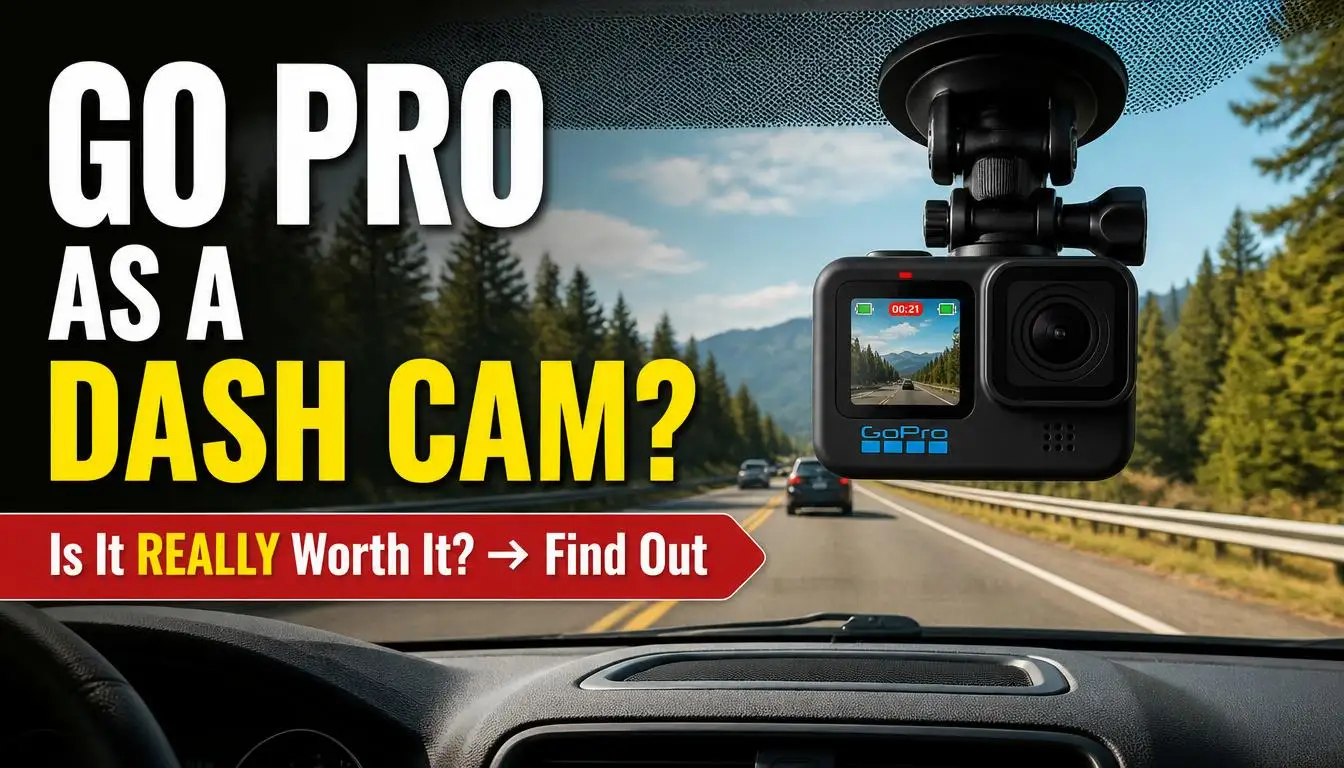
You already own a GoPro. Using it as a dash cam seems like a smart way to save money and get dual-purpose gear. The question can i use my gopro as a dash cam deserves a straightforward answer before you mount anything to your windshield.
Yes, you can technically use a GoPro as a dash cam. But it is not recommended for daily driving without significant modifications. GoPros lack native loop recording and overheat easily inside parked cars.
Dedicated dash cams are purpose-built for continuous use and legal evidence standards. If you already own a GoPro, you can make it work with cooling gear and third-party apps.
Quick Answer
You can use your GoPro as a dash cam, but the trade-offs are significant. GoPros lack native loop recording and overheat easily in parked cars during summer. They also require third-party apps or root hacks to auto-overwrite old footage.
A dedicated dash cam handles heat, continuous recording, and legal standards far better. If you already own a GoPro, add active cooling and accept ongoing maintenance.
Why Your GoPro Isn’t Designed for This Job
A GoPro is an action camera built for short bursts of high-intensity recording. You clip it to your helmet while skiing. Or strap it to your bike during a trail ride.
Then you take it off, review the footage, and move on. Cars demand something entirely different. A dash cam needs to run for hours at a time.
It must survive summer heat, winter cold, constant vibration, and sudden power interruptions. It also needs to keep recording automatically without any intervention from you.
Heat is the single biggest problem. GoPro’s official operating temperature range runs from 0 to 40 degrees Celsius. That translates to about 32 to 104 degrees Fahrenheit.
Park a GoPro on your dashboard on a summer afternoon and the interior of your car can easily exceed 60 degrees Celsius. The camera will thermal throttle, slow its processor, and eventually shut itself off to protect the battery. A dedicated dash cam, by contrast, is rated for temperatures up to 60 or even 70 degrees Celsius.
Many use capacitors instead of lithium batteries precisely to avoid heat-related failure.
Battery chemistry matters here too. Lithium-ion batteries degrade faster when exposed to sustained heat. Swelling is a common failure mode.
Once a GoPro battery swells, the camera may not close properly. The contacts can fail and the unit becomes unreliable. Per manufacturer specifications, GoPro explicitly states that their cameras are not designed for continuous recording applications.
The HERO series has improved thermal management over the years. But the fundamental design remains oriented toward intermittent use.
Another critical gap is loop recording. Dash cams overwrite old footage automatically when the card fills up. You never have to think about it.
GoPros do not loop-record natively. They record one to five minute clips. When the card is full, they stop recording.
You then have to manually delete files through the app or on a computer. If you forget to clear space before an incident, the camera simply will not record anything new.
There are workarounds for loop recording, but they are not trivial. You can use a third-party app like Protocol to automate start and stop times. Or you can root the camera to enable native loop functionality.
Both approaches carry risks. Rooting voids your warranty. Third-party apps can be unreliable and require a phone to stay connected.
Neither solution matches the plug-and-play simplicity of a dedicated dash cam.
Power delivery presents another challenge. Most people try to run their GoPro from a USB car charger. That works fine for keeping the battery from draining completely.
But it does not solve the heat problem. In fact, drawing power directly from the car creates additional heat. This can accelerate battery degradation over time.
Some users remove the battery entirely and run the camera on USB power alone. GoPro does not officially support this on most models. Doing so may void your warranty or damage the internal power circuitry.
If you want to explore alternative DIY solutions first, using an old phone as a dash cam is another approach some drivers attempt. It comes with its own set of thermal and reliability concerns. Understanding these limitations upfront helps you decide whether the GoPro route is worth the trade-offs or whether you should invest in a purpose-built device from the start.
GoPro vs. Dash Cam: Where They Differ Most
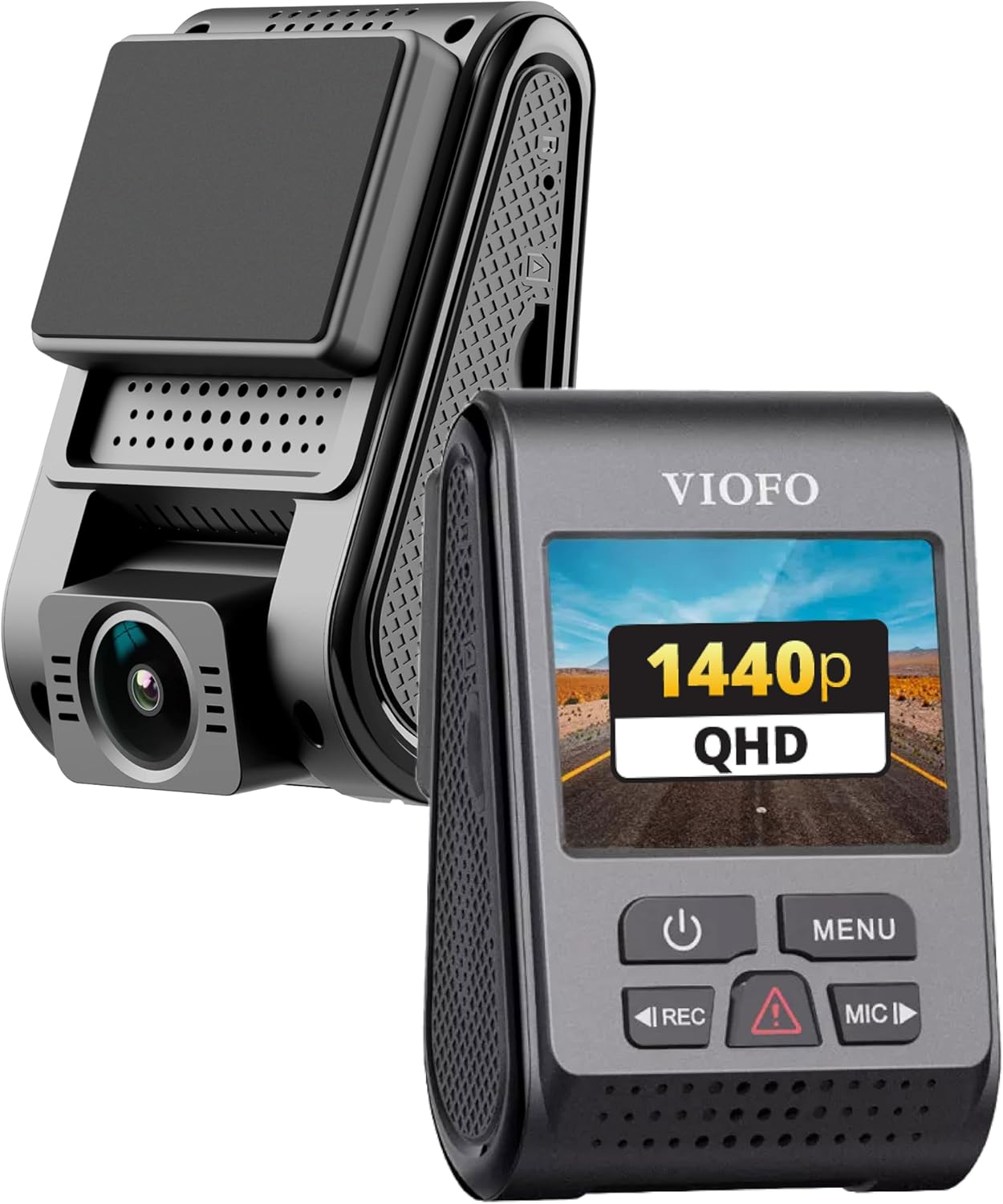
Image source: Bing (Web (fair-use with source credit))
The core difference comes down to design philosophy. A GoPro is built to capture stunning video in extreme conditions. A dash cam is built to produce reliable, legally defensible evidence every single time you drive.
Those are two very different goals. They shape every aspect of how each device performs inside a car.
Video quality is where the GoPro pulls ahead. The HERO series cameras use larger sensors and more advanced image processing than most dash cams in the same price range. You get sharper detail, better dynamic range, and superior low-light performance.
HyperSmooth stabilization keeps footage smooth even on rough roads. For pure visual clarity, a GoPro at 4K resolution will capture license plates and street details that many budget dash cams simply cannot match.
But video quality is only one piece of the equation. Reliability under real-world driving conditions is where dash cams pull ahead decisively. A dedicated dash cam starts recording within seconds of turning the key.
It loops automatically without any setup required. It tolerates extreme heat and cold that would shut down a GoPro. It runs on capacitor-based power systems that do not degrade over time.
You install it once and forget about it entirely.
Parking mode is another area where dedicated dash cams win comfortably. Many modern dash cams offer motion detection and impact sensing. These features keep the camera monitoring your vehicle even when you are not in the driver seat.
The GoPro has no true parking mode. You can hardwire it to stay powered. But without significant modification it will not activate recording when something bumps your car.
If you live in an area with parking vandalism or insurance fraud, this gap matters a great deal.
The side-by-side breakdown below makes the differences concrete and easy to digest at a glance.
| Feature | GoPro HERO Series | Dedicated Dash Cam |
|---|---|---|
| Max video resolution | Up to 5.3K | Typically 1440p to 4K |
| Field of view | Adjustable Wide, Medium, Narrow | Fixed, typically 130 to 170 degrees |
| Loop recording | Not native, requires workaround | Native standard feature |
| Operating temperature range | 0 to 40°C | -20 to 60°C or wider |
| Startup time | 10 to 30 seconds | 2 to 5 seconds |
| Parking mode | Not available natively | Common feature on mid-range units |
| Power system | Lithium battery plus USB-C | Capacitor or lithium battery |
| Mount stability | Suction or adhesive, prone to failure | Engineered for permanent windshield mount |
| Insurance acceptance | Variable, often questioned | Widely accepted by insurers |
| Price range as of 2026 | $300 to $450 | $80 to $400 |
As you can see, the GoPro wins on raw image quality numbers. But the dash cam wins on everything that actually matters for reliable vehicle recording. The gap in thermal tolerance alone is enough to disqualify most GoPros for serious dash cam duty.
Ease of use is another category where the GoPro falls noticeably short. Setting up a dash cam takes about five minutes. Mount it, plug it in, adjust the angle, and you are done.
Setting up a GoPro as a dash cam involves choosing mounts, configuring power delivery, installing third-party apps, tweaking recording settings, and planning for regular maintenance. It is a project, not a quick setup.
Storage management adds another layer of complexity. A GoPro recording in 4K at 60 frames per second generates roughly 400 megabytes per ten minutes. A ten-minute clip is a large file to transfer over Wi-Fi.
Transfer speeds on action cameras are notoriously slow. Wired transfers via USB are faster but still lag behind the instant playback most dash cam apps provide.
If you want to dig deeper into alternative camera options for vehicle recording, that guide walks through several other DIY approaches and their real-world reliability. Understanding these differences helps you make an informed decision rather than assuming your GoPro will simply substitute for a proper dash cam. The gap shows up fastest on a hot July afternoon when your GoPro shuts down mid-drive.
According to research from the Insurance Institute for Highway Safety, drivers with dash cams file fewer fraudulent claims and see faster settlement times on legitimate accidents. This reinforces why insurance acceptance matters beyond just having decent video quality.
The Good, The Bad, and The Hot: GoPros as Dash Cams
The Advantages
There are genuine reasons why someone might choose a GoPro for vehicle recording. The image quality advantage is real and measurable. HERO cameras produce video with more detail, richer color, and smoother stabilization than most dash cams under $300.
If you need to zoom into a license plate or read a street sign in post-production, a GoPro gives you more useful pixels to work with.
The rugged construction of a GoPro is another legitimate benefit. These cameras are waterproof, dustproof, and built to survive drops and impacts. A suction-cup-mounted dash cam can crack from vibration over time.
A GoPro in a protective frame is far more resilient to physical stress. You can also use the same camera for weekend adventures. This spreads the cost across multiple activities nicely.
Multiple mounting options give you flexibility that dedicated dash cams often lack. You can mount a GoPro on the windshield, dashboard, rear window, or even the exterior of the vehicle. This flexibility matters if you want dual-camera coverage without buying two separate devices.
Some users run a front-facing GoPro for driving. They pair it with a rear-facing one for backing up and rear traffic.
Voice control is a unique feature that can improve safety while driving. You can start and stop recording, change modes, and adjust settings using voice commands without touching the camera. This is particularly useful if you mount the camera in a position that is hard to reach while driving.
The built-in Wi-Fi and Bluetooth also make it easy to review footage on your phone before you even get out of the car.
The Drawbacks
The disadvantages are substantial and affect nearly every aspect of using a GoPro as a primary dash cam. Overheating is the most immediate and persistent problem. Without active cooling, a GoPro parked in direct sunlight can reach shutdown temperatures within thirty minutes.
Even driving in warm weather pushes the camera close to its thermal limits during extended recording sessions. The active cooling fan accessory helps, but it adds cost, requires power, and does not eliminate the problem entirely.
Battery degradation is a slower but equally damaging issue. Repeated exposure to high temperatures accelerates the chemical aging of lithium-ion cells. After six to twelve months of regular car use, most GoPro owners notice reduced battery life.
The camera may shut down earlier than expected. Or it may refuse to hold a charge at all. Replacing a GoPro battery costs around fifty dollars.
That is before you factor in the hassle of sourcing a genuine replacement part.
The absence of native loop recording is a functional dealbreaker for many users. Without a workaround, you are responsible for managing your storage manually. This means either deleting old clips regularly or replacing your memory card frequently.
If you miss a deletion cycle and your card fills up, the camera stops recording. That single gap could mean the difference between having evidence of an accident and having nothing at all.
Large file sizes create practical headaches. Transferring 4K footage from a GoPro to your phone or computer takes significantly longer than downloading dash cam videos. Wi-Fi transfer speeds on action cameras are notoriously slow.
A single hour of 4K60 footage can take twenty to thirty minutes to move wirelessly. Wired transfers via USB are faster but still slower than the instant playback most dash cam apps provide.
Mounting stability is another recurring complaint. Suction cups that seem secure at first gradually lose grip as temperatures fluctuate. Adhesive mounts peel off painted dashboards in summer heat.
A GoPro falling off your windshield at sixty miles per hour is not just an equipment loss. It can become a safety hazard or cause damage to your vehicle.
Finally, legal and insurance acceptance is an uncertain factor. While there is no law that says your footage must come from a specific type of device, some insurance adjusters and attorneys view GoPro recordings with skepticism. The lack of continuous loop recording raises questions about authenticity.
The ability to easily edit GoPro footage in post-production adds to the doubt. A dash cam produces tamper-evident, chronologically continuous files that are harder to dispute.
If you want to explore more about what actually works when using car cameras as dash cams, that guide walks through several alternative approaches and their real-world reliability. The bottom line on pros and cons comes down to a simple question. Do you value image quality enough to accept ongoing maintenance, heat management, and legal uncertainty?
For most daily drivers, the answer is no.
Which HERO Models Handle Heat Best?
Not all GoPro cameras handle heat the same way. The HERO lineup has evolved significantly over the past few years. Thermal management has been a continuing focus for GoPro engineers.
If you are going to use a GoPro as a dash cam, choosing the right model matters more than most people realize.
The Hero 10 Black was the first model to introduce meaningful improvements in heat dissipation. GoPro added a new thermal interface material and redesigned the internal heat spreader. These changes allowed the camera to sustain higher recording resolutions for longer periods before throttling kicked in.
However, the Hero 10 still carries the same 0 to 40 degree Celsius operating limit as previous models. It handles heat better than older HERO cameras, but it is not immune to shutdown in extreme conditions.
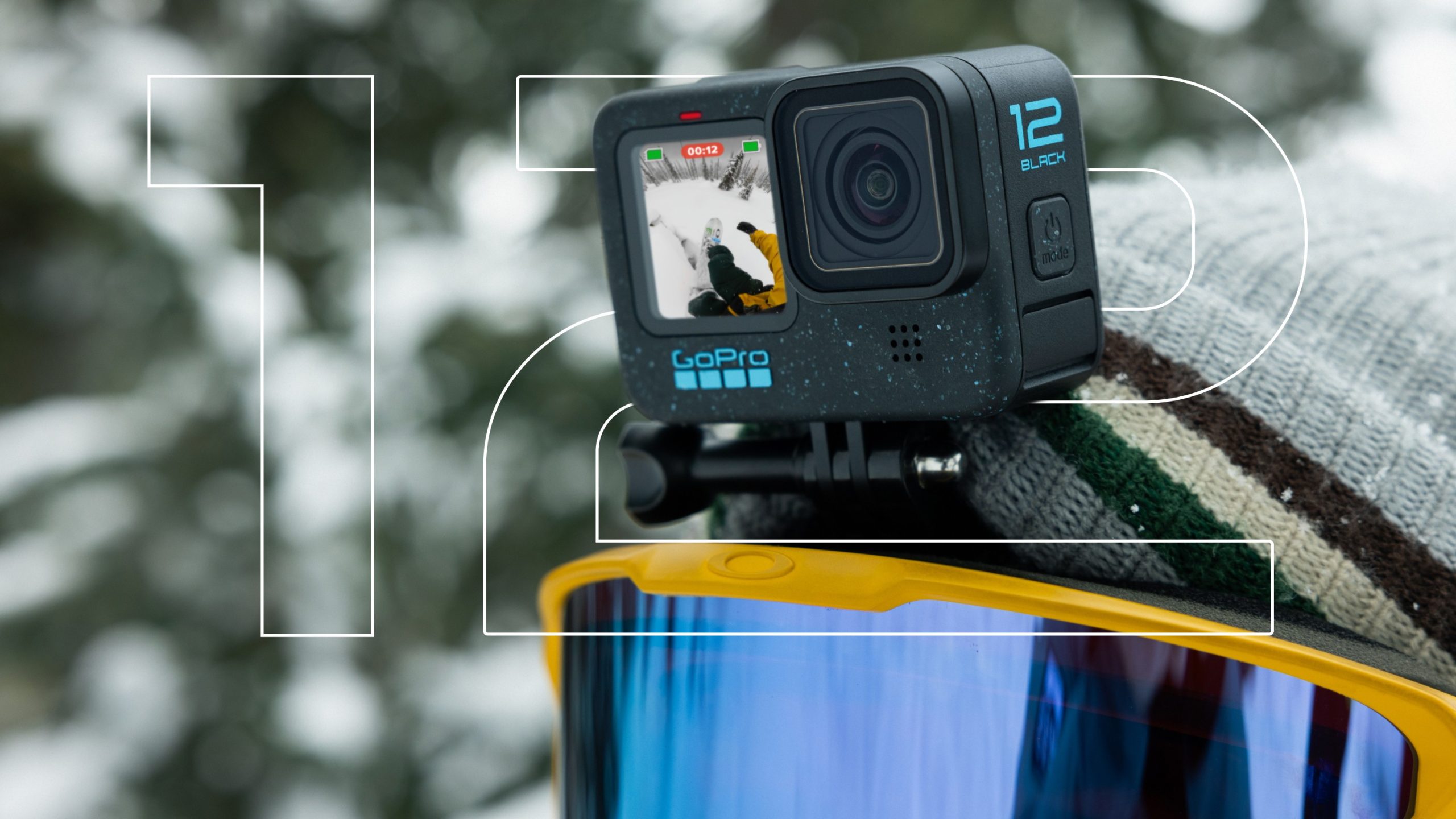
Image source: Bing (Web (fair-use with source credit))
The Hero 11 Black brought further refinements to the thermal design. GoPro optimized the power distribution between the image processor and the battery. The result is slightly lower heat generation during 4K recording compared to the Hero 10.
In practical terms, this translates to maybe ten to fifteen additional minutes of recording before thermal throttling becomes a concern. It is an improvement, but it is not a solution to the underlying design limitation.
The Hero 12 Black is the latest iteration as of 2026, and it continues the trend of incremental thermal improvements. GoPro has not publicly released detailed temperature benchmarks. But independent testing and user reports suggest the Hero 12 can sustain 4K60 recording for roughly twenty percent longer than the Hero 10 in identical conditions.
That is meaningful, but it still falls short of the thermal tolerance built into dedicated dash cams.
Here is a quick comparison of the key thermal and recording specs across recent HERO models.
| Model | Max Video Resolution | Recommended Max Temp (Continuous) | Active Cooling Support | Battery Capacity | Approx. Continuous Record Time (1080p) |
|---|---|---|---|---|---|
| Hero 10 Black | 5.3K | 40°C / 104°F | Yes (optional fan) | 1720 mAh | Approximately 2 hours |
| Hero 11 Black | 4K | 40°C / 104°F | Yes (optional fan) | 1720 mAh | Approximately 2.5 hours |
| Hero 12 Black | 5.3K | 40°C / 104°F | Yes (optional fan) | 1720 mAh | Approximately 2.5 hours |
All three models share the same battery capacity and the same official operating temperature range. The differences come down to firmware optimization and minor hardware tweaks that shave minutes off recording time before shutdown. None of them are rated for the 60 to 70 degree Celsius environments that dedicated dash cams routinely endure.
The active cooling fan accessory makes a noticeable difference for all three models. It attaches to the top of the camera and blows air across the heat sink during recording. With the fan attached, you can realistically expect an additional thirty to forty-five minutes of safe recording time before thermal issues arise.
Without it, recording in a hot car is a gamble that depends heavily on shade, airflow, and ambient temperature.
Some users attempt to modify their GoPros by applying higher-quality thermal paste or adding aftermarket cooling solutions. These modifications can extend recording time marginally. But they also void your warranty and risk damaging the camera if done incorrectly.
For most people, the safer and more cost-effective path is to pair a recent HERO model with the official cooling fan and reserve the GoPro for shorter trips only.
If your driving pattern involves long commutes, frequent parking in direct sunlight, or year-round use in a hot climate, a dedicated dash cam remains the more practical choice. The GoPro route works best when you drive moderate distances, park in shade whenever possible, and are willing to manage the ongoing maintenance that comes with using an action camera for a task it was never designed to perform.
Setting Up Your GoPro for Driving
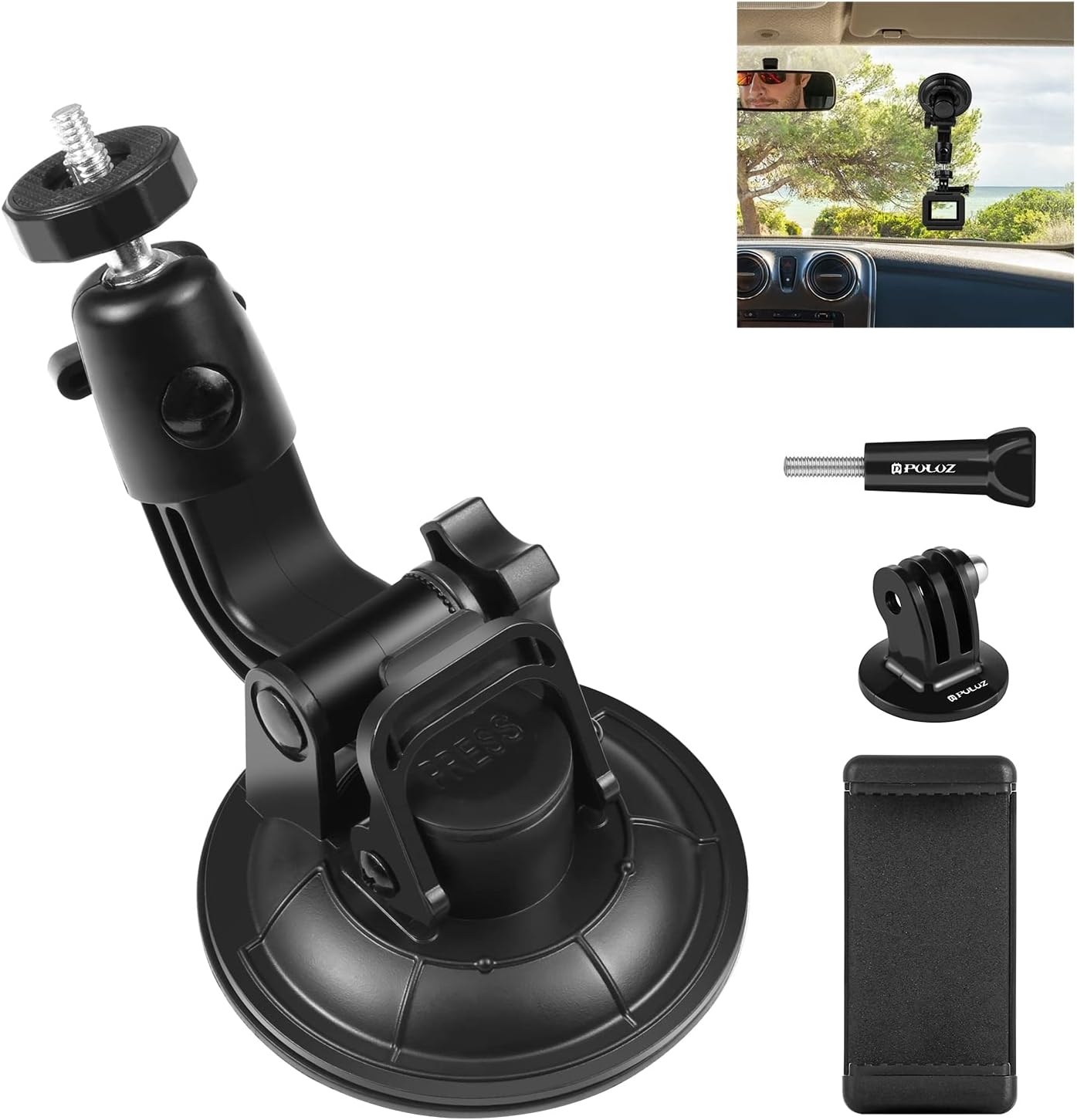
Image source: Bing (Web (fair-use with source credit))
Setting up a GoPro as a dash cam requires more intention than slapping a dedicated unit on your windshield. Follow these steps carefully to maximize reliability and minimize the chance of catastrophic failure on the road. Each step addresses a specific vulnerability that separates a working setup from a frustrating mess.
Choose the Right Mount
Suction cups are the enemy here. They fail at highway speeds and in extreme temperatures. Adhesive mounts are far more stable.
Use a strong adhesive bracket designed for action cameras. Press it firmly onto a clean, flat surface on your windshield or dashboard. Avoid curved or textured surfaces that compromise the bond.
Placement matters legally and practically. The passenger side of the windshield is ideal. It captures the road ahead without obstructing the driver’s view.
Some regions ban any device that blocks more than a small portion of the windshield. Check your local regulations before committing to a position. Rearview mirror mounts are another solid option when they do not interfere with your line of sight.
Configure Power Delivery
Running on battery alone is a recipe for premature death. Connect the GoPro to a USB car charger that delivers steady power. A quality 2.4-amp charger works well for most HERO models.
Avoid cheap chargers that deliver inconsistent voltage. Voltage fluctuations can damage the camera’s internal power circuitry over time.
Some experienced users remove the battery entirely and run the camera on USB power alone. GoPro does not officially support this on most models. Doing so may void your warranty.
It can also cause unpredictable behavior since the camera was designed to manage power through the battery. If you choose this route, proceed at your own risk and monitor the camera closely during initial test drives.
Optimize Recording Settings
Your settings determine whether your GoPro survives a long drive and captures useful footage. Here is what to configure before every trip.
- Resolution and frame rate: Choose 1080p at 60fps for the best balance. This produces smaller files while still capturing smooth, detailed video. Reserve 4K60 for situations where maximum detail matters more than file size.
- Field of view: Select Wide for maximum peripheral coverage. Choose Medium if you want less distortion around the edges. Avoid Narrow unless you specifically need to zoom in on distant objects.
- Stabilization: Turn HyperSmooth on. It reduces blur and judder significantly. Note that Wide field of view applies digital cropping when stabilization is active.
- Audio: Mute the microphone if you prefer silent recording. Audio can capture private conversations that complicate legal proceedings later.
- Time-lapse photo: Disable this mode. It is not relevant for dash cam use and wastes storage space.
- Auto power-off: Set to Never or the longest interval available. You do not want the camera shutting down mid-drive.
- GPS data: Enable GPS if your model supports it. Timestamp and location data strengthens the credibility of your footage.
Select the Right Memory Card
Standard microSD cards will fail under continuous write cycles. You need a high-endurance card rated for dash cam and security camera use. Look for cards marked U3 and V30 minimum.
These ratings guarantee sustained write speeds of 30 megabytes per second or higher.
Samsung PRO Endurance and SanDisk High Endurance are popular choices among dash cam users. A 128GB high-endurance card costs roughly $25 and provides ample storage for extended recording sessions. Replace your memory card every one to two years with heavy use.
Watch for error messages or corruption signs that indicate the card is wearing out.
Pre-Drive Checklist
Before every trip, run through this quick routine. Format the memory card in the camera to ensure a clean file structure. Verify the date and time stamp are correct.
Test a short recording clip and play it back. Confirm the camera stays mounted securely. Check that the power cable is firmly seated in both the camera and the car charger.
This five-minute routine prevents the majority of common failures. A formatted card reduces corruption risk. Correct time stamps ensure your footage is admissible as evidence.
Secure mounting prevents the camera from falling and causing damage. Proper power connection avoids unexpected shutdowns mid-drive.
If you want a more comprehensive walkthrough of the broader process, setting up an action camera as a dash cam covers additional nuances like wiring for parking mode and advanced mount configurations. Following a disciplined setup routine makes the difference between a reliable recording device and a costly paperweight.
Solving the Loop Recording Problem
Loop recording is the single most important feature of any dash cam. It continuously overwrites the oldest footage when the memory card fills up. You never have to think about storage management.
Your camera is always ready to capture the next incident. GoPros do not offer this feature natively. That gap forces you into workarounds.
Workaround One: Third-Party Automation Apps
The Protocol app for iOS and Android is the most popular workaround. It connects to your GoPro over Wi-Fi and automates recording schedules. You can set it to start recording when you start the car and stop when you park.
The app essentially simulates loop recording by managing file timestamps and triggering manual start-stop cycles.
This approach requires your phone to stay connected and within Wi-Fi range of the camera. That is a practical limitation. If your phone dies or loses connection, the automation stops.
You then revert to manual management. The app also consumes battery on both devices. Factor this into your setup if you plan to rely on it regularly.
Workaround Two: Root and Firmware Mods
Rooting your GoPro opens the door to native loop recording. Modified firmware packages exist that add this capability directly to the camera. This is the cleanest solution technically.
The camera operates autonomously without requiring a phone connection.
But rooting carries serious risks. It voids your warranty immediately. Incorrectly flashed firmware can brick your camera permanently.
GoPro does not endorse or support modified firmware. If your camera fails after rooting, you are on your own for repairs or replacement. Only attempt this if you are comfortable with advanced technical work and accept the risks involved.
Workaround Three: Manual Management
The simplest approach is also the most labor-intensive. Delete old footage manually on a regular schedule. Review your clips weekly through the GoPro app or by removing the SD card.
Organize important files into dated folders on your computer. This method works for casual users who drive short distances and do not mind the upkeep.
For daily drivers, manual management is unsustainable. You will forget. The card will fill.
You will miss critical footage. Consider this option only if you are willing to commit to a strict weekly maintenance routine.
Which Approach Fits You?
| Method | Technical Difficulty | Reliability | Warranty Impact | Phone Dependency |
|---|---|---|---|---|
| Protocol app | Low | Moderate | None | Yes |
| Root firmware | High | High | Voided | No |
| Manual management | Low | Low | None | No |
If you want to explore whether other action cameras like Insta360 fare better for this use case, that guide covers similar setup challenges across different brands. The loop recording gap is not unique to GoPro. It affects most action cameras.
Understanding your options helps you pick the workaround that matches your technical comfort level and reliability expectations.
Will Your Footage Stand Up in Court or Insurance Claims?
This is the question most people overlook until it is too late. Great video quality means nothing if your insurer rejects the footage or a judge excludes it from proceedings. Insurance companies and courts have evolving standards for dash cam evidence.
Understanding those standards before you mount your GoPro is essential.
Insurance Company Requirements
Most major insurance providers accept dash cam footage, but they often specify certain qualities. Continuous recording is a common requirement. Discontinuous clips from a manually managed GoPro raise red flags.
Adjusters may argue that gaps in recording could hide relevant events. They may also question whether footage was altered or selectively deleted.
Some insurers offer premium discounts of five to fifteen percent for verified dash cam use. These discounts often require footage from certified devices. A GoPro running third-party automation may not qualify.
Check with your provider before relying on GoPro footage for claim purposes. Per NHTSA guidelines on in-vehicle recording devices, the agency notes that while no federal standard mandates specific dash cam types, insurance industry best practices favor continuous, tamper-evident recording systems.
Legal Admissibility Standards
Courts evaluate dash cam footage under the same evidentiary standards as any digital record. The footage must be authentic, unaltered, and relevant. GoPro’s editable file structure makes authenticity easier to challenge.
Anyone with basic editing software can manipulate GoPro videos. This possibility gives opposing counsel a foothold to discredit the evidence.
Dash cams produce proprietary encrypted files that resist tampering. They timestamp every frame with hardware-level precision. Many include G-sensor data that locks files during impacts.
This built-in integrity makes dash cam footage substantially more defensible in court. A GoPro lacks these protections unless you implement additional safeguards.
Privacy Laws and Regional Restrictions
Privacy regulations vary significantly by region and directly affect your ability to use GoPro footage. The European Union’s General Data Protection Regulation (GDPR) restricts continuous recording of public areas. You may need to post signage notifying people they are being recorded.
Failure to comply can result in fines regardless of whether the footage is useful for an accident claim.
Several US states have laws limiting windshield obstructions. Some prohibit any device that blocks more than a few inches of the driver’s view. Others regulate audio recording consent.
Two-party consent states require all parties in a recording to agree. Check your local regulations before deploying any in-vehicle camera system.
Best Practices for Preserving Evidence
If you choose to use a GoPro anyway, follow these practices to maximize the chances your footage holds up. Keep original files untouched and unedited. Store backups on at least two separate media.
Never transfer footage through cloud services that compress or alter files. Maintain a log of when and how the camera was used. Document the setup configuration including mount position, settings, and power source.
When an incident occurs, preserve the relevant clips immediately. Do not format the card or delete anything. The chain of custody matters.
If the footage is called into question, your documentation proves you did not alter or fabricate it. This discipline transforms a questionable GoPro recording into credible evidence.
If you are curious about posting dash cam footage online, that guide covers the legal boundaries around sharing recorded material publicly. Understanding the full legal landscape around in-vehicle recording helps you make informed decisions about what equipment to trust with your most important evidence.
Common Setup Mistakes That Lead to Failures
Even well-intentioned GoPro dash cam setups fail for predictable reasons. Most failures stem from skipping basic preparation or underestimating the demands of continuous automotive use. Learning from others’ mistakes saves you time, money, and frustration.
Mounting Failures
Suction cups are the most common mounting mistake. They seem secure at first but gradually lose grip as temperature cycles weaken the rubber seal. A suction cup detached at sixty miles per hour sends a camera flying into traffic.
Adhesive mounts are far more reliable when applied correctly. Clean the surface thoroughly with isopropyl alcohol. Allow the adhesive to cure for at least twenty-four hours before trusting it with the camera’s weight.
Mounting on textured or curved dashboard surfaces is another frequent error. Adhesive bonds poorly to uneven textures. The camera wobbles at speed and eventually detaches.
Choose a flat, smooth surface whenever possible. The lower portion of the windshield near the rearview mirror is the gold standard for stability and visibility.
Thermal Neglect
Ignoring heat exposure is perhaps the most destructive mistake. Parking a GoPro in direct sunlight without active cooling guarantees early failure. The battery swells.
The internal components degrade. The camera may refuse to power on entirely after repeated abuse. Even driving in warm conditions pushes the camera closer to its thermal limits than most users expect.
Never leave a GoPro running unattended in a hot car. The risk of battery damage far outweighs any potential recorded footage. If you must park with the camera powered, use the active cooling fan and park in shade whenever possible.
Monitor the camera temperature during extended drives. Shut it down immediately if it feels excessively hot to the touch.
Storage Management Errors
Using a cheap or low-endurance microSD card is a guaranteed path to corruption. Standard cards are not built for the constant write cycles that dash cam recording demands. Files become corrupted.
Recordings drop frames. The camera may refuse to write new data entirely. High-endurance cards cost slightly more but last significantly longer under continuous use.
Failing to format the card regularly is another overlooked mistake. File system fragmentation accumulates over time and slows write speeds. Format the card in the camera itself, not on a computer.
The camera formats the card in a way that matches its file system preferences. This practice maintains optimal write performance and reduces corruption risk.
Power Connection Oversights
Loose USB-C connections cause intermittent recording loss. Bumps and vibrations along rough roads can dislodge a poorly seated cable. Use a short, high-quality USB-C cable designed for automotive use.
Route it securely away from moving parts and hot surfaces. Check the connection before every drive. A loose cable is worse than no cable at all because the camera appears to be recording when it is not.
Using a weak car charger is another common mistake. Chargers that deliver insufficient amperage cause the camera to drain the battery while simultaneously trying to record. This dual demand accelerates battery wear and triggers unexpected shutdowns.
Choose a charger rated for at least 2.4 amps to ensure stable power delivery under all conditions.
Ignoring Legal Constraints
Mounting your GoPro in a position that obstructs the driver’s view violates traffic laws in many jurisdictions. Fines for windshield obstruction vary by state but can range from fifty to two hundred dollars. More importantly, obstructed footage is less likely to be accepted as evidence.
Choose a mount position that captures maximum road coverage without encroaching on the driver’s field of vision.
Recording audio in two-party consent states without disclosure can create legal liability beyond the accident itself. If you capture conversations between passengers or outside individuals, those recordings may be inadmissible and expose you to privacy claims. Muting the microphone eliminates this risk entirely while preserving the video evidence you actually need.
If you want to learn more about what works and what does not when repurposing car cameras, that article covers a range of common pitfalls across different device categories. Avoiding these mistakes turns a fragile DIY setup into a dependable recording system that survives real-world driving conditions.
The Real Cost: GoPro vs. Buying a Dash Cam
The upfront price difference between a GoPro and a dash cam is striking. But the true cost extends far beyond the purchase price. Factor in accessories, replacements, and the hidden costs of unreliable footage and missed insurance discounts.
The full picture changes the calculation significantly.
GoPro Total Cost of Ownership
A Hero 12 Black runs approximately $400 new. The active cooling fan accessory costs around $50. A quality adhesive mount adds another $20.
A 128GB high-endurance microSD card runs about $25. That brings your initial investment to roughly $495.
Ongoing costs creep up quickly. A replacement GoPro battery costs around $50 and may need replacement every one to two years with heavy car use. The cooling fan motor can fail after extended operation.
Third-party apps like Protocol may require subscription fees for advanced features. If you break the camera mount on the highway, a replacement frame and mount run another $30 to $50.
Over three years of daily use, total GoPro ownership costs typically fall between $650 and $800. That figure excludes the value of your time spent managing the setup, troubleshooting issues, and recovering from failed recordings.
Dedicated Dash Cam Total Cost of Ownership
A quality mid-range dash cam like the Viofo A129 Plus Duo costs approximately $200 to $300. A hardwire kit for parking mode adds about $30. A 128GB high-endurance card runs another $25.
Your total initial investment lands between $255 and $355.
Ongoing costs are minimal. Dash cams use capacitor-based power systems that do not degrade over time. You typically never replace the internal power component.
A microSD card may need replacement every two to three years at roughly $25. No batteries to swap. No cooling fans to maintain.
No third-party app subscriptions required.
Over three years of daily use, total dash cam ownership costs typically fall between $280 and $380. That is roughly half the cost of the GoPro route while delivering more reliable performance and stronger legal standing.
Side-by-Side Three-Year Cost Comparison
| Cost Category | GoPro Route | Dash Cam Route |
|---|---|---|
| Camera body | $400 | $250 |
| Cooling / power accessories | $80 | $30 |
| Mount | $20 | Included |
| Memory card | $25 | $25 |
| Annual replacements (battery, etc.) | $75 per year | $10 per year |
| Third-party software | $0 to $60 | $0 |
| Three-year total estimate | $650 to $800 | $280 to $380 |
The math is unambiguous. A dedicated dash cam costs roughly half as much over three years while delivering superior reliability and legal defensibility. The GoPro only makes financial sense if you genuinely need an action camera anyway and will use it for non-driving purposes frequently enough to justify the dual role.
If you want to see top-rated dash cam options that undercut the GoPro approach, that roundup covers the models that deliver the best value per dollar. The cost argument alone should give any rational buyer serious pause before mounting an action camera to their windshield.
Battery Health and Long-Term Maintenance
Battery health is the silent killer of GoPro dash cam setups. Lithium-ion chemistry degrades faster under sustained heat and continuous discharge. Understanding how to preserve your battery extends the life of your camera significantly.
Neglecting maintenance guarantees premature failure.
How Heat Destroys Batteries
Lithium-ion batteries degrade through two main mechanisms. First, high temperatures accelerate chemical reactions inside the cell that permanently reduce capacity. Second, continuous charging and discharging cycles generate additional heat that compounds the problem.
A GoPro running constantly in a warm car experiences both mechanisms simultaneously.
The swelling you sometimes see in degraded GoPro batteries is caused by gas buildup inside the cell. This gas forms as the electrolyte breaks down under thermal stress. Swollen batteries are a fire hazard.
They can rupture the camera housing and cause short circuits. Dispose of swollen batteries immediately and do not attempt to reuse them.
Signs Your GoPro Battery Is Failing
Watch for these indicators that your battery needs replacement. The camera shuts down earlier than expected even when fully charged. The battery percentage jumps erratically on the display.
The camera refuses to hold a charge overnight. The battery feels unusually warm during normal operation. The camera body bulges slightly around the battery compartment.
Any one of these signs warrants immediate battery inspection. Replace the battery before swelling reaches a dangerous level. Genuine GoPro replacement batteries cost around fifty dollars.
Third-party alternatives are cheaper but carry higher failure rates and inconsistent performance. Genuine parts are worth the premium for a device that sees daily use.
Extending Battery Life
Several practices significantly延长 your GoPro battery lifespan in dash cam duty. Remove the battery when storing the camera for extended periods. Store it at roughly fifty percent charge in a cool, dry place.
Avoid leaving the camera plugged in and running continuously for days at a time. Give the battery periodic rest cycles between driving sessions.
Use 1080p recording instead of 4K whenever possible. Higher resolutions generate more heat and draw more power from the battery. Turning off Wi-Fi and Bluetooth when not actively transferring files reduces background power drain.
Keeping the camera in shade or using reflective sun shields when parked minimizes passive heating.
Maintenance Routine
Establish a monthly maintenance routine to catch problems early. Inspect the battery for swelling or discoloration. Clean the lens and sensor with a microfiber cloth.
Check the mount adhesive for weakening and reapply if necessary. Update the firmware to access the latest thermal management improvements. Test the recording function with a short clip to verify everything operates correctly.
Keep a simple log of battery replacement dates and any anomalies you observe. This记录 helps you track degradation patterns and predict future replacements. It also provides documentation of proper maintenance if your footage ever faces scrutiny.
If you are considering using a dash cam for home security as a secondary application, battery longevity principles apply equally. Cameras left running twenty-four seven everywhere share the same thermal and power challenges. Proper maintenance protects your investment regardless of where you deploy the device.
Who Should Stick With a GoPro (and Who Shouldn’t)
Not everyone needs a dedicated dash cam. The GoPro route makes sense for some drivers and absolutely does not for others. Understanding which category you fall into saves time, money, and frustration.
Good Candidates for GoPro Dash Cam Use
People who drive moderate distances and rarely park in direct sunlight handle the GoPro setup reasonably well. Short to medium commutes generate less cumulative heat exposure. Shade parking eliminates the worst thermal stress.
If you already own a HERO 11 or 12 with the cooling fan, the barrier to entry is low.
Road-trip enthusiasts who want high-quality driving footage alongside adventure clips benefit from the GoPro’s dual nature. You capture stunning landscape shots during the day. You switch to driving mode at night.
One camera serves both purposes elegantly. The image quality advantage shines on scenic routes where you want cinematic results.
Budget-conscious secondary vehicle owners also fit well. If you have a weekend car or a beat-up commuter that you do not want to invest heavily in, the GoPro leverages gear you already own. The total cost remains lower than buying a separate dash cam for a vehicle you use infrequently.
Casual drivers who do not need parking mode or 24/7 surveillance handle the GoPro maintenance load without difficulty. Weekly clip management and monthly battery checks are manageable chores. If you drive five days a week for thirty minutes each way, the GoPro setup handles that workload acceptably.
Poor Candidates for GoPro Dash Cam Use
Ride-share and delivery drivers absolutely should not attempt the GoPro route. Long daily driving hours accumulate severe heat exposure. Parking mode gaps leave vehicles unprotected during shifts.
The maintenance burden becomes unsustainable at high mileage. A dedicated dash cam pays for itself through reliability alone.
Drivers in hot climates face the same thermal problems regardless of driving frequency. Southwest United States, the Middle East, and Australian outback regions push GoPros well beyond their thermal limits. Even with active cooling, summer temperatures inside parked cars consistently exceed safe operating ranges.
A capacitor-based dash cam handles these conditions without complaint.
Users who prioritize legal admissibility and insurer compliance should skip the GoPro entirely. Courts and insurance adjusters favor dedicated dash cams for good reason. The continuous, tamper-evident recording chain that dash cams produce carries far more weight than manually managed action camera clips.
If your footage might end up in litigation, choose the tool built for that purpose.
Anyone seeking a set-and-forget solution will grow frustrated with GoPro maintenance requirements. The ongoing work of managing storage, monitoring battery health, and maintaining mounting hardware adds up. If you want reliability without effort, a dedicated dash cam is the honest answer.
The Bottom Line
The GoPro dash cam experiment is valid for specific use cases. It works best for occasional drivers who value image quality over absolute reliability and are willing to manage ongoing maintenance. It fails badly for daily drivers, hot-climate operators, and anyone who needs legally bulletproof evidence.
Know your needs honestly before committing to either path.
If you are torn between approaches, checking affordable dash cam options reveals how cheap dedicated units have become. Many sub-$100 dash cams now offer features that rival GoPros in image quality while delivering the reliability and legal standing that action cameras simply cannot match.
Frequently Asked Questions About Using a GoPro as a Dash Cam
Can I use any GoPro model as a dash cam?
Yes, you can technically use any HERO model as a dash cam. But Hero 10 and newer handle heat slightly better than older generations. All models benefit from the active cooling fan accessory.
Older HEROs like the Hero 8 or 9 struggle significantly more in warm conditions. Choose the newest model you can afford if this is your primary use case.
Does GoPro make a native dash cam mode?
No, GoPro does not offer a dedicated dash cam mode in any HERO model. The camera lacks native loop recording, automatic parking mode activation, and the thermal tolerance of purpose-built dash cams. Third-party apps and firmware mods attempt to fill these gaps, but none match the seamless experience of a device engineered specifically for vehicle recording.
Will my insurance accept GoPro footage for a claim?
Some insurers accept GoPro footage, but many prefer dash cam evidence due to continuity concerns. Discontinuous clips raise questions about missing segments. Editable file structures create tampering doubts.
Call your insurance provider before relying on GoPro footage for claims. Ask specifically about their requirements for continuous recording and tamper evidence before an incident occurs.
How do I prevent my GoPro from overheating in the car?
Use the official active cooling fan accessory at all times during driving. Park in shade whenever possible. Avoid recording in 4K60 mode in warm weather since it generates more heat.
Do not leave the camera running unattended in a parked car on sunny days. Remove the battery when storing the camera for extended periods to prevent heat damage from residual battery charge.
Can I leave my GoPro in the car overnight?
You should not leave a GoPro running in the car overnight without significant modification and monitoring. Heat builds rapidly in enclosed vehicles even on mild days. The battery degrades faster under sustained heat exposure.
Overnight recording without cooling risks permanent battery damage and potential fire hazard. Dedicated dash cams are engineered for this use case. GoPros are not.
What is the best mounting position for a GoPro dash cam?
The passenger side of the windshield near the rearview mirror is the best position. It captures maximum road coverage without obstructing the driver’s view. Adhesive mounts on this surface hold securely through temperature extremes.
Check your local laws regarding windshield obstructions before mounting. Some regions restrict device placement to specific zones or prohibit certain positions entirely.
How often should I replace my GoPro dash cam battery?
Expect to replace your GoPro battery every one to two years with regular dash cam use. Signs of wear include reduced runtime, erratic battery percentage readings, and visible swelling. Replace immediately if you notice swelling.
A swollen battery is a fire hazard. Genuine GoPro batteries cost around fifty dollars. Third-party alternatives are cheaper but less reliable and potentially unsafe.

Tony Kilmer is an auto mechanic and the author behind CarTruckAdvisor.com. He shares practical, no-nonsense guidance on car and truck maintenance, common problems, and repair decisions—helping drivers understand what’s going on and what to do next.