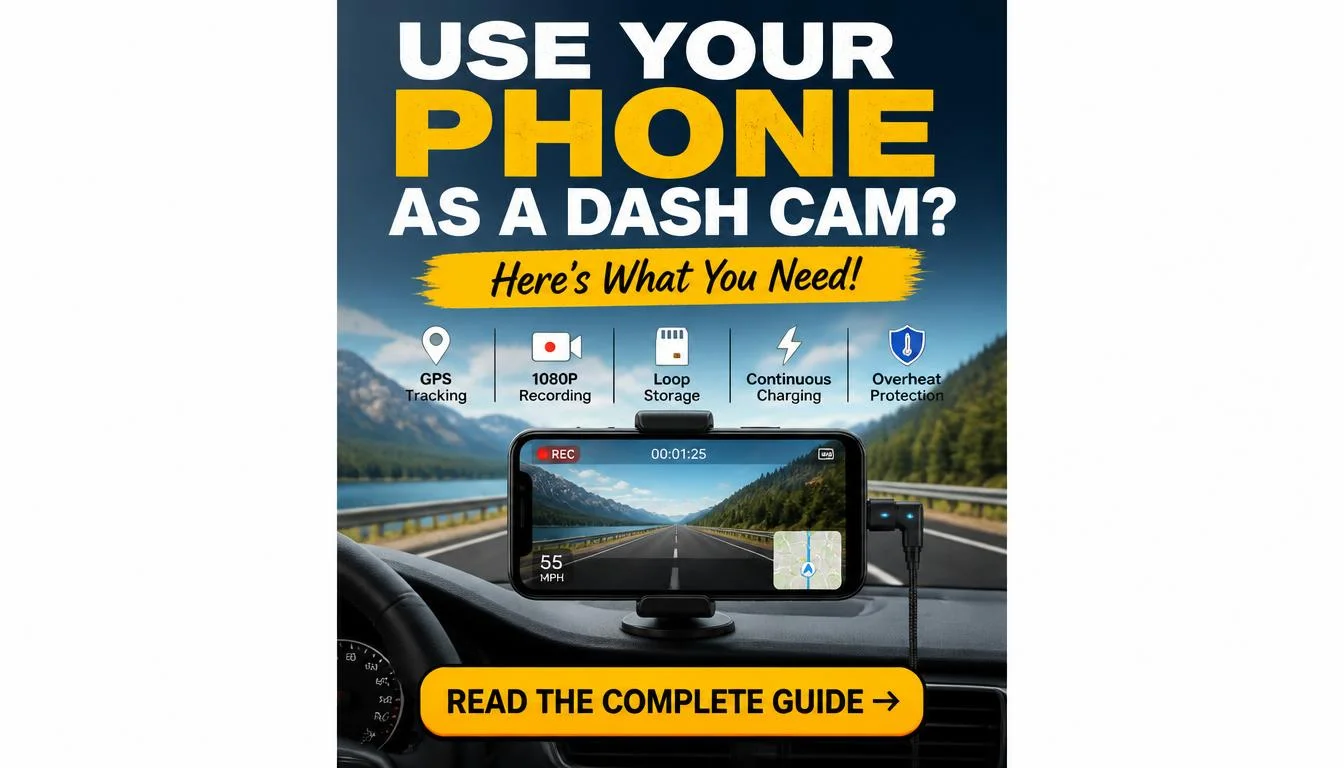
Can i use my cell phone as a dash cam? Technically yes, but whether you should is a different question entirely. Several apps claim to turn your smartphone into a recording device, and they work well enough in a controlled environment.
However, real-world driving conditions expose serious weaknesses that dedicated units simply don’t have.
Our research into consumer electronics testing, aggregate reviews, and manufacturer specifications reveals a consistent pattern. Phones are not designed to run continuous camera loops at high temperatures. As of 2026, most major smartphone makers list thermal throttling as an expected behavior above 95°F, and dash cam apps push cameras hard.
That mismatch creates two very different paths depending on what you actually need.

Image source: Bing (Web (fair-use with source credit))
Quick Answer
Yes, you can use your cell phone as a dash cam by downloading a dedicated recording app and mounting it securely inside your vehicle. Apps like DriveBot and Dashcam+ support loop recording, G-sensor triggered saves, and rear-camera modes. This works best for occasional use, backup vehicles, or tight budgets where spending $50 to $300 on a purpose-built unit isn’t practical.
However, smartphones overheat, drain batteries faster, and may crash during critical moments. For daily drivers, rideshare operators, or anyone who needs reliable parking surveillance, a dedicated dash cam remains the stronger choice.
Why Using Your Phone as a Dash Cam Is a Tempting Idea
You already own the hardware. That alone makes the idea attractive. Buying a dedicated dash cam means another gadget, another mount, another thing to plug in and forget about.
A phone solves most of that friction instantly. You slap it on a vent mount, open an app, and you are rolling. No extra cost beyond whatever the app charges, if anything.
But the convenience hides a set of trade-offs that only become obvious under pressure. Here is what we found when digging into user experiences and technical limitations.
Does It Actually Record Properly?
Smartphone cameras are excellent for photos and casual video. They are engineered for short bursts. Camera apps on phones typically record at 30 frames per second or higher for brief clips.
Running a camera app for hours on end pushes components well past their normal load profile.
Apps try to bridge this gap by offering loop recording, background capture, and power management tricks. Some also leverage both front and rear cameras simultaneously. Yet the underlying hardware stays the same.
The phone’s image sensor, processor, and battery are still fighting to keep up.
The result is functional footage in most cases. But “functional” and “reliable under stress” are not the same thing. If you miss a clip because the phone crashed right after a fender bender, convenience stops looking so appealing.
We also recommend checking out our complete setup guide for using old phones as dash cams for more detailed configuration steps.
What About Cost Savings?
A decent entry-level dash cam runs around $50 to $100. Mid-range models with dual cameras sit between $150 and $250. Flagship units with advanced parking mode and cloud integration can climb above $300.
Add a hardwire kit and professional installation if your vehicle lacks an accessible cigarette lighter port, and costs go up again.
Using an existing phone eliminates that upfront spend entirely. Even if you buy a cheap phone specifically for this purpose, you are likely still under $200 total with mounting hardware and a charger. That budget appeal drives a lot of people toward the smartphone route first.
Cost savings sound great until you factor in battery degradation. Lithium-ion cells degrade fastest when kept at high charge levels under heat. Most dash cam apps require the phone plugged in constantly.
That combination quietly shortens battery lifespan. Replacing a degraded phone battery runs $30 to $80 at an authorized service center. A completely failed battery can mean buying a replacement phone sooner than planned.
You should also look into the best wireless dash cam options to understand what dedicated hardware actually delivers versus app-based setups.
The Hidden Reality of Smartphone Recording in Cars
Calling it a hidden reality feels dramatic. The problems are well documented. Still, most buyers never encounter them until something goes wrong.
Understanding the failure modes before you rely on your phone keeps expectations realistic.
How Smartphones Handle Heat and Battery Stress
Cars parked in direct sunlight become ovens. Interior temperatures regularly exceed 120°F on warm days. Smartphone manufacturers rate most devices for operation up to 95°F ambient temperature.
Going past that threshold triggers protective shutdowns. The phone dims the screen, slows the processor, and may kill background apps including your dash cam software.
This is not a rare edge case. It happens frequently in summer months across the southern United States and similar climates. A guide on putting dash cams on tinted windshields covers how heat exposure varies by mounting position.
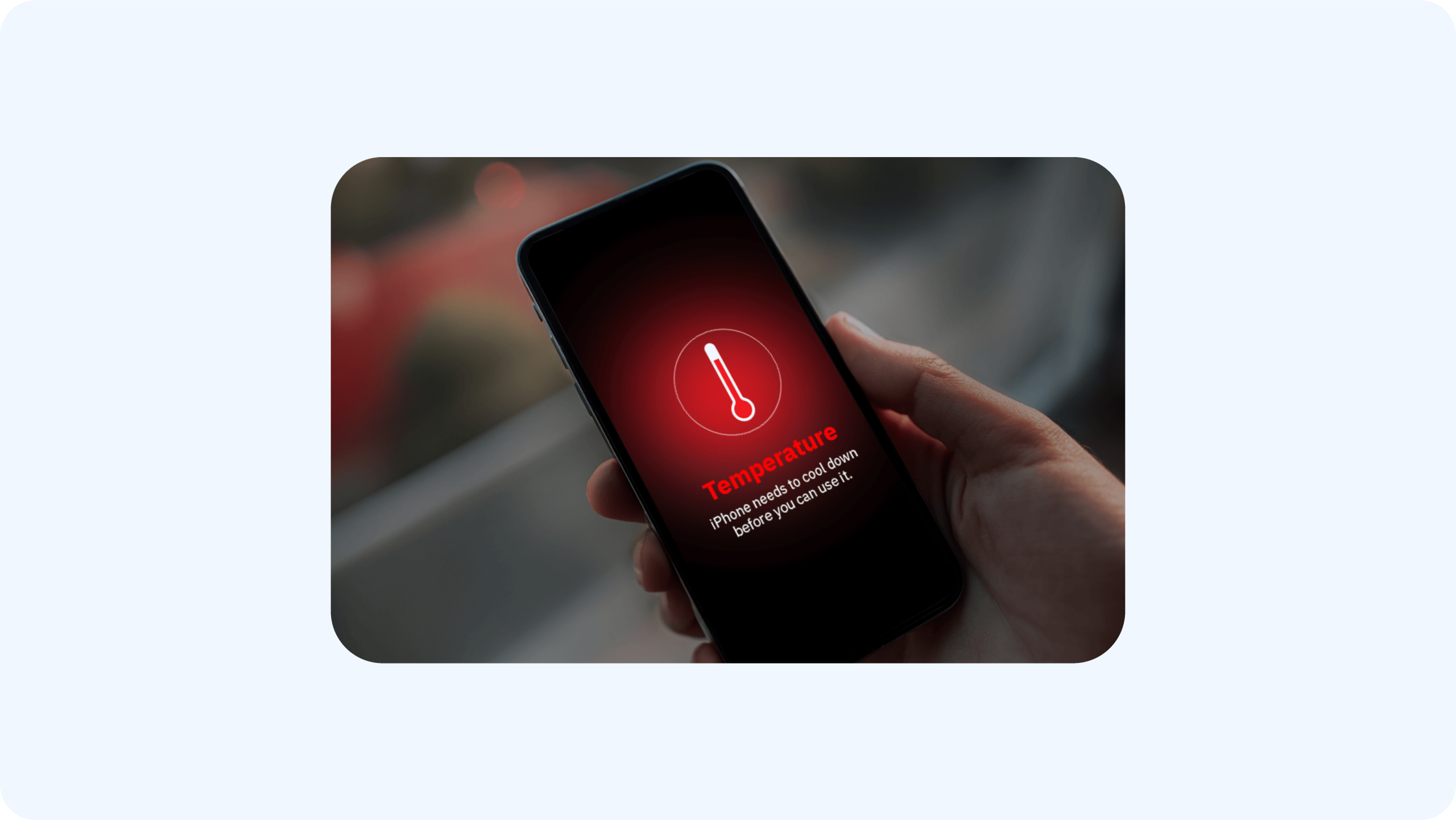
Image source: Bing (Web (fair-use with source credit))
Battery stress compounds the issue. Constant charging while the processor runs hot accelerates capacity loss. Lithium-ion chemistry degrades faster at elevated temperatures and high state of charge simultaneously.
Over months of daily use, you can watch battery health drop noticeably in your phone settings.
Dedicated dash cams avoid this problem because they contain tiny batteries meant only for buffer storage during power interruptions. The main recording circuitry draws power directly from the vehicle. They are built from components rated for automotive temperature ranges.
That design difference matters a lot over time.
The Software and App Dependency Problem
Apps introduce a layer of fragility that hardware alone does not carry. Operating system updates occasionally break compatibility. A new iOS release might change how background processes behave.
An Android update could restrict permission scopes or kill foreground services unexpectedly.
We have seen users report recordings that stopped mid-drive after installing routine phone updates. App developers push fixes. But those fixes do not arrive instantly, and some older phones simply cannot run the latest app versions anymore.
Then there is the app store itself. Some dash cam apps get pulled, renamed, or discontinued entirely. You may find yourself searching for a replacement after your primary choice vanishes.
This risk rarely affects a dedicated dash cam because the firmware lives on the device, not in an app repository.
Storage management is another dependency to consider. Internal phone storage fills up fast with continuous loop video. 1080p footage at 30 frames per second consumes roughly 2 to 4 gigabytes per hour. A full day of recording can eat dozens of gigabytes quickly.
Apps attempt auto-cleanup, but misconfigured settings sometimes delete files before you need them or fail to free space in time.
If you need a solution that works across multiple platforms, exploring how to use an action camera as a dash cam gives you an interesting middle ground between phone apps and traditional dash cams.
When a Smartphone Fails as a Dash Cam
Failure does not always mean total shutdown. More often, it looks like partial recording loss. A clip cuts off seconds before impact.
GPS data fails to stamp onto video. Night footage comes out grainy because the app disabled computational photography to save processing power. Audio drops out intermittently due to microphone routing bugs.
These gaps matter most when evidence counts. Insurance adjusters notice missing seconds. Attorneys challenge footage with inconsistent metadata.
Claims get denied or settled for less when the recording is incomplete.
Here is a practical rule of thumb from our research synthesis. If your daily commute runs longer than an hour, your area sees heavy traffic or frequent minor collisions, or you park in locations where break-ins or hits happen regularly, a smartphone solution introduces unacceptable risk. In those scenarios, the convenience premium is not worth the coverage gap.
On the flip side, if you drive sparingly, mostly in safe neighborhoods, and simply want a basic backup recorder, a phone may cover the need without frustration. Read more about using your car’s built-in camera as a dash cam to compare native vehicle systems against phone apps.
Dedicated Dash Cams: Built for the Job
Purpose-built cameras exist for a reason. They solve the exact problems that plague smartphone solutions. The category has matured significantly over the past decade.
Modern units deliver clear 1080p or 2K video, reliable parking mode, and mounting options that survive decades of vibration.
Understanding what these devices actually offer helps clarify why many drivers switch away from phones after a rough experience.
Reliability and Purpose-Built Hardware
Dash cams use components selected for automotive environments. Circuit boards are conformal coated to resist moisture. Capacitors handle voltage fluctuations from alternators and jump starts.
Operating temperature ranges commonly span from minus 4°F to plus 140°F, far beyond what a phone can tolerate comfortably.
Video quality focuses on what matters for license plates and road signs. Wide dynamic range sensors balance bright sunlight against tunnel shadows. Large apertures gather enough light for readable night footage without relying on the heavy computational processing that drains phone batteries.
Mounting systems lock firmly to windshields or dashboards. Adhesive pads rated for extreme temperatures stay put through summer and winter cycles. Cable routing channels hide wires behind trim panels.
None of this requires constant attention or software maintenance from the user.
Advanced Features Like Parking Mode and Hardwiring
Parking mode transforms a dash cam from a driving recorder into a stationary security camera. Hardwiring kits connect the unit directly to the vehicle battery through fuse taps. This bypasses the cigarette lighter circuit, which loses power when the engine turns off.
Once hardwired, a dash cam can monitor motion, detect impacts, and record time-lapse footage while you sleep. G-sensors trigger full-resolution saves on sudden jolts. Lower-power modes preserve the battery without draining it below starting voltage.
Most modern units include intelligent power cut-off safeguards.
Phone apps rarely match this functionality. Some attempt parking mode through aggressive battery optimization tricks, but results stay inconsistent. Thermal throttling and OS restrictions make continuous background recording unreliable on smartphones.
Want to see what the current market offers? Check out the best dash cam picks for 2026 to compare top-rated dedicated units head to head.
Consistency in All Weather Conditions
Rain, snow, freezing mornings, and scorching afternoons do not derail a dedicated dash cam. These devices record at the same frame rate and resolution regardless of outside temperature. The only weather-related limitation involves lens clarity.
Heavy condensation inside the housing signals a seal breach, but that is uncommon with reputable brands.
Some cameras add GPS modules that log speed and location data directly onto video files. This metadata strengthens insurance claims and legal proceedings. You get an immutable record of exactly where and how fast you were traveling at any given moment.
Phones can add GPS through app integration. But background location services compete with navigation apps, phone calls, and alerts. Priorities shift depending on which apps hold foreground focus.
A standalone dash cam dedicates its entire processing chain to one job. That singular focus shows in every recorded second.
Consider our guide to using front dash cams for rear coverage if you want to understand wiring flexibility with dedicated systems.
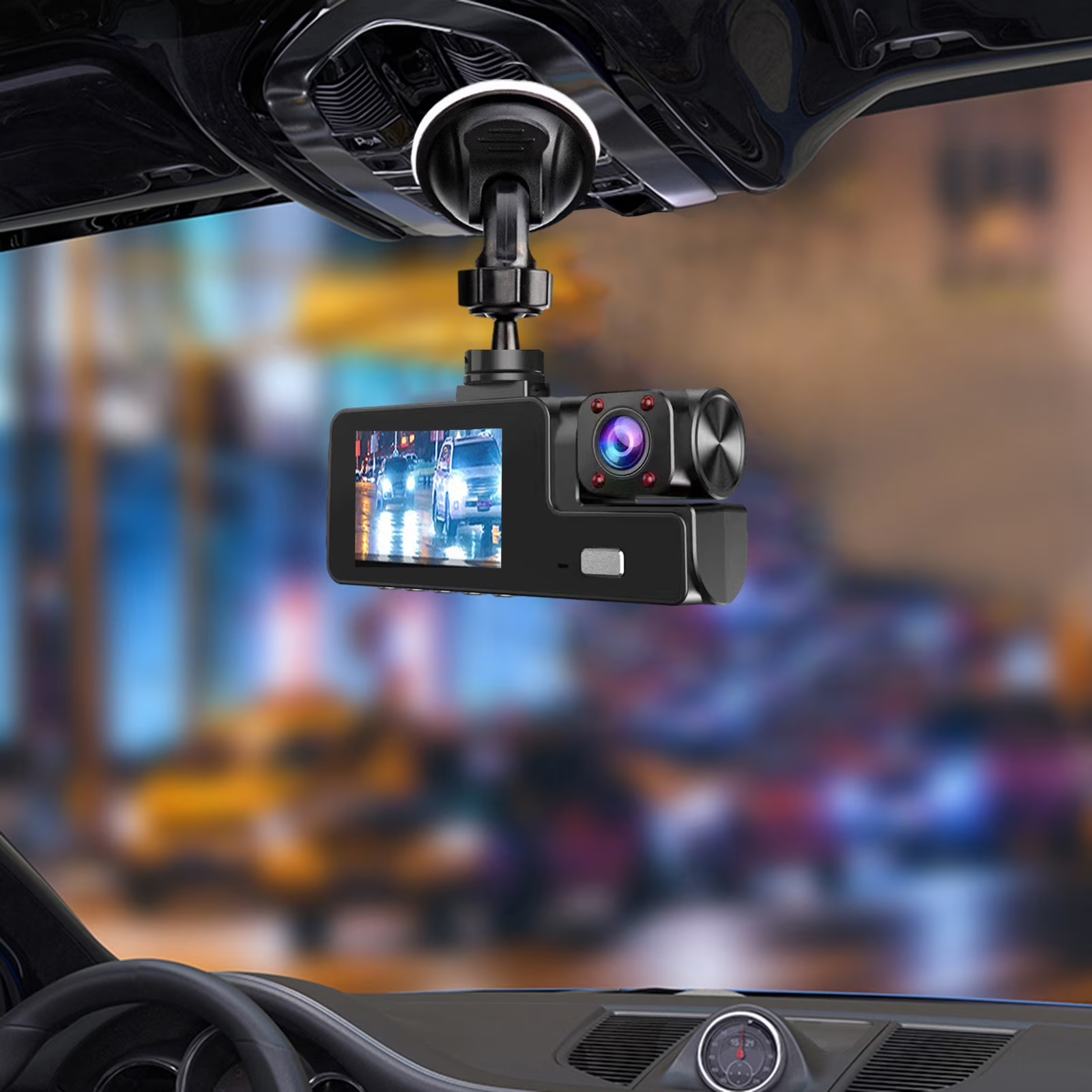
Image source: Bing (Web (fair-use with source credit))
Side-by-Side: Phone vs. Dedicated Dash Cam
Putting both options on paper reveals where each truly excels and where compromises pile up. The comparison below summarizes the key differences our research identified across practical usage dimensions.
| Feature | Smartphone | Dedicated Dash Cam |
|---|---|---|
| Upfront cost | Free if phone owned | $50 to $300+ |
| Mounting hardware | Phone holder only | Windshield, dash, suction cups |
| Power source | USB cable to charger port | Cigarette lighter or hardwire kit |
| Continuous recording | Limited by heat and OS | Designed for all-day operation |
| Parking mode | Rare and inconsistent | Standard with hardwire kits |
| Storage capacity | Internal memory fills fast | Expandable microSD cards |
| Legal evidence quality | Variable admissibility | Widely accepted format |
| Night vision | Computational enhancement | Hardware-focused optics |
| Multi-vehicle use | Portable between cars | Requires reinstalling |
| App dependency | Always present | None for basic recording |
| Remote live view | Possible via app | Available on select models |
| Firmware updates | Phone OS dependent | Standalone app updates |
This table captures the broad strokes. Real decisions depend on which factors weigh heaviest for your situation. A rideshare driver in Los Angeles faces different priorities than a weekend cruiser in Portland.
Understanding your specific use case determines which column matters more.
Still evaluating which path fits your lifestyle? Our comprehensive guide on putting dash cams in cars walks through the full legal and practical considerations before you commit.
Costs Beyond the Device
The purchase price tells only part of the financial story. Ongoing costs accumulate differently depending on which option you choose. Some expenses appear immediately.
Others surface months or years later. Budgeting for the full picture prevents unpleasant surprises down the line.
Subscription Fees and Cloud Storage
Many modern dash cams offer cloud uploading as a premium feature. Footage auto-syncs to online portals whenever the vehicle connects to Wi-Fi. This enables remote viewing, instant incident notifications, and off-site backup if the camera gets stolen or damaged.
Cloud plans typically run $5 to $15 monthly per camera. Annual subscriptions average $60 to $150. Over three years, that equals $180 to $450 in recurring fees.
Some dash cam apps bundle cloud storage into paid tiers as well.
Smartphone dash cam apps often push cloud features aggressively because local storage management becomes harder on constrained devices. Expect subscription prompts inside free apps within weeks of use. Dedicated dash cam apps usually reserve cloud tiers for higher-end models while keeping core features available offline.
Check out our breakdown of the most affordable dash cam options to find units that minimize ongoing costs.
Phone Replacement and Battery Degradation
Constant charging and sustained heat accelerate lithium-ion aging. Battery health drops faster when devices operate between 80% and 100% charge in warm conditions. Most phone manufacturers recommend avoiding prolonged high-temperature exposure for this exact reason.
After one to two years of daily dash cam use, you may notice capacity falling below 80%. Peak performance throttles kick in more often. The phone may shut down unexpectedly during cold starts or heavy app loads.
Battery replacements at authorized service centers range from $30 to $80 depending on the model.
Complete battery failure forces earlier phone replacement. A mid-range smartphone costs $400 to $800. That expense can erase any savings gained from skipping a dedicated dash cam.
Factor this potential cost into your decision, especially if your current phone is already three or four years old.
Dedicated Cam Accessories and Installation
Dash cams need mounts, cables, and occasionally hardwire kits to function properly. Basic setups with a suction mount and short cable run cost under $20 extra. Professional hardwire installation adds $75 to $150 in labor if you do not DIY.
MicroSD cards run $10 to $30 for reliable brands rated for continuous writing. High-endurance cards resist premature wear from constant overwrite cycles. Cheap cards fail faster and corrupt footage more often.
Some vehicles require trim removal tools and cable routing expertise for clean installations. Others offer straightforward access behind the dashboard. We recommend watching installation videos specific to your model before purchasing accessories.
Looking for dual-camera coverage? Review the top front and rear dash cam combinations to see how pairing cameras changes total cost.
Best Smartphone Dash Cam Apps and Setup
Picking the right app and mounting hardware matters more than you might expect. A poorly configured setup turns your phone into an unreliable recording box. The right combination keeps footage smooth, storage manageable, and battery wear contained.
Here is what separates a decent phone dash cam from a frustrating experiment.
Choosing the Right App for iOS and Android
App store listings make bold claims. Many promise seamless background recording, advanced parking mode, and crystal-clear night vision. Reality tends to be more measured.
Our research into aggregate reviews and developer documentation highlights a few consistent performers across both platforms.
DriveBot remains one of the most widely recommended free options. It supports loop recording, G-sensor triggered saves, and dual-camera use on compatible Android devices. The interface prioritizes simplicity over customization.
Users appreciate its lightweight footprint and minimal battery drain compared to heavier competitors.
Dashcam+ offers similar core features with stronger iOS integration. Apple’s background execution restrictions make continuous recording tricky. This app uses optimized techniques to extend recording windows while respecting system limits.
Paid upgrades unlock cloud backup and advanced parking detection.
OSRP targets drivers who want professional-grade metadata logging. It stamps GPS coordinates, speed data, and timestamps directly onto video files. This extra information strengthens insurance claims and legal proceedings.
The learning curve is steeper, but the results justify the effort for detail-oriented users.
Avoid apps that demand excessive permissions or bundle unwanted advertising. Some free tools inject watermarks, limit resolution to 720p, or force cloud uploads to keep local storage manageable. These compromises undermine the very purpose of having an accessible backup recorder.
Essential Mounts and Power Solutions
Mounting hardware determines recording quality as much as the app itself. A wobbly mount produces blurry frames that insurance adjusters discount. A secure mount stays steady through potholes, sharp turns, and temperature swings.
Vent mounts offer quick installation and adjustable positioning. They work well for temporary setups but can obstruct airflow or fall off on bumpy roads. Windshield suction cups provide a stable, permanent-looking placement.
Adhesive pads bond directly to the dashboard for a clean, low-profile look.
Power delivery requires careful consideration. Most phones charge slowly through USB-A ports. Fast-charging adapters match your phone’s negotiated protocol to prevent deep discharge during long drives.
Some users opt for wireless charging pads paired with heat-resistant pads to avoid cable clutter.
Hardwire kits eliminate dangling cables entirely. They route power directly from the fuse box behind the dashboard. This approach looks factory-installed and reduces theft risk since the phone stays hidden behind trim panels.
Installation demands basic automotive knowledge and proper fuse tap selection.
Our guide on how to set up an action camera as a dash cam covers mounting strategies that apply equally to smartphones.
Image source: Bing (Web (fair-use with source credit))
Configuring Settings for Best Results
Default settings rarely optimize for real-world driving. Adjusting a few key parameters dramatically improves reliability and footage usefulness. The following configuration checklist addresses the most common pain points our research uncovered.
Enable loop recording with 1 to 3 minute segments. Shorter loops overwrite older files faster, ensuring recent incidents stay accessible. Longer segments risk losing important moments if storage fills prematurely.
Most apps default to 5 minutes, which works but leaves less flexibility.
Calibrate the G-sensor sensitivity to your driving style. High sensitivity triggers saves on minor bumps and braking, flooding storage with unnecessary clips. Low sensitivity misses hard impacts that matter for insurance claims.
Test different levels on a familiar route until the balance feels right.
Turn off computational photography features like HDR or night mode during recording. These enhancements process each frame individually, increasing CPU load and heat generation. Disabling them improves battery life and reduces throttling incidents without sacrificing meaningful detail.
Format the microSD card regularly using the app’s built-in tool. File system corruption causes recording failures that go unnoticed until needed. Monthly formatting keeps the storage healthy and prevents unexpected gaps in your evidence trail.
Critical Mistakes to Avoid
Even well-intentioned users make setup errors that compromise their dash cam functionality. Recognizing these pitfalls beforehand saves time, money, and potentially valuable evidence. We compiled the most frequent mistakes from user forums, tech support tickets, and professional installer feedback.
Distracted Driving Risks
Interaction with a phone screen while driving introduces immediate danger. Adjusting mounting angles, changing app settings, or retrieving saved videos diverts attention from the road. Even brief glances away from traffic increase collision probability significantly.
Mount the phone where it remains visible without requiring touch input. Position it near the dashboard edge rather than directly in your sightline. Practice all adjustments before starting the engine.
Once driving begins, the phone should function silently in the background.
Some states prohibit any phone interaction while operating a vehicle, regardless of mounting position. Check local regulations before relying on smartphone-based recording. Dedicated dash cams often feature physical buttons or voice controls that reduce visual distraction further.
Consider exploring whether you can see your dash cam live on your phone for remote monitoring without handling the device while driving.
Improper Mounting and Obstructed Views
A crooked mount captures tilted horizons and partial license plates. Obstructions like A-pillars, sun visors, or rearview mirror bases block critical field-of-view segments. Poor adhesion leads to complete detachment during sudden stops or temperature extremes.
Always clean the mounting surface with isopropyl alcohol before applying adhesive. Remove dust, oils, and residues that prevent strong bonding. Allow 24 hours for the adhesive to cure fully before exposing the mount to vibration or weight.
Position the camera to capture both lanes of travel plus the vehicle hood. This framing provides context for collisions while keeping license plates readable at typical following distances. Avoid pointing directly at the sky or focusing solely on the road ahead.
Our article on placing dash cams in houses discusses mounting principles that translate well to automotive contexts.
Ignoring File Management and Overheating
Continuous recording generates massive video libraries quickly. Without active management, storage fills up, settings reset, or important clips get accidentally overwritten. Heat buildup remains another overlooked factor that shortens device lifespan.
Schedule weekly reviews of recorded footage. Delete duplicates, blurry shots, and non-incident driving segments. Transfer important files to cloud storage or external drives for safekeeping.
This routine keeps storage responsive and ensures critical evidence remains accessible.
Park in shaded areas whenever possible during hot weather. Even brief exposure to direct sunlight raises interior temperatures dramatically. Portable ventilators or sunshades reduce thermal load enough to prevent throttling shutdowns.
Understanding how dash cams perform as home security devices reveals parallels in heat management and storage planning strategies.
When a Smartphone Dash Cam Makes Sense
Certain situations genuinely favor the smartphone approach. Recognizing these scenarios helps you allocate resources where they deliver the most value. Not every driver needs professional-grade recording equipment.
Budget-Conscious Drivers
Students, young professionals, or anyone navigating tight finances often prioritize essential expenses over automotive accessories. A $20 phone holder and a free app beat a $200 dash cam setup financially. This trade-off makes sense when the primary goal is basic incident documentation rather than comprehensive surveillance.
Incidental drivers who commute occasionally or run errands around town face lower collision probabilities. The statistical likelihood of needing detailed parking mode coverage diminishes accordingly. A smartphone serves adequately for occasional use without significant degradation concerns.
Replaceable budget phones exist specifically for dedicated tasks. Purchasing a used Android device under $100 creates a disposable recording unit. If the phone fails completely, replacing it costs little relative to the peace of mind provided.
Explore our best inexpensive dash cam picks to compare true budget alternatives that may still outperform phone solutions in specific categories.
Occasional Use and Secondary Vehicles
Second cars, weekend projects, or vehicles used sparingly benefit from lightweight monitoring solutions. Installing a permanent dash cam on a trailer or classic car invites unnecessary complexity and cost. A removable phone mount provides flexibility without commitment.
Seasonal drivers who only operate vehicles during specific months face minimal recording needs. Spring through fall usage excludes winter conditions that stress electronics and batteries. Limited operational periods reduce cumulative wear on phone components.
Rental cars and borrowed vehicles present unique challenges. Insurance companies often require dash cam footage but installing permanent hardware violates rental agreements. Temporary phone mounting respects ownership boundaries while maintaining basic protection.
Tech-Savvy Users Willing to Manage Trade-offs
Enthusiasts comfortable troubleshooting software issues, researching optimal configurations, and accepting occasional inconveniences suit the smartphone path well. These users enjoy customizing settings, comparing app features, and optimizing workflows for personal satisfaction.
Multi-purpose device holders who already rely on phones for navigation, communication, and entertainment appreciate consolidated functionality. Adding dash cam capability eliminates one more standalone gadget from their ecosystem. The marginal utility of a dedicated unit decreases accordingly.
Future-oriented drivers who anticipate upgrading phones soon enough to absorb replacement costs view smartphone dash cams as temporary solutions. Planning hardware refresh cycles alongside app compatibility windows minimizes disruption risks.
Review our analysis of 360-degree dash cam systems to understand how broader coverage strategies might complement smartphone setups in certain scenarios.
When You Should Buy a Dedicated Dash Cam
Specific profiles consistently benefit from purpose-built hardware. Identifying these characteristics helps you decide when the upgrade justifies the expense. Certain lifestyles and driving patterns simply exceed what smartphones can reliably deliver.
Daily Commuters and Rideshare Drivers
People spending three or more hours daily behind the wheel accumulate substantial recording time. Continuous operation stresses phone batteries and processors beyond sustainable limits. Dedicated dash cams handle extended usage without thermal throttling or performance degradation.
Professional drivers including Uber, Lyft, DoorDash, and food delivery personnel face higher incident rates due to constant passenger turnover and unfamiliar routes. Reliable evidence protects against false claims and disputes. Insurance providers often require documented footage for commercial policy considerations.
Fleet managers evaluating multiple vehicles standardize on uniform dash cam installations. Centralized management platforms track driver behavior, monitor routes, and generate compliance reports efficiently. Phone-based solutions fragment data across disparate devices and accounts.
Check out our best dash cams for truckers to see how professional-grade equipment differs from consumer alternatives.
High-Risk or Incident-Prone Areas
Urban centers with dense traffic, aggressive driving cultures, and frequent fender-benders warrant robust recording systems. Parking lots, construction zones, and busy intersections multiply collision probabilities substantially. Consistent high-quality footage becomes essential rather than optional.
Historical claim patterns reveal geographic variations in accident frequency and fraud attempts. Areas with elevated insurance fraud rates benefit from tamper-resistant, professionally installed cameras. Dedicated units resist interference better than easily removed phones.
Weather extremes compound existing risks. Snow, ice, heavy rain, and fog reduce visibility and increase stopping distances. Superior low-light performance and wide dynamic range in dedicated cameras capture clearer evidence under adverse conditions than smartphone sensors typically manage.
Our guide on using Insta360 cameras as dash cams explores alternative imaging solutions that may bridge gaps in challenging environments.
Needing Reliable Parking Mode Coverage
Vehicles parked in unmonitored lots, street-curbside locations, or high-theft neighborhoods face regular hit-and-run risks. Parking mode transforms a dash cam from reactive to proactive surveillance. This capability exists natively in most dedicated units through hardwiring and motion detection.
Smartphone-based parking mode implementations remain inconsistent across apps and operating systems. Background process limitations, battery optimization rules, and thermal constraints frequently interrupt continuous monitoring. False negatives occur when critical incidents happen precisely during system wake-up delays.
Time-lapse recording conserves storage while capturing extended stationary periods. Impact-triggered full-resolution saves preserve evidence exactly when needed. Audio recording supplements visual data for comprehensive incident reconstruction.
Want to know about using dash cams as webcams? Understanding this cross-application demonstrates the versatility of dedicated hardware versus single-purpose phone setups.
Legal Considerations and Insurance Acceptance
Recording evidence carries legal weight only when obtained and presented properly. Understanding jurisdictional requirements and insurer expectations prevents frustration during claims processing. These factors often determine whether footage helps or hinders your position.
State Laws on Windshield Obstruction
Most U.S. states regulate what may hang from rearview mirrors or obscure driver visibility. Windshield obstructions generally prohibited include large tags, decorations, and improperly mounted electronics. Dash cam laws vary significantly between jurisdictions.
Some states explicitly permit single-device windshield mounting within specified dimensions. Others require side-window or dashboard placement only. Commercial vehicle regulations sometimes impose additional restrictions beyond personal use rules.
Consult your state’s department of motor vehicles website for current statutes. Local law enforcement agencies can clarify enforcement practices during routine traffic stops. Installing equipment legally avoids citations that distract from driving safety concerns.
Learn more about posting dash cam footage online to understand privacy implications that extend beyond windshield mounting legality.
Admissibility of Smartphone Footage in Court
Legal professionals evaluate evidence authenticity, chain of custody, and technical reliability before courtroom acceptance. Smartphone recordings face heightened scrutiny due to easy editing capabilities and inconsistent metadata logging. Judges and juries increasingly recognize these vulnerabilities.
Authenticated dedicated dash cam footage carries greater presumption of integrity. Manufacturers embed cryptographic signatures, GPS coordinates, and sensor data in tamper-resistant formats. Legal experts prefer this verifiable provenance over app-generated files that lack standardized validation methods.
Expert witnesses can testify about dash cam specifications, calibration procedures, and error margins. Explaining smartphone recording limitations requires additional technical knowledge that may confuse lay jurors. Clear, credible presentation advantages purpose-built hardware significantly.
Reporting Requirements for Insurance Claims
Policyholders must notify insurers promptly after incidents involving potential liability or damage. Submission deadlines, required documentation, and acceptable evidence formats differ among carriers. Providing improperly formatted or incomplete footage delays claim processing considerably.
Many insurance companies now accept dash cam videos as supporting documentation for collision claims. Some offer premium discounts for verified installation and regular usage. Others require specific video resolution, frame rate, or metadata standards for reimbursement consideration.
Maintain organized digital archives labeled with dates, locations, and incident descriptions. Cloud backup ensures retrieval even if primary storage fails. Quick access to well-documented evidence accelerates settlements and reduces out-of-pocket expenses.
Discover how front and rear dash cam combinations improve documentation comprehensiveness that insurers typically reward with favorable claim outcomes.
Maintaining Your Setup Long-Term
Proper upkeep keeps your recording system reliable when it matters most. Neglected equipment fails silently until you need it and discover gaps in your footage. A few simple habits prevent costly surprises down the road.
Battery Health and Thermal Management
Monitoring battery capacity helps you predict failures before they occur. Most smartphones report health percentage in settings menus. When readings drop below 80 percent, consider replacing the cell or transitioning to a dedicated unit.
Heat exposure accelerates degradation regardless of charging habits. Parking in shade reduces thermal stress significantly. Portable fans mounted near the device improve airflow during extended summer drives.
Some users install USB-powered cooling pads designed for automotive use.
Avoid keeping your phone charged above 80 percent while recording continuously. Many dash cam apps include battery preservation modes that limit charging thresholds. Enabling these features extends cycle life substantially over months of daily use.
Check our guide on using an old phone as a dash cam for tips on maximizing lifespan with aging hardware.
Lens Care and Storage Maintenance
Dusty lenses produce soft, unusable footage that frustrates insurance reviews. Clean glass surfaces monthly using microfiber cloths and optical-grade solution. Avoid household cleaners containing ammonia or alcohol that damage anti-reflective coatings.
MicroSD cards require periodic health checks to confirm continuous operation. Most dash cam apps display storage status indicators. When write speeds degrade or corruption errors appear, replace the card immediately rather than risking lost evidence.
Factory-brand cards rated for high-endurance applications outlast cheap alternatives substantially. Look for products specifying minimum terabytes written guarantees in their specifications. Reputable brands include SanDisk, Samsung, and Kingston in this category.
Wondering about recording without an SD card? Understanding storage fundamentals helps you avoid catastrophic data loss scenarios.
Firmware Updates and App Configuration Checks
Manufacturers release firmware patches addressing bugs discovered after initial sales. Ignoring update notifications leaves known vulnerabilities unpatched. Check manufacturer websites quarterly for version releases applicable to your model.
App developers similarly push improvements to fix compatibility issues and enhance performance. Enable automatic updates when possible to maintain current functionality without manual intervention. Some older phones cannot run latest app versions due to processor limitations or OS restrictions.
Review recording settings seasonally as driving conditions change. Summer heat demands different thermal management than winter cold starts. Adjust G-sensor sensitivity based on local road quality and typical driving styles.
Our comparison of front versus rear dash cam configurations includes maintenance recommendations that apply equally to dual-camera smartphone setups.
Recognizing Early Warning Signs
Predictive maintenance saves time and prevents evidence gaps during critical moments. Several indicators suggest your current setup needs attention soon.
Screen dimming or delayed responses signal thermal throttling beginning to affect performance. Recording app closing unexpectedly indicates software instability likely caused by memory pressure or OS conflicts.
Rapid battery drain combined with increased operating temperatures points to component stress. Reduced video quality, particularly in low-light conditions, suggests sensor degradation or lens contamination requiring cleaning.
Storage full errors appearing frequently mean your loop recording configuration needs adjustment. Shorter segment durations or expanded cloud backup options resolve these capacity constraints effectively.
If your car already has built-in cameras, review our analysis on using your car camera as a dash cam to compare maintenance requirements across different system types.
Frequently Asked Questions About Can You Use Your Phone as a Dash Cam
This section addresses the most common questions drivers ask before committing to either smartphone or dedicated dash cam solutions.
Can phone video be used as insurance evidence?
Yes, smartphone recordings are generally accepted by insurance companies as supporting documentation. However, acceptance varies by carrier and jurisdiction. Properly authenticated footage with intact metadata carries more weight than edited or unclear clips.
Many insurers now maintain specific guidelines detailing acceptable video formats and resolution requirements for claim submissions.
Do dash cam apps drain my phone battery?
Continuous recording significantly accelerates battery depletion compared to normal usage patterns. Apps running background cameras alongside GPS logging consume substantial power. Fast-charging adapters mitigate discharge during operation but increase thermal stress on cells over time.
Expect reduced battery longevity after six to twelve months of regular daily use.
Are there laws against using a phone as a dash cam?
No federal law prohibits smartphone dash cam usage nationwide. State regulations vary regarding windshield obstruction and driver distraction concerns. Most jurisdictions permit mounting within specified zones that do not impair forward visibility.
Commercial drivers face additional FMCSA requirements separate from personal vehicle rules. Always verify local statutes before permanent installation.
What is the best way to power a phone dash cam?
Hardwire kits provide the most reliable power solution by connecting directly to vehicle electrical systems. Cigarette lighter adapters offer simpler installation with adequate performance for occasional use. Wireless charging pads eliminate cable clutter but generate additional heat that may trigger thermal throttling.
Match your power source to intended usage frequency and vehicle accessibility.
How does night vision compare between phone and dash cam?
Purpose-built dash cams typically outperform smartphones in low-light conditions due to larger sensors and wider apertures. Computational photography enhancements on phones improve brightness but introduce processing delays and increased power consumption. Dedicated units maintain consistent frame rates regardless of lighting conditions while preserving license plate readability at greater distances.
How long before a phone becomes unreliable as a dash cam?
Battery health below 80 percent capacity often marks the transition point where reliability becomes questionable. Heat-induced throttling increases noticeably as cells age beyond two to three years of regular use. Software compatibility loss occurs when manufacturers discontinue iOS or Android updates for older device models.
Budget replacement cycles accordingly when relying primarily on smartphone recording.
Want to explore alternative recording options like 360-degree cameras? These systems sometimes bridge capability gaps between phones and traditional units.
Final Verdict: Making the Right Choice for Your Drive
Deciding between smartphone and dedicated dash cam recording ultimately depends on your specific circumstances. Neither solution fits every driver perfectly. Understanding your priorities helps you select the path delivering maximum value.
Decision Guide Summary
Choose smartphone recording when your budget constrains upfront spending significantly. Occasional drivers in safe areas with minimal parking surveillance needs benefit most from this flexible approach. Tech-savvy users comfortable managing trade-offs and troubleshooting software issues handle phone-based systems well.
Secondary vehicles and temporary arrangements justify lightweight solutions without permanent installations.
Select dedicated dash cam equipment when daily commuting exposes you to elevated collision risks consistently. Professional drivers including rideshare operators, delivery personnel, and fleet managers gain substantial ROI from reliable hardware. Drivers in high-crime parking areas requiring consistent monitoring benefit from native parking mode capabilities.
Those prioritizing courtroom-admissible evidence appreciate standardized, tamper-resistant recording formats.
Hybrid approaches combining both systems serve drivers wanting redundant coverage across multiple vehicles. A phone handles casual documentation while a hardwired unit provides guaranteed parking surveillance. This configuration maximizes protection while distributing cost burden appropriately across use cases.
Our evaluation of top-rated Amazon dash cam options highlights dedicated units worth considering if you decide hardware investment pays dividends for your situation.
Key Takeaways Worth Remembering
Smartphones function adequately as emergency backup recorders under favorable conditions. Heat management, battery preservation, and app reliability remain persistent challenges limiting professional-grade deployment. Purpose-built cameras eliminate these variables through automotive-component selection and simplified operation.
Cost savings favor phones initially while long-term reliability advantages shift toward dedicated equipment over extended periods.
Legal admissibility considerations increasingly favor standardized dash cam formats as courts recognize manipulation vulnerabilities in smartphone-originated files. Insurance premium discounts occasionally reward documented professional installations more readily than self-setup alternatives. Evidence integrity depends heavily upon consistent, uninterrupted recording maintained throughout relevant time periods.
Your driving patterns, geographic location, and risk tolerance should guide final selection decisions. No single solution satisfies every scenario universally. Honest assessment of actual usage requirements separates suitable matches from frustrating mismatches before purchase commitments solidify.
Considering specialized mounting solutions? Learn about installing dash cams on tinted windshields to optimize visibility angles regardless of chosen hardware platform.
Final Recommendation Direction
Prioritize convenience and minimal expenditure if your driving remains infrequent and predominantly low-risk. Smartphone recording covers basic incident documentation adequately under those parameters without demanding significant investment. Accept occasional software hiccups and monitor battery health closely throughout extended usage periods.
Invest in purpose-built hardware immediately if you drive extensively daily, operate commercially, or park regularly in vulnerable locations. The reliability difference becomes apparent within weeks rather than months. Dedicated units simply perform consistently where smartphones struggle most during critical moments requiring clear, uninterrupted evidence preservation.
Both paths deliver functional recording capabilities when configured properly. Your specific risk profile determines which represents the smarter allocation of resources going forward.

Tony Kilmer is an auto mechanic and the author behind CarTruckAdvisor.com. He shares practical, no-nonsense guidance on car and truck maintenance, common problems, and repair decisions—helping drivers understand what’s going on and what to do next.