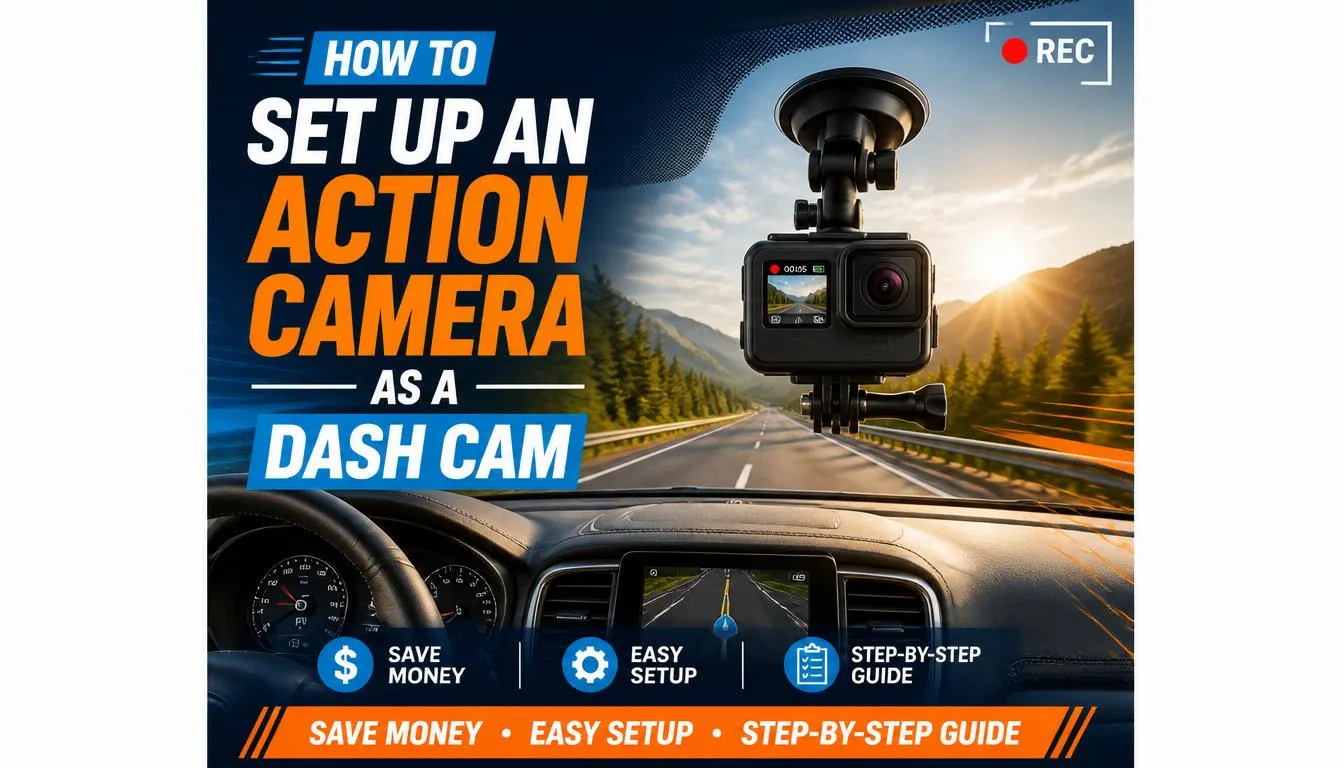
The biggest difference between an action camera and a dedicated dash cam is the setup. A dash cam is designed to stay in your vehicle and start recording automatically every time you drive. An action camera can do the same job, but only if you install and configure it correctly.
The good news is that the setup process is straightforward once you know what you need.
What You’ll Need
Before installing your camera, gather these accessories:
- Your action camera (GoPro, DJI Osmo Action, Insta360, or similar)
- Windshield suction mount or adhesive mount
- High-endurance microSD card
- USB power cable long enough to reach the camera
- 12V USB car charger or USB-C power adapter
- Cable clips or adhesive cable organizers
- Optional hardwire kit (for a cleaner installation)
Having the right accessories makes your setup more reliable and helps prevent vibration, power interruptions, and loose cables.
Step 1: Choose the Best Mounting Location
Mount placement directly affects video quality and safety.
The ideal location is:
- Behind or just below the rearview mirror
- High on the windshield
- Centered for the widest road view
- Outside the driver’s line of sight
This position provides:
- Better visibility
- Reduced windshield glare
- A wider recording angle
- Less distraction while driving
Avoid mounting the camera:
- Too low on the windshield
- Near dashboard vents
- Where airbags deploy
- Where it blocks your view of the road
Always check your local regulations, as windshield mounting rules vary between countries and even states or provinces.
Step 2: Secure the Camera Properly
A loose camera creates shaky footage and may even fall during sudden braking.
There are two common mounting options.
Suction Cup Mount
Pros
- Easy to remove
- Works well in rental cars
- Quick to reposition
- No adhesive residue
Cons
- May lose suction in extreme heat
- Needs occasional checking
Adhesive Mount
Pros
- Very stable
- Better for daily driving
- Less vibration
- Cleaner appearance
Cons
- Harder to remove
- Permanent mounting location
If you frequently switch vehicles, a suction mount is usually the better choice. For a permanent installation, an adhesive mount provides greater stability.
Step 3: Connect Continuous Power
One of the biggest limitations of action cameras is battery life.
Most batteries last approximately:
| Recording QualityTypical Battery Life | |
|---|---|
| 1080p | 90–150 minutes |
| 2.7K | 70–120 minutes |
| 4K | 45–90 minutes |
That isn’t enough for most daily driving.
Instead of relying on the battery, power the camera using:
- USB-C cable
- Micro-USB cable (older cameras)
- 12V USB adapter
- USB port built into the vehicle
- Hardwired USB power kit
Continuous external power allows the camera to record for much longer.
Can an Action Camera Record While Charging?
Yes—most modern action cameras can.
Many popular models support recording while connected to external power.
This is one of the most important features to verify before using your camera as a dash cam.
Before relying on it during daily driving, test whether your camera:
- Charges correctly
- Records without interruption
- Doesn’t restart unexpectedly
- Doesn’t display overheating warnings
If your camera stops recording when charging begins, it may not be suitable as a full-time dash cam.
Step 4: Enable Loop Recording (If Available)
Loop recording is one of the most valuable dash cam features.
Instead of stopping when the memory card is full, the camera automatically deletes the oldest unlocked files and continues recording.
This means you never have to manually erase footage.
Some action cameras include loop recording, while others do not.
If your camera supports it:
Choose recording intervals such as:
- 1 minute
- 3 minutes
- 5 minutes
Shorter clips are generally easier to review after an incident.
If your camera doesn’t support loop recording, you’ll need to manually manage storage and delete old videos.
Step 5: Select the Best Recording Settings
Higher resolution isn’t always the best choice.
For daily driving, balance image quality with storage space and heat generation.
Recommended Settings
| Setting | Recommended |
|---|---|
| Resolution | 1080p or 2.7K |
| Frame Rate | 30 FPS |
| Field of View | Wide |
| Stabilization | On |
| HDR | On if available |
| Audio | On |
| Exposure | Auto |
These settings provide clear footage while keeping file sizes manageable.
Should You Record in 4K?
4K offers excellent detail, especially for reading license plates and road signs.
However, it also:
- Uses much more storage
- Generates more heat
- Reduces battery life
- Requires faster memory cards
For everyday commuting, 1080p or 2.7K is often the better balance.
Reserve 4K for scenic road trips or situations where maximum detail is important.
Choose the Right Memory Card
Not every microSD card is designed for continuous recording.
Dash cam recording constantly writes data, which wears out standard cards faster.
Look for:
- High-endurance cards
- U3 or V30 speed rating
- Reliable brands
- Capacity of at least 128 GB
For frequent drivers, 256 GB provides even more recording time before older footage is overwritten.
Avoid extremely cheap memory cards, as they are more likely to fail when you need them most.
How Much Storage Do You Need?
Approximate recording capacity:
| Card Size | 1080p Recording | 4K Recording |
|---|---|---|
| 64 GB | Several hours | Around 2–3 hours |
| 128 GB | Most daily driving | Around 5–6 hours |
| 256 GB | Multiple days of commuting | Around 10–12 hours |
Actual recording time varies depending on bitrate and camera settings.
Managing Heat Inside Your Car
Heat is one of the biggest challenges when using an action camera as a dash cam.
Unlike dedicated dash cams, action cameras are designed for moving air during activities like cycling or skiing. Inside a parked vehicle, temperatures can rise dramatically, especially in summer.
To reduce overheating:
- Avoid direct sunlight when possible.
- Use 1080p instead of 4K for everyday driving.
- Keep firmware updated.
- Remove waterproof housings while inside the car.
- Park in shaded areas whenever possible.
- Allow airflow around the camera.
If your camera displays frequent overheating warnings, it may not be suitable for long recording sessions in hot climates.
Battery Management Tips
Even when using external power, your battery still deserves attention.
Good habits include:
- Recharge the battery fully every few weeks.
- Replace swollen or damaged batteries immediately.
- Avoid leaving batteries inside a hot parked car for long periods.
- Use genuine batteries whenever possible.
Some users remove the battery entirely if their camera supports stable external power, which can reduce heat buildup. Check your camera’s documentation before doing this, as not every model is designed to operate without a battery.
Organize Your Power Cable
A messy cable isn’t just unattractive—it can become a safety hazard.
Route the cable:
- Along the windshield edge
- Under the headliner
- Down the A-pillar (without interfering with airbags)
- Under dashboard trim
- Into the power outlet
Using adhesive cable clips keeps everything neat and prevents accidental unplugging.
Test Your Setup Before Daily Use
Before depending on your action camera for accident evidence, perform a complete test drive.
Make sure the camera:
- Starts recording correctly
- Saves footage properly
- Records clear video during the day
- Performs well at night
- Doesn’t vibrate excessively
- Maintains continuous power
- Doesn’t overheat during normal driving
Testing everything now can save frustration later.
Common Mistakes First-Time Users Make
Many people assume they can simply stick an action camera on the windshield and drive away. In reality, a few common mistakes can reduce recording quality or leave you without usable footage when it matters most.
Mounting the Camera Too Low
A low mounting position limits your view of the road and may increase dashboard reflections.
Using a Cheap Memory Card
Low-quality cards often fail during continuous recording, causing missing or corrupted files.
Recording Everything in 4K
While 4K looks impressive, it fills storage quickly and increases heat. For daily commuting, lower resolutions are usually more practical.
Forgetting to Check Battery and Power
A loose cable or weak adapter can stop recording without you noticing.
Never Reviewing Recorded Footage
Take a few minutes every week to confirm that the camera is still recording correctly and that video quality hasn’t changed.
Quick Setup Checklist
Before every drive, confirm that:
- Camera mount is secure
- Lens is clean
- Memory card has enough free space
- External power is connected
- Recording has started
- Date and time are correct
- Camera angle captures the full road ahead
- Windshield is clean where the camera records
Spending a minute on this checklist can help ensure your footage is available if you ever need it.
Can You Use a GoPro as a Dash Cam?
Yes. A GoPro is one of the best action cameras you can use as a dash cam, especially if you already own one.
Modern GoPro cameras offer excellent image quality, reliable image stabilization, and wide-angle lenses that capture multiple lanes of traffic. They are also compact enough to mount neatly behind your rearview mirror.
However, even the latest GoPro models are not true replacements for dedicated dash cams. Features such as parking mode, built-in G-sensors, and automatic emergency file locking are either unavailable or require workarounds.
For occasional driving, road trips, or travel videos, a GoPro performs exceptionally well. For daily commuting, a dedicated dash cam remains the more convenient option.
Pros of Using a GoPro
- Excellent video quality
- Wide field of view
- Outstanding image stabilization
- Reliable low-light performance
- Easy to move between vehicles
- Useful for travel, sports, and outdoor activities
Cons
- Battery drains quickly without external power
- Can overheat during long recordings
- Parking surveillance is not available
- Requires additional accessories for permanent installation
Can a GoPro Record All Day?
Not on battery power alone.
Most GoPro batteries last between one and two hours, depending on the recording resolution and settings.
To record longer drives, you’ll need:
- Continuous USB power
- A quality car charger
- A high-endurance microSD card
- Loop recording (if supported by your model)
With a stable power source, many users successfully record full-day road trips without major issues.
Can a GoPro Loop Record?
Some GoPro models include a loop recording mode.
When enabled, the camera continuously records short video clips and automatically deletes the oldest unlocked files once the memory card becomes full.
This feature works similarly to a traditional dash cam, although it may not offer the same flexibility or file protection features found in dedicated driving cameras.
If loop recording isn’t available on your GoPro model, you’ll need to manually manage storage.
Is DJI Osmo Action Good as a Dash Cam?
Yes.
DJI Osmo Action cameras are another excellent choice for drivers who want high-quality video recording.
Many users appreciate:
- Strong image stabilization
- Bright touchscreen
- Good low-light performance
- Reliable video quality
- USB-C charging while recording
Compared with older action cameras, DJI models often handle long recording sessions more efficiently.
However, the same limitations still apply:
- Limited battery life
- No true parking mode
- Designed primarily for adventure recording rather than permanent in-car use
Can You Use an Insta360 as a Dash Cam?
Yes, especially if you want unique recording angles.
Depending on the model, Insta360 cameras can capture:
- Standard forward-facing footage
- Ultra-wide views
- 360-degree recordings
A 360-degree camera records everything around your vehicle, allowing you to choose the viewing angle later during editing.
This can be useful for:
- Road trips
- Travel documentaries
- Scenic drives
- Insurance documentation
The downside is that 360-degree video:
- Requires more storage
- Uses more battery
- Generates additional heat
- Takes longer to edit
For everyday commuting, many drivers still prefer a traditional forward-facing recording.
What About Other Action Camera Brands?
Many affordable action cameras can also work as dash cams.
Examples include:
- Akaso
- SJCAM
- Wolfang
- Apexcam
- Dragon Touch
Before purchasing one specifically for driving, verify that it supports:
- Recording while charging
- Reliable loop recording
- Stable long-duration recording
- High-quality video
- Good heat management
Very inexpensive cameras often advertise impressive specifications but may struggle with continuous recording.
Can You Use an Action Camera as a Motorcycle Dash Cam?
Absolutely.
In fact, action cameras are often better suited for motorcycles than traditional dash cams.
Motorcycle riders commonly mount action cameras on:
- Helmets
- Handlebars
- Crash bars
- Windshields
- Chest harnesses
This provides a rider’s-eye view that captures exactly what you see on the road.
Benefits include:
- Excellent stabilization
- High-resolution footage
- Waterproof designs
- Easy portability
Many motorcycle riders already prefer action cameras over dedicated motorcycle dash cams.
Helmet Camera vs Motorcycle Dash Cam
| FeatureHelmet CameraMotorcycle Dash Cam | ||
|---|---|---|
| View follows rider | ✔ | ✘ |
| Portable | ✔ | ✘ |
| Image stabilization | Excellent | Good |
| Parking recording | ✘ | ✔ |
| Automatic recording | Limited | ✔ |
| Daily convenience | Moderate | Excellent |
If your goal is capturing scenic rides or documenting your journey, a helmet-mounted action camera is an excellent choice.
If you primarily want insurance protection with minimal maintenance, a dedicated motorcycle dash cam may be more practical.
Action Camera vs Budget Dash Cam
Many people compare their existing action camera with an inexpensive dash cam before deciding whether to buy new equipment.
Here’s how they compare.
| FeatureAction CameraBudget Dash Cam | ||
|---|---|---|
| Video quality | Excellent | Good |
| Night recording | Very good | Fair to good |
| Ease of installation | Moderate | Easy |
| Automatic startup | Depends on model | Standard |
| Parking mode | Rare | Often included |
| Loop recording | Sometimes | Standard |
| Travel use | Excellent | Limited |
| Outdoor use | Excellent | None |
| Long-term reliability | Moderate | High |
If you already own a quality action camera, it may outperform many entry-level dash cams in image quality.
However, even affordable dash cams usually offer features specifically designed for everyday driving.
Dash Cam Laws: USA, UK, Canada, and Australia
Using an action camera as a dash cam is generally legal, but there are important rules you should understand before mounting one in your vehicle.
Laws can vary depending on your country, state, province, or territory.
Always check local regulations if you’re unsure.
United States
Dash cams are legal in most states.
However, mounting restrictions differ.
Some states require cameras to be placed:
- Behind the rearview mirror
- In designated windshield areas
- Without blocking the driver’s view
Audio recording laws also vary.
Some states require consent before recording conversations inside the vehicle.
United Kingdom
Dash cams are widely accepted throughout the UK.
Drivers should:
- Avoid obstructing their view
- Follow privacy laws when sharing footage publicly
- Handle recordings responsibly if they include other individuals
Many insurance companies even accept dash cam footage during claims.
Canada
Dash cams are generally legal across Canada.
Drivers should ensure that:
- The camera does not block visibility.
- Recordings comply with applicable provincial privacy requirements.
- Audio recording follows local consent laws where applicable.
Australia
Dash cams are commonly used throughout Australia.
As in other countries:
- Do not obstruct your windshield.
- Secure the camera properly.
- Understand local privacy rules before publishing recordings online.
Best Action Camera Features for Dash Cam Use
Not every action camera is equally suitable for driving.
Look for these features when choosing one.
1. Recording While Charging
This is essential for long drives.
Without it, you’ll constantly worry about battery life.
2. Loop Recording
Automatic overwriting prevents your storage from filling up.
3. Wide-Angle Lens
A field of view between approximately 140° and 170° captures more of the road without excessive distortion.
4. Good Low-Light Performance
Night driving presents unique challenges.
A camera with better low-light capabilities can produce clearer footage of road signs, vehicles, and license plates.
5. Reliable Heat Management
Long recording sessions inside a parked car can generate significant heat.
Choose a camera known for stable performance during extended recording.
6. Image Stabilization
Electronic image stabilization helps produce smoother footage, particularly on rough roads.
7. Easy External Power Support
USB-C charging has become the preferred option because it simplifies powering the camera during long drives.
Who Should Buy a Dedicated Dash Cam Instead?
While action cameras are versatile, they aren’t ideal for everyone.
A dedicated dash cam is the better choice if you:
- Drive every day for work
- Spend hours commuting
- Want automatic recording every trip
- Need parking surveillance
- Frequently leave your vehicle unattended
- Want emergency file locking after collisions
- Prefer minimal maintenance
- Live in extremely hot climates
These drivers benefit from features designed specifically for continuous vehicle monitoring.
When an Action Camera Is the Better Choice
An action camera is often the smarter investment if you:
- Already own one
- Take frequent road trips
- Rent vehicles often
- Own multiple cars
- Create travel or driving content
- Ride motorcycles
- Enjoy outdoor adventures
- Want one camera for many different activities
Its versatility is difficult to match.
Expert Tips for Better Dash Cam Footage
Small adjustments can noticeably improve the quality of your recordings.
- Clean the windshield before long drives.
- Wipe the camera lens regularly.
- Keep the horizon level in the frame.
- Update camera firmware when new versions become available.
- Format the memory card periodically using the camera rather than a computer.
- Replace memory cards every few years if you record frequently.
- Review sample footage occasionally to ensure everything is working as expected.
These habits improve reliability and help ensure your recordings are usable when you need them most.
Troubleshooting Common Problems When Using an Action Camera as a Dash Cam
Even with the right setup, you may occasionally run into problems. Fortunately, most are easy to fix.
Problem: The Camera Stops Recording
Possible Causes
- Battery is depleted
- Memory card is full
- External power disconnected
- Camera overheated
- Unsupported or faulty microSD card
Solutions
- Use continuous USB power.
- Enable loop recording if available.
- Replace the memory card with a high-endurance model.
- Check that the charging cable fits securely.
- Lower the recording resolution if overheating occurs.
Problem: The Camera Overheats
Action cameras generate more heat than dedicated dash cams, especially during long recording sessions.
Solutions
- Record in 1080p instead of 4K for daily driving.
- Remove waterproof housings while inside the vehicle.
- Park in shaded areas whenever possible.
- Turn off features you don’t need, such as Wi-Fi or voice control.
- Allow the camera to cool if it displays a temperature warning.
Problem: The Battery Drains Too Quickly
Even when connected to external power, a weak charger may not supply enough energy.
Solutions
- Use a high-quality USB car charger with sufficient power output.
- Replace aging batteries if they no longer hold a charge.
- Reduce screen brightness or turn the display off during recording.
Problem: Footage Looks Blurry
Poor video quality isn’t always caused by the camera itself.
Check the Following
- Clean the lens.
- Clean the windshield.
- Remove fingerprints or dust.
- Verify that image stabilization is enabled.
- Make sure the mount is secure and doesn’t vibrate.
Problem: Memory Card Errors
If recordings disappear or become corrupted, the memory card is often the cause.
Solutions
- Use a reputable high-endurance microSD card.
- Format the card in the camera regularly.
- Replace the card if errors continue.
Real-World Driving Scenarios
The best choice depends on how you use your vehicle.
Daily Commuter
Recommended: Dedicated dash cam
Why?
- Automatic recording
- Loop recording
- Parking mode
- Minimal maintenance
Weekend Traveler
Recommended: Action camera
You can record:
- Scenic drives
- National parks
- Coastal highways
- Family vacations
The same camera can then be used for hiking, cycling, or sightseeing.
Professional Driver
If you drive for:
- Rideshare services
- Delivery work
- Long-distance transport
A dedicated dash cam is usually the more dependable option because it is built for continuous daily operation.
Motorcycle Rider
An action camera is often the preferred choice.
Benefits include:
- Helmet mounting
- Waterproof design
- Excellent stabilization
- Easy portability
Content Creator
If you produce:
- YouTube videos
- Travel vlogs
- Road trip documentaries
- Driving reviews
An action camera offers much better creative flexibility than most dash cams.
Essential Accessories Worth Buying
The right accessories improve reliability and make everyday use much easier.
Windshield Mount
Choose a sturdy mount with minimal vibration.
High-Endurance microSD Card
Designed specifically for continuous recording.
Dual USB Car Charger
Allows you to power both your camera and another device at the same time.
Long USB Cable
A cable between 10 and 13 feet is usually enough for clean routing in most vehicles.
Cable Clips
Help hide cables and create a cleaner, safer installation.
CPL (Circular Polarizing) Filter
Some cameras support CPL filters, which can reduce dashboard reflections and improve visibility through the windshield on bright days.
Maintenance Tips
Routine maintenance helps your camera perform reliably.
Every Week
- Clean the lens.
- Verify recordings are being saved.
- Check that the mount remains secure.
Every Month
- Format the memory card using the camera.
- Inspect charging cables for damage.
- Check for firmware updates.
Every Few Months
- Replace worn accessories.
- Test battery performance.
- Review a sample of recorded footage during both daytime and nighttime driving.
Frequently Asked Questions
Can I use an old action camera as a dash cam?
Yes, provided it can record while connected to external power and produces clear video. Older models may lack features such as loop recording or modern image stabilization, but they can still be useful for occasional driving.
Is an action camera better than a dash cam?
Not necessarily.
Action cameras usually deliver better image quality and can be used for many different activities.
Dedicated dash cams are generally better for everyday driving because they include features such as automatic recording, loop recording, parking mode, and G-sensors.
Can I leave an action camera in my car?
It’s generally not recommended.
High temperatures inside parked vehicles can shorten battery life and may increase the risk of overheating. If possible, remove the camera when leaving your vehicle for extended periods, especially in hot weather.
Will an action camera record while my car is parked?
Usually not.
Most action cameras do not include true parking mode. Unless you create a custom external power setup and your camera supports continuous recording, it won’t monitor your vehicle after the engine is turned off.
Is it legal to use an action camera instead of a dash cam?
In most regions, yes.
The important requirements are:
- The camera must not block your view.
- It should be securely mounted.
- You should follow local privacy and audio-recording laws.
What is the best resolution for daily driving?
For most drivers, 1080p at 30 FPS offers the best balance of video quality, storage efficiency, and heat management.
If you want more detail and your camera handles heat well, 2.7K is also an excellent option.
Can an action camera capture license plates?
Yes, provided:
- The camera is mounted correctly.
- The lens is clean.
- Lighting conditions are good.
- The vehicle isn’t moving too quickly relative to surrounding traffic.
Higher resolutions may improve clarity, but proper positioning is equally important.
Do I need a special memory card?
Yes.
A high-endurance microSD card is strongly recommended because it is designed for the constant write cycles produced by continuous recording.
Final Verdict
So, can you use an action camera as a dash cam?
Yes—you absolutely can.
For many drivers, it’s a practical and cost-effective solution, especially if you already own an action camera. Modern models provide excellent video quality, wide viewing angles, and the flexibility to record everything from daily commutes to unforgettable road trips.
That said, an action camera isn’t a perfect substitute for a dedicated dash cam.
If you want automatic recording, parking surveillance, emergency file protection, and a true “install it and forget it” experience, a dedicated dash cam remains the better long-term investment.
The right choice ultimately depends on how you drive.
An Action Camera Is Ideal If You:
- Already own one
- Travel frequently
- Enjoy road trips
- Ride a motorcycle
- Create travel or driving content
- Need one camera for multiple activities
A Dedicated Dash Cam Is Better If You:
- Commute every day
- Drive professionally
- Want automatic protection
- Need parking surveillance
- Prefer minimal maintenance
Conclusion
Using an action camera as a dash cam is more than just a way to save money—it can be a smart solution when matched to the right driving habits.
With the proper mount, continuous power, a high-endurance memory card, and the right recording settings, an action camera can provide clear, dependable footage for everyday driving, weekend adventures, and long road trips.
However, it’s important to understand its limitations. Features such as parking mode, built-in G-sensors, and seamless automatic operation are still areas where dedicated dash cams have the advantage.
If you already own a quality action camera, it’s well worth trying before purchasing another device. You may find that it meets your needs perfectly. If you later discover that you want more automation or around-the-clock vehicle monitoring, upgrading to a dedicated dash cam will be an easy next step.
No matter which option you choose, recording your drives can provide valuable evidence after an accident, support insurance claims, and preserve memorable journeys for years to come.

Tony Kilmer is an auto mechanic and the author behind CarTruckAdvisor.com. He shares practical, no-nonsense guidance on car and truck maintenance, common problems, and repair decisions—helping drivers understand what’s going on and what to do next.