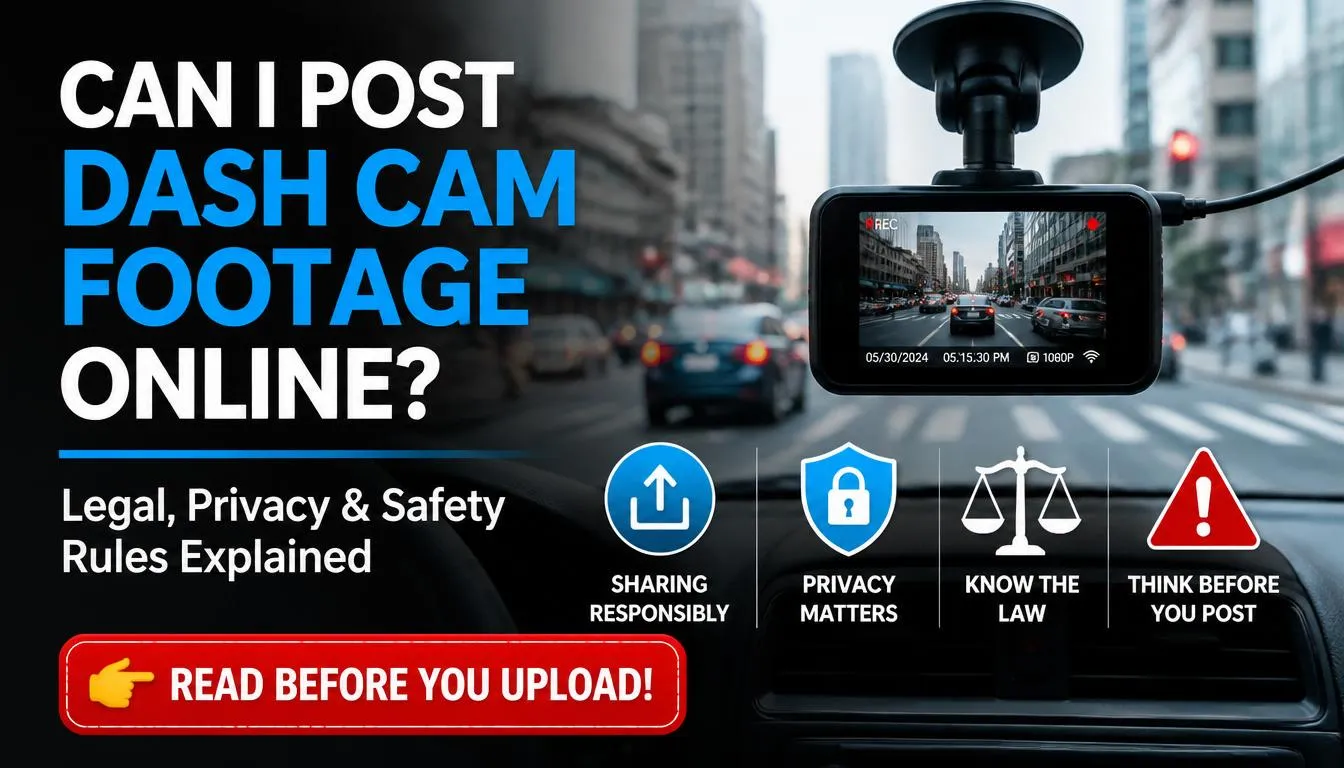
Can I post dash cam footage online? In many situations, yes, you may be able to post dash cam footage on YouTube, Facebook, TikTok, Reddit, or other platforms. But it is not always risk-free.
The answer depends on what the video shows, where it was recorded, whether people or license plates are identifiable, whether the footage includes audio, and whether the incident involves an accident, police report, insurance claim, children, injuries, or private property.
Dash cam footage can be useful for road safety awareness, evidence, and educational content, but posting it carelessly can create privacy, legal, defamation, harassment, or platform-policy problems. This guide explains when posting dash cam footage online is usually okay, when you should avoid it, and how to share it safely.
Quick Answer: Can You Post Dash Cam Footage Online?
Yes, you can usually post dash cam footage online if it was recorded in a public place and does not expose private, sensitive, or misleading information. However, the safest approach is to blur faces, blur license plates, remove audio, avoid naming or shaming people, and keep the caption neutral.
If the footage shows a serious crash, injury, police matter, private property, children, or an active insurance claim, you should think carefully before posting it publicly. In many cases, it is better to send the original footage to the police, your insurer, or the relevant authority first.
This article is for general information only. It is not legal advice. Laws vary by country, state, province, and territory.
Before You Post Dash Cam Footage Online: 30-Second Safety Checklist
Before uploading dash cam footage, ask yourself these questions:
| Question | Safer Action |
|---|---|
| Are faces clearly visible? | Blur faces before posting. |
| Are license plates readable? | Blur plates unless they are essential. |
| Is audio included? | Mute the audio if possible. |
| Does the video show injuries or distress? | Avoid posting or heavily edit the footage. |
| Is there an active police or insurance case? | Share the original with authorities first. |
| Was it recorded on private property? | Be extra careful before posting. |
| Does the caption accuse someone of a crime? | Use neutral wording. |
| Did you save the original file? | Keep an unedited copy for evidence. |
If you cannot answer these questions confidently, do not post the video immediately.
Is Dash Cam Footage Considered Personal Information?
Dash cam footage may be considered personal information if someone can be identified from the video. This may include a visible face, license plate, voice, home address, business name, work vehicle, school uniform, GPS location, or other details that can connect the footage to a real person.
The UK Information Commissioner’s Office says businesses using dashcams or in-vehicle cameras need to handle footage responsibly and consider people’s data protection rights. In Australia, the OAIC says photos and videos can be personal information if a person’s identity is clear or can reasonably be worked out. Canada’s privacy guidance also recommends minimizing the privacy impact of video surveillance in publicly accessible areas.
For normal personal dash cam use, the risk may be lower than for business use. But once you publish footage online, the audience becomes much larger. A clip that seemed harmless on your device can become a privacy issue after it goes viral.
When Is It Usually Okay to Post Dash Cam Footage Online?
Posting dash cam footage is usually safer when the video is used for education, safety awareness, or general commentary without exposing private details.
For example, you may share footage to show:
- A near miss on a rainy road
- Why drivers should keep a safe following distance
- How a dangerous merge happened
- A road hazard such as debris or flooding
- Defensive driving lessons
- General traffic safety tips
The key is to make the content educational, not personal. A video titled “Why You Should Slow Down Near Intersections” is safer than a video titled “Find This Terrible Driver.”
When Should You Not Post Dash Cam Footage Online?
You should avoid posting dash cam footage online if the video could harm someone’s privacy, safety, legal rights, or reputation.
Do not post the footage publicly if it shows:
- A serious accident or injury
- A person receiving medical help
- A child or vulnerable person
- A private conversation
- A police investigation
- An active insurance claim
- A person’s home, driveway, or private property
- A readable license plate with a hostile caption
- Someone being accused of a crime without proof
- Sensitive locations such as schools, hospitals, shelters, or workplaces
Even if you believe you are right, posting the video in anger can make the situation worse. If the footage is important evidence, save the original file and send it to the proper authority instead.
Can I Post Dash Cam Footage with License Plates Showing?
You may be able to post footage with license plates visible, but it is usually safer to blur them. A license plate is already visible in public, but that does not mean posting it online is always harmless. When a plate is combined with location, time, driver behavior, and a public accusation, it can expose someone to harassment or unwanted attention.
Blur license plates when:
- The plate is not necessary to understand the video
- The clip is being posted for entertainment
- The footage shows road rage or conflict
- The driver could be targeted by viewers
- The vehicle is parked near a home, school, or workplace
- You are posting to a large platform like YouTube, TikTok, or Facebook
You may keep the unblurred version privately for police, insurance, or legal use. But for public posting, a blurred version is usually the smarter choice.
Can I Post Dash Cam Footage with Audio?
Be very careful with audio. Video of a public road and audio of a private conversation are not the same thing.
In the United States, audio recording consent laws vary by state. The Reporters Committee for Freedom of the Press explains that it is generally safest when all parties consent, and it is usually illegal to record a conversation you are not part of, have no consent to record, and could not naturally overhear.
In the UK, the ICO says audio recording can be particularly intrusive and difficult to justify in many surveillance situations. For business vehicles, the ICO also says in-vehicle surveillance should be justified and handled responsibly.
Before posting, consider muting:
- Passenger conversations
- Phone calls
- Arguments
- Private comments inside your car
- Children’s voices
- Radio or copyrighted music
- Police or emergency conversations
If audio is important evidence, keep the original file. Upload a muted or edited version publicly.
Can I Post Dash Cam Footage of an Accident or Crash?
You should be extremely careful before posting accident footage online. A crash video can involve injured people, insurance claims, police reports, trauma, and private personal details.
Avoid posting accident footage if it shows:
- Injured drivers or passengers
- A victim’s face
- A child
- A license plate clearly connected to the crash
- Emergency medical treatment
- Death or severe injury
- An active investigation
- A pending insurance claim
If your dash cam captured a crash, the best first step is to save the original video. Do not overwrite it. Do not edit the only copy. Send the original file to your insurer, police, or lawyer if needed.
For public sharing, wait until the issue is resolved, remove audio, blur faces and plates, and use the clip only for road safety education.
Should I Send Dash Cam Footage to Police Instead of Posting It Online?
If the footage shows dangerous driving, a hit-and-run, road rage, a crash, or a crime, sending it to the police or relevant authority is usually better than posting it online first.
Posting publicly can create problems:
- It may affect an investigation.
- It may encourage harassment.
- It may spread incomplete information.
- It may make witnesses or victims uncomfortable.
- It may reduce control over the footage once it is shared.
The safer process is:
- Save the original file.
- Write down the date, time, road, and location.
- Do not edit the original.
- Send the footage through the official police or insurer process.
- Keep a backup copy.
- Only post a blurred, muted, edited version later if appropriate.
Public Road vs Private Property: Does Location Matter?
Yes, location matters. Dash cam footage recorded on a public road is usually less sensitive than footage recorded on private property. However, public does not automatically mean risk-free.
Be extra careful if the video was recorded in:
- A private driveway
- A parking garage
- A workplace
- A gated community
- A school area
- A hospital area
- A private car park
- A delivery zone
- A residential street where house numbers are visible
Private property can create extra expectations of privacy. If your footage shows someone’s home, window, child, workplace, or private activity, you should avoid posting it or blur the sensitive details.

Country-by-Country Guide: USA, UK, Canada, and Australia
USA: State Laws Matter
In the USA, public road video is often less risky than private audio. However, audio recording laws vary by state, and some states require all parties to consent to certain recordings. Because dash cams may record conversations inside the car or nearby, muting audio before posting is usually the safest option.
Also avoid making strong accusations like “drunk driver,” “criminal,” or “hit-and-run driver” unless the facts have been confirmed by authorities. A neutral caption protects you better than an emotional accusation.
Safer USA posting tips:
- Blur faces and license plates.
- Mute audio.
- Avoid naming the driver.
- Do not encourage viewers to contact or harass anyone.
- Keep the original file for police or insurance.
- Check your state law for audio recording issues.
UK: GDPR and Privacy Rules Can Matter
In the UK, personal dash cam use may be treated differently from business use. The ICO notes that purely personal or household use may not be subject to UK GDPR in the same way as organizational use. However, if you use dash cam footage for a business vehicle, fleet, taxi, delivery service, or commercial purpose, data protection responsibilities can become more important.
UK drivers should be especially careful with:
- Faces
- Number plates
- Audio
- Business vehicle footage
- Taxi or rideshare footage
- Workplace-related footage
- Footage used to identify someone publicly
If you post online, blur identifying details and keep the caption factual.
Canada: Privacy Expectations Still Matter
In Canada, privacy expectations can vary depending on the situation, province, and use of the footage. A short clip of public traffic may be low risk, but a video that identifies a person, shows a crash victim, or exposes private details can create privacy concerns.
Canada’s federal privacy guidance encourages organizations using video surveillance in public areas to minimize privacy impact. Although personal dash cam use may be different from business surveillance, the same practical principle is useful: collect and share only what is necessary.
Safer Canada posting tips:
- Blur identifiable people.
- Blur plates when not needed.
- Avoid posting crash victims.
- Do not reveal addresses or private locations.
- Share evidence with police or insurance before social media.
Australia: Identifiable People Can Create Privacy Issues
In Australia, privacy rules can depend on whether the footage is personal, business-related, or handled by an organization. The OAIC says images of people in photos or videos can be personal information if the person’s identity is clear or could reasonably be worked out.
Australia also has state and territory rules that may affect surveillance, audio, and recording. Because of this, you should be careful with dash cam videos that include private conversations, identifiable people, or footage from private property.
Safer Australia posting tips:
- Blur faces and plates.
- Mute private audio.
- Avoid posting accident victims.
- Do not shame or identify someone.
- Check local rules for surveillance or audio recording.
Can I Post Dash Cam Footage on YouTube, TikTok, Facebook, or Reddit?
Different platforms have different rules. Even if posting is legal in your area, the platform may still remove the video if it violates privacy, harassment, or safety policies.
YouTube
YouTube has a privacy complaint process. A person can request removal if they are uniquely identifiable in the content. YouTube says it considers factors such as image, voice, full name, financial information, contact information, and other identifying details.
Before uploading dash cam footage to YouTube:
- Blur faces.
- Blur plates.
- Remove audio.
- Avoid personal attacks.
- Avoid using someone’s name.
- Keep the title educational, not hostile.
TikTok, Instagram, and Facebook
Short-form platforms can make dash cam footage go viral very quickly. That increases the risk of harassment, doxxing, and privacy complaints.
Before posting:
- Do not ask viewers to “find this person.”
- Do not show a driver’s workplace or home.
- Avoid mocking injured or distressed people.
- Remove audio if people are arguing or speaking privately.
Reddit communities often have their own rules about license plates, personal information, and public shaming. Some subreddits may require you to blur plates or remove identifying details.
Before posting to Reddit:
- Read the subreddit rules.
- Blur personal information.
- Avoid emotional titles.
- Do not encourage harassment.
X / Twitter
X can spread dash cam clips very fast. A short video with an angry caption can reach thousands of people before the full facts are known. Keep your wording neutral and avoid identifying private individuals.
Can Dash Cam Footage Be Used as Evidence After Posting Online?
Dash cam footage can sometimes be useful as evidence, but you should protect the original file. If you edit, compress, crop, or upload the only copy, you may lose important details such as metadata, timestamp, GPS data, or original quality.
To protect dash cam evidence:
- Save the original file immediately.
- Make a backup copy.
- Do not edit the original.
- Keep the full clip, not just the dramatic part.
- Record the date, time, road, and direction of travel.
- Share the original with police or your insurer if needed.
- Use a separate edited version for online posting.
If the incident is serious, do not post it online before speaking with your insurer, police, or legal adviser.
Can Someone Sue Me for Posting Dash Cam Footage Online?
It is possible for someone to take legal action if your post harms their privacy, reputation, or safety. The biggest risks usually come from what you say with the video, not just the video itself.
Risky captions include:
- “This drunk driver almost killed me.”
- “This criminal needs to be found.”
- “Everyone report this idiot.”
- “Here is the license plate of the person who hit me.”
- “This person is a scammer.”
Safer captions include:
- “A reminder to keep a safe following distance.”
- “Near-miss captured on dash cam. Drive carefully.”
- “This clip shows why checking blind spots matters.”
- “Road safety reminder from today’s commute.”
If you are not sure about the facts, do not make accusations.
Can I Monetize or Sell Dash Cam Footage Online?
You may be able to monetize dash cam footage on platforms like YouTube or license it to media outlets, but monetization does not remove your responsibility to protect privacy and avoid false claims.
Before monetizing dash cam footage:
- Remove private audio.
- Blur faces and license plates.
- Avoid copyrighted music from the radio.
- Do not monetize footage of serious injury or tragedy in a disrespectful way.
- Do not sell footage that may be part of an active investigation without advice.
- Read the terms of any licensing agency before submitting your clip.
Educational road safety videos are usually safer than shock-value crash content.
What If Someone Asks You to Remove Dash Cam Footage?
If someone contacts you and asks you to remove a dash cam video, take the request seriously. Do not argue publicly or encourage others to attack them.
A safe response is:
- Review the video.
- Check whether the person is identifiable.
- Remove or blur faces, plates, voices, addresses, or other details.
- Consider deleting the video if it shows distress, injury, or private information.
- Keep the original private copy if it is needed for evidence.
On YouTube, a person may use the privacy complaint process if they are uniquely identifiable in your video. Other platforms may also remove content that exposes private information or encourages harassment.
How to Post Dash Cam Footage Safely
Follow these steps before posting dash cam footage online:
- Save the original file.
- Make a separate copy for editing.
- Remove private audio.
- Blur faces.
- Blur license plates.
- Blur house numbers, street addresses, or business signs if needed.
- Remove GPS coordinates if they reveal sensitive locations.
- Avoid naming the driver.
- Use a neutral caption.
- Do not encourage harassment.
- Avoid posting serious crash or injury footage.
- Send important evidence to police or insurance first.
- Check your local laws if the footage includes audio or private property.
This process helps protect you, the people in the video, and the value of the footage as evidence.
What Should You Blur in Dash Cam Footage?
You should blur anything that could identify, embarrass, or expose someone unnecessarily.
Blur these details when possible:
- Faces
- License plates
- Children
- Injured people
- House numbers
- Street addresses
- Phone numbers
- GPS coordinates
- Work badges
- School uniforms
- Company logos
- Private documents
- Police paperwork
- Insurance documents
- People inside vehicles
- People on private property
If the detail is not needed for the story, blur it.
Best Tools to Blur Dash Cam Footage
You do not need expensive software to edit dash cam footage safely. Many free or simple tools can blur faces, plates, and private details.
Useful tools include:
- YouTube Studio blur tool
- CapCut
- iMovie
- Clipchamp
- DaVinci Resolve
- Adobe Express
- Canva video editor
- VN Video Editor
Always export an edited copy. Never overwrite the original dash cam file.
Safe vs Risky Dash Cam Captions
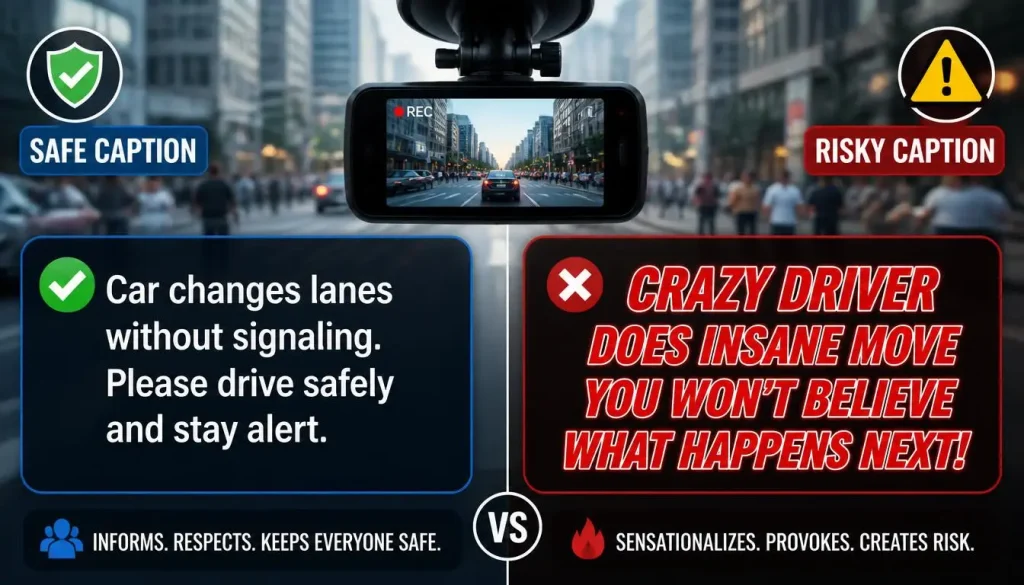
The caption can create as much risk as the video. Avoid emotional accusations and focus on safety.
| Risky Caption | Safer Caption |
|---|---|
| “This idiot should lose their license.” | “A reminder to stay alert at intersections.” |
| “Find this driver.” | “Near-miss captured on dash cam. Drive safe.” |
| “This drunk driver almost killed me.” | “This clip shows why defensive driving matters.” |
| “Look at this criminal.” | “Sharing for road safety awareness.” |
| “Everyone report this plate.” | “Always leave enough stopping distance.” |
A neutral caption makes the video more helpful and less risky.
FAQ: Posting Dash Cam Footage Online
Can I post dash cam footage online without permission?
You may be able to post dash cam footage without permission if it was recorded in a public place and does not expose private or sensitive details. However, you should still blur faces, blur license plates, mute audio, and avoid accusing anyone of a crime.
Is it legal to post dash cam footage online?
It depends on your location, the content of the video, and how you post it. Public road footage may be allowed in many places, but privacy, audio recording, defamation, harassment, and platform rules can still apply.
Can I post dash cam footage on YouTube?
Yes, but YouTube may remove content if someone is uniquely identifiable and files a valid privacy complaint. Blur faces, plates, voices, addresses, and other identifying details before uploading.
Should I blur license plates in dash cam footage?
Yes, in most public posts, blurring license plates is the safer option. Even if a license plate is visible in public, posting it online with location and a negative caption can create privacy or harassment concerns.
Can I post dash cam footage with audio?
You should be careful. Audio laws vary, and private conversations can create legal and privacy risks. The safest option is to mute audio before posting and keep the original audio only for police or insurance evidence.
Can I post dash cam footage of a car accident?
You should avoid posting accident footage if it shows injuries, victims, children, emergency treatment, or an active investigation. Send the original footage to police or your insurer first.
Can police use dash cam footage from social media?
Police may be able to view public footage, but you should not rely on social media as the main way to report an incident. Send the original file through the proper reporting channel when possible.
Can someone sue me for posting dash cam footage?
It is possible, especially if your post harms someone’s reputation, reveals private information, or encourages harassment. Avoid false accusations and keep your captions neutral.
Can I monetize dash cam footage?
You may be able to monetize dash cam footage, but you still need to respect privacy, copyright, platform rules, and legal risks. Do not monetize sensitive crash footage irresponsibly.
Is dash cam footage personal data?
It can be. If a person can be identified from the footage, such as by face, voice, license plate, location, or other details, it may be treated as personal or private information depending on the country and situation.
Final Verdict: Should You Post Dash Cam Footage Online?
You can post dash cam footage online in many situations, but you should do it carefully. The safest rule is simple: blur faces, blur license plates, mute audio, avoid private details, keep the caption neutral, and save the original file.
If the footage shows a serious accident, injury, road rage, police matter, insurance claim, private property, or identifiable people, do not rush to post it. Share the original footage with police, your insurer, or the proper authority first. For public posting, use an edited version that protects privacy and focuses on road safety, not public shaming.

Tony Kilmer is an auto mechanic and the author behind CarTruckAdvisor.com. He shares practical, no-nonsense guidance on car and truck maintenance, common problems, and repair decisions—helping drivers understand what’s going on and what to do next.