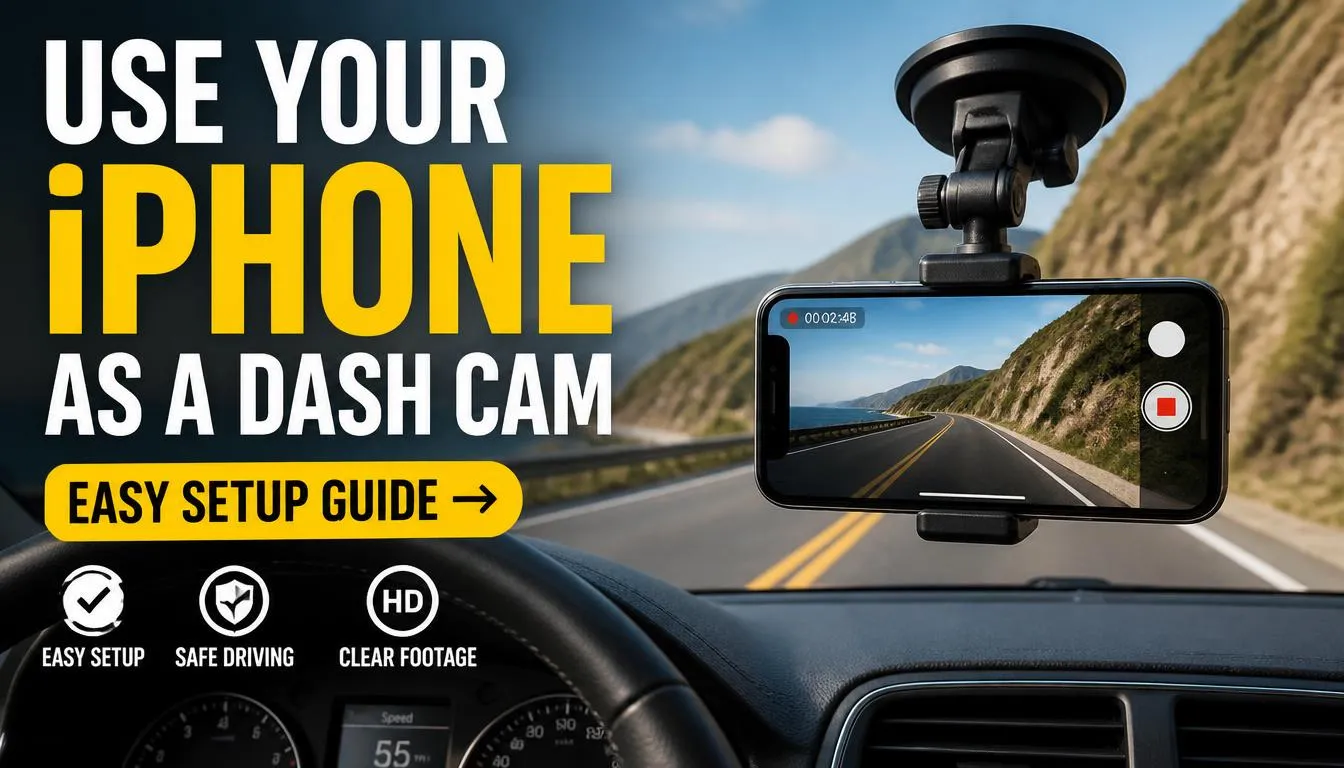
You can use your iPhone as a dash cam, but it is not a perfect swap for a dedicated device. Your phone's camera quality rivals many entry-level units, yet its design prioritizes portable computing over rugged automotive durability. As of 2026, Apple specifies an operating temperature range of 0° to 35° C (32° to 95° F).
Prolonged exposure to higher temperatures, common inside parked cars on sunny days, triggers thermal throttling and accelerated battery wear. Let us walk through what that means for your everyday driving.

Image source: Bing (Web (fair-use with source credit))
Quick Answer
Yes, you can record driving video with your iPhone using a dedicated app. The footage can serve as useful evidence in minor incidents. However, the setup carries significant reliability risks.
Heat stress degrades your battery faster than normal use. Continuous recording generates significant heat. That heat can throttle performance or shut the system down.
Think of it as a backup solution, not a primary recording tool.
How Smartphone Cameras Compare to Dedicated Systems
What makes a phone camera different from a dash cam lens?
Your iPhone camera excels at capturing still photos and high-resolution video in controlled lighting. It uses computational photography, combining multiple frames and AI processing, to boost detail and reduce noise. A dedicated dash cam prioritizes consistent bitrate, wide dynamic range, and optical clarity across extreme conditions.
It also includes hardware designed for loop recording and event detection without software lag.
Which hardware features give dash cams an edge?
Purpose-built cameras often use larger sensors and fixed apertures optimized for low light. They run on wide-voltage power supplies that tolerate car electrical fluctuations. Their mounts are engineered to withstand vibration and thermal expansion.
Phone-based solutions rely on adhesive or suction cups that can fail under heavy heat cycles. The table below summarizes the core differences.
| Feature | iPhone Camera | Dedicated Dash Cam |
|---|---|---|
| Sensor size | Small (1/1.7-inch typical) | Larger (1/2.3-inch to 1/1.8-inch) |
| Aperture | f/1.5 to f/1.8 | f/1.8 to f/2.4 |
| Field of view | 24mm equivalent (wide) | 120°–170° adjustable |
| Low-light performance | Excellent with computational photography | Good with large sensor and wide aperture |
| Heat tolerance | Limited (thermal throttling above 35°C) | Designed for -20°C to 70°C |
| Power draw | High (CPU + screen active) | Low (dedicated SoC only) |
| Loop recording | Software-dependent, may skip files | Hardware-level seamless overwrite |
Does a phone offer better resolution?
In daylight, an iPhone can capture 4K video at 60 fps with exceptional detail. Budget dash cams typically record at 1080p or 2K. Yet resolution alone does not guarantee usable evidence.
License plates at night often blur on phone cameras due to smaller pixels and aggressive noise reduction. A mid-range dash cam with a Sony Starvis sensor usually produces clearer plate imagery in dark parking lots. Your choice depends on whether you value daytime sharpness or nighttime clarity.
The Heat Problem: Thermal Throttling and Battery Safety
Why does heat matter for a phone running a dash cam app?
Smartphones pack processors, batteries, and display drivers into a compact chassis with minimal passive cooling. When you run a dash cam app, the camera sensor, image processor, and GPS chip work continuously. That load generates substantial heat.
Inside a closed car, ambient temperatures can exceed 60°C (140°F) on a summer day. The phone's internal temperature quickly surpasses Apple's safe operating threshold.
What happens when the iPhone overheats?
Apple designs thermal management to protect components and prevent injury. When thresholds are crossed, the system reduces CPU and GPU speed, dims the display, and may disable wireless radios. Video recording can stutter, drop frames, or stop entirely.
In severe cases, the device powers down automatically. This behavior is documented in Apple's support guidelines on device operating temperatures. You lose exactly the footage you need most after an accident.
How does heat affect battery health long term?
Lithium-ion batteries degrade faster under sustained high temperatures and while maintaining a high state of charge. Dash cam apps keep the phone plugged in for hours. The combination of heat and constant charging accelerates capacity loss.
Users report needing battery replacements after six to twelve months of regular dash cam duty. Heavy dash cam use drains batteries fast. Expect replacements every 12 to 18 months.
That adds $50 to $100 yearly on top of app subscriptions and accessory wear.
Are there safety risks beyond battery wear?
Extreme heat can cause thermal runaway, though rare in modern phones with protective circuitry. More common is swelling, which may warp the display or separate the back glass. This swelling creates pinch hazards and can damage the phone's water-resistance seals.
Some users report cases where the chassis became too hot to touch after prolonged use. If you notice abnormal warmth, stop recording immediately and let the device cool.
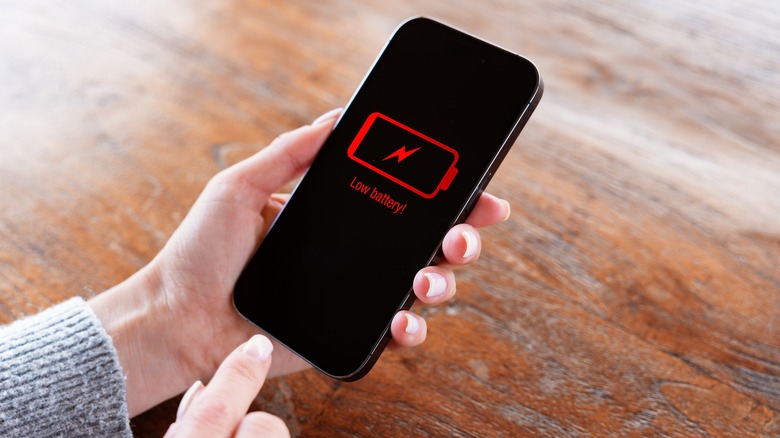
Image source: Bing (Web (fair-use with source credit))
How can you mitigate heat-related issues?
- Park in shade whenever possible during long stationary recordings.
- Use a ventilated mount that allows airflow around the phone.
- Disable background app refresh and reduce screen brightness to minimum.
- Consider a passive heatsink attached to the phone rear case.
- Avoid fast wireless charging while recording. Wired trickle charging produces less heat.
- Turn off the app during extended parking periods unless using a specialized low-power mode.
Even with these precautions, the fundamental physics remain. A sealed smartphone will struggle to dissipate heat inside a vehicle. For daily commuters who park outdoors, those risks compound quickly.
Is iPhone Dash Cam Footage Legally Admissible?
Can police or insurance companies accept video from your phone?
Courts generally admit electronic media if properly authenticated. Authentication requires showing the file is original and unaltered. You must demonstrate the recording matches your account of events.
Apps that automatically save clips to cloud storage often modify metadata or compress video. Defense attorneys frequently challenge such modifications to undermine credibility. Keeping raw, uncompressed files locally improves your chances of acceptance.
Do mounting positions affect admissibility?
Several states have laws restricting objects that obstruct the driver's view. Mounting an iPhone on the windshield near the driver's line of sight could violate those statutes. An officer observing an improperly mounted phone during a traffic stop may cite you.
Unsafe installation is a separate offense. Any citation could lead a judge to question whether the camera was legally positioned when the incident occurred. Check your local vehicle code before permanent installations.
What about recording audio in your car?
Audio recording introduces wiretapping laws. In two-party consent states like California, all participants must agree before their conversations are recorded. If you capture a passenger's side of an argument without their knowledge, the footage may be excluded.
It could also expose you to criminal liability. Many dash cam apps let you disable the microphone entirely. Always verify jurisdiction requirements before enabling audio features.

Image source: Bing (Web (fair-use with source credit))
How do insurers treat phone-recorded evidence?
Insurance adjusters evaluate video based on context, not just source. Clear, stable footage showing impact angles and license plates carries weight regardless of device. However, gaps in recording, pixelation, or timestamps that do not align with police reports raise doubts.
Apps that auto-delete clips after thirty days create evidentiary holes. Maintain a secure archive of important files for at least one year after any claim.
Should you share footage publicly before a claim is settled?
Posting video to social media can compromise your legal position. Public disclosures may be interpreted as admissions or alter witness recollection. Once footage is accessible online, opposing counsel can request access.
Many attorneys advise withholding raw video until your insurance adjuster reviews it first. Even then, share only through secure channels that preserve chain of custody.
How to Set Up a Safe and Reliable iPhone Dash Cam System
Which app should you choose?
Not all dash cam apps are built equally. Look for features like:
- Hardware-accelerated encoding for smoother 4K recording
- Configurable G-sensor sensitivity with three levels
- Local file storage with password-protected locked folders
- GPS overlay displaying speed, coordinates, and timestamp
- Background operation that survives phone sleep modes
Popular options include DashCam, iRecord, and Front Dash Cam. Read recent user reviews focusing on stability and customer support responsiveness. Free trials help verify compatibility with your specific iPhone model.
Where should you mount the phone?
Mount placement affects both safety and video quality. Ideal spots include:
- Lower dashboard area away from airbag deployment zones
- Rearview mirror housing if the mount is slim
- Passenger-side windshield corner, below the driver's direct line of sight
Avoid placements that require you to tilt your head downward. A distracted driver is a dangerous driver. Secure the mount to clean, dry surfaces using alcohol wipes.
Allow adhesive to cure for at least two hours before driving. Test hold strength by gently tugging the phone before every trip.
How do you connect power reliably?
Continuous recording drains batteries rapidly. Power options range from simple to hardwired:
- USB-C or Lightning port connected to car charger. This is easiest but limited to driving hours.
- Wireless charging pad mounted on dashboard. Convenient but generates extra heat.
- Hardwired fuse-box connection with voltage cut-off. Professional install enables parking mode.
If you opt for hardwiring, consult a certified auto electrician. Improper connections can blow fuses or trigger warning lights. Most dedicated dash cam installers can adapt wiring for phones if needed.
Our analysis of reliable front-and-rear recording systems covers professional installation standards.
What settings maximize recording integrity?
Configure your app with these baseline parameters:
- Resolution: 1080p at 30 fps balances quality and file size.
- Loop length: 3 minutes ensures quick overwrites without excessive fragmentation.
- G-sensor: medium sensitivity captures most impacts without false triggers.
- GPS: enabled for geotagging every clip.
- Audio: disabled unless local law permits one-party consent.
- Cloud sync: turned off during recording to avoid bandwidth contention.
Review settings monthly. Firmware updates often improve power management and stabilization algorithms. Keep your iPhone's iOS updated to maintain app compatibility and security patches.
How do you test the system before relying on it?
Before trusting footage to prove anything important, run a real-world verification:
- Record a 10-minute drive covering varied lighting conditions.
- Playback the video on a larger screen to check for dropped frames.
- Verify GPS coordinates match your actual route.
- Simulate a sudden stop to see if the G-sensor locks the clip.
- Leave the phone parked in sun for an hour and monitor temperature warnings.
If the app crashes, skips segments, or displays error messages, switch to a different solution. No amount of configuration will fix a fundamentally unsuited device.
Settings That Prevent Data Loss and Missed Footage
Which configuration choices actually matter?
App settings determine whether your footage survives a crash or vanishes into digital oblivion. Loop recording overwrites old files automatically, but only if configured correctly. G-sensor sensitivity controls when the app marks clips as important.
GPS tagging adds location data that strengthens legal admissibility. Getting these right separates a useful record from a useless one.
How do you prevent accidental clip deletion?
Loop recording deletes oldest files first when storage fills up. Apps typically keep recent recordings for 15 to 30 minutes before overwriting. If you never manually save important clips, you lose them automatically.
Learn where your app stores locked files and check regularly. Most dash cam apps include a protected folder for incident footage. Always verify that critical videos survived each drive by reviewing the library weekly.
What loop recording duration works best?
Shorter segments like three minutes create more files but reduce corruption risk. Longer segments like ten minutes produce fewer, heavier files. These files are prone to damage if power cuts out mid-recording.
Three-minute loops balance reliability and file management. Most professional dash cam installers recommend this sweet spot for consistent operation. Consider exploring dedicated hardware loop recording to understand the advantage.
Should you enable motion detection in parking mode?
Motion detection wakes the camera when movement triggers the accelerometer. This feature extends battery life during parking surveillance by sleeping between events. However, phones lack true hardware-level power management.
Apps simulating parking mode still drain batteries significantly. If you park outdoors for extended periods, motion-triggered recording may empty your phone faster than expected. Dedicated cameras like those reviewed in front and rear dual-lens systems handle this scenario far more efficiently.
What about frame rate options?
Higher frame rates capture smoother video but consume storage rapidly. Recording 4K at 60 fps uses roughly double the space compared to 30 fps. For evidence purposes, 30 fps provides adequate clarity for license plate recognition at moderate speeds.
Reserve 60 fps for high-speed scenarios like highway driving. Most users benefit more from saving storage for longer recording sessions than gaining marginal smoothness.
What GPS overlay settings improve usability?
GPS overlays display speed, coordinates, and timestamps directly on video. This information strengthens credibility in insurance disputes. Verify your app shows accurate location data by comparing against mapping software.
Enable GPS accuracy mode if available to improve coordinate precision. Disable overlay features that clutter the frame excessively. Clean footage with minimal text performs better in legal proceedings than overloaded displays.
iPhone vs Dedicated Dash Cam: Side-by-Side Reality
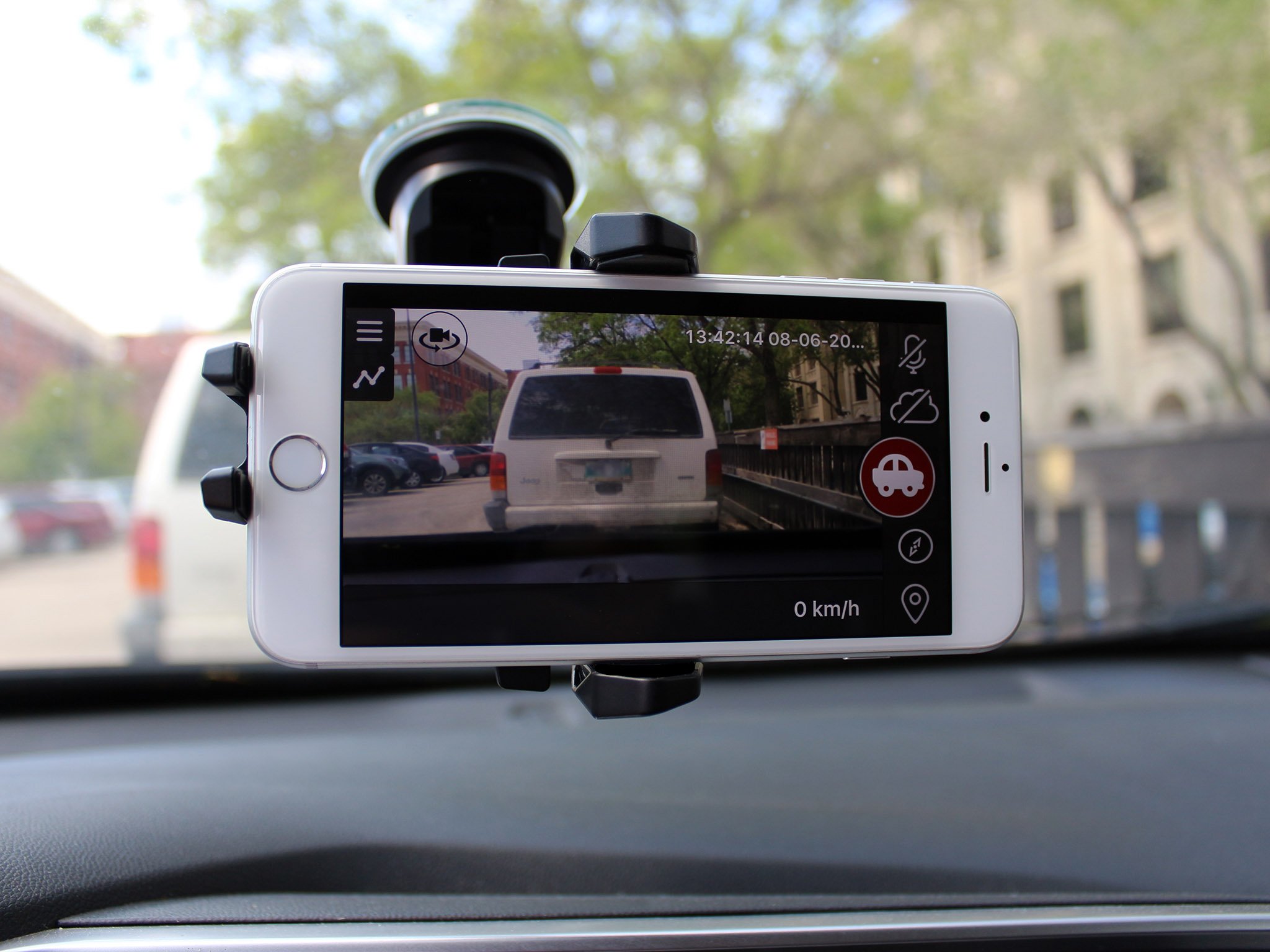
Image source: Bing (Web (fair-use with source credit))
Which option delivers better value overall?
Your choice depends on usage patterns and risk tolerance. Phones offer zero upfront cost and superior daylight resolution. Dedicated cameras provide heat resilience, stable power management, and purpose-built mounting.
Neither solution perfectly replaces the other across all scenarios. Understanding each limitation helps you avoid costly surprises later.
Image source: Bing (Web (fair-use with source credit))
How do night performance capabilities compare?
Phone cameras rely on computational photography algorithms that struggle in extreme low light. They process multiple frames together, which requires stability and sufficient photons. Dash cams with larger sensors and wider apertures gather more light directly.
Sony Starvis sensors found in premium dash cams deliver cleaner night footage. If nighttime driving dominates your routes, a dedicated camera likely serves you better. Review our night-performance focused camera guides for detailed comparisons.
What about field of view coverage?
iPhone ultra-wide lenses capture approximately 120 degrees horizontally. Many dash cams offer adjustable fields ranging from 130 to 170 degrees. Wider views show more lane context but distort edges severely.
Ultra-wide distortion can warp license plates near frame peripheries. Dash cams often use aspherical lenses designed to minimize distortion across their entire field. Choose based on whether you prioritize edge detail or central plate clarity.
Which solution handles vibration better?
Phones mounted on dashboards transmit road vibrations directly into video frames. Image stabilization algorithms correct some shake but cannot eliminate all jitter. Dedicated dash cams feature rubber dampening mounts and hardware stabilization tuned for automotive environments.
Heavy trucks and SUVs generate more vibration than compact sedans. If you drive rough roads frequently, expect more stable footage from purpose-built hardware.
How do battery implications differ long-term?
Using your iPhone as a dash cam consumes one battery cycle every two to three hours. Continuous recording drives this wear rate. Over twelve months, that equates to hundreds of additional charge cycles.
Battery capacity drops noticeably after 500 complete cycles on most lithium-ion cells. Replacing an iPhone battery costs between $50 and $120 depending on model. A dedicated dash cam draws power from your vehicle's electrical system with zero impact on personal electronics.
| Comparison Point | iPhone Dash Cam Setup | Dedicated Dash Cam |
|---|---|---|
| Initial investment | Free if you own compatible phone | $80 to $300 average |
| Night recording quality | Mediocre to poor | Good to excellent |
| Heat resistance | Poor above 35°C ambient | Engineered for -20°C to 70°C |
| Parking mode reliability | Low battery drain risk | Purpose-built with hardwire kits |
| Legal authentication ease | Requires local file preservation | Standard practice among experts |
| Field of view flexibility | Fixed lens options only | Adjustable mounts and lenses |
| Replacement cost risk | Phone battery degradation | Minimal beyond unit failure |
Who Should Use This (and Who Shouldn't)
What type of driver benefits most from phone-based recording?
Occasional commuters in temperate climates gain modest advantages from this approach. Students, renters, and budget-conscious drivers who already own a recent iPhone find it economical. People seeking basic documentation for minor fender-benders appreciate the convenience.
Ride-share drivers in mild regions sometimes use phones temporarily while waiting for dedicated units. If your driving stays mostly within city limits and sunny conditions, the trade-offs remain manageable.
Which situations make phone dash cams inadvisable?
Professional drivers logging hundreds of miles monthly face rapid battery depletion and heat stress. Commercial fleet operators should not risk losing evidence due to thermal shutdowns. Drivers in desert or tropical climates experience accelerated component failures.
Taxi and ride-share companies requiring reliable incident documentation should invest in certified hardware. Anyone needing rock-solid parking surveillance would benefit more from solutions evaluated in home security monitoring setups. Long-term daily reliance on phones introduces too many failure points for commercial applications.
How do weather extremes influence your decision?
Cold temperatures below freezing slow chemical reactions inside lithium cells temporarily. Modern phones handle brief cold exposure reasonably well. Prolonged cold combined with charging still degrades capacity faster than manufacturer specifications suggest.
Extreme heat, however, poses immediate throttling risks during operation. If your region regularly exceeds 90°F outdoors, consider weather-resistant alternatives like the 360-degree coverage cameras built for harsh environments. Check regional weather patterns honestly before committing to a phone setup.
What about drivers in areas with limited cellular coverage?
Cloud-synced footage depends entirely on connectivity. Rural drivers experiencing spotty service cannot rely on automatic backup uploads. Local storage remains essential regardless of signal strength.
Verify your app prioritizes offline saving over cloud attempts. Poor connectivity also delays emergency notification features that some apps offer. Test your typical driving routes before depending on network-dependent functions for critical evidence preservation.
When does upgrading to dedicated hardware make financial sense?
Calculate your phone's current battery health and replacement timeline. If capacity already sits below 85 percent, adding dash cam duties accelerates another $80 expense soon. Dedicated cameras under $100 often outperform phones in real-world automotive conditions.
The math favors upgrades when battery health deteriorates rapidly or when recording needs exceed casual use thresholds. Explore budget-friendly dash cam options if price constraints initially pushed you toward phone-only solutions.
Critical Mistakes That Void Your Evidence
Which mounting errors cause legal problems immediately?
Placing your phone where it obstructs your forward viewing angle violates traffic codes in numerous jurisdictions. Officers can issue citations for unsafe dashboard placement during routine stops. Judges may dismiss footage entirely if they determine improper installation contributed to dangerous driving.
Mount your device lower on the dash or use passenger-side windshield positioning instead. Always check state dash cam mounting laws specific to your jurisdiction before permanent installations.
How do app configuration mistakes compromise recording?
Forgetting to enable loop recording guarantees storage exhaustion mid-trip. Setting G-sensor sensitivity too high triggers false locks on every pothole. This wastes precious storage on irrelevant clips.
Disabling GPS means losing location data that strengthens authentication later. Skipping periodic app updates introduces bugs known to crash during extended sessions. Review your configuration settings monthly to catch drift from optimal parameters.
What happens when drivers ignore thermal warnings?
Continuing to record after temperature alerts appear ensures eventual failure. The phone will either throttle performance severely or shut down completely. Missed seconds during critical moments render entire recordings useless as evidence.
Pull over safely and let the device cool before resuming any recording session. Never assume thermal warnings are merely suggestions rather than protective mechanisms designed to prevent hardware damage.
Why does exclusive cloud reliance create dangerous gaps?
Relying solely on cloud storage assumes perfect connectivity at all times. Tunnel passage, remote areas, or dead zones interrupt uploads silently. Files never reaching servers vanish from your protection net entirely.
Always maintain local copies alongside cloud backups. Export critical footage to multiple storage locations immediately after important incidents. Treat cloud sync as a convenience feature rather than your primary evidence archive.
The same concerns apply when evaluating phone-based live viewing systems.
Which post-incident errors destroy credibility fastest?
Editing or enhancing original video files before legal review raises tampering suspicions. Reformatting to different codecs can alter metadata irreversibly. Sharing unverified clips on social media before insurance settlement compromises negotiation positions.
Provide raw, unedited files exclusively to authorities and adjusters. Maintain detailed notes about discovery circumstances, file paths, and access timelines. These practices mirror standards followed by professionals who recommend expert dash cam setups.
How do forgetting to lock clips ruin your case?
Loop recording deletes unlocked files automatically after configured durations. If you fail to mark important segments as protected, they disappear within hours or days. Many users discover missing footage only when they desperately need it most.
Establish a habit of reviewing and locking clips after every significant drive. Some apps send push notifications when storage reaches capacity thresholds. Heed those warnings promptly to prevent accidental evidence loss.
Total Cost of Ownership: Apps, Hardware, and Hidden Fees
What are the real expenses beyond free apps?
Premium dash cam applications range from $3 to $15 monthly or $20 to $60 one-time purchases. Quality suction or adhesive mounts cost $15 to $40 depending on build materials. Charging cables degrade faster under constant flexing and require occasional replacement.
Wireless charging pads generate additional heat and may need replacement every year or two. Budget at least $100 annually for sustained phone-based dash cam operation including hardware refreshes.
How much does battery replacement really cost?
iPhone battery services run $49 to $99 through Apple Authorized Service Providers depending on model age. Third-party repair shops charge slightly less but risk water-resistance compromise. If your phone serves primarily as a dash cam, expect replacement every 12 to 18 months under heavy use.
That adds significant recurring cost. Factor those numbers against a $100 dash cam that never needs a battery swap.
Are there hidden insurance implications?
Some insurers offer discounts for verified dash cam installations. Phone-based setups may not qualify if policyholders cannot demonstrate consistent, uninterrupted recording capability. Claims processors sometimes view smartphone evidence skeptically compared to certified devices.
Verify whether your carrier recognizes mobile phone recordings before relying on them for premium reduction arguments. Documentation requirements vary significantly between providers and regions.
How do repair bills compare after accidents?
Damage to your iPhone during a collision or fall carries substantial replacement costs. Screen repairs alone run $150 to $300 for recent models. Logic board damage from impact or water intrusion pushes totals well beyond $400.
Dedicated dash cams cost fractions of those amounts to replace. Using phones as dash cams transfers automotive risk onto personal property. That property faces the same hazards the camera aims to document.
| Expense Category | Phone-Based Solution | Dedicated Dash Cam |
|---|---|---|
| Monthly subscription | $3 to $15 | None |
| Mount hardware | $15 to $40 | Included or $10 to $20 |
| Battery replacement (annualized) | $30 to $60 | N/A |
| Accident damage risk | High ($200 to $800) | Low ($50 to $150) |
| Professional installation | Optional free DIY | $50 to $150 one-time |
| Total Year 1 estimated | $100 to $200+ | $80 to $250 |
| Total Year 3 projected | $250 to $500+ | $100 to $300 |
What about long-term value after three years?
Phone batteries typically degrade below acceptable thresholds within two to three years under dash cam duty. Device obsolescence forces full replacements costing $600 to $1,000 depending on model. Dedicated cameras often last five plus years with minimal maintenance beyond occasional SD card swaps.
The mathematics clearly favor purpose-built hardware for sustained daily use. Casual or emergency-only applications still justify temporary phone deployments despite higher lifetime costs.
Pro Strategies for Preserving Evidence After a Crash
What immediate actions protect your footage integrity?
Stop driving safely and secure the scene before touching your phone. Never attempt to edit, filter, or enhance raw video files immediately after an incident. Any modification risks destroying metadata that proves authenticity.
Keep your device in its recorded state until legal counsel or insurers request otherwise. Time-sensitive mistakes at this stage undermine everything you built during recording.
How do you export clips without compromising evidence?
Use your dash cam app's export function to create copies rather than moving originals. Save exported files directly to a computer hard drive or encrypted USB stick first. Create a secondary backup on cloud storage only after local copies exist.
Never rely solely on iCloud or app sync as your primary evidence archive. Label files with date, time, location, and crash description before sharing.
What documentation strengthens legal authentication?
Write down exactly when, where, and how you discovered the footage. Note any app versions, settings, or configuration choices active during recording. Preserve error messages, temperature warnings, or system notifications that appeared before failure.
Maintain a simple log showing who accessed the files and when. Courts favor consistent record-keeping over spontaneous claims.
Should you share footage with insurance adjusters immediately?
Wait until you understand your policy requirements before releasing any video. Some carriers demand specific formats or metadata completeness checks. Early submission without preparation risks accidental deletion or compression during transfer.
Contact your insurer first to learn their evidence submission process. Then provide copies only through channels they specify officially.
How do attorneys evaluate phone-recorded evidence differently?
Lawyers scrutinize authentication chains more carefully for consumer devices than professional cameras. They question whether thermal events, software crashes, or automatic deletions interrupted recording. Prepare to demonstrate your setup routine, testing procedures, and maintenance habits.
Showing consistent best practices counteracts skepticism about reliability gaps inherent in phones. Professional review services similar to those offering trusted dash cam evaluations often advise these exact preservation steps.
What happens if your phone gets damaged in the collision?
Physical damage may corrupt storage chips or prevent file access entirely. Recovering deleted or fragmented video requires specialized forensic tools costing hundreds of dollars. Backup systems prove essential precisely because primary devices face impact risk.
Always maintain redundant copies across multiple storage locations immediately after important recordings end. Consider repurposing an old phone as a secondary camera strategies to create duplicate recording sources for critical protection.
Frequently Asked Questions
Can FaceTime record usable dash cam footage?
No. FaceTime compresses video heavily and stores files temporarily without loop recording capability. It lacks G-sensor triggers, GPS tagging, and secure clip locking features essential for evidence preservation.
Dedicated dash cam apps provide these functions natively while FaceTime remains designed for conversation only.
Does airplane mode prevent distraction while recording?
Not effectively. Airplane mode disables cellular signals but leaves the screen active and visually distracting. Glancing at recording indicators, battery levels, or notification pop-ups still takes attention away from driving.
Choose mount placement below your line of sight and enable Do Not Disturb during operation instead.
Will hardwiring affect my vehicle warranty?
Proper installation by certified technicians rarely voids manufacturer warranties. Improper wiring damaging electrical systems creates liability exceptions under warranty terms. Stick to OEM power ports whenever possible.
If hardwiring becomes necessary, use qualified professionals familiar with automotive electrical standards and dash cam legal installation guidelines.
Should I enable audio recording on my iPhone dash cam?
Audio recording introduces complex wiretapping law variations across jurisdictions. Two-party consent states require all participants to agree before conversations get captured. Disable microphone functionality unless you confirm local legality and inform passengers appropriately.
Many users skip audio entirely to avoid legal complications while retaining video evidence.
How long does typical iPhone dash cam footage last before overheating?
Most iPhones begin throttling between 45 minutes and 2 hours of continuous recording in warm conditions. Direct sunlight exposure accelerates thermal buildup significantly beyond that timeframe. Cooler climates and shaded parking extend operational windows considerably.
Monitor temperature warnings closely and pause recording whenever alerts appear rather than ignoring them.
Can police subpoena my dash cam video without my consent?
Yes. Law enforcement agencies routinely issue subpoenas for electronic records including smartphone video files. Refusing lawful subpoenas carries contempt charges in most jurisdictions.
Cooperate through proper legal channels while preserving copies for your own records beforehand. Consult attorney guidance specific to your region before responding to official requests.

Tony Kilmer is an auto mechanic and the author behind CarTruckAdvisor.com. He shares practical, no-nonsense guidance on car and truck maintenance, common problems, and repair decisions—helping drivers understand what’s going on and what to do next.