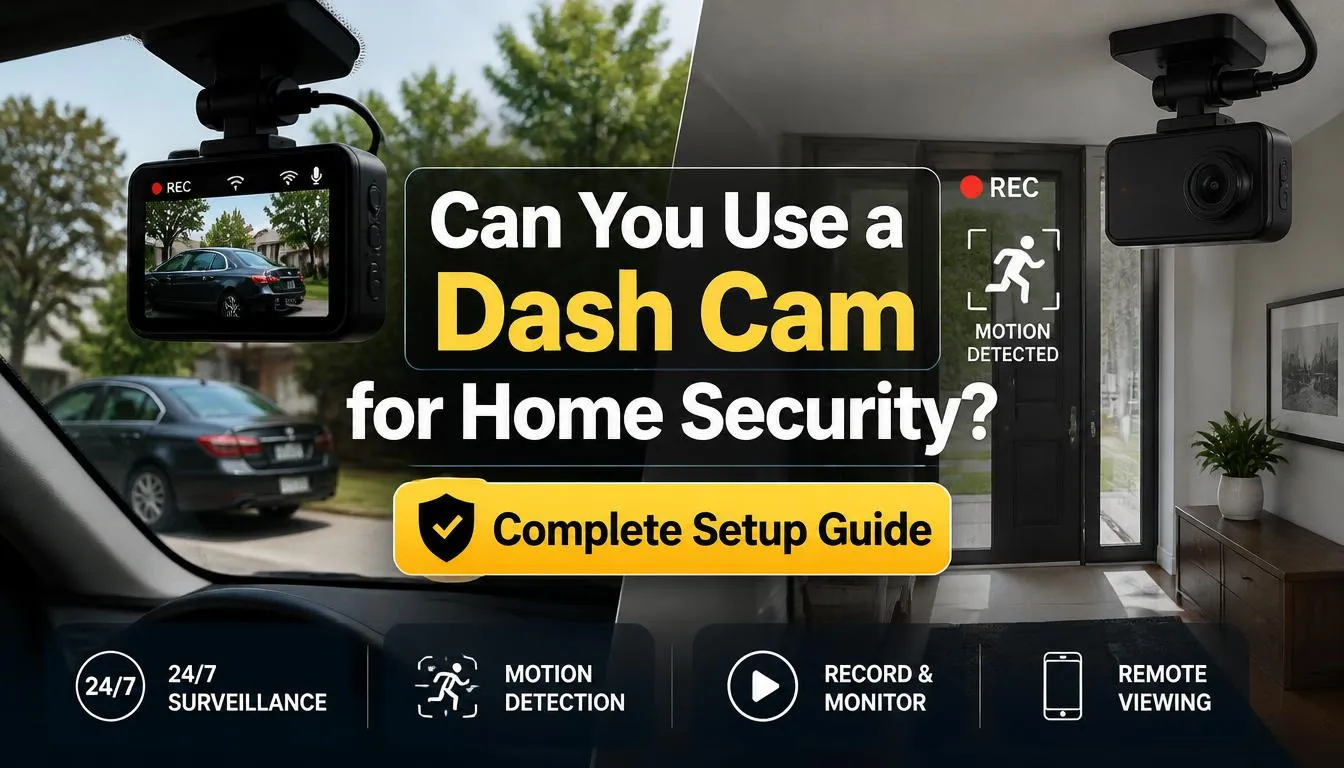
If you already own a dash cam, you might be wondering whether it can double as a home security camera. The short answer is yes—you can use a dash cam for home security, but it works best in certain situations and comes with limitations you should understand before relying on it.
A dash cam can be an affordable way to monitor your front door, garage, apartment, or indoor spaces, especially if you need temporary surveillance. However, it doesn’t completely replace a dedicated home security camera, particularly if you want cloud storage, remote monitoring, smart alerts, or 24/7 professional security.
Can You Really Use a Dash Cam for Home Security?
Yes, you can use a dash cam as a home security camera in many situations.
Although dash cams are designed for recording while driving, many modern models include features like continuous recording, loop recording, motion detection, parking mode, night vision, and Wi-Fi connectivity. These features allow them to monitor indoor and outdoor areas when connected to a constant power source.
Many homeowners, renters, students, and travelers use an old or spare dash cam as an inexpensive security solution. It can help record suspicious activity, monitor package deliveries, watch over a garage, or keep an eye on pets while you’re away.
However, it’s important to understand that a dash cam isn’t designed specifically for home surveillance. Most models lack cloud storage, advanced motion detection, AI person recognition, and long-term remote monitoring that dedicated security cameras provide.
If your goal is temporary monitoring or saving money by using equipment you already own, a dash cam can work surprisingly well.
Why Do People Use a Dash Cam at Home?
There are several reasons why people search for ways to use a dash cam for home security.
They Already Own One
Many people upgrade to a newer dash cam and leave the older one unused. Instead of letting it collect dust, they repurpose it as a home monitoring camera.
They Want to Save Money
Buying multiple security cameras can become expensive. If you already have a quality dash cam, using it indoors can reduce your initial costs.
They Need Temporary Security
A dash cam works well when you need short-term monitoring, such as:
- Moving into a new home
- Renovating a property
- Traveling
- Staying in a vacation rental
- Monitoring a storage room
They Live in a Rental Property
Renters often cannot drill holes or permanently install surveillance systems. A dash cam offers a portable and renter-friendly alternative.
They Want to Watch Deliveries
Package theft has become increasingly common. Positioning a dash cam near a front window can help capture anyone approaching your front door.
They Want to Monitor Pets
Many pet owners simply want to check whether their dog or cat is behaving while they’re away. A dash cam can provide recorded footage without investing in a dedicated pet camera.
Pros of Using a Dash Cam for Home Security
Using a dash cam at home comes with several practical advantages.
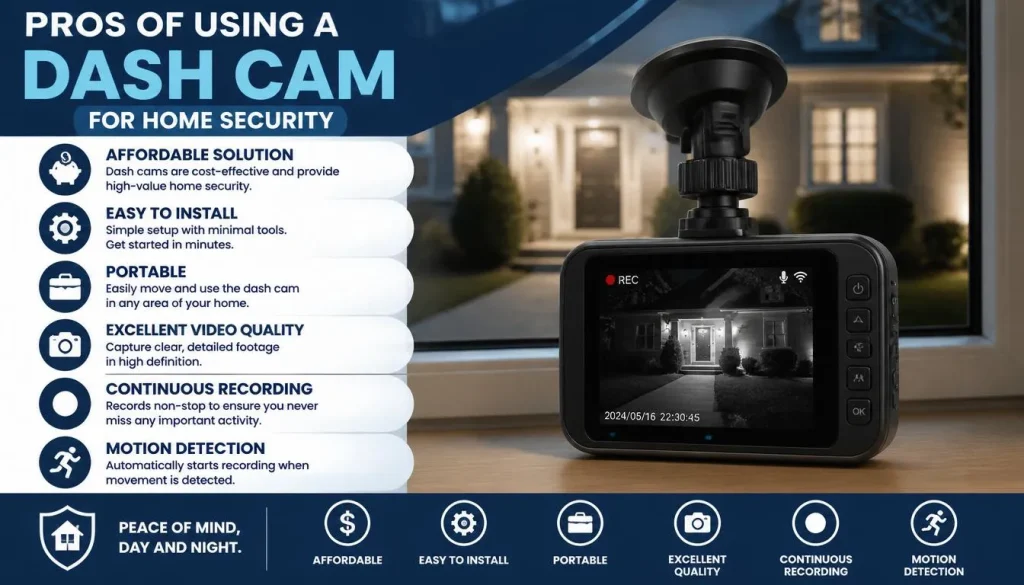
Affordable Solution
If you already own a dash cam, your setup cost is extremely low. You may only need a USB power adapter or a longer cable.
Easy to Install
Unlike many security systems, a dash cam usually requires no drilling or complicated wiring.
Simply:
- Connect power
- Insert a microSD card
- Mount the camera
- Start recording
Portable
You can move the camera from room to room whenever your needs change.
For example:
- Garage today
- Front window tomorrow
- Baby’s room next week
Excellent Video Quality
Many modern dash cams record in:
- Full HD
- 2K
- 4K
This provides clear footage that may help identify faces, vehicles, or license plates under good lighting conditions.
Continuous Recording
Most dash cams support loop recording, allowing them to record continuously by automatically overwriting the oldest footage when the memory card becomes full.
Motion Detection
Many newer dash cams include motion detection, which starts recording when movement is detected.
This helps save storage while capturing important events.
Night Vision
Many models perform surprisingly well at night thanks to:
- HDR
- Wide Dynamic Range
- Infrared support (on selected models)
- Sony STARVIS sensors
This can improve visibility around entryways and garages after dark.
Compact Design
Unlike larger CCTV cameras, dash cams are discreet.
People often don’t notice them, making them useful for discreet monitoring.
Limitations You Should Know Before Using a Dash Cam
Although a dash cam can work as a home security camera, it isn’t perfect.
Understanding its limitations helps you avoid disappointment.
Limited Smart Features
Most dash cams don’t offer:
- AI person detection
- Facial recognition
- Package detection
- Smart notifications
- Professional monitoring
No Cloud Storage
Many budget dash cams store footage only on a microSD card.
If someone steals or damages the camera, you may lose the recorded evidence.
Constant Power Required
Unlike battery-powered security cameras, most dash cams must remain connected to power.
Without continuous power, recording stops.
Storage Limits
Dash cams use loop recording, meaning older footage is automatically deleted when the memory card becomes full.
This isn’t ideal if you need footage from several days ago.
Remote Viewing May Be Limited
Some Wi-Fi dash cams allow you to connect with your phone while nearby.
However, many cannot stream video remotely over the internet like dedicated smart security cameras.
Weather Protection
Most dash cams aren’t built to withstand:
- Heavy rain
- Snow
- Direct sunlight
- Extreme temperatures
Outdoor placement requires additional protection.
Narrow Viewing Angle
Although many dash cams have wide-angle lenses, they still cannot cover as much area as a multi-camera security system.
Can a Dash Cam Record 24/7 at Home?
Yes—but only if it receives continuous power.
Most dash cams are designed to record continuously using loop recording.
When connected to a reliable power source, they can operate around the clock.
However, several factors affect long-term recording:
- Power stability
- Heat buildup
- Memory card quality
- Camera durability
- Ventilation
For 24/7 home monitoring, use a high-endurance microSD card designed for continuous video recording. These cards are built to handle constant writing far better than standard memory cards.
Also, remember that continuous recording generates heat. Place the camera in a well-ventilated area and avoid direct sunlight whenever possible.
Can a Dash Cam Work Without a Car?
Absolutely.
A dash cam doesn’t actually need a vehicle to function.
It simply needs the correct power source.
Instead of plugging it into your car’s power outlet, you can power it using:
- USB wall adapter
- USB-C charger
- AC power adapter
- Power bank
- USB power station
Once connected, the dash cam works almost exactly as it would inside a vehicle.
Many people successfully use old dash cams in:
- Apartments
- Offices
- Garages
- Workshops
- Bedrooms
- Storage rooms
This makes repurposing an older dash cam a practical and budget-friendly way to add basic home monitoring.
Best Ways to Power a Dash Cam Indoors
Reliable power is the foundation of any home monitoring setup.
Here are the most common options.
USB Wall Adapter
This is the easiest and most affordable solution.
Simply plug the adapter into a nearby wall outlet and connect your dash cam using its USB cable.
Best for:
- Apartments
- Living rooms
- Bedrooms
- Offices
AC Power Outlet
Many dash cams include a USB power cable that works perfectly with standard household outlets.
This setup provides stable, continuous power.
Power Bank
A large-capacity power bank is useful when no outlet is available.
It’s ideal for temporary monitoring during:
- Travel
- Camping
- Vacation rentals
- Storage units
Keep in mind that the recording time depends on the battery capacity.
UPS (Uninterruptible Power Supply)
If you want the camera to continue recording during short power outages, connecting it to a UPS is an excellent option.
This is particularly helpful in areas where electricity interruptions occur frequently.
Portable Power Station
Portable power stations provide much longer backup time than ordinary power banks.
They are useful for garages, workshops, sheds, or locations without convenient electrical outlets.
What You Need to Turn a Dash Cam into a Home Security Camera
Before setting everything up, gather a few basic accessories.
Dash Cam
Choose a model with features like:
- Loop recording
- Motion detection
- Night vision
- Parking mode
- Wide-angle lens
High-Endurance MicroSD Card
A reliable memory card is essential for continuous recording.
Cards designed specifically for surveillance or dash cams generally last much longer than standard microSD cards.
Continuous Power Source
Use a dependable USB wall adapter, AC outlet, UPS, or portable power station to keep the camera running without interruption.
Mount
Secure the dash cam using a suction mount, adhesive mount, or tripod, depending on where you plan to monitor.
Long USB Cable
A longer cable makes it easier to position the camera exactly where it provides the best view while keeping the installation neat.
Best Dash Cam Features for Home Security
Not every dash cam is equally suitable for home monitoring. While almost any model can record video, certain features make a significant difference when using it as a security camera.
Loop Recording
Loop recording is one of the most important features.
Instead of stopping when the memory card is full, the camera automatically deletes the oldest recordings and saves new footage. This allows continuous recording without manual intervention.
Motion Detection
Motion detection helps conserve storage space by recording only when movement is detected.
This feature is especially useful for:
- Front doors
- Hallways
- Garages
- Apartment entrances
- Home offices
Parking Mode
Parking mode is designed to monitor a parked vehicle, but it can also work well indoors.
When motion or an impact is detected, the dash cam automatically begins recording, making it useful for home surveillance.
Night Vision
A security camera is only effective if it captures clear footage after dark.
Look for features such as:
- HDR (High Dynamic Range)
- WDR (Wide Dynamic Range)
- Sony STARVIS sensor
- Infrared LEDs (on supported models)
These technologies improve low-light image quality.
Wi-Fi Connectivity
Wi-Fi allows you to:
- Change camera settings
- Download videos to your phone
- View recordings without removing the memory card
Keep in mind that many dash cams require you to be nearby to connect via Wi-Fi.
Wide-Angle Lens
A lens with a viewing angle between 140° and 170° provides wider coverage and reduces blind spots.
High Resolution
For the best image quality, choose a dash cam that records in:
- 1080p Full HD (minimum)
- 2K
- 4K (best)
Higher resolution makes it easier to identify faces and read license plates.
Best Places to Use a Dash Cam Around Your Home
Proper placement is just as important as choosing the right camera.
Front Door
A dash cam facing your front entrance can record visitors, deliveries, and suspicious activity.
Garage
Garages often contain expensive tools, bicycles, and vehicles.
A dash cam can help monitor unauthorized access.
Driveway
Point the camera toward parked vehicles to capture incidents such as vandalism or attempted theft.
Apartment Entrance
Renters often use a dash cam inside the apartment facing the front door.
This setup records anyone entering or approaching the doorway without requiring permanent installation.
Backyard
If protected from rain and direct sunlight, a dash cam can monitor:
- Gates
- Fences
- Garden sheds
- Outdoor storage
Workshop
Many people keep valuable equipment in workshops or hobby rooms.
A dash cam provides an inexpensive way to monitor these spaces.
Basement
If your basement stores expensive belongings, placing a dash cam near the entrance can add another layer of security.
Best Ways People Use Dash Cams for Home Security
People are becoming increasingly creative when repurposing old dash cams.
Popular uses include:
- Monitoring package deliveries
- Watching pets while at work
- Checking on elderly family members
- Recording babysitter visits
- Monitoring a baby’s room
- Watching vacation homes
- Monitoring storage rooms
- Protecting rental properties
- Recording garage activity
- Temporary security during home renovations
Although a dash cam won’t replace a professional surveillance system, it performs surprisingly well for these everyday situations.
Can You Use a Dash Cam Indoors and Outdoors?
Yes, but there are important differences.
| Location | Recommended? | Notes |
|---|---|---|
| Living room | ✅ Yes | Excellent option |
| Apartment | ✅ Yes | Great for renters |
| Garage | ✅ Yes | Very common use |
| Front window | ✅ Yes | Good for monitoring deliveries |
| Covered porch | ✅ With protection | Avoid direct weather exposure |
| Backyard | ⚠️ Sometimes | Protect from rain and heat |
| Open outdoor wall | ❌ Not recommended | Most dash cams aren’t weatherproof |
If you plan to use a dash cam outdoors, place it somewhere protected from:
- Rain
- Snow
- Dust
- Direct sunlight
Best Dash Cam Settings for Home Security
Choosing the right settings improves both video quality and storage efficiency.
Video Resolution
Use the highest resolution available.
Recommended:
- 2K
- 4K
- 1080p minimum
Loop Recording
Always keep loop recording enabled.
This ensures uninterrupted recording even after the memory card fills up.
Motion Detection
Adjust motion sensitivity carefully.
Too high:
- False alarms
- Constant recording
Too low:
- Missed events
Parking Mode
If available, enable parking mode.
This allows the camera to record automatically when movement is detected.
G-Sensor
For home use, set the G-Sensor to Low or Medium.
A high setting may trigger unnecessary emergency recordings.
HDR or WDR
Enable HDR or WDR if your camera supports it.
This improves image quality in:
- Bright sunlight
- Shadows
- Nighttime scenes
How Much Storage Do You Need?
Storage depends on:
- Resolution
- Frame rate
- Compression
- Recording mode
General estimates:
| Card SizeApproximate Recording Time | |
|---|---|
| 32GB | 3–5 hours |
| 64GB | 6–10 hours |
| 128GB | 12–20 hours |
| 256GB | 24–40 hours |
For 24/7 monitoring, a 128GB or 256GB High-Endurance microSD card is usually the better choice.
Does a Dash Cam Need Wi-Fi or Internet?
No.
A dash cam can record perfectly without Wi-Fi or internet.
It only needs:
- Power
- Memory card
Wi-Fi becomes useful when you want to:
- Download recordings
- Adjust settings
- Connect with the companion app
Internet is only required if the dash cam specifically supports cloud-based remote access.
Can You Watch a Dash Cam Live From Your Phone?
It depends on the model.
Basic Dash Cams
Most entry-level models do not support live remote viewing.
You must remove the memory card or connect directly to the camera.
Wi-Fi Dash Cams
Some Wi-Fi models allow live viewing while you’re close to the camera.
Cloud-Connected Cameras
Very few dash cams support remote viewing over the internet.
If live monitoring from anywhere is your priority, a dedicated home security camera is usually the better option.
How to Set Up a Dash Cam for Home Security
Follow these simple steps.
Step 1: Choose the Best Location
Position the camera where it has a clear view of the area you want to monitor.
Avoid:
- Obstructions
- Strong backlighting
- Reflections
Step 2: Connect Continuous Power
Use a reliable USB wall adapter or AC outlet.
Avoid loose cables that could disconnect accidentally.
Step 3: Insert a High-Endurance Memory Card
Format the card before first use.
This helps prevent recording errors.
Step 4: Enable Loop Recording
Without loop recording, the camera may stop recording once the card becomes full.
Step 5: Enable Motion Detection or Parking Mode
These features reduce unnecessary recordings while capturing important events.
Step 6: Adjust Camera Angle
Test several viewing angles before permanently mounting the camera.
The goal is to eliminate blind spots while covering the desired area.
Step 7: Test the Recording
Walk through the monitored area.
Review the footage to confirm:
- Clear image quality
- Accurate motion detection
- Proper night performance
Dash Cam vs Home Security Camera
| Feature | Dash Cam | Home Security Camera |
|---|---|---|
| Initial Cost | Lower | Higher |
| Continuous Recording | Yes | Yes |
| Motion Detection | Usually | Yes |
| Cloud Storage | Rare | Common |
| AI Person Detection | Rare | Common |
| Remote Viewing | Limited | Excellent |
| Smart Alerts | Limited | Excellent |
| Installation | Very Easy | Moderate |
| Best For | Budget monitoring | Long-term security |
If you already own a dash cam, it’s an excellent starting point.
For permanent home surveillance, however, a dedicated security camera remains the better investment.
Is Using a Dash Cam Cheaper Than Buying a Security Camera?
In most cases, yes.
If you already own a dash cam, your additional costs may only include:
- USB power adapter
- Longer cable
- High-Endurance microSD card
Compared with purchasing a complete security camera system, this can save a significant amount of money.
However, if you eventually need:
- Cloud storage
- AI detection
- Remote viewing
- Multiple cameras
A dedicated security system provides greater long-term value.
Common Problems and How to Fix Them
Camera Stops Recording
Possible causes:
- Full memory card
- Faulty card
- Disabled loop recording
Solution:
- Format the card
- Replace the card
- Enable loop recording
Poor Night Vision
Possible causes:
- Dirty lens
- Low-quality sensor
- Strong reflections
Solution:
- Clean the lens
- Improve lighting
- Adjust camera angle
Overheating
Possible causes:
- Direct sunlight
- Poor ventilation
Solution:
- Move the camera
- Improve airflow
- Avoid enclosed spaces
Motion Detection Doesn’t Work
Possible causes:
- Incorrect sensitivity
- Outdated firmware
Solution:
- Adjust sensitivity
- Update firmware
- Test multiple settings
Power Keeps Disconnecting
Possible causes:
- Loose USB cable
- Low-quality adapter
Solution:
- Replace the cable
- Use a reliable power adapter
Common Mistakes to Avoid
Even the best dash cam won’t provide reliable home security if it’s set up incorrectly. Avoid these common mistakes to improve performance and prevent missing important footage.
Using a Cheap Memory Card
Low-quality memory cards often fail after repeated recording cycles.
Choose a High-Endurance microSD card designed for continuous video recording. These cards last longer and are more reliable for 24/7 use.
Forgetting to Enable Loop Recording
Without loop recording, your dash cam may stop recording when the memory card becomes full.
Always verify that loop recording is turned on before relying on the camera.
Placing the Camera in Direct Sunlight
Heat can reduce performance and shorten the lifespan of electronic devices.
Install the camera in a shaded, well-ventilated location whenever possible.
Choosing the Wrong Viewing Angle
A poorly positioned camera may miss the area you actually want to monitor.
Before final installation:
- Check the live view or sample recording.
- Ensure important areas are visible.
- Eliminate unnecessary blind spots.
Ignoring Night Performance
Always test the camera after dark.
Streetlights, reflections, and low-light conditions can affect image quality.
Never Checking Recorded Footage
Many users assume the camera is recording correctly without verifying it.
Review sample recordings regularly to ensure:
- Video quality is clear.
- The memory card is functioning.
- The camera is recording continuously.
Is It Legal to Use a Dash Cam for Home Security?
In many situations, yes, but privacy laws differ between countries and even between states or provinces.
United States
In most areas of the U.S., you may record video on your own property.
However:
- Avoid recording inside places where people expect privacy.
- Audio recording laws vary by state.
- Some states require the consent of one or all parties before recording conversations.
United Kingdom
Homeowners may use cameras to protect their property.
However, if your camera records public areas or neighboring properties, you should minimize unnecessary recording and handle footage responsibly.
Canada
Recording your own property is generally allowed.
If your camera captures neighboring homes or private spaces, additional privacy considerations may apply depending on your province.
Australia
Home surveillance laws vary by state and territory.
Video recording on your own property is commonly permitted, but audio recording and filming beyond your property boundaries may be subject to additional legal requirements.
General Best Practices
Regardless of where you live:
- Point the camera toward your own property whenever possible.
- Avoid recording inside neighboring homes.
- Respect local privacy laws.
- Do not secretly record private conversations unless permitted by law.
If you are unsure about the rules in your area, check your local regulations before installing any surveillance equipment.
Privacy Tips When Using a Dash Cam at Home
Protecting your property should never come at the expense of someone else’s privacy.
Follow these simple guidelines:
- Aim the camera at your own entrance or property.
- Avoid pointing the lens directly into neighboring windows.
- Limit unnecessary recording of public sidewalks if possible.
- Inform visitors if required by local laws.
- Secure your recorded footage with a strong password if your dash cam supports Wi-Fi.
Responsible camera placement helps reduce privacy concerns while still improving home security.
Expert Tips for Better Home Security Recording
Small adjustments can make a noticeable difference in recording quality.
Use the Highest Resolution Available
Higher resolution makes it easier to identify people and vehicles.
Update the Firmware
Manufacturers occasionally release updates that improve stability, fix bugs, or enhance recording quality.
Clean the Lens Regularly
Dust and fingerprints can noticeably reduce image clarity.
A quick wipe with a microfiber cloth helps maintain sharp video.
Test Motion Detection
Walk through the monitored area occasionally to confirm the camera detects movement correctly.
Keep Backup Copies
If an important event occurs, immediately copy the footage to another device or cloud storage.
This prevents accidental loss if the memory card is overwritten.
How to Maintain a Dash Cam Used for Home Security
Routine maintenance keeps your dash cam working reliably.
Clean the Lens
Dust and smudges reduce image quality.
Clean the lens every few weeks.
Format the Memory Card
Many manufacturers recommend formatting the card periodically inside the camera.
This helps reduce recording errors.
Replace Old Memory Cards
Memory cards wear out over time.
If recordings become corrupted or unreliable, replace the card with a new High-Endurance model.
Check Power Connections
Loose USB cables can interrupt recording.
Inspect cables occasionally for damage or poor connections.
Test the Camera Monthly
Verify that:
- Recording starts correctly.
- Motion detection still works.
- Night recording remains clear.
- The date and time are accurate.
Frequently Asked Questions on Can I Use a Dash Cam for Home Security?
Can I use my old dash cam as a security camera?
Yes. An old dash cam can be repurposed for basic home monitoring if it supports continuous recording and has a reliable power source.
Can a dash cam replace a CCTV camera?
Not completely.
A dash cam works well for temporary or budget-friendly monitoring, but dedicated CCTV or smart security cameras offer better remote access, cloud storage, AI detection, and long-term reliability.
Can I plug a dash cam into a wall outlet?
Yes.
Most dash cams can be powered using a USB wall adapter connected to a standard household outlet.
How long can a dash cam record continuously?
The recording time depends on the camera’s resolution and memory card size.
With loop recording enabled, the dash cam can continue recording indefinitely by automatically overwriting the oldest footage.
Does a dash cam need internet?
No.
Internet is not required for recording video.
Some advanced features, such as cloud backup or remote viewing, may require an internet connection.
Can I leave a dash cam plugged in all the time?
Yes, provided it has a stable power source and adequate ventilation.
Avoid placing the camera in areas where excessive heat may build up.
Can a dash cam record overnight?
Yes.
If the camera has continuous power and effective night vision, it can record throughout the night.
Can a dash cam detect motion indoors?
Many modern dash cams include motion detection that works well indoors.
Performance varies depending on the camera model and lighting conditions.
Can I use a dash cam in my apartment?
Absolutely.
A dash cam is a practical option for renters because it requires minimal installation and can easily be moved without making permanent changes to the property.
Are dash cams good for preventing package theft?
They can help.
A dash cam positioned near your front door or window may capture footage of suspicious activity or package theft, which could be useful if an incident occurs.
Final Verdict
So, can you use a dash cam for home security? In many cases, yes.
If you already own a dash cam, it can be an affordable and effective way to monitor your front door, garage, apartment, workshop, or other indoor areas. Features like loop recording, motion detection, parking mode, and night vision make many modern dash cams surprisingly capable for basic home surveillance.
That said, it’s important to understand the trade-offs. A dash cam is designed primarily for vehicles, not as a full-time home security system. Most models lack advanced features such as cloud storage, AI-powered person detection, instant mobile alerts, and reliable remote access.
For temporary monitoring, travel, rental properties, or anyone looking to reuse an existing device, a dash cam offers excellent value. If your goal is comprehensive, long-term home protection with smart features and multiple cameras, investing in a dedicated home security system is still the better choice.
The best solution ultimately depends on your budget, the area you want to monitor, and the level of security you need.

Tony Kilmer is an auto mechanic and the author behind CarTruckAdvisor.com. He shares practical, no-nonsense guidance on car and truck maintenance, common problems, and repair decisions—helping drivers understand what’s going on and what to do next.