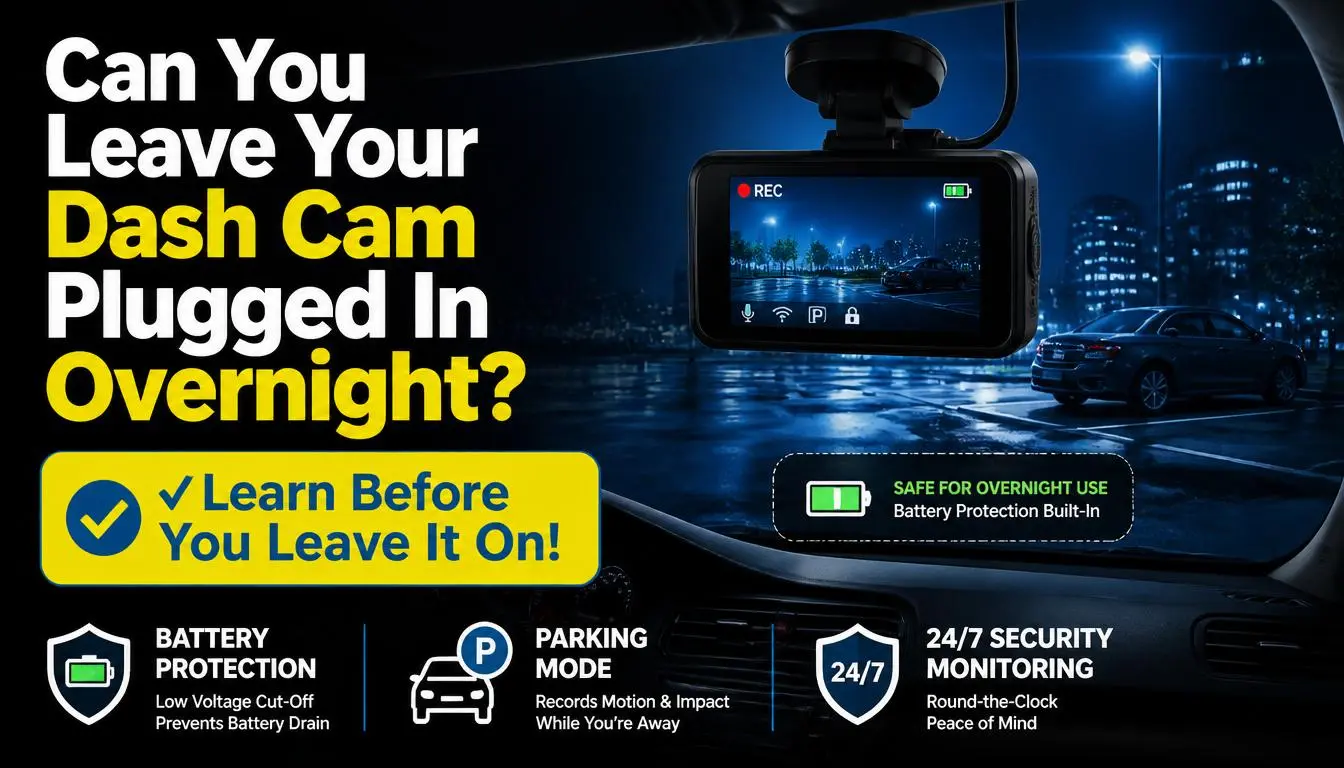
Yes, you can leave your dash cam plugged in, but it depends on how your car supplies power when the engine is off. If your car’s 12V socket or USB port turns off with the ignition, your dash cam will usually stop recording and will not drain the battery. If the power outlet stays live after the car is off, the dash cam can keep drawing power and may drain your car battery over time.
The safest setup depends on your goal. If you only want recording while driving, a normal ignition-switched power outlet is usually enough. If you want parking mode, overnight protection, or 24/7 monitoring, use a proper hardwire kit with low-voltage cutoff or a dedicated dash cam battery pack.
Quick Answer: Is It Safe to Leave a Dash Cam Plugged In?
It is safe to leave a dash cam plugged in when the power source shuts off after the car is turned off. In that case, the camera stops working once the vehicle cuts power to the socket.
It can be risky when your dash cam is connected to an always-on cigarette lighter socket, OBD power cable, or hardwire kit without battery protection. In those setups, the camera may keep using your car battery while parked.
A dash cam uses a small amount of power, but small power use can still become a problem if the car sits for many hours or days. The risk is higher if your battery is old, weak, or affected by cold weather. This is why modern parking mode setups usually use low-voltage protection to shut the camera down before the battery gets too low. Garmin, for example, states that its Constant Power Cable can shut down when it detects a low vehicle battery level below 12V.
What Happens If You Leave Your Dash Cam Plugged In?
What happens depends on whether your car cuts power to the dash cam after the ignition is off.
If your car’s power outlet turns off, the dash cam will shut down. This is common in many cars where the USB port or 12V outlet only works when the ignition is on. In this case, leaving the dash cam plugged in is usually not a battery problem, but the camera will not record while parked.
If your car’s power outlet stays on, the dash cam may continue recording after you leave the vehicle. This can be useful for parking protection, but it also means the camera is drawing power from the car battery.
If your dash cam has parking mode, it may switch from normal driving recording to motion detection, impact detection, buffered recording, or time-lapse mode. These modes use less power than continuous recording, but they still need power.
Will a Dash Cam Drain Your Car Battery Overnight?
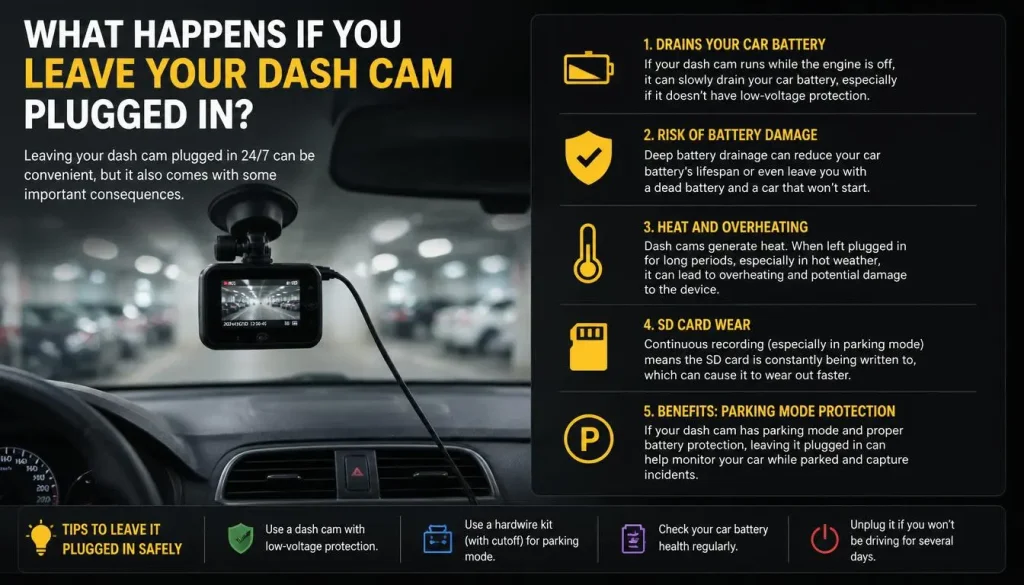
A dash cam can drain your car battery overnight if it keeps running after the engine is off and there is no battery protection. However, one night may not always cause a problem with a healthy battery, especially if the dash cam uses a proper parking mode.
The risk increases when:
- The dash cam records continuously while parked
- The 12V socket is always live
- The battery is old or weak
- The car is parked for more than one night
- The weather is very cold
- The dash cam has front and rear cameras
- Wi-Fi, GPS, LTE, or cloud features stay active
- There is no low-voltage cutoff
For most drivers, the real problem is not leaving the dash cam plugged in during a normal drive. The problem is leaving it powered from the main car battery for long parking periods without voltage protection.
How Long Can a Dash Cam Stay Plugged In Before Draining the Battery?
There is no single answer because it depends on the dash cam model, power source, parking mode settings, battery size, and battery health.
A healthy battery may handle several hours of parking mode without trouble. Overnight parking may also be fine with the right setup. But leaving a dash cam running for several days can become risky, especially at an airport, during a vacation, or when the car is not driven often.
As a simple rule:
- A few hours is usually low risk with a healthy battery
- Overnight may be okay with low-voltage protection
- More than 24–48 hours needs caution
- Several days is best handled with a dash cam battery pack
- Long-term parking without protection is not recommended
If your car struggles to start after the dash cam has been plugged in, stop using that setup until you check the power source and battery condition.
Does a Dash Cam Turn Off Automatically When the Car Is Off?
Some dash cams turn off automatically when the car turns off. Others stay on because they are still receiving power.
A dash cam does not magically know your car is parked. It reacts to power and settings. If the power supply stops, the dash cam shuts down. If the power supply continues, the camera may stay active.
Your dash cam may turn off automatically if:
- It is plugged into a switched USB port
- It is plugged into a switched 12V outlet
- The hardwire kit uses ACC power only
- The parking mode timer ends
- The low-voltage cutoff shuts it down
Your dash cam may stay on if:
- The cigarette lighter socket is always live
- It is connected to a constant fuse
- It uses an OBD cable with constant power
- Parking mode is enabled
- The hardwire kit is installed without proper cutoff
The easiest way to test this is to turn off the engine, lock the car, wait 5 to 15 minutes, then check whether the dash cam light or screen is still on.
What If My Cigarette Lighter Socket Is Always On?
If your cigarette lighter socket is always on, your dash cam may keep recording even after the car is parked. This is convenient, but it can drain the battery if the camera runs too long.
Some vehicles cut power immediately when the ignition turns off. Some cut power after a short delay. Others keep the 12V outlet live all the time.
If your outlet is always on, you have four safer options:
- Unplug the dash cam when you park
- Use a 12V adapter with low-voltage protection
- Use a hardwire kit with battery cutoff
- Use a dash cam battery pack
Do not assume every car socket behaves the same way. Two cars from different brands, or even two models from the same brand, may handle 12V power differently.
Cigarette Lighter vs USB Port vs Hardwire Kit: Which Is Safer?
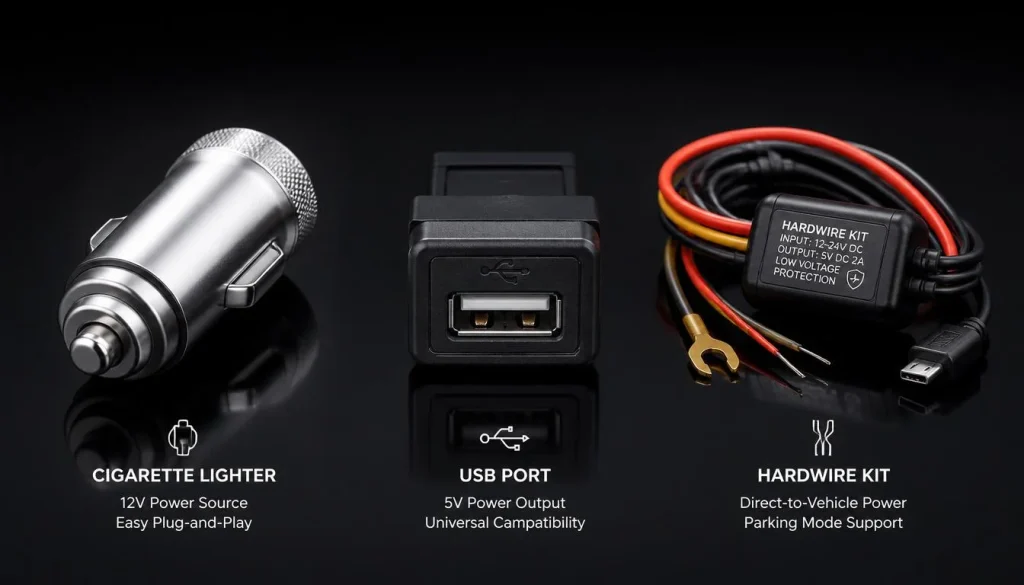
Different power methods create different levels of convenience and battery risk.
| Power Method | Works When Car Is Off? | Battery Drain Risk | Best For |
|---|---|---|---|
| USB port | Usually no | Low | Basic driving recording |
| 12V cigarette lighter | Depends on car | Low to medium | Easy plug-and-play use |
| Always-on 12V outlet | Yes | Medium to high | Short parking only |
| Hardwire kit with cutoff | Yes | Low when installed correctly | Parking mode |
| OBD power cable | Often yes | Medium | Easier parking mode setup |
| Dash cam battery pack | Yes | Lowest for car battery | Long parking protection |
If you only need driving footage, use a switched USB or 12V outlet. If you need parked recording, a hardwire kit with low-voltage cutoff or a battery pack is the better choice.
ACC Fuse vs Constant Fuse: Why It Matters for Dash Cam Power
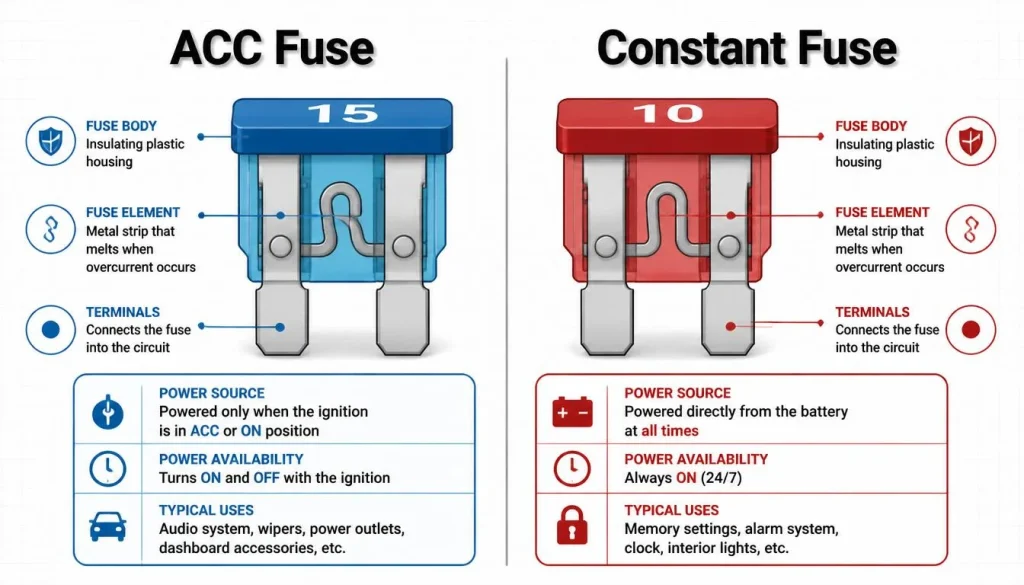
If you hardwire a dash cam, the fuse you choose matters.
An ACC fuse only provides power when the ignition is on. This is good for normal driving recording because the camera turns off when the car is off.
A constant fuse provides power even when the car is off. This is needed for parking mode, but it can drain the battery if there is no low-voltage cutoff.
Many parking mode hardwire kits use both:
- ACC wire to know when the car is on
- Constant wire to power parking mode
- Ground wire to complete the circuit
If the wires are connected incorrectly, the camera may not switch modes properly or may stay on longer than expected. If you are not comfortable working with the fuse box, use a professional installer.
What Voltage Cutoff Should I Use for a Dash Cam?
Low-voltage cutoff is one of the most important features for safe parking mode. It shuts the dash cam off when your car battery drops to a set voltage.
Here is a practical guide:
| Cutoff Setting | Battery Protection Level | Best For |
|---|---|---|
| 12.4V | High protection | Cold weather, older battery, short trips |
| 12.2V | Balanced protection | Most daily drivers |
| 12.0V | Longer parking recording | Healthy battery only |
| 11.8V or lower | Higher risk | Not recommended for most users |
For most drivers in the USA, UK, Canada, and Australia, 12.2V is a balanced setting. If your battery is older or you live in a cold area, 12.4V is safer. Avoid setting the cutoff too low just to get longer parking footage.
How Much Power Does a Dash Cam Use?
A dash cam usually uses a small amount of power, but the exact amount depends on the model and features.
A simple front-only dash cam normally uses less power than a front-and-rear system. A 4K dash cam may use more power than a 1080p model. Features like GPS, Wi-Fi, LTE, cloud upload, cabin camera, screen brightness, and voice control can also affect power use.
Parking mode usually uses less power than normal continuous recording, but it still uses battery power. Impact detection and time-lapse mode are often more battery-friendly than full recording all night.
The safest approach is simple: if you want the camera to run while parked, use battery protection.
Can a Dash Cam Run on Its Own Internal Battery?
Most dash cams cannot record for long on their own internal battery. The small built-in battery is usually designed to save the last video file when power is removed, not to record for hours while parked.
Some dash cams use a supercapacitor instead of a traditional internal battery. Supercapacitors are common in hot climates because they can handle heat better. But they are not designed for long parking mode recording.
For real parked recording, you usually need one of these:
- Hardwire kit
- OBD power cable
- External dash cam battery pack
- Vehicle power outlet that stays on
Do not rely on the dash cam’s small internal battery for overnight protection.
Can I Leave My Dash Cam Plugged In 24/7?
You can leave a dash cam plugged in 24/7 only if the setup includes proper battery protection. Without protection, 24/7 recording can drain the car battery.
Continuous recording all day and night is not the best setup for most drivers. It uses more storage, creates more heat, and consumes more power. Event-based parking mode is usually better because it records when motion or impact is detected.
For 24/7 protection, the best options are:
- Hardwire kit with low-voltage cutoff
- Parking mode timer
- Motion or impact detection
- Dedicated dash cam battery pack
- Cloud-connected dash cam only if power is properly managed
TechRadar notes that battery drain depends heavily on how the dash cam is powered and installed, and that hardwired setups should use battery protection features to reduce risk.
Is It Safe to Power a Dash Cam Through the OBD Port?
An OBD power cable can be a simple way to power a dash cam for parking mode without fuse-box wiring. It plugs into the OBD-II port under the dashboard.
It can be safe if the adapter is compatible with your car and includes low-voltage protection. But it can still drain the battery if it keeps powering the dash cam for too long.
OBD power is not ideal for every vehicle. Some cars may behave differently with OBD accessories. If you use an OBD cable, choose one designed for dash cams and check whether it has a parking mode switch, timer, and voltage cutoff.
Can You Leave a Dash Cam Plugged In an EV or Hybrid?
Yes, but you still need to be careful. EVs and hybrids usually have a 12V battery system that powers accessories. A dash cam can still affect that 12V battery depending on the setup.
Some EVs have built-in security or sentry-style recording systems, but many drivers still add a dash cam for better front, rear, or cabin coverage.
For EVs and hybrids:
- Check the owner’s manual before hardwiring
- Avoid random fuse tapping
- Use a compatible power kit
- Consider a dash cam battery pack
- Do not assume the main high-voltage battery will protect the 12V system
A professional installation is a smart choice if you are not sure how your EV or hybrid manages accessory power.
Can I Leave My Dash Cam Plugged In Overnight?
Yes, you can leave your dash cam plugged in overnight if your setup is safe. The safest overnight setup is a hardwire kit with low-voltage cutoff or a dash cam battery pack.
If your dash cam is plugged into an always-on cigarette lighter socket and records continuously, overnight use may drain the battery. This is especially true if the battery is weak, old, or exposed to cold weather.
For overnight parking, use these settings:
- Parking mode instead of continuous recording
- Low-voltage cutoff at 12.2V or 12.4V
- Parking timer if available
- Motion or impact detection
- Screen off
- Wi-Fi or cloud features off unless needed
If the car will sit for several days, unplug the dash cam or use a battery pack.
Can I Leave My Dash Cam Plugged In While Parked at Work?
Leaving a dash cam plugged in while parked at work can be useful, especially if you park in a busy lot or on the street. For an 8 to 10 hour workday, parking mode is usually better than continuous recording.
Use parking mode with impact detection or motion detection. This helps capture door dings, hit-and-run incidents, vandalism, and suspicious activity without recording unnecessary footage all day.
If your workplace parking is covered, quiet, and secure, you may not need full parking mode. If your car battery is old or you only take short drives, reduce the parking mode timer or use a higher voltage cutoff.
Can I Leave My Dash Cam Plugged In at the Airport?
You should be careful leaving a dash cam plugged in at the airport. Airport parking often means the car will sit for several days. That is much riskier than overnight parking.
If you want airport parking protection, the best option is a dedicated dash cam battery pack. This lets the camera record while reducing risk to the main car battery.
If you do not have a battery pack, use:
- Low-voltage cutoff
- Parking mode timer
- Event-based recording
- Higher cutoff setting such as 12.4V
- Fully charged, healthy car battery
If your dash cam is plugged into an always-on 12V socket with no cutoff, unplug it before leaving the car for several days.
Does Parking Mode Work If the Dash Cam Is Not Plugged In?
In most cases, no. Parking mode needs power.
A dash cam may have a tiny internal battery or supercapacitor, but that is usually for file saving, not long recording. Without external power, most dash cams cannot monitor your parked car for hours.
Parking mode usually needs one of these:
- Hardwire kit
- OBD power cable
- External battery pack
- Always-on 12V outlet
Some dash cams advertise parking protection, but the feature may require a separate hardwire kit. Always check the product instructions before assuming parking mode will work out of the box.
Signs Your Dash Cam Is Draining Your Battery
Your dash cam may be draining your car battery if you notice these signs:
- The car struggles to start in the morning
- You hear clicking when turning the key or pressing start
- The battery warning light appears
- The dash cam stays on long after parking
- The car starts fine when the dash cam is unplugged
- The battery dies after overnight parking
- Parking mode records longer than expected
- Your hardwire kit has no voltage cutoff
- The problem happens more in cold weather
If these signs appear, unplug the dash cam and test the battery. A weak battery may need replacement, but the dash cam setup should also be checked.
What to Do If Your Car Won’t Start After Leaving the Dash Cam Plugged In
If your car will not start after the dash cam was left plugged in, follow these steps:
- Unplug the dash cam immediately.
- Try to jump-start the car safely.
- Let the vehicle run or drive long enough to recharge the battery.
- Check whether the 12V outlet stays live after the car is off.
- Turn off continuous recording while parked.
- Enable parking mode instead of normal recording.
- Set a safer low-voltage cutoff.
- Test the battery health.
- Replace an old or weak battery if needed.
- Install a proper hardwire kit or battery pack before using parking mode again.
Do not keep using the same setup if the battery has already died once. Find the cause first.
How to Stop a Dash Cam From Draining Your Battery
The best way to stop battery drain is to control how long the dash cam can draw power.
Use these fixes:
- Plug the dash cam into a switched power outlet
- Use a hardwire kit with low-voltage cutoff
- Set the cutoff to 12.2V or 12.4V
- Use a parking mode timer
- Turn off continuous recording while parked
- Use motion or impact detection
- Turn off the screen
- Disable Wi-Fi, GPS, LTE, or cloud features when not needed
- Use a battery pack for long parking
- Replace weak vehicle batteries
A dash cam should protect your car, not leave you with a dead battery. If your current setup causes starting problems, change the power method.
Best Dash Cam Setup for Daily Drivers
If you only want recording while driving, keep it simple.
The best setup for most daily drivers is:
- Dash cam plugged into a switched USB or 12V outlet
- Camera turns on when the car starts
- Camera turns off when the car is parked
- No parking mode battery draw
- Simple cable routing
- No fuse-box installation
This setup is ideal if your main goal is recording accidents, road rage, traffic incidents, or insurance evidence while driving.
Best Dash Cam Setup for Parking Protection
If you want protection while parked, use a more advanced setup.
The best parking protection setup is:
- Front or front-and-rear dash cam
- Hardwire kit with low-voltage cutoff
- Parking mode enabled
- Impact detection on
- Motion detection adjusted correctly
- Parking mode timer set
- Optional battery pack for long parking
This setup is useful for street parking, apartment parking lots, workplace parking, shopping centers, and airport parking.
Country-Specific Tips for USA, UK, Canada, and Australia Drivers
Drivers in different countries face different parking and weather conditions.
USA Drivers
In the USA, long commutes, large parking lots, airport parking, and hot climates can affect dash cam use. If you live in hot states like Texas, Florida, Arizona, or Nevada, choose a heat-resistant dash cam and avoid leaving the screen on while parked.
UK Drivers
In the UK, street parking, narrow roads, and tight residential areas make parking mode useful. If your car is parked on the road overnight, impact detection can help capture bumps, scrapes, or hit-and-run damage.
Canada Drivers
In Canada, cold weather is a major factor. Cold temperatures reduce battery performance, especially in winter. If you use parking mode in Canada, use a safer cutoff such as 12.4V and avoid long parking recording on an old battery.
Australia Drivers
In Australia, heat can be a major issue. Choose a dash cam that handles high cabin temperatures well. A supercapacitor model may be better than a small internal battery model in hot areas.
Common Mistakes to Avoid
Avoid these dash cam power mistakes:
- Leaving the dash cam on continuous recording for days
- Using an always-on 12V socket without protection
- Hardwiring without low-voltage cutoff
- Setting the voltage cutoff too low
- Using the wrong fuse
- Ignoring slow engine starts
- Assuming all cigarette lighter sockets turn off
- Expecting the internal battery to record overnight
- Using parking mode on an old battery
- Leaving Wi-Fi, cloud upload, or LTE on unnecessarily
- Parking for several days without a battery pack
Most dash cam battery problems happen because the camera is powered the wrong way while parked.
Final Verdict: Should You Leave Your Dash Cam Plugged In?
You can leave your dash cam plugged in if your power setup is safe.
For normal driving, it is usually fine to leave the dash cam plugged into a USB port or 12V socket that turns off with the car. For overnight parking, use parking mode with low-voltage cutoff. For 24/7 monitoring or airport parking, use a dedicated dash cam battery pack.
Here is the simplest rule:
If your dash cam turns off when the car turns off, battery drain risk is low. If your dash cam stays on after the car is off, you need battery protection.
A dash cam is most useful when it records at the right time without creating starting problems. Set it up properly, use parking mode wisely, and protect your car battery.
FAQs About Leaving a Dash Cam Plugged In
Can I leave my dash cam plugged in all the time?
Yes, but only if the power source and battery protection are safe. If the dash cam stays powered 24/7 without low-voltage cutoff, it can drain your car battery.
Will my dash cam drain my car battery overnight?
It can drain the battery overnight if it keeps recording from an always-on power source. The risk is lower with parking mode, a healthy battery, and low-voltage cutoff.
Should I unplug my dash cam when parked?
You should unplug it if your 12V socket is always on and you do not have battery protection. If your socket turns off with the ignition, unplugging is usually not necessary.
Can a dash cam record when the car is off?
Yes, but it needs power. This usually requires parking mode through a hardwire kit, OBD cable, always-on 12V socket, or external battery pack.
Does parking mode drain battery?
Parking mode uses battery power, but usually less than continuous recording. A proper hardwire kit with low-voltage cutoff helps prevent excessive battery drain.
Is a hardwire kit safe for my car battery?
A hardwire kit can be safe when installed correctly and used with low-voltage cutoff. Without battery protection, a hardwired dash cam can drain the battery.
What is low-voltage cutoff on a dash cam?
Low-voltage cutoff is a safety feature that turns the dash cam off when your car battery drops to a set voltage. It helps keep enough power to start the car.
Can I leave my dash cam plugged in at the airport?
It is not recommended without a battery pack or strict parking mode timer. Airport parking often lasts several days, which can drain the battery if the camera keeps running.
Is it better to hardwire a dash cam or use the cigarette lighter?
For normal driving, the cigarette lighter or USB port is easier. For parking mode, a hardwire kit with low-voltage cutoff is usually better.
Why did my dash cam kill my battery?
Your dash cam may have stayed on after the car was off. Common causes include an always-on socket, continuous recording, weak battery, wrong hardwire setup, or no low-voltage cutoff.
Can I leave a front and rear dash cam plugged in overnight?
Yes, but front and rear dash cams may use more power than a single camera. Use parking mode, low-voltage cutoff, and a healthy battery.
Does a dash cam need to be plugged in all the time?
A dash cam needs power to record. It does not need to be powered all the time unless you want parking mode or parked car protection.
Can a dash cam work without a car battery?
Only for a very short time if it has a small internal battery. For real recording while parked, it needs external power or a dedicated dash cam battery pack.
What is the safest way to power a dash cam overnight?
The safest method is a dash cam battery pack. The next best option is a hardwire kit with low-voltage cutoff and a parking mode timer.

Tony Kilmer is an auto mechanic and the author behind CarTruckAdvisor.com. He shares practical, no-nonsense guidance on car and truck maintenance, common problems, and repair decisions—helping drivers understand what’s going on and what to do next.